

Searching for the best ITSM tools? Our team put dozens of tools to the test to highlight the best ITSM platforms in terms of capabilities, flexibility, and pricing. Keep reading to discover what we found.
Here is our list of the best ITSM tools:
- NinjaOne – EDITOR’S CHOICE A remote monitoring and management (RMM) package that is hosted on the cloud and includes a ticketing system. Get a 14-day free trial.
- Atera – FREE TRIAL This platform of tools for IT support organizations is available in versions for IT departments and MSPs. Start a 30-day free trial.
- ManageEngine ServiceDesk Plus – FREE TRIAL A package with a range of plans that provide progressively more service management modules with higher plans. This software will run on Windows Server or Linux and it is also available as a cloud platform. Get a 30-day free trial.
- SuperOps A cloud platform of tools for support teams with options for managed service provider management and also tools for support technicians.
- Syncro This cloud platform offers a combined package with all of the tools that a managed service needs. This includes tools for use by support technicians and those for the service provider’s management, which includes a ticketing system.
- Zluri This package is designed for the support of SaaS packages, which is a new niche that has new competitors.
- Freshservice This package comes from the Freshworks brand and provides all of the tools that a support team needs to manage assets, users, and issues. This is a cloud-based system.
How To Choose an ITSM Tool
- Identify Your Business Needs Determine the specific issues your IT team faces and which processes need improvement. Assess your team’s size and the complexity of your IT environment. Consider the volume of incidents, service requests, and changes you handle regularly. Identify any compliance or regulatory requirements your business must meet.
- Integration Capabilities Check if the ITSM tool integrates with your current systems and software. Compatibility with existing tools like CRM, ERP, and monitoring tools is crucial for seamless operations. Ensure the tool supports APIs or connectors for easy integration. Look for native integrations that require minimal configuration and provide robust data exchange.
- User Reviews and Ratings Research user reviews and industry ratings to gauge the tool’s reliability and effectiveness. Look for feedback from businesses similar to yours in terms of size and industry. Pay attention to recurring praises or complaints about specific features or support quality.
- Budget and Pricing Evaluate the tool’s cost against your budget, considering both initial and ongoing expenses. Factor in subscription fees, license costs, and any additional charges for premium features. Consider the cost of training your team to use the new tool effectively. Look into the cost of future upgrades and scalability options.
- Free Trials and Demos Utilize free trials or demo versions to test the tool’s functionality in your environment. Assess how well the tool handles your specific use cases and workflows. Pay attention to the user interface and ease of navigation for your team. Evaluate the quality of customer support during the trial period.
Features To Look For In ITSM Tools
- Incident Management Look for tools with robust incident management capabilities. They should allow for easy logging, categorization, and prioritization of incidents. Automated workflows for incident resolution can save time and reduce human error. Features like real-time alerts and escalation paths are essential. Ensure the tool supports integration with communication channels for better coordination.
- Service Request Management Service request management features should facilitate the submission, tracking, and fulfillment of service requests. A self-service portal is beneficial for users to log requests and find solutions. Look for automated routing and approval processes to speed up request handling. The tool should provide templates for common requests to streamline operations. Reporting capabilities to track request fulfillment times and identify bottlenecks are also important.
- Change Management Effective change management features help manage IT changes with minimal disruption. The tool should support change request submission, approval workflows, and impact analysis. Look for features that facilitate scheduling and communication of changes. Automated risk assessment and rollback plans can help mitigate potential issues. Detailed logging and auditing of changes are essential for compliance and analysis.
- Asset Management Asset management features should track hardware, software, and other IT assets throughout their lifecycle. The tool should support asset discovery, inventory management, and depreciation tracking. Integration with procurement systems can streamline asset acquisition and management. Look for features that allow for tracking usage, maintenance schedules, and warranty information. Comprehensive reporting on asset utilization and costs is crucial for effective management.
- Knowledge Management Knowledge management capabilities should enable the creation, sharing, and utilization of knowledge across the organization. The tool should support a searchable knowledge base with categorized articles and FAQs. Look for features that allow for user feedback and article updates to keep content relevant. Integration with incident and service request management can enhance problem-solving and reduce your overall helpdesk workload. Analytics on knowledge base usage can help improve content and identify gaps over time.
The Best ITSM Tools
Our methodology for selecting the best ITSM tools:
We’ve broken down our analysis for you based on these key criteria:
- Feature Set: Comprehensive ITSM tools should offer robust incident, problem, change, and asset management capabilities, along with advanced automation and reporting features.
- Ease of Use: The platform should have an intuitive interface that simplifies navigation and reduces the learning curve for new users.
- Integration Capabilities: Seamless integration with other popular tools and platforms enhances the functionality and ease of deployment of the ITSM tool.
- Scalability: The tool should cater to organizations of all sizes and be flexible enough to grow with the business needs.
- Customer Support: Reliable and accessible customer support is crucial for addressing any issues and ensuring smooth operation of the ITSM tool.
1. NinjaOne – FREE TRIAL


I noted that NinjaOne excels in providing comprehensive remote monitoring and management solutions that streamline IT operations. Its advanced automation features enhance efficiency by reducing manual tasks, and the robust reporting tools offer valuable insights into system performance. I found the seamless integration with various third-party applications particularly impressive, making NinjaOne a versatile and user-friendly choice for IT professionals.
Key Features:
- Comprehensive ITSM Capabilities: Offers integrated ticketing, asset management, and automation for streamlined IT operations.
- Advanced Automation: Reduces manual tasks through powerful automation features.
- Remote Monitoring: Provides robust remote monitoring and management of IT infrastructure.
- Seamless Integration: Easily integrates with a wide range of third-party applications.
- Insightful Reporting: Delivers detailed reports and analytics for performance tracking.
Pros:
- Integrated ITSM Features: Combines ticketing, asset management, and automation to simplify IT service management.
- Efficient Automation: Enhances operational efficiency by automating routine IT tasks.
- Remote Management: Strong remote monitoring capabilities ensure effective IT infrastructure management.
- Third-Party Integration: Seamlessly integrates with various third-party tools, enhancing overall functionality.
- Detailed Reporting: Provides comprehensive reports and analytics for informed decision-making.
Cons:
- Limited Customization: While functional, the customization options may be less extensive compared to other ITSM tools.
You can register for a custom quote and gain access to a 14-day free trial.
EDITOR'S CHOICE
NinjaOne is our first choice for IT service management, offering a platform that combines comprehensive features with ease of use and strong customer support. Its centralized ticketing system is the core of the ITSM package, streamlining the creation, prioritization, routing, and resolution of support requests. Each ticket captures detailed information—such as status, type, priority, severity, and assignee—helping technicians manage workloads efficiently and address critical issues promptly. Automation and customizable workflows enhance the system’s efficiency, enabling condition-based ticket creation and event- or time-driven routing. Collaboration is simplified through a shared activity feed, private and public messaging, and @ mentions, keeping teams connected and informed. Beyond ticketing, NinjaOne provides visibility, security, and control over all endpoints. IT teams can manage patch deployment, software installation, mobile devices, remote access, and endpoint backup from a single platform, reducing manual effort and improving operational efficiency. By combining intuitive design, powerful automation, and integrated endpoint management, NinjaOne enables IT teams to optimize workflows, maintain system performance, and deliver timely, reliable service.
Download: Get a 14-day FREE Trial
Official Site: https://www.ninjaone.com/freetrialform/
OS: Cloud based
2. Atera – FREE TRIAL

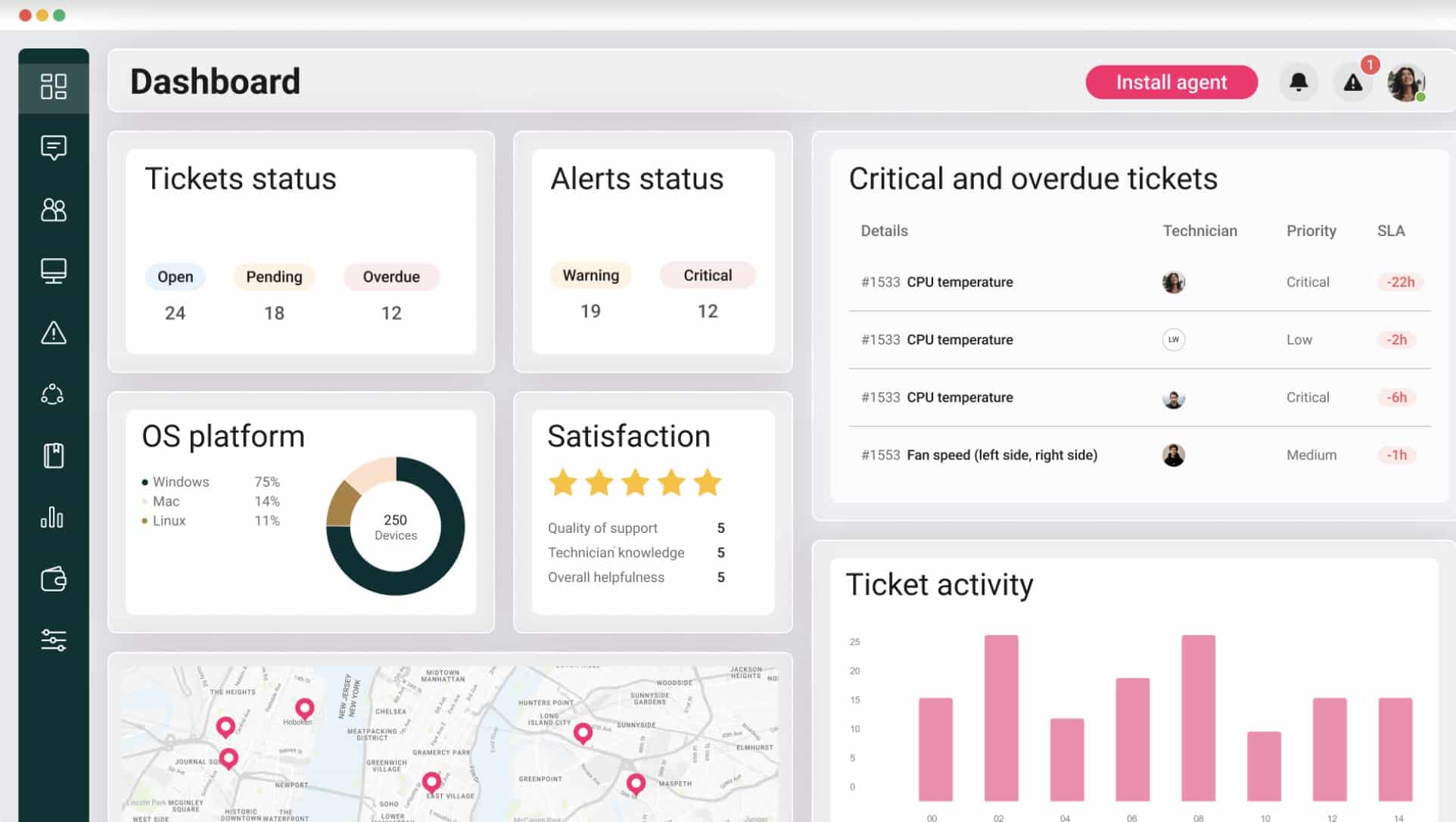
I learned that Atera offers comprehensive remote monitoring and management along with professional services automation streamlining IT operations for managed service providers. Its advanced automation and integration features significantly enhance operational efficiency, while the robust reporting tools provide valuable insights into system performance. I found the flat fee for unlimited devices particularly beneficial, making Atera an economical choice for scaling IT operations.
Key Features:
- Integrated ITSM Platform: Combines remote monitoring, ticketing, and asset management into a single, streamlined solution.
- Advanced Automation: Automates repetitive tasks to enhance efficiency and reduce manual workload.
- Remote Monitoring: Offers complete visibility and control over networks and devices from any location.
- User-Friendly Interface: Features an intuitive and easy-to-use design, accessible to users of all technical levels.
- Insightful Analytics: Provides detailed reporting and analytics for data-driven decision-making.
Pros:
- All-in-One Solution: Integrates remote monitoring, ticketing, and asset management to streamline IT operations.
- Enhanced Efficiency: Advanced automation features reduce manual tasks, increasing overall productivity.
- Comprehensive Remote Monitoring: Strong remote monitoring capabilities ensure effective management of IT infrastructure.
- Intuitive Interface: User-friendly design makes it accessible to users of all technical levels.
- Data-Driven Insights: Provides valuable analytics and reporting for informed decision-making.
Cons:
- Limited Customization: Some users may find the customization options less flexible compared to other ITSM tools.
- Occasional Bugs: Users have reported occasional bugs that can affect system performance.
You can start with a 30-day free trial.
3. ManageEngine ServiceDesk Plus – FREE TRIAL

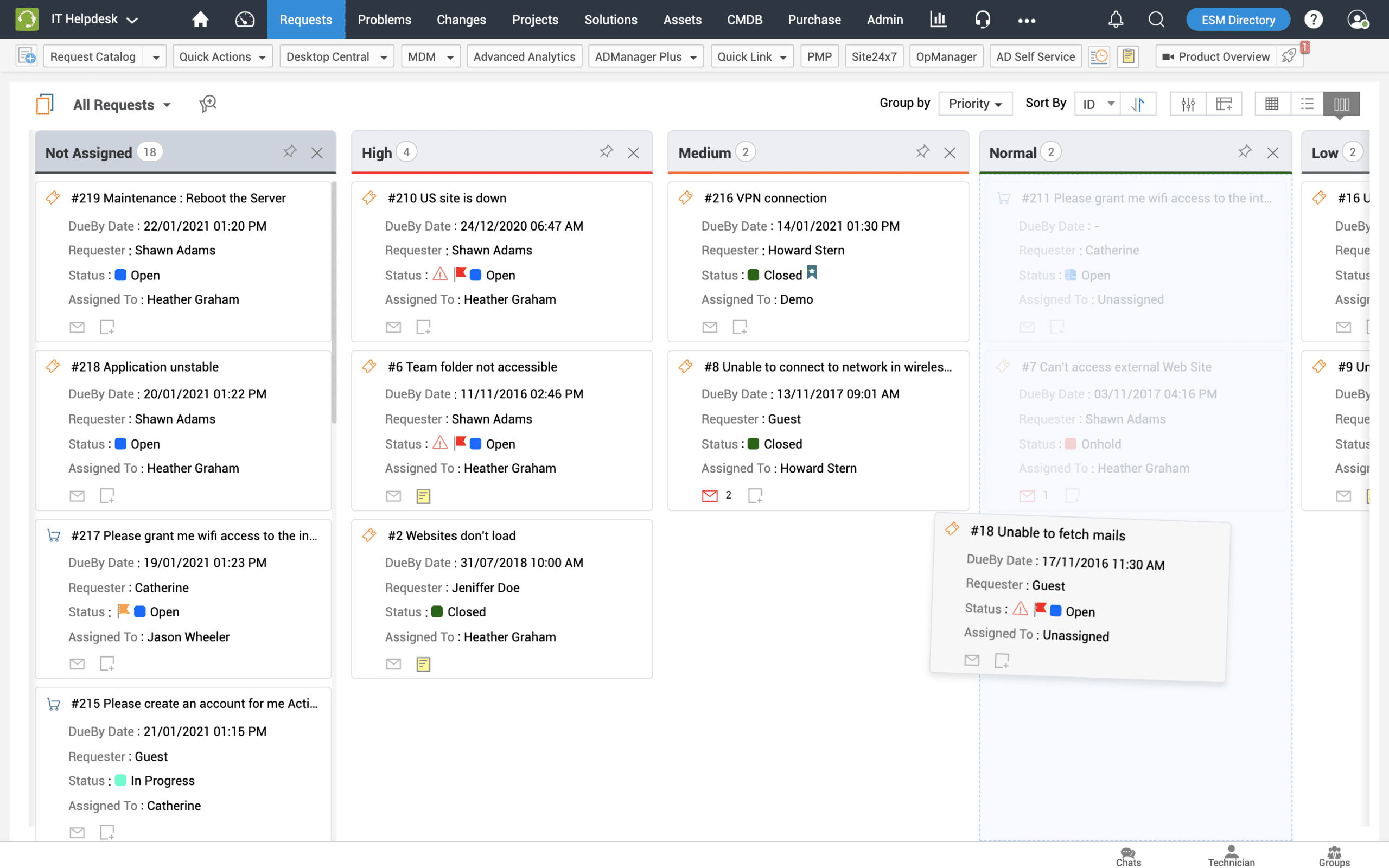
I discovered that ManageEngine ServiceDesk Plus seamlessly integrates incident, problem, change, and asset management, making it an ideal solution for organizations of all sizes. Its advanced automation and proactive resolution features enhance operational efficiency and reduce manual workloads. Additionally, the platform offers flexible deployment options and extensive integrations, providing a robust and scalable ITSM solution. I found its intuitive design and customizable workflows particularly beneficial for improving service delivery and helpdesk workflow.
Key Features:
- Integrated ITSM Capabilities: Combines incident, problem, change, and asset management for a comprehensive service management solution.
- Automated Workflows: Automates the entire ticket lifecycle, from creation to resolution, enhancing efficiency and accuracy.
- Proactive Resolution: Includes escalation and proactive resolution features to ensure timely issue management and SLA compliance.
- Flexible Deployment Options: Offers both cloud-based and on-premises deployment models to meet diverse organizational needs.
- Extensive Integrations: Seamlessly integrates with other ManageEngine products and third-party tools for enhanced functionality.
Pros:
- Comprehensive ITSM Solution: Integrates essential IT service management processes, improving overall efficiency.
- Robust Reporting: Advanced analytics and reporting tools provide valuable insights for data-driven decision-making.
- Automation Capabilities: Automated workflows reduce manual tasks, increasing productivity and service quality.
- Flexible Deployment: Offers both cloud and on-premises options, catering to different organizational preferences.
- Seamless Integrations: Integrates well with other ManageEngine products and third-party applications, expanding its capabilities.
Cons:
- Cost: Can be more expensive compared to other ITSM tools, which might be a barrier for smaller organizations.
- Learning Curve: New users might face a steep learning curve due to the platform’s comprehensive feature set.
Get started with the 30-day free trial.
4. SuperOps

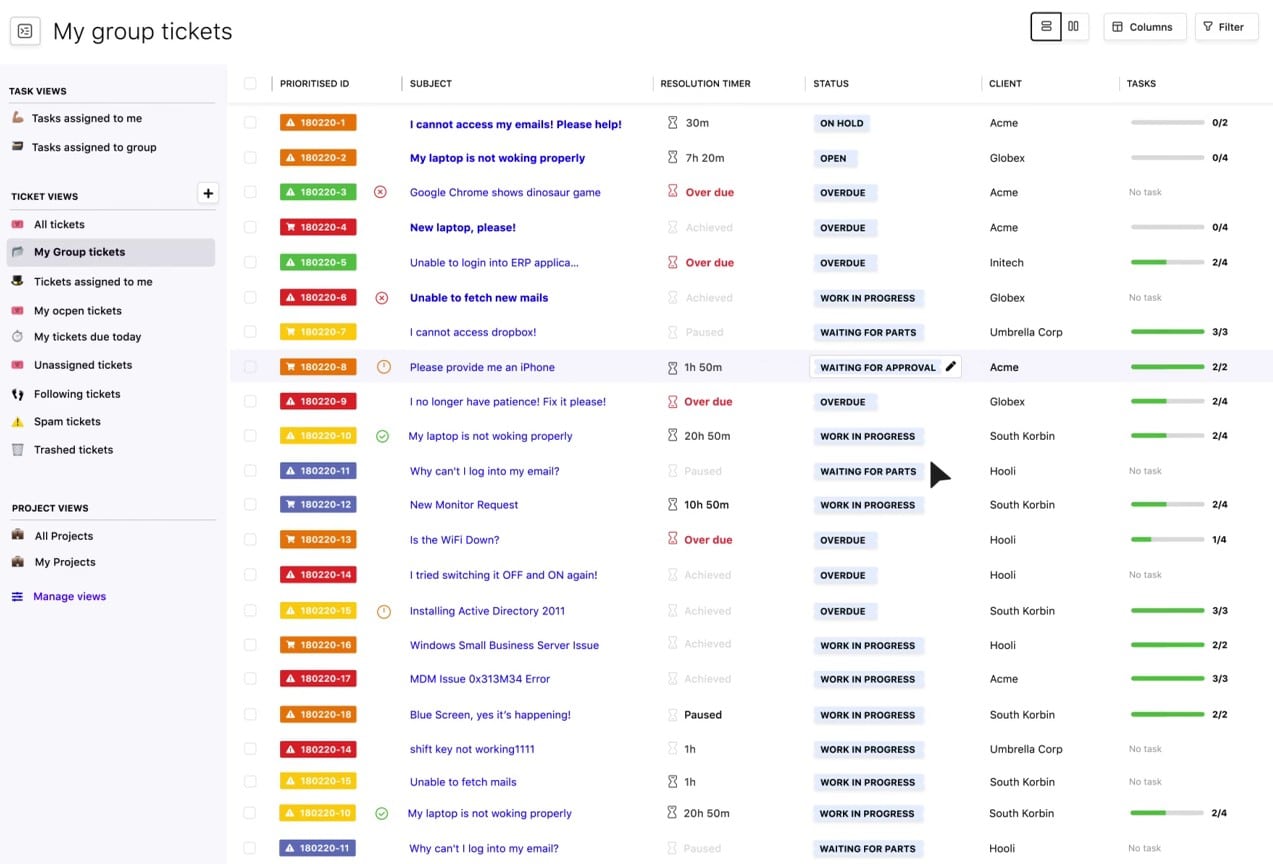
I observed that SuperOps is a solid choice for IT service management due to its advanced automation capabilities and comprehensive PSA-RMM integration. This platform excels in simplifying asset management, policy enforcement, and patch management, making it ideal for managed service providers (MSPs) aiming to enhance operational efficiency.
Key Features:
- Integrated PSA-RMM Platform: Combines professional services automation with remote monitoring and management for a unified ITSM solution.
- Advanced Automation: Automates tasks such as server checks, updates, and restarts, reducing manual workloads significantly.
- Asset Management: Provides comprehensive tools for managing and performing tasks on IT assets, ensuring they are always up-to-date.
- Patch Management: Proactively manages patches for all Windows devices, enhancing security and reducing vulnerabilities.
- Intuitive Interface: Features a modern, user-friendly interface that simplifies navigation and use.
The user-friendly interface and intuitive design ensure a smooth user experience, while the powerful automation features help eliminate manual processes. I found the integration with various third-party tools particularly beneficial, enhancing the platform’s versatility and effectiveness.
Pros:
- Unified Platform: Combines PSA and RMM features, offering a comprehensive tool for IT service management.
- Efficient Automation: Reduces manual tasks through advanced automation, increasing overall efficiency.
- Robust Asset Management: Simplifies the management of IT assets, ensuring they are properly maintained and updated.
- Easy Integration: Seamlessly integrates with various third-party applications, enhancing its functionality.
- User-Friendly Design: The intuitive interface makes it easy to navigate and use, reducing the learning curve.
Cons:
- Initial Cost: The platform can be pricey, especially for smaller MSPs, which might be a barrier to adoption.
- Customization Limitations: Users have reported that the customization options are somewhat limited compared to other ITSM tools.
- Support for Operating Systems: Limited information on support for non-Windows operating systems, which may restrict its use in diverse IT environments.
5. Syncro


I found that Syncro excels in IT service management by offering an integrated platform that combines ticketing, asset management, and automation workflows. Its comprehensive ITSM capabilities streamline IT operations, allowing teams to efficiently manage and resolve issues.
Key Features:
- Comprehensive ITSM Capabilities: Includes ticketing, asset management, and automation workflows in a single platform.
- Seamless Integration: Easily integrates with various third-party platforms for enhanced functionality.
- Robust Reporting: Offers detailed reporting and analytics to track performance and metrics.
- High Customization: Allows for extensive customization to meet specific IT needs.
- Remote Management: Enables remote troubleshooting and management of client systems effectively.
The tool also features robust reporting and analytics, providing valuable insights into performance metrics and helping organizations make data-driven decisions. Additionally, Syncro’s high level of customization ensures that it can be tailored to meet the unique needs of both growing and established MSPs.
Pros:
- Unified ITSM Solution: Combines ticketing, asset management, and automation in one platform, streamlining IT operations.
- Easy Integration: Integrates seamlessly with various third-party applications, enhancing overall functionality.
- Detailed Analytics: Provides robust reporting features for in-depth performance analysis and tracking.
- Customizable: Highly customizable to fit specific organizational needs and workflows.
- Remote Troubleshooting: Effective remote management features for quick client support.
Cons:
- Limited Mobile App Functionality: The mobile app lacks some features available on the desktop version, limiting on-the-go management.
Get started by registering for a free trial.
6. Zluri

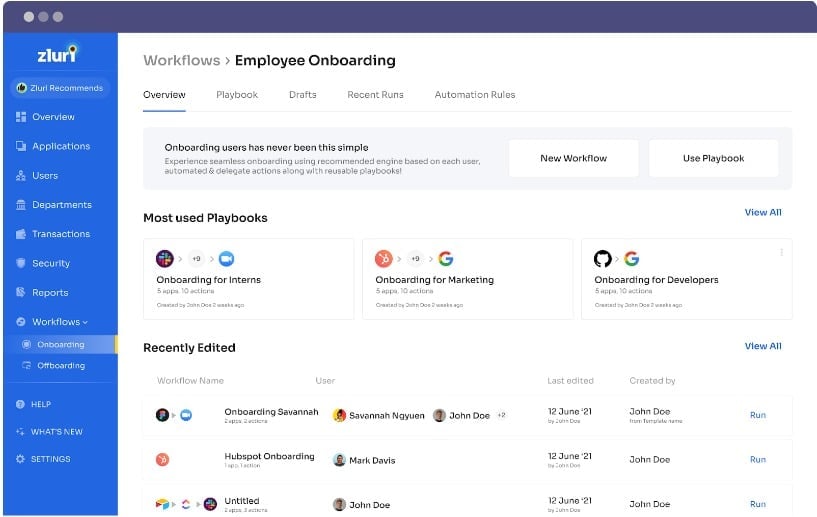
I noticed that Zluri offers robust automation and comprehensive SaaS management capabilities, primarily for SaaS companies. The platform excels in simplifying and automating license management, app approvals, and threat monitoring, making it an ideal solution for modern IT teams. Its user-friendly interface and extensive reporting tools enhance operational efficiency and provide valuable insights for data-driven decision-making.
Key Features:
- Automated License Management: Streamlines the process of license requisition, approval, and revocation, saving valuable time and resources.
- Proactive Threat Monitoring: Identifies critical applications and users with elevated threat levels, ensuring timely alerts and risk assessment.
- Comprehensive Reporting: Provides detailed reports and insights to optimize software asset utilization and ensure compliance.
- SaaS Management: Centralizes the management of SaaS applications, simplifying tracking and administration.
- User-Friendly Interface: Features an intuitive design that enhances ease of use and efficiency.
Pros:
- Efficient License Management: Automates the license requisition and approval process, reducing administrative workload.
- Advanced Threat Monitoring: Proactively monitors for security threats, ensuring timely alerts and compliance with standards like ISO 27001 and GDPR.
- Detailed Reporting: Offers comprehensive reports on asset conditions, enabling informed decision-making and better resource allocation.
- Streamlined SaaS Management: Centralizes the management of SaaS applications, improving visibility and control.
- Intuitive Design: User-friendly interface enhances ease of use and reduces the learning curve.
Cons:
- Initial Setup Complexity: The extensive features may require a complex initial setup and configuration.
- Cost: Can be more expensive compared to other ITSM tools, which might be a barrier for smaller organizations.
- Customization Limitations: Some users may find the customization options limited compared to other ITSM platforms.
7. Freshservice

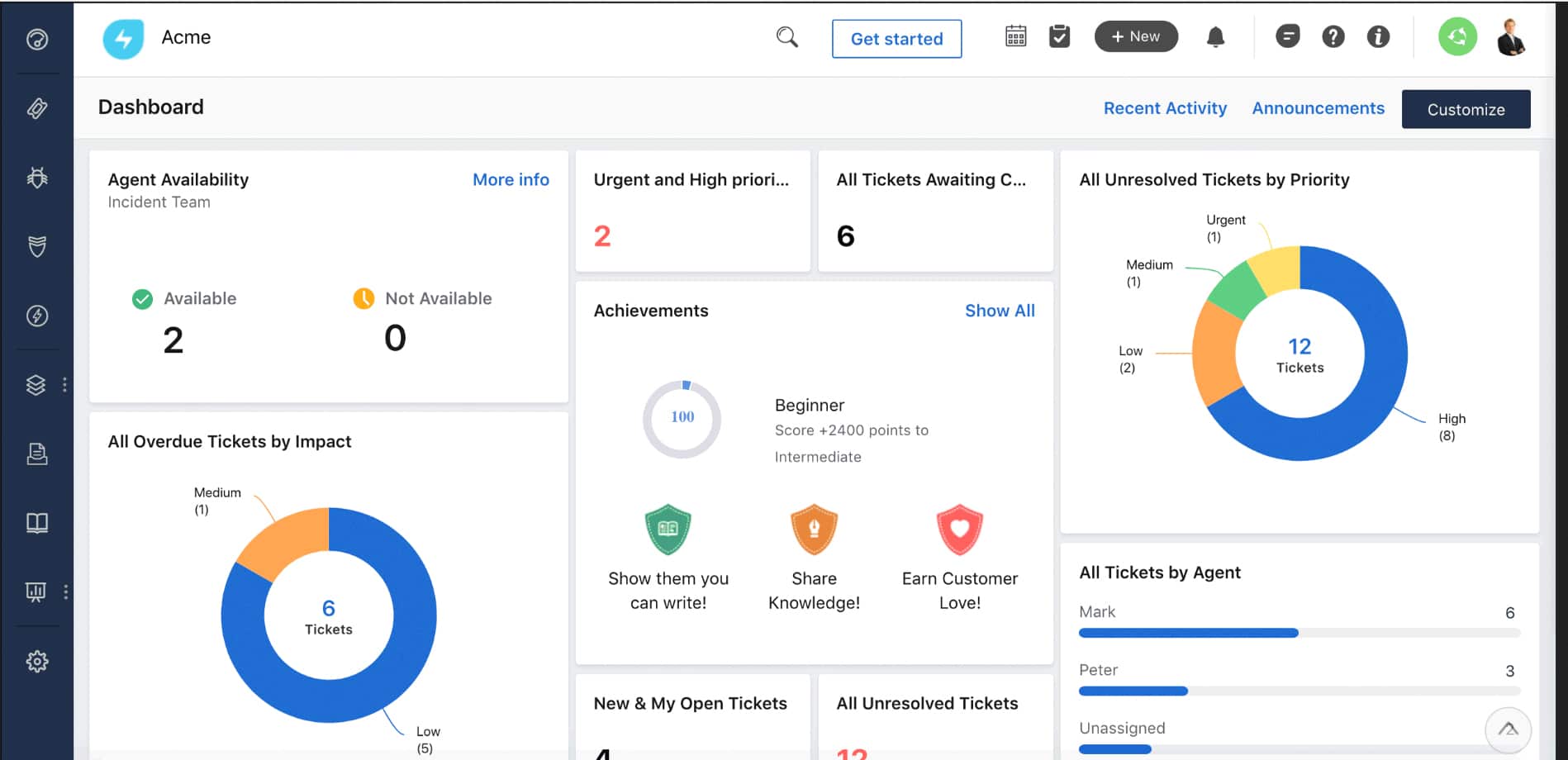
I found that Freshservice excels in incident and problem management, asset tracking, and automation capabilities, making it a versatile solution for organizations of all sizes. Freshservice integrates seamlessly with other tools and offers advanced reporting features that provide valuable insights into IT operations. I found its intuitive interface and comprehensive analytics particularly effective for enhancing service delivery and user satisfaction.
Key Features:
- Incident and Problem Management: Streamlines the process of managing service tickets, ensuring timely resolution and improved service delivery.
- Asset Management: Tracks hardware and software assets throughout their lifecycle, including depreciation and location details.
- Advanced Automation: Automates repetitive tasks and workflows, saving time and reducing manual errors.
- Comprehensive Reporting: Provides detailed reports and dashboards to monitor service desk performance and make data-driven decisions.
- Seamless Integrations: Integrates with popular tools like Google Apps, AWS, and Slack, enhancing its functionality and ease of deployment.
Pros:
- Robust Incident Management: Efficiently handles service tickets with customizable views and Kanban boards for better visualization.
- Effective Asset Tracking: Manages both physical and software assets with features like network discovery and detailed asset categorization.
- Advanced Reporting: Offers pre-built and customizable reports that provide valuable insights into IT operations.
- User-Friendly Interface: Intuitive design makes it easy to navigate and reduces the learning curve for new users.
- Comprehensive Automation: Automates approval workflows and repetitive tasks, increasing efficiency and consistency.
Cons:
- Cost: Can be more expensive compared to other ITSM tools, which might be a barrier for smaller organizations
- Customization Limitations: Some users may find the customization options limited compared to other ITSM platforms
How To Implement An ITSM Solution
- Assess Your Needs Begin by conducting a thorough audit of your current IT processes and workflows. Identify specific pain points, such as frequent incidents, long resolution times, or inefficient asset tracking. Engage stakeholders from various departments to gather detailed requirements. Document these needs clearly to guide your ITSM tool selection.
- Select the Right Tool Evaluate ITSM tools based on your documented requirements. Look for features like incident management, change management, asset management, and integration capabilities. Prioritize tools that offer API support for seamless integration with existing systems. Test shortlisted tools through demos or free trials to assess their usability and performance in your environment. Verify vendor support and scalability options to ensure long-term suitability.
- Plan the Implementation Develop a detailed project plan with defined milestones, timelines, and resources. Outline the specific ITSM processes to be implemented first, such as incident and change management. Assign roles and responsibilities, ensuring clear accountability for each task. Prepare for necessary infrastructure upgrades or changes. Communicate the implementation plan and timeline to all stakeholders to ensure alignment.
- Train Your Team Create a comprehensive training program tailored to different user roles. Conduct hands-on training sessions for IT staff, focusing on using the new ITSM tool and processes effectively. Develop user guides, FAQs, and video tutorials for ongoing reference. Set up a support system for addressing questions and troubleshooting issues post-training. Encourage feedback to continuously improve the training materials.
- Monitor and Optimize Implement monitoring tools to track key performance metrics like incident resolution times, user satisfaction, and system uptime. Analyze this data regularly to identify bottlenecks and inefficiencies. Schedule regular reviews to update ITSM processes and workflows based on performance data. Engage with the ITSM tool vendor for updates, support, and optimization tips.
My Final Thoughts on Top ITSM Tools
After testing various ITSM platforms, NinjaOne stands out as one of the best options overall due to its flexibility, affordable pricing, and intuitive yet advanced set of ITSM features.
I really like that NinjaOne also offers integrated invoicing, automation, and remote monitoring capabilities, which make it much more versatile than competing ITSM tools, especially for MSPs. The tool’s affordable and flexible pricing is a big plus for small IT teams, or MSPs looking to grow predictably.