


Nagios is a great network monitoring tool and is widely known in the network monitoring & management sphere. It does almost everything you could possibly hope for in the network monitoring space.
Having said that, it doesn’t hurt to take a look around every once in a while, to see what the competition has to offer – especially if your looking for a less complicated solution to configure and manage!
In our round-up, we will see just what it takes to compete in today’s market and what these other solutions have to offer.
Here is our list of the best network monitoring alternatives to Nagios:
- Site24x7 – FREE TRIAL A cloud-based system that offers network, server, application, and Web asset monitoring in packages that suit businesses of all sizes. Sign Up for a 30-day free trial.
- ManageEngine OpManager – FREE TRIAL A monitoring system for networks, servers, and virtualizations that has an option for centralized WAN supervision. Available for Windows Server and Linux. Download a 30-day free trial.
- Paessler PRTG – FREE TRIAL A package of monitors for networks, servers, and applications that includes great performance visualizations. Available for Windows Server. Download a 30-day free trial.
- SolarWinds Network Performance Monitor This software package uses SNMP to keep a constant eye on all network devices and alert for performance problems. Runs on Windows Server.
- Zabbix A free system tool that offers network, server, service, cloud platform, and application monitoring. Runs on Linux. macOS, and Unix.
On the open source front we have Zabbix to analyze and see how it works as well. Let’s get started!
Here’s the Best Nagios Alternatives for Network Monitoring:
1. Site24x7 Network Monitoring – FREE TRIAL
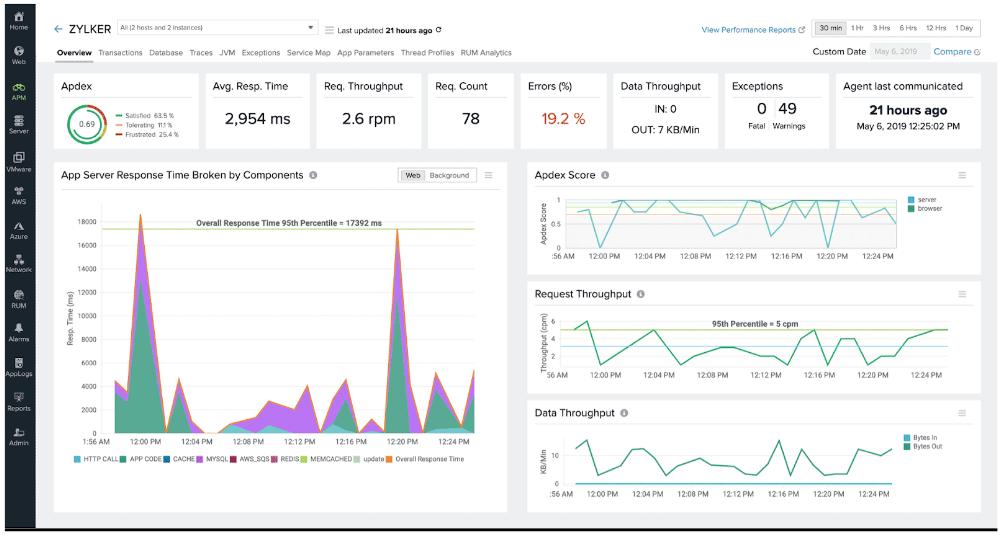
Site24x7 is a cloud platform that offers a range of system monitoring tools. Those different monitors are bundled together into packages that offer server, network, and application monitoring. The Site24x7 system has integrations, which are similar to the plug-ins of Nagios and extend the capabilities of the system to enable it to monitor specific products.
Why do we recommend it?
Our team has field-tested it, and we’ve experienced the major benefits of Site24x7’s comprehensive feature set, especially Site24x7’s ability to track and monitor application performance. On one occasion, the tool detected a sudden spike in latency, which was affecting the video conferencing application used for our virtual meetings. Site24x7’s insights helped us identify and rectify the issue, ensuring uninterrupted online video calls for our team.
As well as monitoring physical infrastructure, the Site24x7 package is able to supervise virtual assets, such as VMs and containers. This includes VMWare, Hyper-V, Nutanix, Docker, and Kubernetes systems.
The Site24x7 package is delivered from the cloud and it can also monitor other cloud systems, such as AWS, Azure, and Google Cloud Platform. The system also has the capabilities of monitoring Web applications through real user monitoring and synthetic monitoring tools.
On site, the tool will track the performance of networks by querying network devices through SNMP. This gives you a live report on all switches, routers, and firewalls. The data from SNMP queries also enables the Site24x7 system to compile a network inventory and a network topology map.
The system can access traffic information from those devices, too, plus wireless APs. This traffic monitoring is carried out through NetFlow, J-Flow, sFlow, IPFIX, AppFlow, and NetStream.
On-site servers running Windows and Linux are also covered by the Site24x7 monitor. All of the device metrics gathered by the Site24x7 collector can have performance thresholds placed on them. These warn of capacity issues and can be forwarded as notifications by SMS, email, push notification, voice calls, and RSS feeds.
Who is it recommended for?
Site24x7 is recommended for a wide range of users, including businesses of all sizes, educational institutions, government agencies, and service providers. Its versatile monitoring capabilities make it suitable for diverse environments where network, server, application, and web asset monitoring is crucial for smooth operations.
Educational institutions can greatly benefit from Site24x7, as it ensures seamless operation of their network infrastructure, helping to avoid disruptions during online learning sessions.
Pricing: Prices start from $9 per month, charged annually.
Download: Site24x7 is a cloud-based system, so you sign up online. The system is available for free for 30 days by clicking on the button below.
2. ManageEngine OpManager – FREE TRIAL
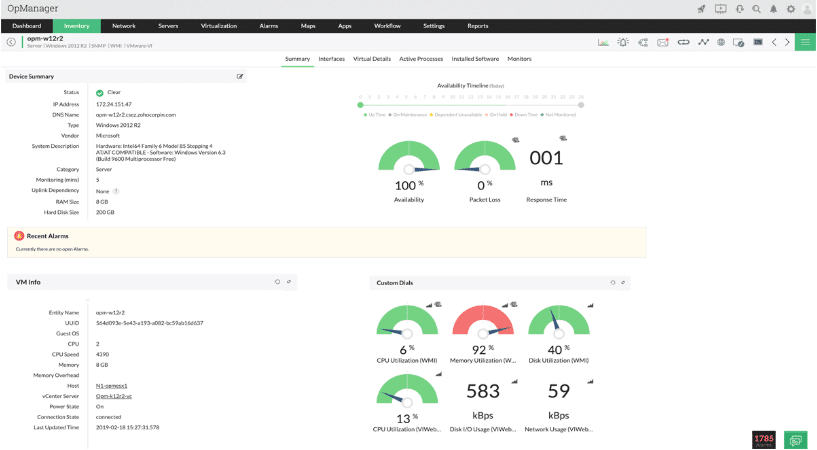
ManageEngine OpManager allows users to have visibility throughout all of their network infrastructure. This includes local devices on the network, wireless networks as well as WAN links. Peripherals like printers are also catered for via SNMP. OpManager also gives users the ability to troubleshoot and manage devices as well as plan for the environment and also manage configurations.
Why do we recommend it?
Based on our practical experience, ManageEngine OpManager is impressive because of its great mobile monitoring app, which further enhances its appeal. It allows network administrators to stay informed on network status and device connectivity from their mobile devices, making it an efficient and practical solution for network management.
Perhaps the most attractive modern feature that ManageEngine OpManager is its mobile monitoring app. It has been created for both Android and iOS, meaning that you can install it on your iPhone, iPad, and Android devices. From these mobile devices, you can check the current status of your network as well as the devices that are connected to it. You can customize your dashboard so that only the most relevant details are available at a glance.
Who is it recommended for?
ManageEngine OpManager is particularly beneficial for those responsible for overseeing network infrastructure, including local devices, wireless networks, WAN links, and on-site servers.
ManageEngine OpManager is ideal for businesses in various sectors, including healthcare, finance, and education, where network uptime and performance are critical. For example, a hospital’s IT department can use OpManager to monitor the entire network, including medical devices, ensuring that critical systems remain operational, and patient care is not disrupted due to network issues.
Download: ManageEngine OpManager is available for a 30-day free trial by clicking on the button below.
3. Paessler PRTG – FREE TRIAL
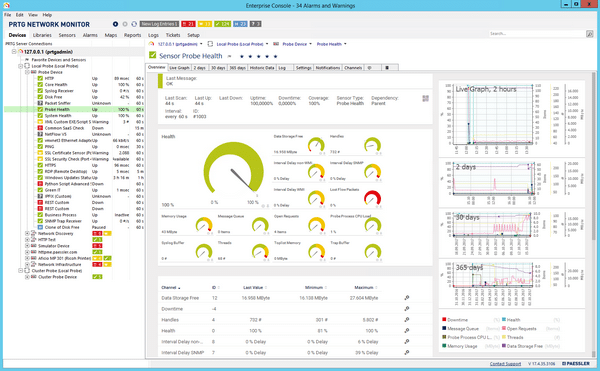
Paessler PRTG gives you the ability to monitor all of your systems and devices like networks and computers, as well as any applications that are active within your environment. PRTG will allow you to monitor your entire IT infrastructure all from one application. Everything that you could possibly need comes with this software offering. Right out of the box PRTG gets to work and no plugins or additional downloads are required. PRTG is easy to use and has some potent features that make it much easier to understand the current state of your network.
Why do we recommend it?
We’ve stress-tested Paessler PRTG, and it held up admirably. We’ve experienced the benefits of its feature-rich platform, such as real-time bandwidth monitoring, customizable sensors, and intuitive dashboards.
When we faced a sudden drop in network performance at our office, PRTG’s real-time bandwidth monitoring quickly pinpointed the issue—an excessive amount of streaming media traffic, allowing us to adjust network policies and ensure smoother operations for all employees.
PRTG allows you to monitor bandwidth usage and see who is using the most data and causing slow internet speeds. You can monitor database performance by keeping an eye on specific areas on the database itself. It comes with customized PRTG sensors for databases and SQL queries. Application monitoring is handled by PRTG’s application features which means you can monitor specific memory and CPU and memory usage.
Why do we recommend it?
Its versatility and ease of use make it a top choice for businesses of all sizes seeking efficient network management.
Its scalability and user-friendly interface make it suitable for IT professionals, network administrators, and even non-technical personnel who need to keep an eye on network performance. The customizable alerts and reporting help businesses proactively address issues, leading to enhanced productivity and reduced IT costs.
You can download a 30-day free trial and learn exactly what your network requirements are before looking at the price list.
Pricing: Pricing starts at $1,750 for 500 sensors.
4. SolarWinds Network Performance Monitor (NPM) – FREE TRIAL
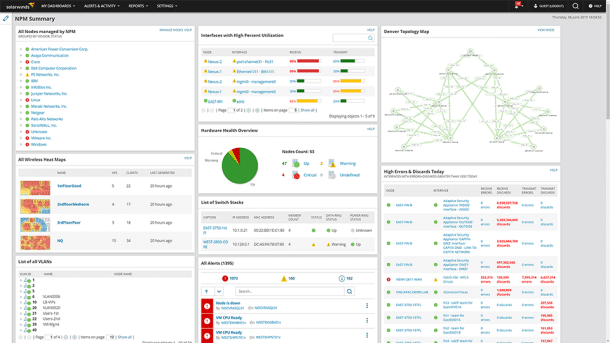
SolarWinds Network Performance Monitor (NPM) is a tool that makes the life of a network administrator much easier. It is able to monitor and alert you about any issues or problems on your network, with very little delay. You are able to monitor many different objects and sources such as applications, services, VPN tunnels, and much more.
Why do we recommend it?
Through practical application, we’ve experienced the benefits of SolarWinds Network Performance Monitor’s Critical Path Visualization feature. During a critical network issue where a sudden surge in data traffic caused severe congestion, this feature enabled us to identify and prioritize the most crucial elements in our network path. It allowed us to quickly pinpoint the congested network segment and resolve the issue, ensuring uninterrupted data flow and minimizing downtime for our online services.
It features Network Availability Monitoring, Critical Path Visualization, Intelligent Mapping, Performance Analysis and Advanced Alerting. This means that you can configure it and set it up to match your requirements. For instance, you can configure it as a Cisco Network Monitoring Tool. This will give you the ability to monitor and analyze faults, availability and the performance of the Cisco device itself.
You can also use this application as a Cloud Server Monitor. Because of the remote nature of Cloud services and infrastructure it can be challenging to see if everything is running as it should be. For this reason, SolarWinds NPM allows you to Visualize the full network path of the device from the device itself all the way to its end point. This is achieved with cloud monitoring by NetPath.
Other important features that this product offers includes Deep Packet inspection and analysis. This allows you to gain greater knowledge about the current state of your network, as well as the state of traffic and data flow.
Who is it recommended for?
SolarWinds Network Performance Monitor is recommended for network administrators and IT professionals who need comprehensive and real-time network monitoring, analysis, and alerting. It’s ideal for businesses of all sizes, from small enterprises to large corporations, looking to ensure the optimal performance and reliability of their network infrastructure.
For example, a large e-commerce company can rely on SolarWinds Network Performance Monitor to maintain the uptime and performance of its online store. During a holiday season sale, if the website experiences a sudden surge in traffic, which causes network congestion and slows down the site, potentially leading to lost sales, the company’s IT team can use SolarWinds NPM to identify the network bottlenecks in real time, prioritize critical traffic, and optimize bandwidth allocation. This quick response helps ensure that the website remains responsive and capable of handling the increased traffic load, resulting in a successful sales event.
Pricing & Download: You will have to check their website for pricing. You can register for a 30-day free trial.
6. Zabbix
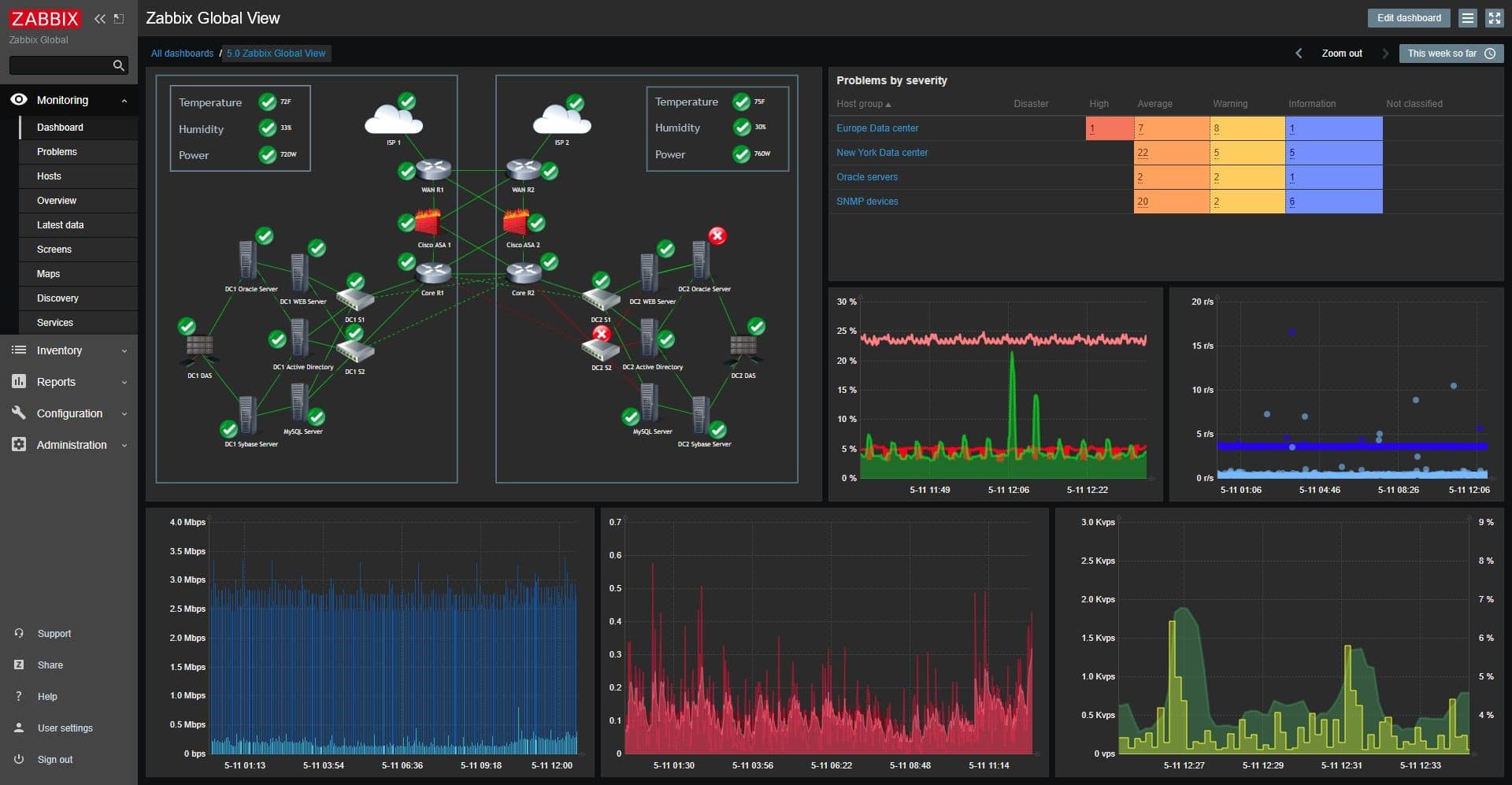
Zabbix is an enterprise grade software package that is designed to give you a better picture of your network. It collects metrics for all the devices on your network like devices and systems, as well as applications. Zabbix is designed to collect metrics about many different items within your network. It does this via SNMP and IPMI agents, and it uses an agentless system for monitoring user services.
Why do we recommend it?
Through setting intelligent thresholds and prioritizing mission-critical systems, Zabbix enabled us to efficiently detect and address critical server performance issues. This proactive approach allowed us to resolve the problem before it impacted our operations, showcasing Zabbix’s effectiveness in maintaining a robust network infrastructure. Its open-source nature further saved us valuable resources, making it an ideal choice for budget-conscious businesses.
Problem detection is taken care of via smart thresholds that you define for yourself. This means that you can decide which services need the highest priority response from you. This is important for most people because mission critical systems need to be prioritized above normal user devices, as an example.
Who is it recommended for?
Zabbix stands out due to its flexibility and scalability, which makes it suitable for a wide range of industries and network sizes. From small startups to large enterprises, Zabbix ensures that IT professionals can effectively manage and monitor their network infrastructure.
Zabbix can be extremely useful in a healthcare facility because its smart thresholds are instrumental in monitoring the performance of critical medical equipment. For example, when deviations occur in the temperature control system of a vaccine storage unit, Zabbix immediately alerts the staff, enabling them to take corrective action before vaccines are compromised. This use of Zabbix’s features helps safeguard the integrity of vaccines and other medications, maintaining patient safety.
Pricing: Zabbix is free and open source, but there are costs for support.
Download: https://www.zabbix.com/download
Conclusion
We hope you enjoyed reading about our favorite Nagios Alternatives. There are many other solutions out there, but we have chosen the best ones on the market to help you decide which monitoring solution suits your needs the best.
There are many different things to consider when deciding which product will work best for you, which is why we went through the basics of each of these options.
There is nothing quite like a hands-on demo of a product to understand how it works, so why not try a few before you decide which is best for you when looking for a Nagios replacement!