


Network monitoring is a huge part of information technology efforts in modern business today. Your teams need to know about problems before they happen, whenever they happen. This means that no matter when or where issues occur on your network you must know about them. To do this you need to have a network monitor that is up to the job.
Many people find that products such as PRTG are more than enough to get the job done for them, but there are more options out there too if your looking for an Alternative to PRTG. We have gathered a list of the Best PRTG Alternatives for Network monitoring and Management that will give you better network visibility instantly.
Let’s dive in and see what options are out there, and what they do.
The Best Paessler PRTG Alternatives
1. Auvik – FREE TRIAL
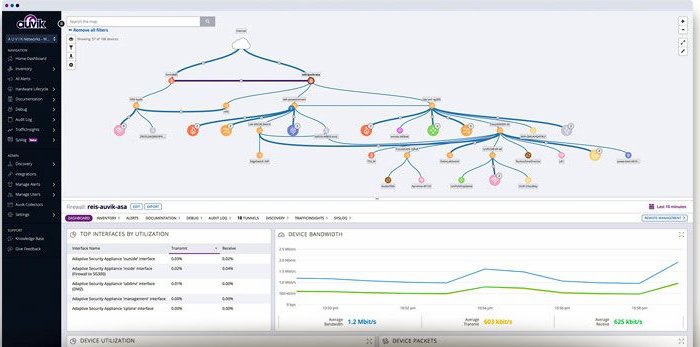
Auvik Network Management is a cloud platform, which makes it similar to the SaaS option of PRTG. This service installs an agent on your site – a small program that runs continuously on one of your servers. The agent gathers information about your network and uploads it to the Auvik cloud server for processing.
The system sets up a hardware inventory, which forms the basis of all system documentation. The discovery process repeats and will adjust the inventory if you make any changes to the network’s layout. The scan can also reveal unauthorized devices connected to the network.
Auvik provides a network map, which is generated from the data held in the hardware inventory. So, every time the discovery process updates the inventory, the network map gets updated as well.

The Auvik package implements device status poling through the Simple Network Management Protocol (SNMP). All network devices are supplied with an SNMP agent and these just wait for a request before sending out a status report. The Auvik on-site agent periodically broadcasts a status request and uploads the responses.
A device agent will also send out an unrequested report if it discovers a component failure. These warnings are shown as alerts in the Auvik dashboard.
Auvik implements network traffic monitoring by using the NetFlow, IPFIX, sFlow, and J-Flow protocols to extract traffic statistics from network devices. The server interprets this information allowing administrators to see traffic patterns over time, such as peaks and troughs in volumes. The tool shows throughput per link and can identify the main generators of traffic.
The Auvik system also includes a network configuration manager. This archives an image of each device’s configuration and then rechecks for changes every 60 minutes.
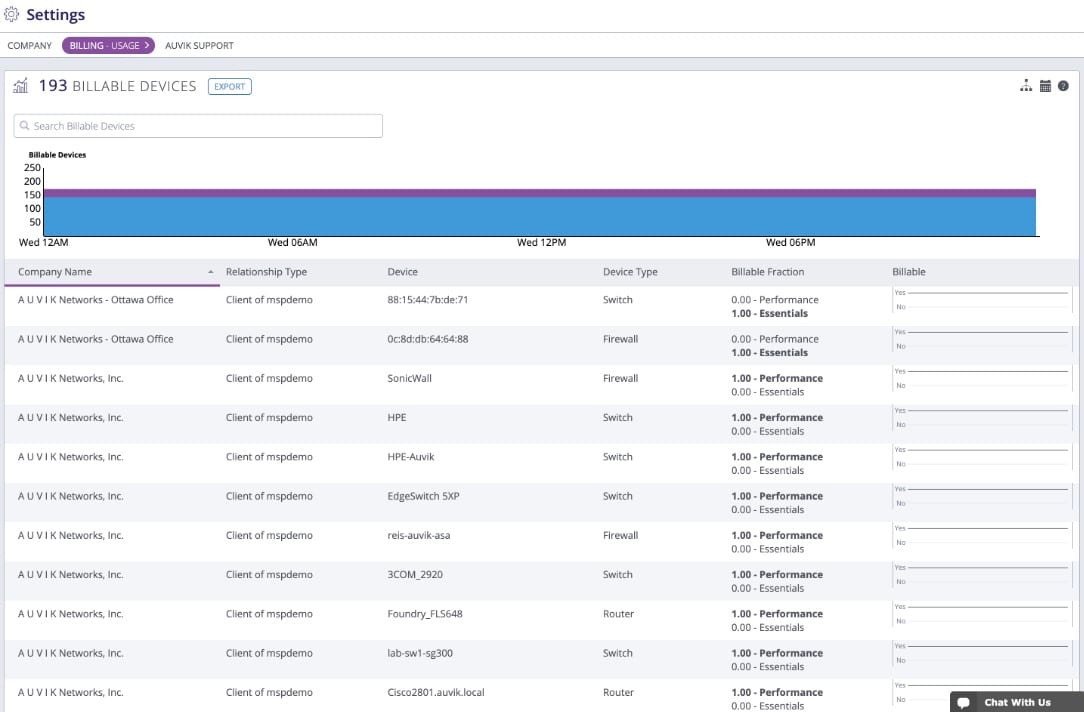
Auvik doesn’t publish a price list. However, you can examine the Auvik Network Management platform by accessing a 14-day free trial.
EDITOR'S CHOICE
Auvik Network Management is our top pick for a PRTG alternative because this package has a lot in common with the SaaS version of PRTG. This system implements network discovery that creates a network inventory and map. The discovery process repeats and will automatically update the inventory and map if you change the network in some way. You get constant device status monitoring through the Simple Network Monitoring Protocol. This will raise an alert if a network device develops a problem. The package also includes network traffic analysis. The tool gathers device capacity data and throughput statistics. It will raise an alert if data volumes approach the full capacity of an interface. Results from the monitor show traffic volumes per link over time, so you can see what times of the day or days of the week put the most load on the network. The platform also implements network configuration management. This moves an image of the configuration of each device into backup. The tool rechecks each device for configuration changes every 60 minutes.
Download: Get a 14-day FREE Trial
Official Site: https://www.auvik.com/features/#trial
OS: Cloud-based
2. AdRem NetCrunch – FREE TRIAL
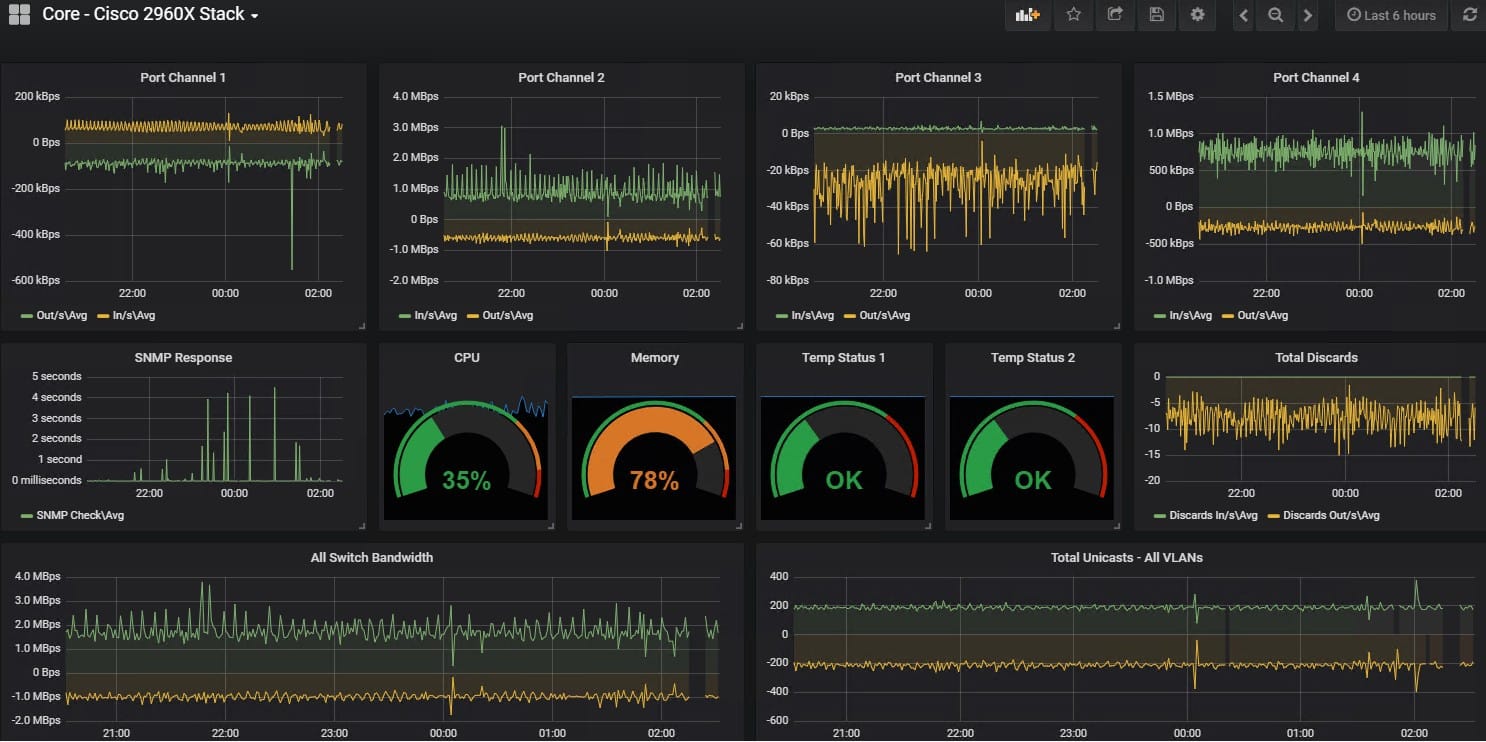
AdRem NetCrunch is an advanced monitoring platform that offers multiple capabilities within a single platform. Using this tool, you can monitor almost anything in your environment, like servers, applications, databases, traffic flows, logs, cloud resources, and more. It comes with 680+ monitoring templates for extensive flexibility.
Why do we recommend it?
NetCrunch is a good alternative to PRTG because of its unified approach to monitoring. Additionally, it is highly flexible and scalable and can grow with your network without adding more complexity. Its automation workflow and smart policies also come in handy to scale with minimal effort.
Another reason for recommending this tool is the depth of visibility it offers. Since it can monitor a wide range of resources, all the information is correlated for detailed insights. It shows trends, alerts, events, and more in real time, so you can take corrective action right away. All this information is displayed through well-designed dashboards. The trends and analysis are represented through charts and graphs for easy understanding.
Furthermore, the alerts are meaningful and are backed by contextual information to support faster troubleshooting. With such information, you can even prioritize risks and use your resources optimally.
Who is it recommended for?
NetCrunch works well for large organizations and enterprises that want to monitor a large number of resources through a single platform. It can also come in handy for organizations in regulated industries, those with strict compliance requirements, and a large distributed environment.
NetCrunch offers customized pricing. Register for a 30-day free trial and demo.
3. Site24x7 – FREE TRIAL

Site24x7 may not be the most familiar name in monitoring circles, but that is starting to change. It is a monitoring and availability suite that also monitors user experience in a simple and easy to use package.
Why do we recommend it?
Site24x7 emerged as a strong alternative during our search for PRTG alternatives. Its all-in-one monitoring solution impressed us with its simplicity and effectiveness. During our testing, Site24x7’s user experience monitoring feature stood out, providing valuable insights into how end-users interacted with our website. This comprehensive approach ensures visibility into various aspects of our environment, making problem identification and resolution efficient.
It is an all in one monitoring solution that gives you all of the essentials such as website monitoring, server monitoring, cloud monitoring, network monitoring, application performance and user monitoring. All of these features offer you many different levels of inter operation that will keep you on top of any problems that might be surfacing within your environment.
The model that this application offers you is a subscription format, so it is quite different to some of the other options that we will look at today.
Who is it recommended for?
Site24x7 is recommended for organizations seeking a unified and easy-to-use monitoring solution. It caters to a wide range of monitoring needs, making it suitable for businesses of different sizes. Whether monitoring websites, servers, or user experiences, Site24x7 offers a holistic approach to ensure the overall health of IT infrastructure.
The 30-day free trial allows users to explore its capabilities before committing to a subscription. If you would like to find out more information about pricing and plans, visit their site.
4. ManageEngine OpManager – FREE TRIAL

ManageEngine OpManager is a Network Performance Monitor with plenty of customization options. You can monitor many different items on your network from routers to servers and firewalls. You will know about issues such as faults and poor performance before they become an issue.
Why do we recommend it?
ManageEngine OpManager stands out as a versatile Network Performance Monitor with extensive customization options. Our testing revealed its capability to monitor various elements, including routers, servers, firewalls, and more. The real-time monitoring, traffic and bandwidth analysis, configuration management, and firewall management features contributed to better visibility into our network.
ManageEngine OpManager can serve many different roles on your network. It is a network performance monitor, a traffic and bandwidth analyzer, a configuration management tool, a firewall management and log analysis application, an application performance monitor, and much more. It can even help you to manage IP address and switch manager. If your network utilizes online storage then you can use it a a storage monitor too.

Manage Engine OpManager is a real-time network monitor with over 2000 built in monitors for common applications and programs. It lets you monitor the health and other important information such as system resources, errors, speed and much more.
The end result is that OpManager is a powerful monitoring and management utility that will provide you with better visibility on your network.
Who is it recommended for?
ManageEngine OpManager is recommended for organizations seeking a customizable and multifunctional network monitoring solution.
OpManager’s ability to serve multiple roles, such as a network performance monitor, traffic analyzer, configuration management tool, and application performance monitor, makes it a powerful utility. The availability of over 2000 built-in monitors for common applications enhances its adaptability to different environments.
It caters to diverse monitoring needs, making it suitable for businesses of varying sizes. Whether monitoring system resources, errors, or speed, OpManager provides real-time insights. The 30-day free trial allows users to evaluate its suitability for their specific requirements.
5. SolarWinds Network Performance Monitor
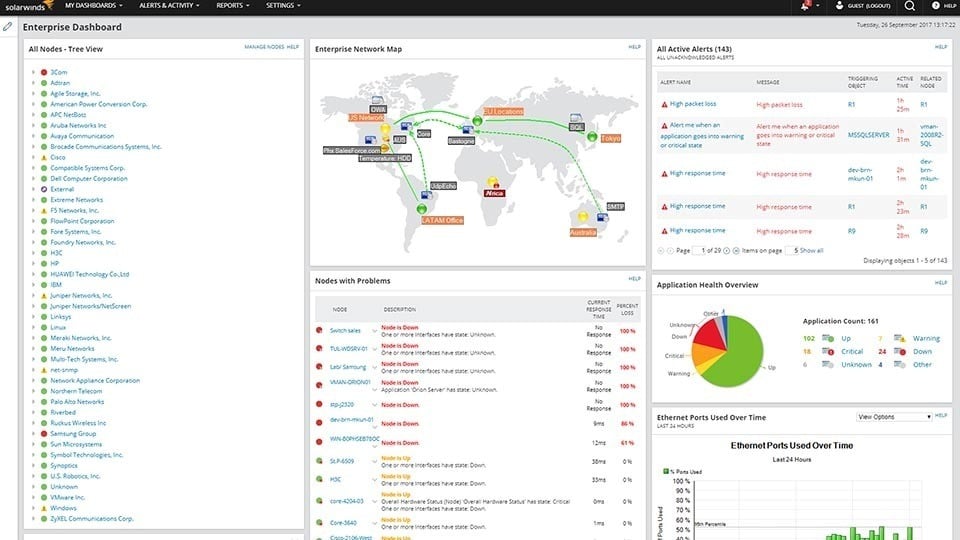
SolarWinds Network Performance Monitor is a key tool if you are looking to up your network availability monitoring game. It offers enhanced critical path visualization tools that make it easy for you to see issues when they happen.
Why do we recommend it?
While we were putting SolarWinds Network Performance Monitor to the test, its enhanced critical path visualization feature proved invaluable. This feature allowed us to quickly identify and address network issues as they occurred. For example, we were able to monitor crucial links in our business, such as VPN tunnels, ensuring uninterrupted interconnectivity between regional offices. The performance analysis tool provided key metrics, offering insights into our network’s health and activities.
Intelligent mapping makes your network map intuitive and easy to follow, while the performance analysis tool gives you key metrics about your network and what is happening within.
Advanced alerting completes the package and will send you a timely alert before a small problem becomes a huge outage.
Think about the most vital parts of your network. Interconnectivity between your regional offices are reliant on connection such as VPN tunnels. If you have SolarWinds configured correctly then you can monitor these vital links in your business and have them notify you if there are any problems.
If you have important applications that need monitoring, then SolarWinds NPM can also alert you if things go awry. Similarly, when there are multiple failures on your network that generate a flood of alerts then you need to be able to sort through them all and see which items are critical, and which are just noise without much information attached.
Who is it recommended for?
SolarWinds Network Performance Monitor is recommended for businesses and IT teams looking to enhance network availability monitoring. It is particularly useful for those requiring a comprehensive solution for monitoring VPN tunnels, critical links, applications, and network performance. The intelligent mapping and alerting features make it suitable for both small and large enterprises, offering scalability and flexibility. The pricing options, including a 30-day free trial, cater to various budget considerations.
The perpetual license starts at $2,995 and the standard subscription starts at $1,583. You can start with a free 30 day trial.
6. Zabbix

Zabbix is an opensource alternative that gives you all of the features that you want, and less cost. We say less cost because Opensource software is free, yes, however enterprise support is normally a fee that needs to be considered.
Why do we recommend it?
Zabbix, as an open-source alternative, offers a cost-effective solution without compromising on features. During our evaluation, Zabbix demonstrated its ability to deliver essential functionalities, including network monitoring, server monitoring, cloud monitoring, and application monitoring. Trusted by notable names in the IT industry, its unlimited scalability and support for a vast number of hosts and metrics make it a robust choice.
However, if you are willing to try and get everything working on your own then it is free to download and use. It offers you all of the things that you have come to expect from a commercial product such as network monitoring, server monitoring, cloud monitoring, application monitoring, and much more.
Zabbix is trusted by man big names in the IT world like Dell and Orange. It has unlimited scalability, claiming support for up to 100,000 hosts and can measure over 100 million different metrics, which is a lot!
Who is it recommended for?
Zabbix is highly recommended for organizations looking for a cost-effective yet feature-rich monitoring solution. It’s an excellent fit for those willing to invest time in setting up and managing the system on their own, given its open-source nature. Small to large enterprises seeking unlimited scalability and a wide range of monitoring capabilities, without the constraints of a hefty price tag, will find Zabbix to be a valuable choice.
While Zabbix is free and open-source, users have the option to consider enterprise support for additional assistance. The flexibility and scalability of Zabbix make it a valuable option for those willing to manage and configure their monitoring system.
Zabbix is free and opensource, you can download it for free here.
Conclusion
We have taken a brief look at some of the most popular monitoring solutions out there today that are a viable PRTG alternative.
Each of these options might do things differently from one another and PRTG, but you might find something that works best for you when compared to PRTG.
It is always a good idea to find out what else is on offer on the market and we hope that this overview has been helpful in your quest for better monitoring.