


A good PHP File Management tool helps you manage your website via HTTPS instead of any third-party application or FTP tool.
It gives you the ability to create, upload, delete or rename files, organize them in folders and also change the user permissions of the file.
But with so many tools available on the market it can be hard to decide on the right one for your organization.
So, below we have listed some of the best PHP file manager tools that are responsive, allow creation of folders, support uploading of multiple files and have search option to fetch the files.
These are only some of the benefits of file managers, there are much more.
So let’s get started with the detailed description of each tool.
Some basic features to look for in a file manager:
- Info of server
- View of the thumbnail of images
- Guest account as well as multiple user accounts
- User-friendly interface that’s lightweight too
- Ability work on both Linux and Windows
- Facility of multiple uploads
- Viewing of source code
- Easy to navigate and directory tree
- Downloading of compressed files using zip/tar/gzip/bzip
- Basic features of file management like view/edit/create/delete/rename/move/copy/chmod folders and files
- Exec/shell
- Apache2/php5/php4 compatible
*Note: Some of the tools below are outdated and no longer supported, but we’ve listed them anyways to ensure we’ve covered as many as we could find online.
13 Best PHP File Manager Tools for Managing Web Servers:
FileVista
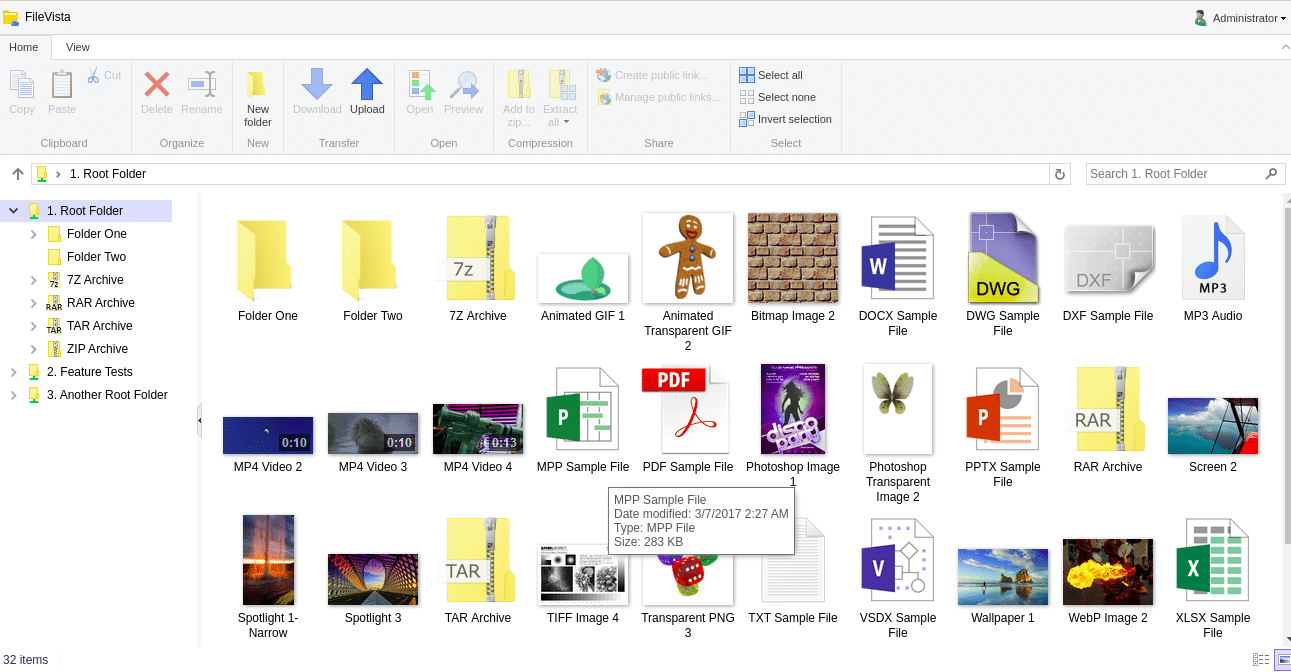
FileVista is a web-based file manager used for managing, sharing and storing of files online through web browser.
Benefits:
- Share the files with your staff or clients on your website.
- Get full control over your confidential files by storing them on your own server.
- Allow your users to upload, access and organize the documents securely from any place through a single web browser.
- Preview images, videos, audios and documents (more than 50 file formats that include MS Office and PDF).
Why do we recommend it?
FileVista offers secure, centralized control over file sharing and storage. Its user-friendly interface, support for numerous file formats, and the ability to host files on your own server make it an ideal choice for efficient and secure document management and collaboration.
Being a web-based software; it allows you to install it in your web server for meeting the web file management needs of your organization. FileVista facilitates your users to organize, upload and download any kind of file with its user-friendly interface.
Who is it recommended for?
FileVista is recommended for businesses, organizations, and individuals who need a web-based file management solution to efficiently organize, share, and store files securely. It is suitable for a wide range of users, from small businesses to large enterprises, looking to streamline document management and facilitate easy, web-based access to files for both internal and external stakeholders.
Download:
https://www.gleamtech.com/filevista
CKFinder
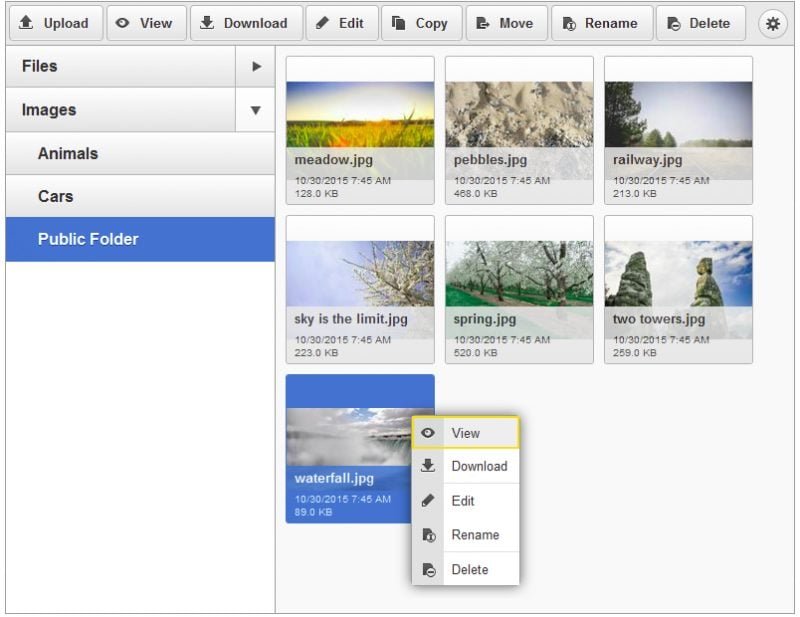
It is an easy to use and powerful Ajax based file manager for the web browser. Its intuitive interface can be quickly learned by any level of users, from beginners to advanced professionals.
Benefits:
- File uploads are safe and secure with this php file manager.
- It includes the complete source code required for server side integration.
- Quick response without the need to refresh the page.
- Lightweight interface that’s user-friendly too.
- Better management of image thumbnails for quick find of things.
- Tree navigation folders to make it easy to navigate.
- Get complete control with the ability to create, delete and rename files and folders.
Unique feature
The CKFinder feature is useful because allows users to easily insert images and links to files into their content. It serves as a powerful file manager with image editing capabilities and multiple image upload options, streamlining the process of adding multimedia elements to web content. While it’s a premium feature that requires an additional license, it provides valuable tools for content creators, making it more convenient to work with images and files within the CKEditor 5 environment.
Why do we recommend it?
It offers secure and safe file uploads, complete source code for server-side integration, quick and responsive performance without the need for page refresh, and efficient image thumbnail management. Additionally, CKFinder provides excellent control over file and folder operations, including creation, deletion, and renaming. Its lightweight interface and tree navigation for folders further enhance its usability.
Who is it recommended for?
CKFinder is recommended for a wide range of users, from beginners to advanced professionals, who need an easy-to-use and powerful Ajax-based file manager for web browsers. It is suitable for individuals, businesses, and organizations looking for a user-friendly solution for secure file uploads, efficient file and folder management, and responsive performance in web applications.

FileRun – Free file manager based on web
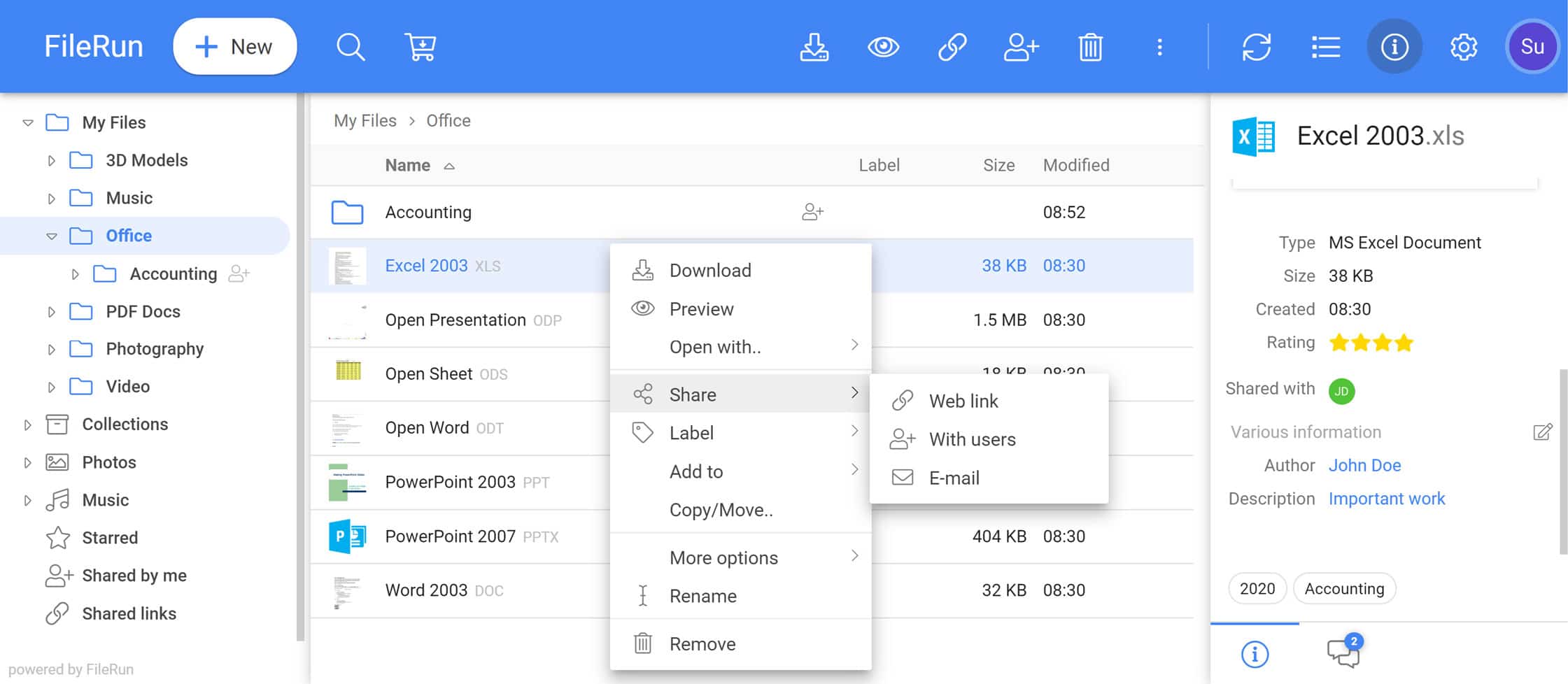
FileRun is a 100% PHP (web-based) file manager that helps you to manage the files that are stored on web server. The only thing that a user needs to send and receive files is a browser. And FileRun offers the same through its user-friendly and innovative Ajax based interface.
Benefits:
- The Ajax interface is user-friendly.
- Zip the folders on the fly to download them.
- Upload the folders without the need to Unzip or Zip them.
- Manage the already existing files in the file system without importing them.
- Unlimited space size to upload files of any size. It overcomes the limitation of PHP upload issues.
Unique Feature
FileRun’s unique features include robust authentication methods, comprehensive user management, built-in optical character recognition (OCR) for scanning text documents, and efficient tagging capabilities for easy file organization.
Why do we recommend it?
FileRun is recommended because it offers a user-friendly web-based file management solution powered by PHP. It allows easy access to files and documents through standard web browsers, eliminating the need for downloads. FileRun offers several advantages, including the ability to zip and upload folders without hassle, manage existing files in the file system seamlessly, and provides unlimited space for uploading files of any size, effectively overcoming PHP upload limitations. These features make it a convenient and efficient choice for file management on web servers.
It costs nothing to download, so it’s easy to access the files and documents from any PC that has a standard browser and an Internet connection.
Who is it recommended for?
FileRun is recommended for individuals, businesses, or organizations that require a user-friendly and web-based file management solution for efficiently managing files and documents on web servers. It’s suitable for a wide range of users, from individuals looking to manage personal files to businesses and enterprises that need to facilitate file sharing and management among their staff or clients.
FileRun is often used in a corporate setting where a company needs a secure and user-friendly platform to store, organize, and share documents among employees. FileRun can serve as a central repository for important files, allowing employees to access and collaborate on documents from different locations. It provides features like folder management, secure file sharing, and access control, making it a valuable tool for efficient document management within the organization.
PHPFileNavigator
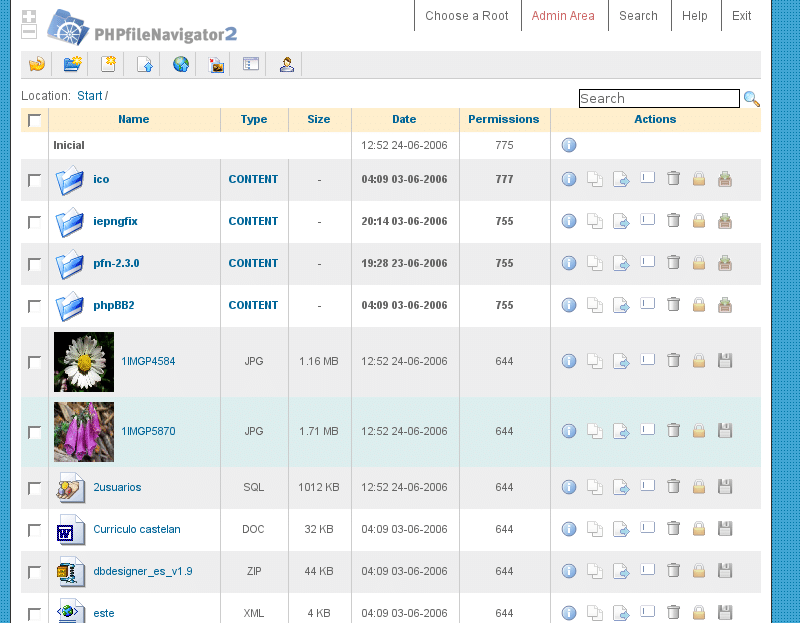
PHPFileNavigator is a open-source, state of the art web application to manage your files and folders completely. It offers some cool features for an easy, reliable and powerful web file management.
Benefits:
- Control of web access
- Size control
- Error and activity logs
- Downloading of compressed directories and files
- Extraction of files on the server
- Facility of management of images
- Uploading of document or web page
- Indexation
- The environment is safe to work on
- Restriction on file types
- Get complete administration
- View directories in tree view
- Files contain additional information
Why do we recommend it?
PHPFileNavigator is recommended for its user-friendly web-based file management interface, robust security measures, and a range of features such as access control, error logging, compression, image management, document uploading, and more, making it a versatile solution for efficient file and folder management in web environments.
PHPFileNavigator is not only easy to install and configure but also it enables you to administrate your folders and files as easily as in your hard disk and that too with strong security access over the net.
Who is it recommended for?
PHPFileNavigator is recommended for individuals, organizations, or web administrators who need to securely manage and share sensitive documents and files among employees, ensuring that only authorized personnel can access certain files. This helps in maintaining data integrity, streamlining document workflows, and enhancing collaboration within the organization.
phpXplorer
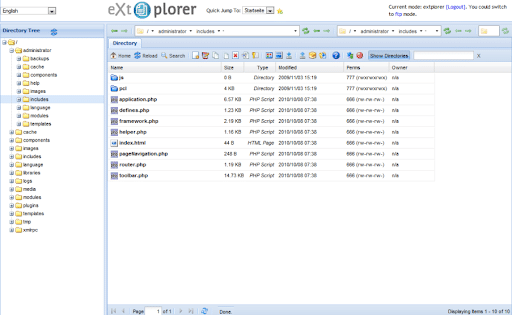
phpXplorer is a file management system that’s open-source and written in PHP. It has a modular design with built on its own themes, file types, views and property sheets.
Benefits:
- Use a web browser to work on remote file system
- Options to edit
- Ability to manage permissions
- It has modular designs
- It offers system for multiple users
- Editing dialogs for PHP, HTML etc.
Why do we recommend it?
We recommend using phpXplorer for its open-source nature, modular design, and the ability to access and manage remote file systems via a web browser, making it a versatile and accessible file management solution.
With phpXplorer you get the ability to work and access a remote file system by using a web browser.
It has dialogs for editing PHP, HTML, email files, image, compressed files and Apache. It allows you to create and edit files on your web server with a common browser.
Who is it recommended for?
phpXplorer is recommended for individuals and organizations seeking an open-source, lightweight web-based file management system that allows remote access and file handling through a web browser. It’s suitable for a wide range of users, from individuals looking for a simple and free file browser to businesses needing a versatile file management solution.
NavPHP
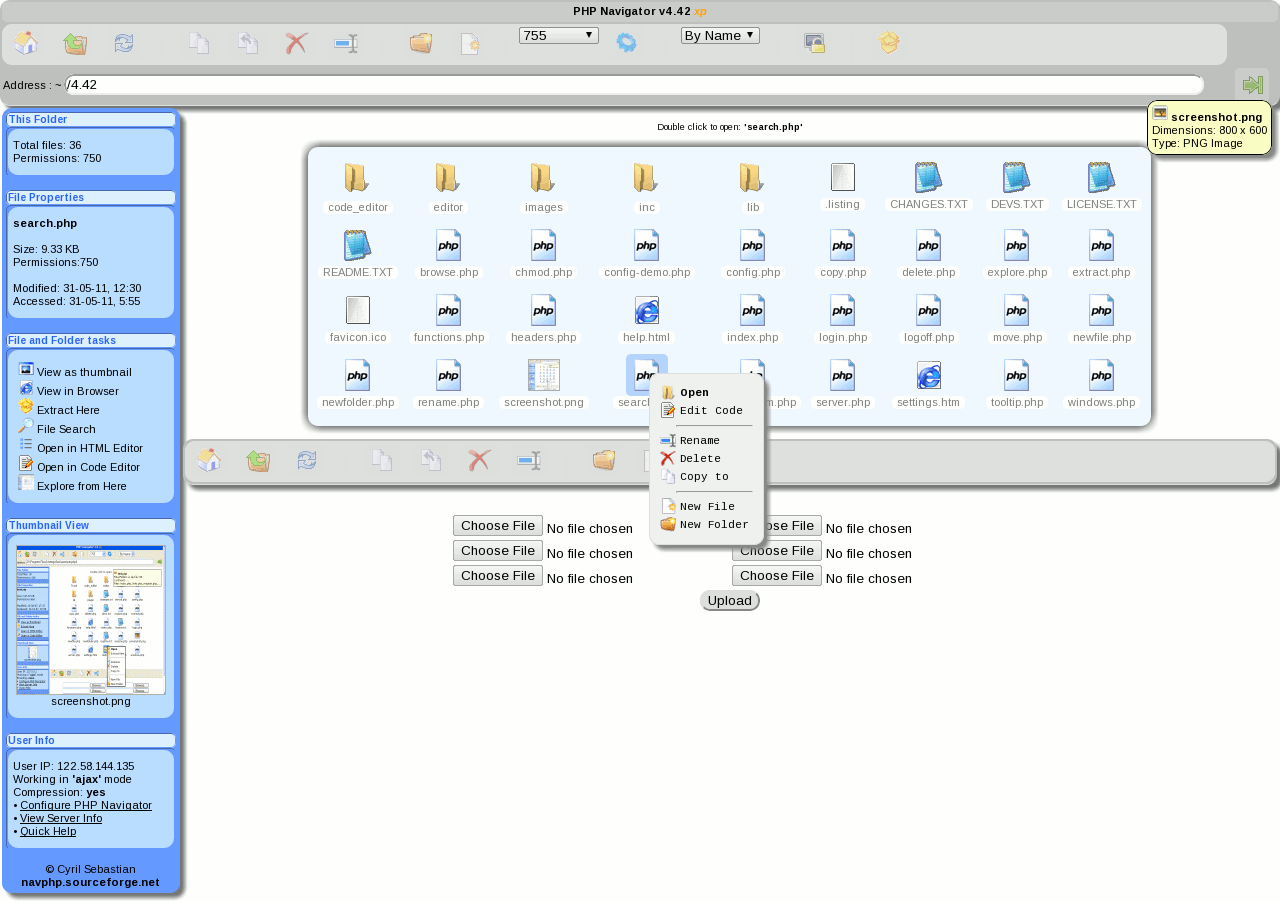
PHP Navigator, written in AJAX and PHP has its own unique XP style of navigation. Some of its key features are built in HTML, multi-user support, code editor, Deflate & Gzip webpage, and Zip Extract. Moreover, this web based file management system is free to use.
Benefits:
- The explorer style view and navigation is user-friendly and fully customizable.
- DOM & AJAX for avoiding full page reload. The changes can be seen without the need to refresh the page.
- It supports multiple users with the use of MySQL.
- Built in Code editor and HTML editor
- It gives a super fast data transfer speed through encoding of Deflate and Gzip web page.
- Context menu on right click
- Ability to download the folders or files in zip format
- It has keyboard shortcuts offering easy usability to the users
- It allows you to extract the zip archive in your current folder.
- Get better management of images through Thumbnail view for png, jpg, jif, wbmp and bmp
Why do we recommend it?
PHP Navigator is recommended for its user-friendly interface, efficient file management features like code editing and HTML editing capabilities, support for multiple users, fast data transfer with Deflate and Gzip compression, context menus, zip file handling, keyboard shortcuts, and thumbnail views for image management. It offers a comprehensive and free solution for web-based file management needs.
Who is it recommended for?
PHP Navigator is recommended for individuals or organizations in need of a user-friendly and feature-rich web-based file management system. It can be particularly useful for web developers, content managers, or anyone who requires efficient file organization, code editing, and image management through a web browser.
For example, PHP Navigator allows a marketing agency and its design teams to easily organize, edit, and collaborate on a vast collection of marketing materials, including images, documents, and code files within a web-based interface. Team members can upload, download, and edit files directly through the system, making it easy to maintain version control and streamline collaboration on marketing campaigns.
The built-in code editor is particularly useful for developers working on website projects, enabling them to edit code files directly within the platform.
Filenice
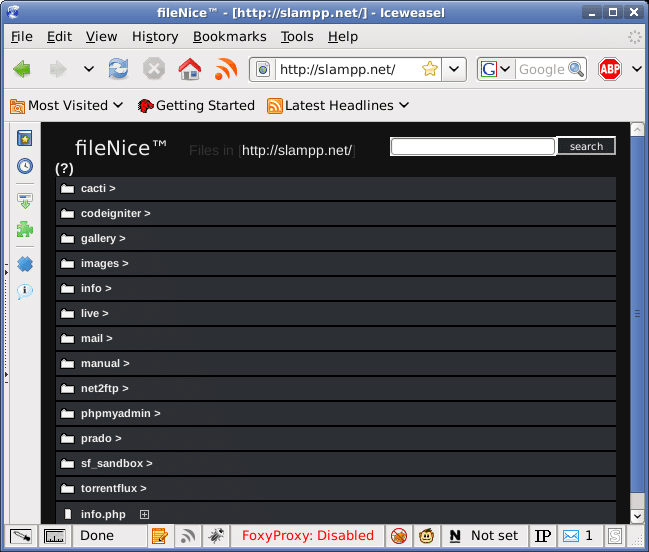
It is a PHP based file browser that’s free to use and useful for the ‘dump’ folder that you have on your server. If you upload files regularly on dump folder and want the ability to see what is in it then Filenice will come to use.
Benefits:
- Source of the code can be viewed
- Quickly and easily send to Flickr
- Preview the details of the files
- Search option
- Ability to sort based on preference
- Post comments on folders
- Image slideshows that are folder specific and do not require reloading of pages.
Unique features
Filenice automatically previews image files when you click on them, it is capable of creating dynamic slideshows within a directory and is capable of displaying a good deal of meta-information about each file. You can also easily configure the script to ignore specific files and specific directories.
Why do we recommend it?
We recommend Filenice because it provides a user-friendly and efficient solution for managing and exploring files within your server’s folders. Its features, including source code viewing, Flickr integration, file previews, searching, sorting, comments, and folder-specific image slideshows, make it a valuable tool for effective file organization and access.
Who is it recommended for?
Filenice is primarily recommended for individuals or small to medium-sized businesses (SMBs) for managing files on their servers.
Take for example a small graphic design studio, using Filenice to manage their digital assets. They regularly upload design files and client documents to a shared ‘dump’ folder on their server. Filenice allows them to quickly preview and organize these files, making it easy to find and access the right assets when working on projects or sharing them with clients. Additionally, the ability to post comments on folders and create image slideshows enhances their collaboration and presentation capabilities.
eXtplorer
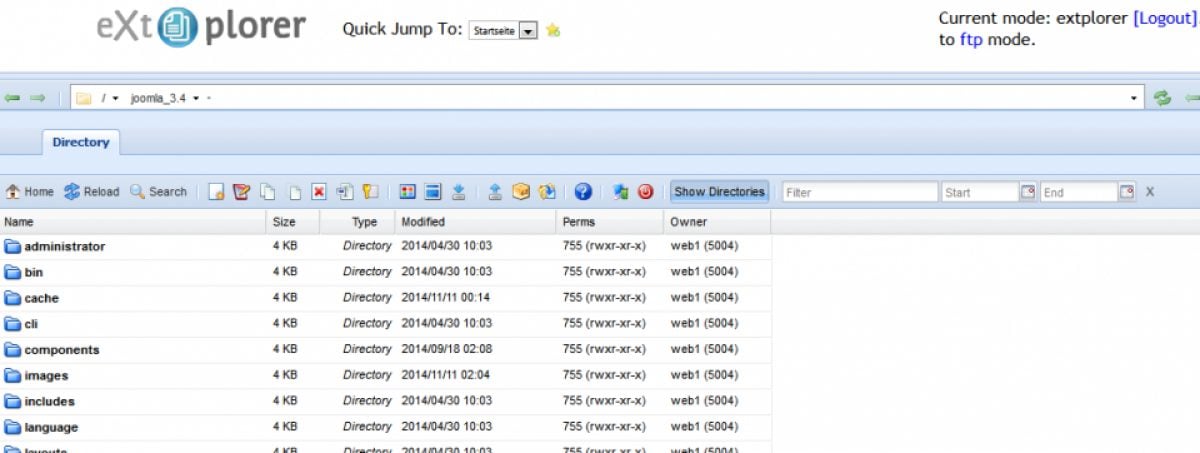
eXtplorer is a free web-based file manager written in PHP and JavaScript. Launched under dual-license, you get the option to choose to use eXplorer under GNU/GPL (General Public License) or MPL 1.1 (Mozilla Public License). It’s PHP 4.3 compatible and the browser is updated and enabled to run Javascript.
Benefits:
- Like FTP server, get the ability to browse the files and directories on the server.
- Facility to download, upload and search files.
- Copy, edit, delete and move (drag and drop) files from your server.
- Create new directories and files.
- Extract and create archives.
Why do we recommend it?
eXtplorer is recommended for its versatility and ease of use, allowing users to efficiently manage files and directories on both local servers and FTP servers.
One more interesting thing about eXtplorer is that you can use them for your local files as file manager or you can also use it for logging in to the FTP server.
Who is it recommended for?
Its intuitive interface and comprehensive file management features make it a valuable tool for individuals and small businesses seeking efficient file management solutions.
In a small business setting, eXtplorer can be used to streamline file management tasks by providing an easy-to-use interface for employees to access, upload, download, and organize files on the company’s local server or FTP server, improving overall data organization and collaboration efficiency.
AjaXplorer
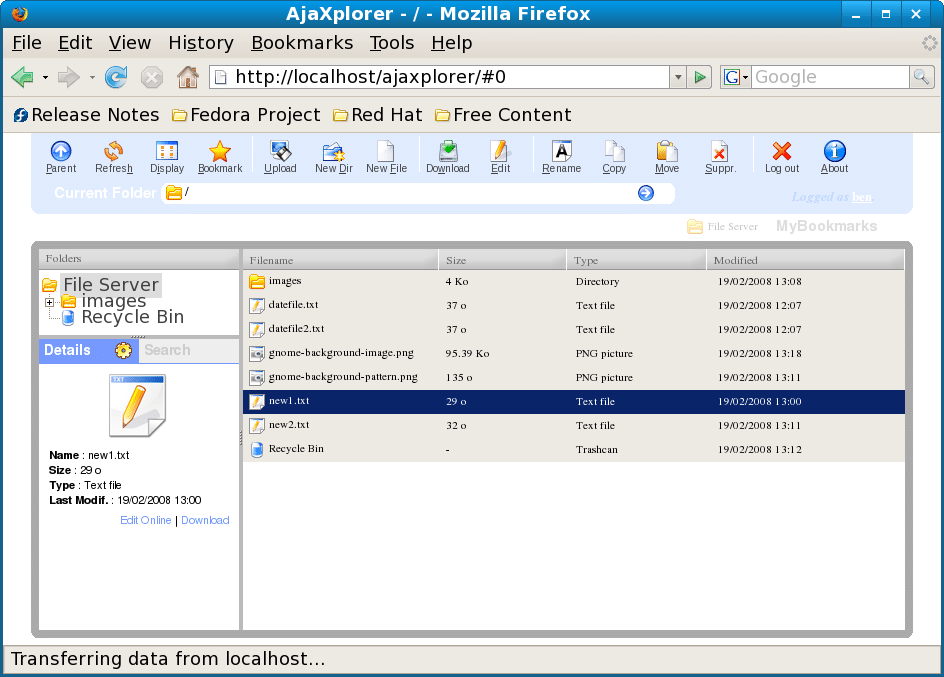
It is a free and web-based file manager that’s easy to install to manage the files remotely on a web server.
Benefits:
- Copy/Download/Delete/Rename/Move files or folders.
- You can empty files and create folders.
- Facility to watch online the flash videos.
- It supports full screen
- Online browsing and extraction of Zip files.
- No need to download the MP3; you can listen them online.
- Multiple files can be uploaded and the status can be tracked through a progress bar (need flash and no https).
- Facilitates online viewing of images, image preview from the list, and see diaporama of any folder.
- Edit text and code files (PHP, Java, HTML, js, Perl, SQL); the editor highlights the syntax
Why do we recommend it?
AjaXplorer is recommended for its easy installation, rich client layout, and versatile functionality that caters to various needs such as file sharing, file management, code browsing, and photo gallery management. It offers a user-friendly web-based file management solution without the need for a database and supports actions like copying, downloading, deleting, renaming, moving files or folders, online video viewing, image preview, code editing, and more, making it a valuable tool for efficient remote file management on web servers.
The ‘rich client’ layout as well as the actions of AjaXplorer makes it convenient for the end-users for various purposes like file sharing, file management, code browsing, photo gallery, etc.
It needs only PHP 5 or 4 and requires no database.
Who is it recommended for?
AjaXplorer is recommended for individuals, small to medium-sized businesses (SMBs), and enterprises seeking an easy-to-use, web-based file management solution for efficiently managing files and documents on remote web servers.
AjaXplorer is commonly used by businesses to enable efficient remote file management, file sharing, and collaborative document editing, making it a valuable tool for teams working across different locations or needing secure access to files and documents from various devices.
Easy File Uploader
It is a feature-rich file management system that allows you to upload, delete and download the files. Also, it allows creating multiple users by giving them access permission of different files.

Benefits:
- It displays the thumbnails automatically for all the uploaded image files.
- You can upload multiple files at a time and view the process of upload in progress bar.
- A file size of up to 256MB is supported.
- The file uploader is easy to use with drag & drop option as well as browser files clicking options.
- It has a responsive file manager that can be easily used to upload, delete, and download different types of file.
Why do we recommend it?
We recommend Easy File Uploader for its user-friendly features, including automatic image thumbnail display, multi-file upload capabilities with progress tracking, support for large file sizes, and a responsive file manager interface, making it an efficient and convenient solution for managing files and collaborating with multiple users. The dashboard has a file option that shows all the uploaded files with their upload time, name, size, etc.
Who is it recommended for?
Easy File Uploader can be used by both small and large businesses, as well as by individuals. Its features are versatile and can cater to the needs of various user groups, making it suitable for different business sizes. Small businesses and individuals can benefit from its straightforward file management capabilities, while larger businesses can use it for more extensive file upload and management needs, thanks to its support for multiple users and permissions.
Server File Explorer
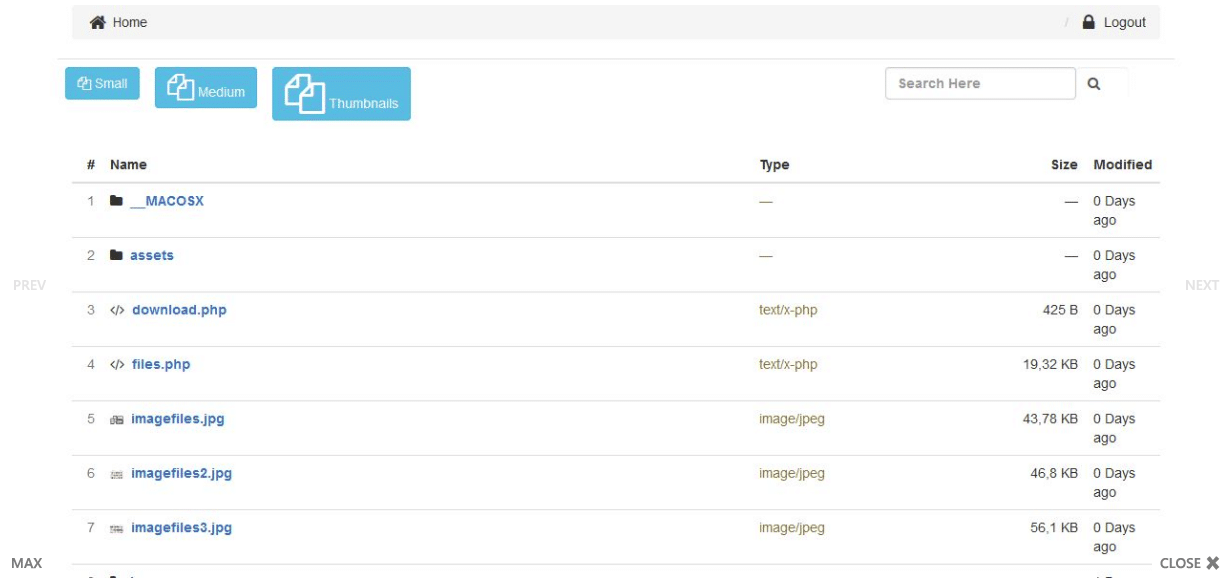
Server File Explorer is one of the best file manager script that’s written in PHP language. Server File Explorer is responsive, simple to apply, offers easy search for files and folders, and provide displaying of all the files in different folders.
Benefits:
- It has a simple dashboard to display file size, file name, file type and modification details.
- In the dashboard, there is an easy search for searching the files and folders which makes the file search very easy.
- It offers the functionality of file download with convenient file navigation between the sub folders.
- All the plans of this file manager are backed with a well-documented support.
Why do we recommend it?
Server File Explorer is recommended for its user-friendly and responsive interface, making file management tasks easy and efficient. It simplifies tasks like searching for files, uploading and downloading multiple files, and provides a clear dashboard for file details. Additionally, it comes with well-documented support, enhancing its usability and reliability for effective file management on a server. With the help of this PHP file explorer, uploading and downloading of multiple files will just be a task of a few clicks.
Who is it recommended for?
Server File Explorer is recommended for individuals, businesses, and organizations looking for a user-friendly and responsive file management solution in PHP. It is suitable for various users, from individuals who need to manage files on their servers to businesses seeking an efficient tool for file organization and navigation.
EasyFile
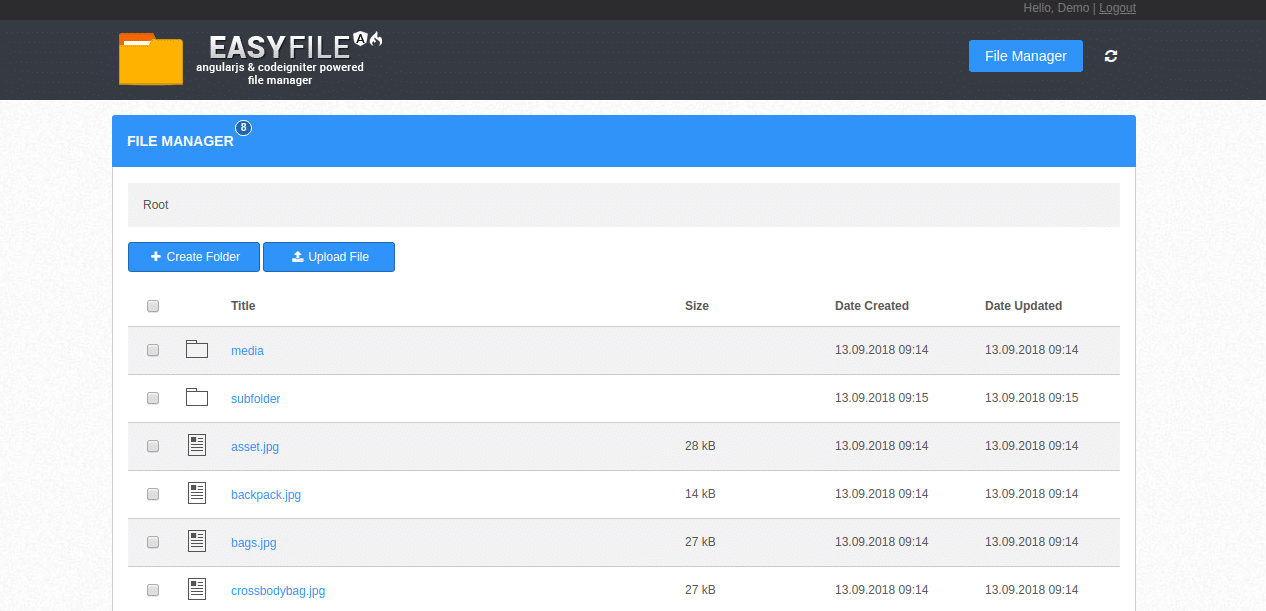
This PHP script helps you to upload files, create multiple folders, cut, copy and delete files and folders with ease. It has an easy to deploy customizable interface and it offers a toolbar through which you can do the file management operations of different types.
Benefits:
- It shows the name of the file/folder, size, creation date, icon as well as the date of update.
- Easily delete the files and folders, also you can cut & copy operations.
- It allows managing of various types of files and folders that are stored. Additionally, it also facilitates inline folder and file name editor.
- With this PHP file manager script, you can store files by creating folders and upload single and multiple files easily.
Why do we recommend it?
EasyFile is recommended for its user-friendly interface and feature set, which allows for easy uploading, management, and organization of files and folders. Its ability to display essential file details like name, size, creation date, and icons simplifies the file management process. This PHP script is particularly suitable for individuals or businesses seeking a straightforward and efficient solution for handling their files and folders.
Who is it recommended for?
EasyFile is recommended for individuals, small businesses, or organizations that need a simple and customizable PHP-based file management solution. For example, teams within an organization can upload and organize project-related documents, share files with colleagues, and collaborate on various files and folders using EasyFile’s user-friendly interface.
Engine File Manager
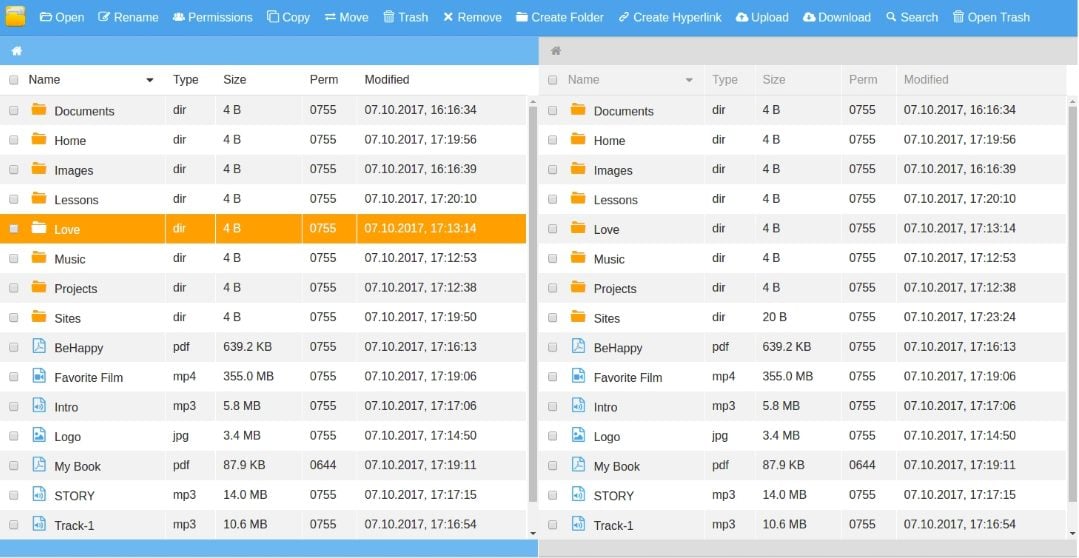
If you are looking for a web based file manager to manage multiple files, folders and hyperlink then Engine File Manager script in PHP should be the one for you.
Benefits:
- You get the facility to upload multiple files together at once.
- It is cross-browser supported for Chrome, Firefox, Opera, Safari, IE11, IE10 as well as Edge.
- With this PHP script, you can create new folders, search, delete, download and upload files.
- It offers various customization options for file type styling, hotkeys and icons. Plus, this file system can be controlled using the hotkeys that are there on the dashboard.
Why do we recommend it?
Engine File Manager is a top choice for efficient file and folder management, offering a user-friendly interface, versatile customization options, and support for multiple file operations. Its cross-browser compatibility and hotkey functionality make it a valuable tool for users seeking seamless control over their files.
It offers hotkeys and two types of panels for controlling.
Additionally, there are many different types of customization’s available like changing the file style, icons and assigning hotkeys for some special function and much more.
Who is it recommended for?
Engine File Manager is suitable for users of varying experience levels, from beginners to advanced professionals, looking to efficiently manage files and folders. It is versatile and adaptable, making it suitable for individuals, small to medium-sized businesses, and larger enterprises seeking effective file management solutions.
Conclusion
Hopefully the above information has helped you select the most relevant PHP script for file management – As you can see, some of them are outdated and not in use anymore, but for historical purposes, we’ve added them to this article.
If we’ve missed any or have overlooked a couple, please feel free to comment below and we’ll add them to the list if we see they fit the criteria!