

SharePoint is Microsoft’s take on creating a collaborative website creation and data-sharing platform. SharePoint’s security ensures that all files shared through it are secured from tampering with people you didn’t intend it to.
The platform allows team members to access the shared data from any device and pretty much any common web browser. Since SharePoint also runs on Android, macOS, and iOS besides Windows, it has amassed a massive userbase.
Here is our list of the best SharePoint tools:
- ManageEngine SharePoint Manager Plus – FREE TRIAL A web-based SharePoint manager with excellent pre-built reporting and alerts features. Access 30-day free trial.
- Paessler PRTG Network Monitor – FREE TRIAL A granular, sensor-based monitoring solution with multiple sensors specifically made for SharePoint. Download a 30-day free trial.
- eG Enterprise A dedicated SharePoint monitoring and management solution designed to fit large enterprises.
- Metalogix Diagnostic Manager A streamlined dedicated SharePoint management and monitoring tool that’s extremely easy to use and supports older versions of SharePoint.
- SPDocKit A great SharePoint management and auditing tool with convenient automation features.
- SolarWinds Server & Application Monitor Monitoring, permission management, root-cause analysis, and more in one intuitive package.
SharePoint’s biggest selling point is how much it can streamline collaboration and accessing resources. Having a SharePoint site on your business’ private network helps your employees stay up to date and helps your internal teams collaborate better. Furthermore, since SharePoint sites are flexible and easily edited, you can customize them to fit your business’ needs to a tee.
SharePoint helps businesses empower their internal teams, letting them easily collaborate, organize, and find information. Each department is provided with dynamic and productive team sites so that they can share resources more efficiently. With that being said, there are many tools that can enhance your SharePoint experience. Having a SharePoint administrator tool is helpful with resolving issues with space and authorization, while a SharePoint monitoring tool helps you ensure your SharePoint site is always operating at peak performance.
Why Use A SharePoint Administrator Tool?
SharePoint provides a wide variety of different services. This means that on occasion, users will find themselves in situations that are difficult to resolve quickly. Problems with insufficient space or authorization issues when it comes to inter-team communications are relatively common. SharePoint administrator tools help you resolve these issues quickly and painlessly.
SharePoint administration tools help you supervise the installation, configuration, and content management of the system. The administrators oftentimes also train and provide support to team members on how to get the most out of SharePoint. The administrator oftentimes supervises SQL server databases and helps manage servers.
A SharePoint administrator tool helps your administrators monitor and resolve performance issues. Small issues with SharePoint can oftentimes cascade into large problems throughout your network.
SharePoint Monitoring Best Practices
Simply installing a tool on your systems won’t help much unless your administrator knows how to get the most out of it. If you don’t keep tabs on the performance of your SharePoint operations you’re bound to run into management issues. By applying some best practices, you can ensure a better end-user experience and business efficiency. By following these practices, you can minimize business failures and prevent issues.\
Some things you should look at when monitoring your SharePoint deployment:
- Keep tabs on your health report The biggest thing you should always be paying attention to is your SharePoint infrastructure health reports. Creating reports regularly helps you ensure you’re always performing on track. These reports will cover latency, database request times, capacity, CPU performance statistics, and more. This lets you spot problems before they get to cause damage to your systems or affect your end-users in any way.
- Monitor event and ULS(Unified Logging System) logs Monitoring event logs properly ensures you’re always kept up to date on unusual events and issues. Besides standard monitoring, looking at event and ULS logs can help you find issues that are harder to spot.
- Track SQL Servers’ Available Disk Space Full disk spaces are known for slowing down request speed. Because of this, it’s important to always leave some room on your disks.
- Look at SharePoint server usage statistics Servers are a crucial element of any infrastructure. Because of this, it’s crucial that you keep tabs on your SharePoint server usage. Server issues often cascade onto other sections of your infrastructure, making keeping tabs on them crucial for maintaining performance.
- Respond to alerts SharePoint lets you receive alerts in and out of business hours. When you get an alert, it’s always worth checking out what caused it. Rarely, it’ll be something benign or a false positive, however, most of the time it’ll be something you should resolve ASAP.
- Limit Access Privileges Improper privilege management is one of the leading causes of cybersecurity issues worldwide. Because of this, keeping up the principle of the least privilege is crucial for ensuring you’re kept safe from data breaches and you adhere to compliance regulations.
- Review your infrastructure regularly In order to avoid accidental issues, you should not exclusively rely on your monitoring tool. Routinely reviewing your reports and configurations helps you ensure that you’re not missing anything.
The Best SharePoint Tools
1. ManageEngine SharePoint Manager Plus – FREE TRIAL
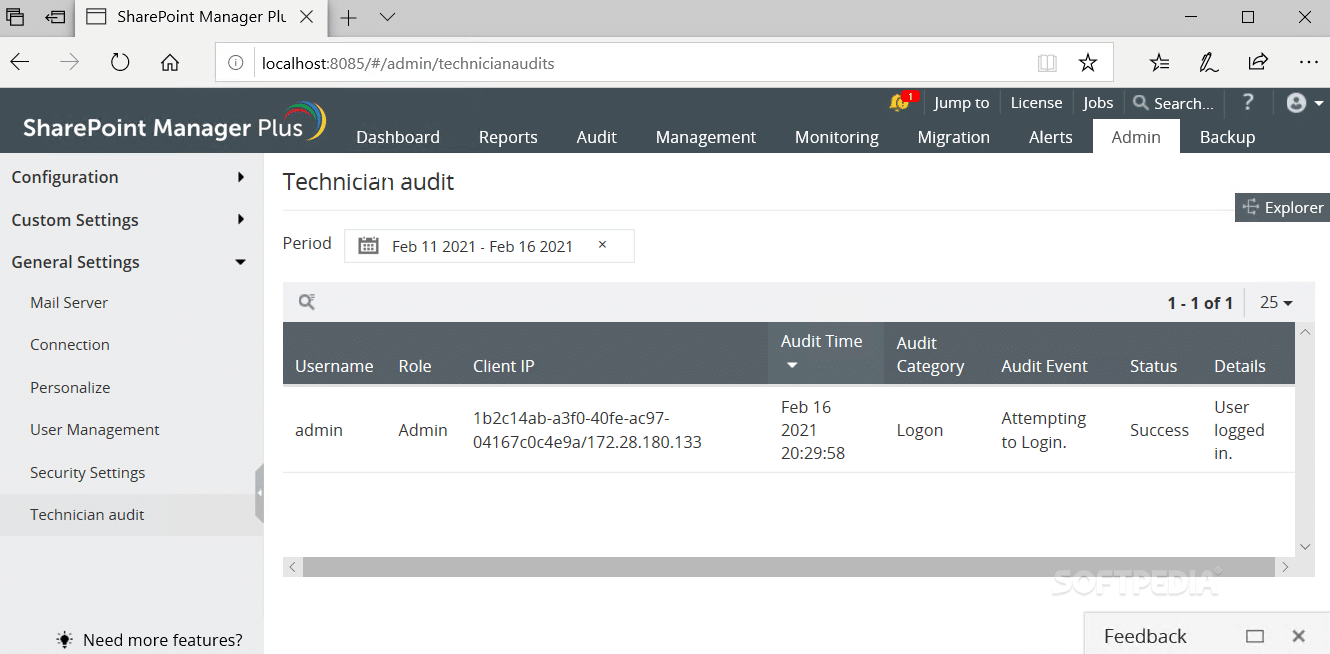
The ManageEngine SharePoint Manager Plus is a web-based software made specifically for monitoring and auditing SharePoint platforms. The tool helps you configure user permissions in bulk, making it easier to facilitate least privilege principles. You can also use its SharePoint Usage Analytics to gain access to high-quality traffic reports. It also provides audit reports in a variety of different formats.
Main Features:
- A variety of pre-built reports
- Entirely web-based
- A variety of report formats
- Optimizes query performance based on search history
- Robust alerts system
- Integrates with the rest of the ManageEngine ecosystem
Why do we recommend it?
The SharePoint usage analytics provided by the tool helped us gain insights into user behavior, traffic patterns, and resource utilization, enabling us to make informed decisions for resource allocation and performance optimization.
The tool outfits you with a variety of pre-built reporting templates and helps you optimize query performance based on your past search history. Since it’s web-based, the ManageEngine SharePoint Manager Plus is easily reachable from any point on the globe. This makes it ideal for the growing need for work-from-home setups due to COVID-19.
The tool also provides you with a central console meant to be used for managing the most critical tasks. It also gives you access to real-time alerts and speedy audits.
Who is it recommended for?
With its real-time alerts and usage analytics, it’s ideal for large enterprises and remote work environments, ensuring optimal SharePoint performance. Additionally, it simplifies user permission management, making it a valuable tool for organizations emphasizing least privilege principles.
It’s approachable enough for users with varying degrees of experience, making it adaptable to different skill levels. Those who have previously worked with SharePoint and understand user permissions, audit trails, and SharePoint architecture will be able to maximize the potential of this tool to streamline their SharePoint management and monitoring tasks effectively. The tool offers a fully-featured 30-day free trial.
2. Paessler PRTG Network Monitor – FREE TRIAL
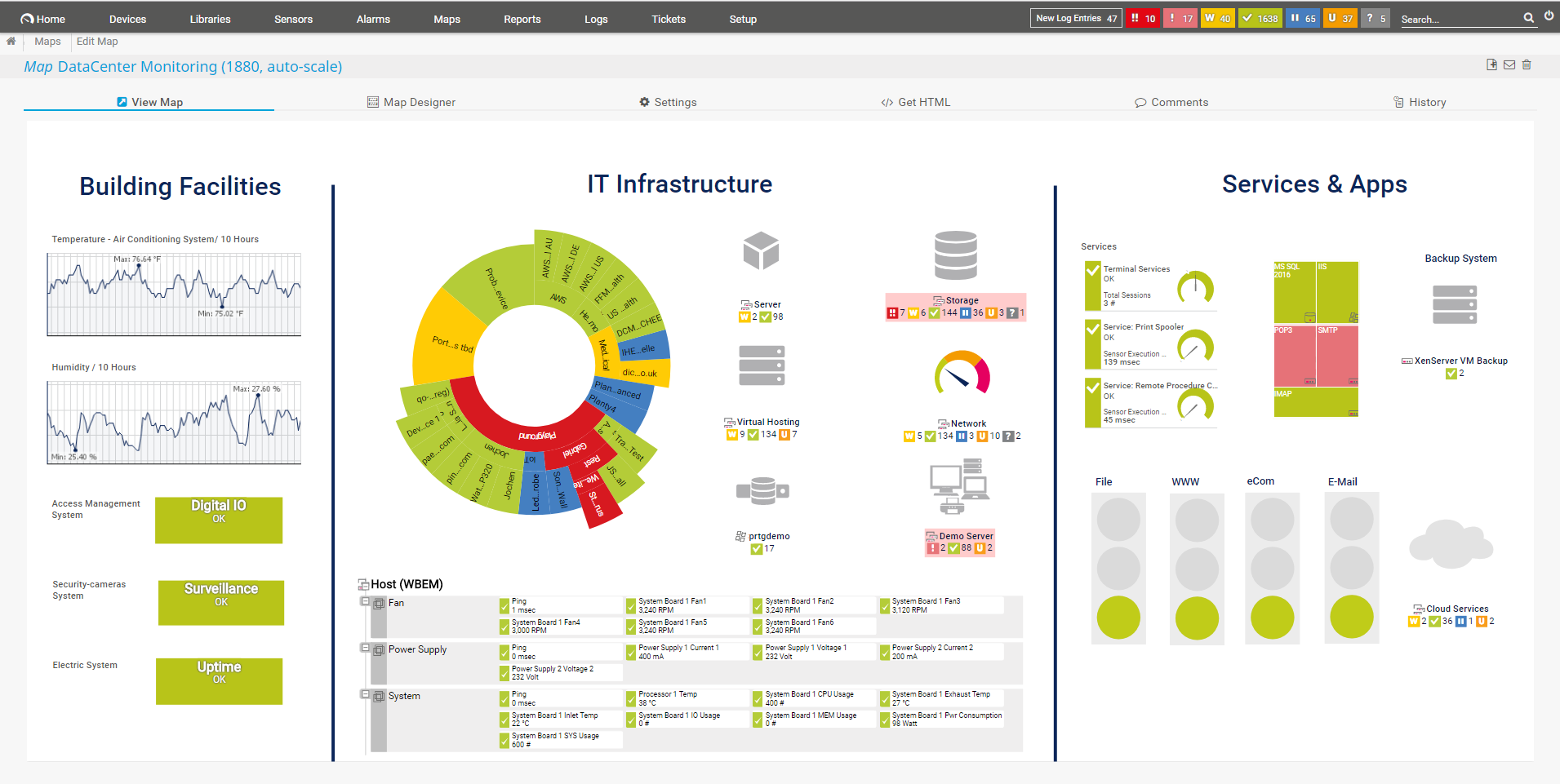
The Paessler PRTG Network Monitor is a sensor-based monitoring solution. It comes with pre-configured sensors designed to help you monitor and manage SharePoint servers and applications. If you’re looking for a tool that can monitor the performance of multiple linked servers efficiently, the Paessler PRTG is the tool for you.
Main Features:
- Granular, sensor-based system
- Easy-to-use administrator interface
- Lets you manage bandwidth for SharePoint and other applications
- Highly customizable dashboard
- Tracks your entire IT infrastructure
- Monitors your SharePoint servers in real-time
Why do we recommend it?
During our assessment, PRTG not only detected unauthorized network access attempts but also provided us with detailed logs and reports on the source and nature of these attempts. This information allowed us to strengthen our security measures, block unauthorized access, and fine-tune our firewall rules, ultimately safeguarding our network from potential threats.
Although the tool has quite a few pre-configured sensors designed with SharePoint in mind, you can also configure sensors on your own to ensure that you’re monitoring the metrics and resources you want. For example, the SMI SharePoint Process sensor is a preconfigured sensor monitoring requests, CPU utilization, and template cache size. Each of these sensors can provide alerts and discover problems.
An example of how this works is if, say your server’s CPU usage goes over a predetermined threshold, the administrator and whoever else you designate get a notification via SMS, email, or phone. Smaller companies can also take advantage of the free version that provides 100 sensors.
The PRTG Network Monitor keeps track of metrics across the systems, applications, and devices in your infrastructure. The tool is also quite easy to use for the breadth of features it provides. Its administrator tool is excellent for businesses of all types and sizes, SMBs can take advantage of the easy-to-use interface, while enterprises will be glad to see the tool’s customizability.
The tool has advanced statistical capabilities, giving you detailed reports with breakdowns for specific infrastructure segments. It uses SNMP, packet sniffing, and WMI in order to facilitate its monitoring features.
Who is it recommended for?
We recommend Paessler PRTG Network Monitor for IT professionals, network administrators, and businesses of all sizes who require comprehensive network monitoring and security.
It is suitable for both small organizations seeking basic network oversight and large enterprises looking for advanced network performance and security solutions. The user-friendly interface makes it accessible to those with varying levels of experience, from beginners to experienced IT experts.
With that being said, the Paessler PRTG Network Monitor is not the greatest fit for businesses looking for a tool that does everything out of the box and isn’t intending to use its customization features. The tool is free for up to 100 sensors and has a 30-day free trial for any amount of sensors past that.
3. eG Enterprise
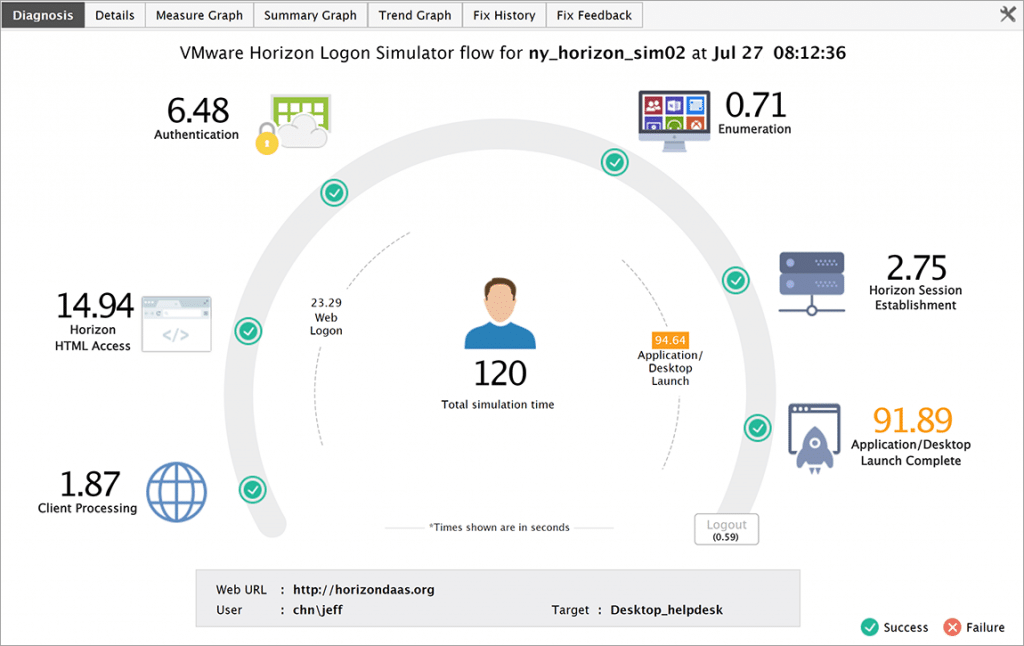
eG Enterprise is a holistic, dedicated SharePoint performance management and monitoring tool intended to provide complete visibility into every part of your SharePoint infrastructure. This ranges from your content growth, web apps, site collections, logs, events, and much more.
Main Features:
- Multiple deployment options
- Monitor end-user experience in real-time
- Simulate user inputs
- Digital workspace and application monitoring
- Autodiscovery and topological map creation
Why do we recommend it?
We rigorously assessed eG Enterprise’s performance, and its ability to simulate user actions helped us ensure our SharePoint infrastructure can handle expected workloads and respond appropriately.
If you’re simply looking for a dedicated SharePoint monitoring solution that works brilliantly from a single window, then eG Enterprise might be just the tool for you. The tool also offers a variety of editions, like their completely free cloud-based Easy Evaluation edition. The tool also has a SaaS cloud-based version, an on-prem edition, and more.
The tool aims to let you keep track of your end-users experience in real-time. You can also simulate user actions and ensure your SharePoint infrastructure can handle them and react appropriately. You can also quickly create a topology map, discovery SharePoint apps, and dependencies automatically, and integrate the tool with a variety of 3rd party software.
Who is it recommended for?
eG Enterprise is more suitable for advanced users who have experience in IT administration and are well-versed in SharePoint and related technologies. Its comprehensive monitoring and management features are designed to cater to the needs of complex, large-scale SharePoint environments, making it a valuable tool for organizations with experienced IT professionals. While it may have a steeper learning curve for beginners, its capabilities can greatly benefit those with a deeper understanding of SharePoint infrastructure. The tool offers a 30-day free trial.
4. Metalogix Diagnostic Manager
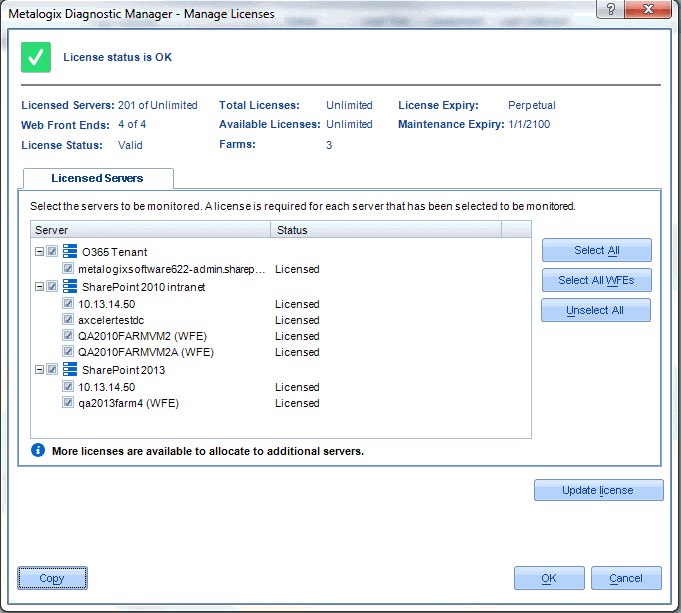
The Metalogix Diagnostic Manager is a SharePoint administration and performance monitoring solution that supports almost all editions of SharePoint, including those as old as SPS 2007. It is potentially the simplest tool on this list, providing the most straightforward method to monitor the health of your SharePoint resources.
Main Features:
- Supports older versions of SharePoint
- Extremely intuitive and easy to use
- Simple but effective alerts system
- Metrics can be sorted by groups, pages, farms, or servers
Why do we recommend it?
We put it through rigorous testing and Metalogix Diagnostic Manager earned our trust by efficiently resolving permission-related issues, ensuring secure and appropriate access for users. It also provided valuable insights into server health, preventing resource exhaustion and enhancing server reliability.
With its user-friendly interface, it streamlined the management of our SharePoint deployment, resulting in improved performance and smoother maintenance.
Metalogix allows you to look at your SharePoint deployment’s health status broken down in great detail. You can look at it grouped as Farms, Pages, Servers, and Server Groups. Each metric gets one of three ratings between Ok, Warning, and Critical.
You can also set up alerts so that you’re automatically notified when a metric crosses over to Warning or Critical. Alternatively, you can set up performance thresholds that will let you know if a service goes down, or you’re facing a bottleneck. You’ll get an alert regardless of whether or not the resources are located on-prem or in the cloud.
With that being said, the tool doesn’t support any monitoring besides SharePoint, and its interface can look a bit cluttered at times.
Who is it recommended for?
We recommend Metalogix Diagnostic Manager for businesses and organizations seeking a straightforward and dedicated tool to monitor and manage their SharePoint infrastructure. It’s particularly useful for those using older versions of SharePoint and in need of a simple, effective solution for health monitoring and issue resolution.
Metalogix Diagnostic Manager is well-suited for both beginners and advanced users. Its intuitive interface and straightforward alert system make it accessible to those new to SharePoint monitoring, while its detailed metrics and customization options provide value for advanced users looking for a high-quality monitoring solution. The tool offers a free trial.
5. SPDocKit
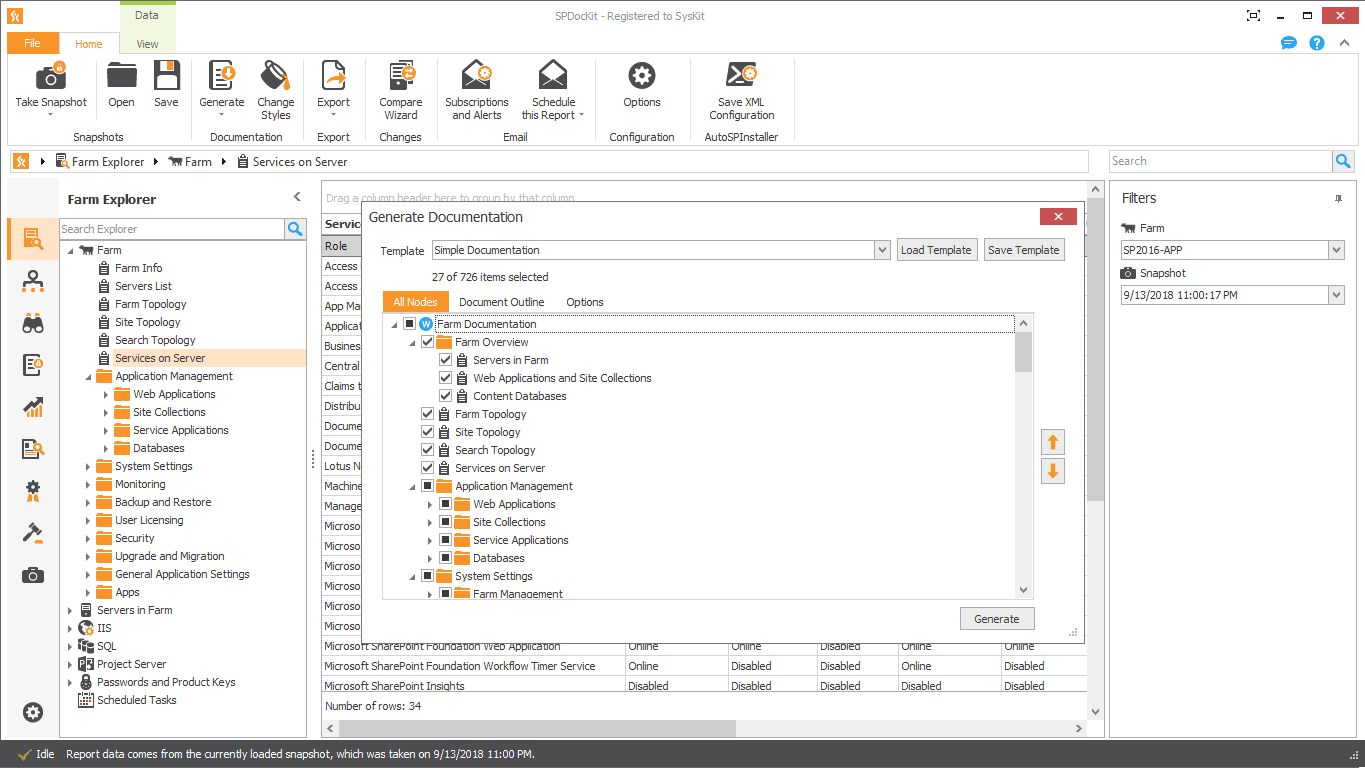
SPDocKit is an excellent tool to generate reports and conduct audits as well as manage SharePoint. SPDocKit automatically adds data to farm documentation. SPDocKit supports and creates farm documentation. It generates it by scanning your network and configuring the settings automatically. It’ll also provide you with real-time permission management and SharePoint Analytics.
Main Features:
- Saves time by automating many tasks
- Enhances your data security and prevents breaches
- Quickly generates farm documentation
- Helps with maintaining the least privileged principles
Why do we recommend it?
In our extensive testing of SPDocKit in SharePoint environments, we observed significant improvements in our website’s performance, security, and compliance. SPDocKit’s capabilities streamlined the management of our SharePoint platform, automating time-consuming tasks, optimizing our farm documentation, and ensuring data security. It helped us maintain a high-performing website, resolve issues promptly, and enhance the overall user experience, making it an essential tool for businesses aiming to enhance their web presence.
In essence, SPDocKit is designed to help with SharePoint auditing and administration. It’s there to streamline your processes and minimize tedious tasks. The tool comes in two different editions: Farm, tasked with managing on-prem farms, and Consultant, made for MSPs.
The tool enhances your data security and prevents data breaches. It’s an amazing supplemental tool to use with larger SharePoint deployments and supports SQL Server configuration.
Who is it recommended for?
SPDocKit is a versatile tool suitable for a wide range of users, whether you’re just starting with SharePoint or an experienced professional. Its user-friendly interface and automation features make it accessible for beginners, while advanced users will appreciate its comprehensive capabilities for efficient website management and ensuring compliance.
SPDocKit can be beneficial for various sectors, including corporate enterprises, government agencies, educational institutions, and nonprofit organizations. Its versatility makes it a valuable asset for any sector that relies on SharePoint for collaborative website management and data sharing.
SPDocKit offers a free trial so you can see if it meets your needs.
6. SolarWinds Server & Application Monitor
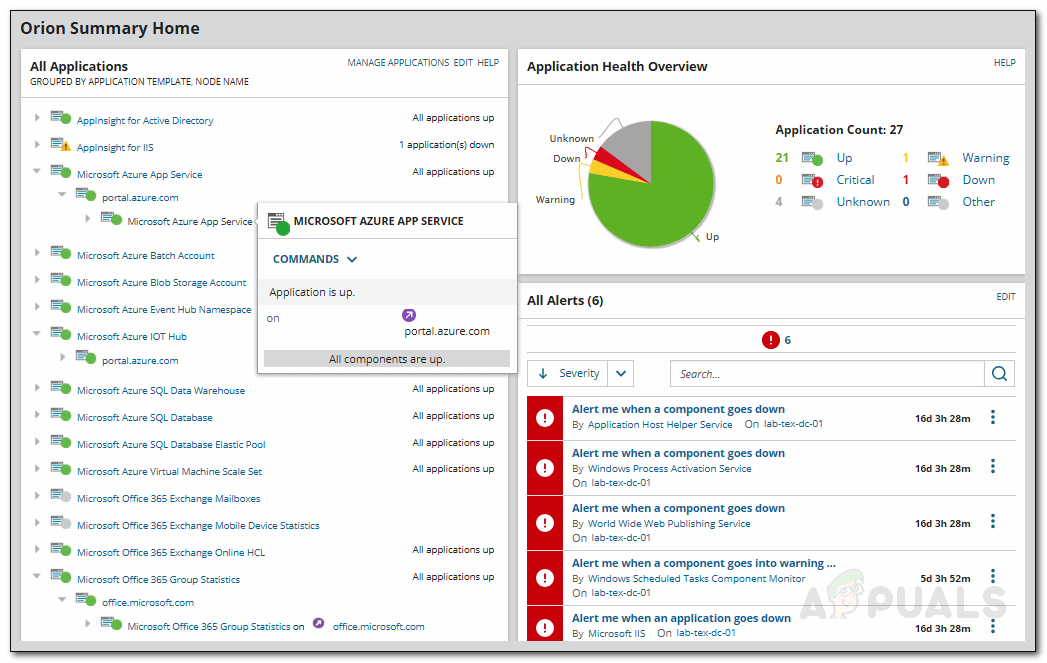
The SolarWinds company creates a variety of high-end solutions for Microsoft monitoring. The SolarWinds Server & Application Monitor (SAM) is only the latest in their suite of Microsoft monitoring tools.
Main Features:
- Custom app monitoring capabilities
- Autodiscovery of network devices
- Excellent for enterprise-grade networks
- Incredibly scalable and customizable
- Great user interface
- Root-cause analysis capabilities
- SNMP monitoring and packet analysis
Why do we recommend it?
During our testing, one of its features that stood out was root-cause analysis. This feature proved invaluable in diagnosing the causes of various problems. For instance, it helped us quickly identify the root cause of slow load times in our SharePoint environment.
The SolarWinds SAM is a comprehensive server and application monitoring solution that provides massive dividends in improving SharePoint performance. Its root-cause analysis feature lets you easily find the cause of most problems. This is especially useful for more common problems like slow load times and latency problems. The tool also gives you a clear view of your issues based on the location, server, and application causing them.
The tool is easy to set up and has over 1200 monitoring templates available. This means that most SMBs will have no trouble finding a default template that matches what they need. However, for enterprise purposes, you’ll want to be able to customize your tool of choice to best fit your infrastructure. Thankfully, the SolarWinds SAM is easily customizable, giving you a lot of leeway with what you can do with it.
The SAM helps you monitor requests per second, latency, disk space, throughput, and more. It can manage over 1,200 different applications and resources. This is great for infrastructures using a lot of different tools or SaaS systems.
The tool supports SNMP monitoring and can conduct packet analysis. If a metric is found to be exceeding a threshold(default or custom,) the tool will immediately send off an alert. This lets you keep tabs on your SharePoint deployment even when away from the office.
The tool offers capacity planning features, letting you minimize management overhead. Its excellent mapping capabilities let you look at your infrastructure from a birds-eye view. It also provides end-to-end administration features to help your administrators focus on the issues they’re really needed for.
The tool’s dashboard is easily customizable by dragging and dropping widgets, so your admins don’t need to spend time looking at irrelevant metrics. The SolarWinds SAM also creates incredibly detailed reports aligned with a variety of different templates.
Who is it recommended for?
SMBs and mid-sized businesses can find value in SAM, especially with its easy-to-use interface and a free trial option for up to 100 sensors.
Large enterprises with complex SharePoint infrastructures can benefit from SAM’s scalability and customization options. It helps them ensure seamless SharePoint operations even at scale.
You can get a 30-day long free trial of the tool.
Closing Words
SharePoint is a great tool for ensuring proper collaboration and data sharing between teams. However, to get the most out of it, most businesses elect to use a SharePoint tool to help them manage and monitor their SharePoint deployment.
As always, the best tool for you will depend on the needs of your business. Our number 6 pick might be your number 1, however, the first two entries are ones you can’t really go wrong with.
What is your favorite SharePoint tool?
Is there a feature that you’re partial to, yet it’s not present in many tools?
Let us know in the comments below!