

Managing records easily is crucial for companies to manage and record user details, view account histories, and store personal information. Thanks to their incredible functions, user provisioning tools have rapidly increased in popularity. Users benefit from a single maintenance point that can help manage access to various IT applications.
With these records, administrators, and employees can retain regulations and information. IT administrators can also adopt this information to facilitate the automation of some tasks. This can boost the changes in the life cycle of employees, including promotions, termination, or onboarding.
HR workers can also use these databases to arrange employee information while monitoring access requests.
While you’ll find many products that can function on cloud and on-prem levels, it may prove difficult to use these tools to offer remote access. For a product to be regarded as a provisioning tool, it must pass specific requirements. These are outlined below:
- Help administrators develop access requirements by offering them tools.
- Store and access identity information by processing infrastructure.
- Protect sensitive information by offering authentication and security features.
- Facilitate the automation of processes that are associated with identity administration.
Here are some of the best user provisioning tools:
1. ManageEngine ADManager Plus
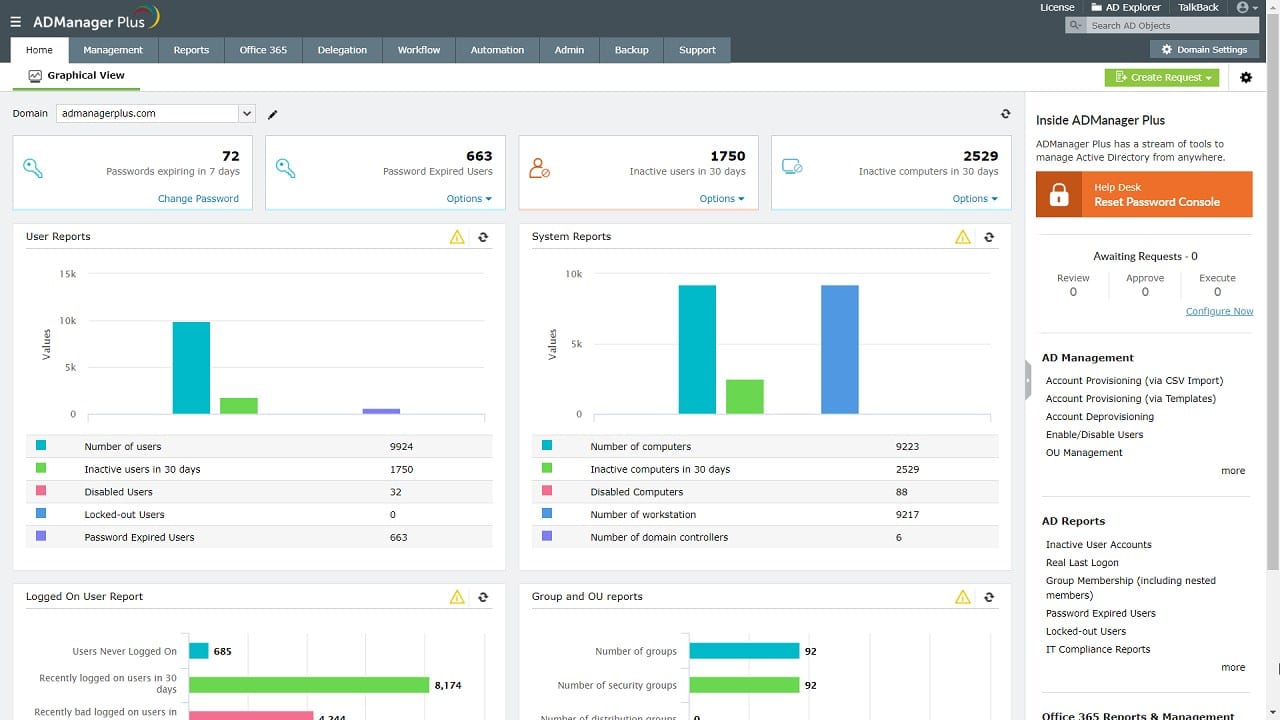
ManageEngine is an integrated tool that can work well with SharePoint and Office 365, which also serves as a unified Active Directory Platform. ManageEngine ADManager Plus also provides users with simplified access control, provisioning, and management.
Key Features:
- Total Visibility and Control With ManageEngine ADManager Plus, users can have complete control and visibility over the entire user account in the organization. This tool enables users to enable user accounts, reset passwords, and remove inactive users. ManageEngine can help you learn about unauthorized access to sensitive information before it can impact your organization.
- Active Directory Management Moving users in bulk from one group to another can be done quickly by adopting ADManager’s easy-to-use interface. This tool can simplify creating, managing, and removing accounts on Active Directory. There is also an option that allows the modification of user attributes.
- Handles Workflow Management ADManager Plus is also designed with a workflow management feature, making Active Directory ticketing and compliance easy to manage. Workflow management means your company will have a clear structure that ensures the transparency and accountability of your process. This is associated with a refined execution path that is not difficult to customize to satisfy organizational needs.
- Fantastic Reporting A key feature of user provisioning tools is the generation of reports since they are essential in internal auditing and compliance with industry standards. With ADManager Plus, you can access over 150 pre-installed templates, including login, user, password, MS Office, and Google Workspace reports.
It is safe to affirm that ADManager Plus is a tool designed to serve the Microsoft ecosystem.
2. Lumos
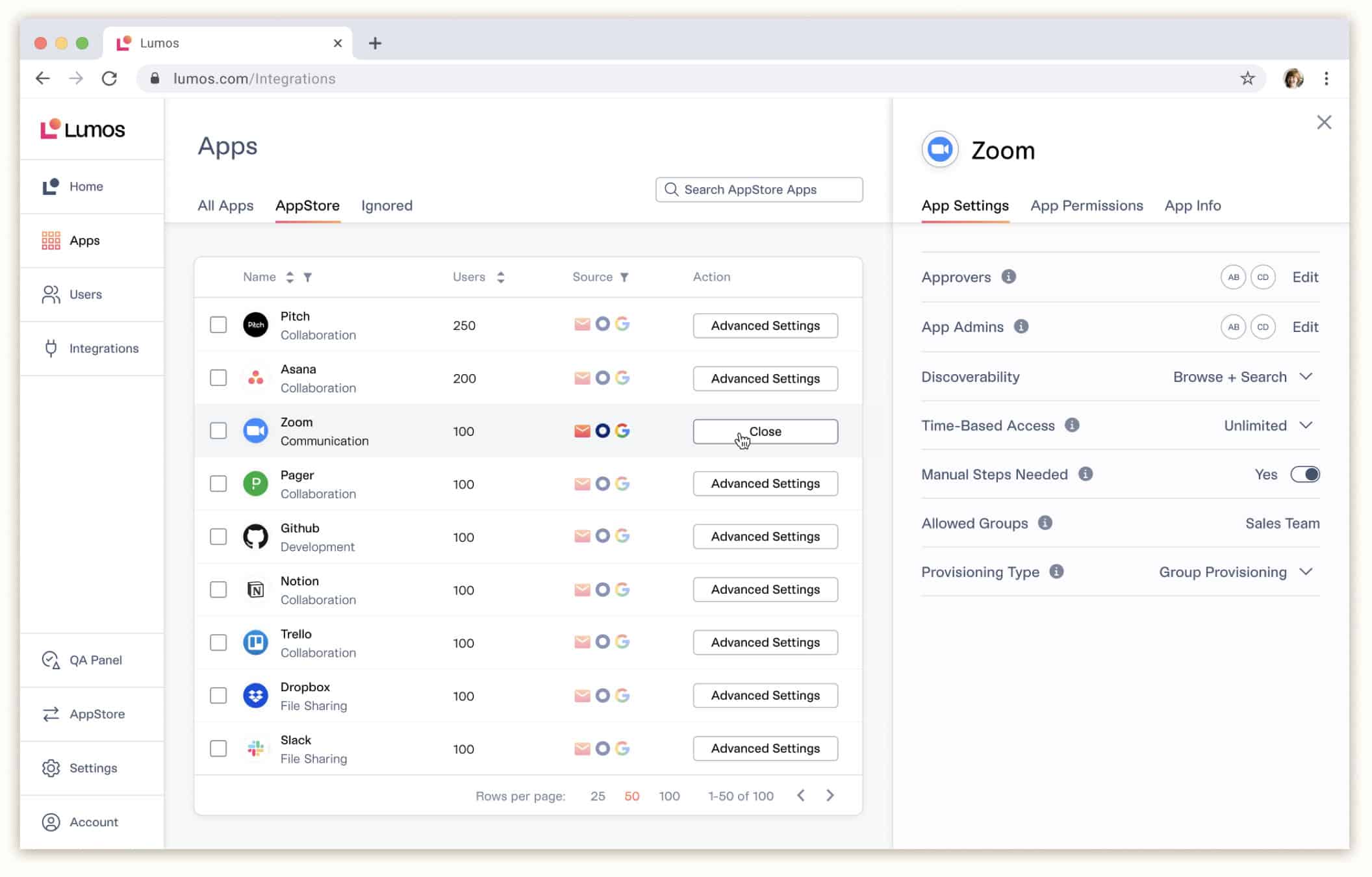
It is inefficient when employees have to manage each other’s access to many web apps that come with excessive permissions. It is, however, equally as inefficient to be stuck in IT ticket queues for a long time to obtain the required access.
Lumos represents the first Internal AppStore for many organizations. It is possible to make employees more productive while making your organization more compliant with requests for self-service apps, license management, and access reviews.
Lumos improves the level of the ITIL experience, as well as access management. It does so by connecting a SaaS management solution’s visibility and cost management controls with the power of workflow automation of identity governance and administration tools. The result includes a unified solution to help IT teams achieve higher productivity while managing costs.
Provisioning and Workflow Automation in It
The convenience of Lumos’ workflow automation lies in the fact that it streamlines manual processes to reduce costs and improve efficiency. It automates routine tasks and enhances the quality of customer service, administrative tasks, as well as other business processes.
Lumos can also help in automating processes that involve human interaction. However, it is also essential to be acquainted with the workload increase issues that SaaS brings to the IT department. These issues can be a higher level of complexity or increased cost through mismanagement of apps. With this in mind, a wider variety of business processes and applications should be supported by IT departments.
3. Okta
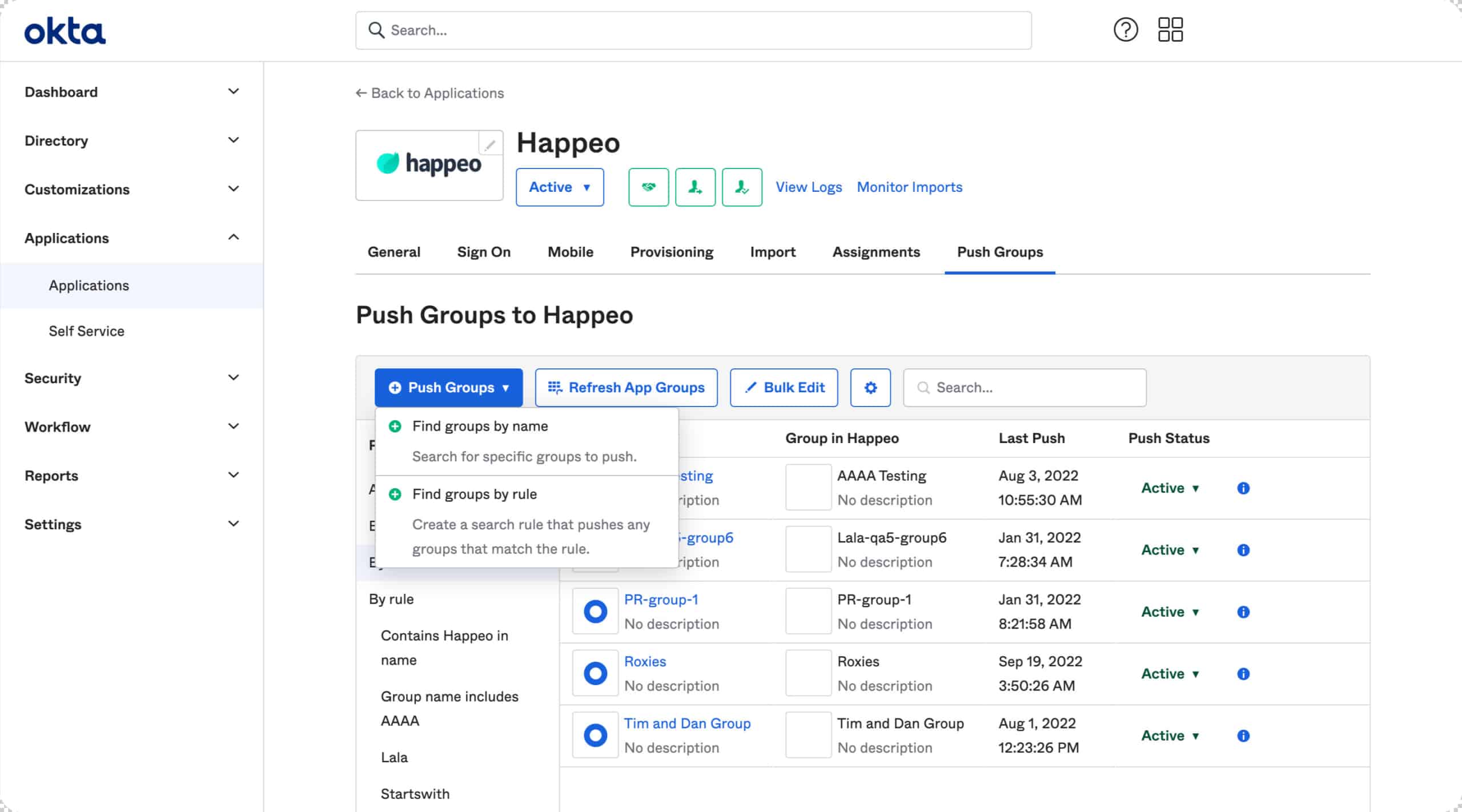
Okta is a user provision service that offers cloud-based authentication, which ensures that organizations can offer access to services and applications only to authorized employees. While this comes with some benefits, the greatest advantage includes controlling access and limiting access to required employees.
Key Features:
- Passwordless Authentication: Okta allows authentication that requires no password, which ensures that employees don’t need to create a password or username for every service. Using their work email ID, they can sign into a service. Admins can also control users’ access to the application using their work email ID. With these features, Okta can prevent password-related attacks while providing users with seamless access.
- Risk Detection: Okta is capable of assigning a level of risk to users/applications. With this, the admin can give out extra tasks, depending on this level of risk. A risk engine is also available for Okta to perform calculated guesses that estimate the probability of an odd sign-in, depending on the application access and user behavior.
- Context-Based Authentication: Okta is capable of allowing context-based authentication. This implies that users can use contextual data as an extra layer to access risks to users or devices, which may arise due to user account misuse.
- Enhanced Security: Okta can provide users with an extra feature, regarded as HealthInsight. It is capable of auditing the security settings of an organization, as well as user access and service usage. It can help in understanding the current state of security. It also offers insightful recommendations, which can help you make better decisions.
Furthermore, with Okta, you can get exposed to an identity management solution capable of handling user provisioning and securing access while providing a stress-free experience for users.
4. SolarWinds Access Rights Manager
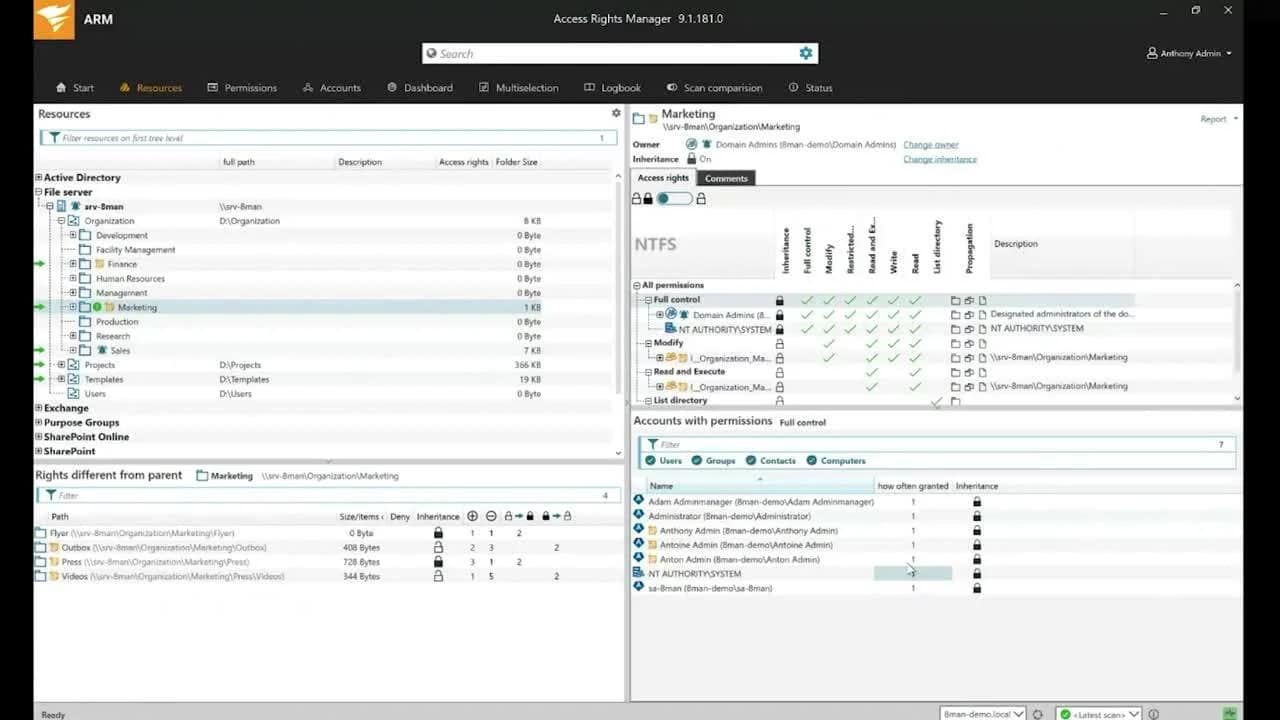
SolarWinds Access Rights Manager is an end-to-end user provisioning platform used to provision and de-provision user accounts. SolarWinds Access Rights Manager’s design has numerous advanced features that can facilitate auditing, security, and compliance. Besides this, the tool can also ensure that the user accounts are managed and audited to reduce insider threats.
Key Features:
- Automated Process: This tool works well with Azure Active Directory. This ensures that every provisioning and de-provisioning request is automated. Thanks to the Active Directory being associated with user credits and other important details, it is possible for SolarWinds to seamlessly and quickly handle requests about user provisioning within the enterprise.
- Reporting and Compliance: SolarWinds, Access Rights Manager, allows it to develop in-demand reports, which can be used for internal and external auditing. Besides this, you can easily comply with essential industry standards, including PCI DSS and GDPR.
- Minimizes Risk with Visibility: Another vital feature this tool offers its users is the ability to provide visibility over all forms of the user provisioning process and access sensitive resources. When certain issues like credential misconfigurations arise, it sends a notification instantly. With this, users can quickly figure out the real cause of the problem while providing a solution to tackle it.
- Streamlines Access to SharePoint Files and Folders: SolarWinds Access Rights Manager can streamline access to all SharePoint files and folders. With this, users can eliminate the possibility of data theft and insider attacks. This complete monitoring can ensure that users can keep track of employee activity. As a result, it becomes easier to detect any unauthorized access.
In other words, SolarWinds Access Rights Manager is a tool that can assist security and IT administrators in making easy and quick managing, provisioning, de-provisioning, and auditing user access rights to data, systems, and files. These features enable them to protect their enterprises from any data breaches or loss risks.
Furthermore, SolarWinds Access Rights Manager is a comprehensive tool that can help users monitor and manage user provisioning. It ensures that your organization’s data and other critical assets can be kept safe.
5. SailPoint Identity Platform
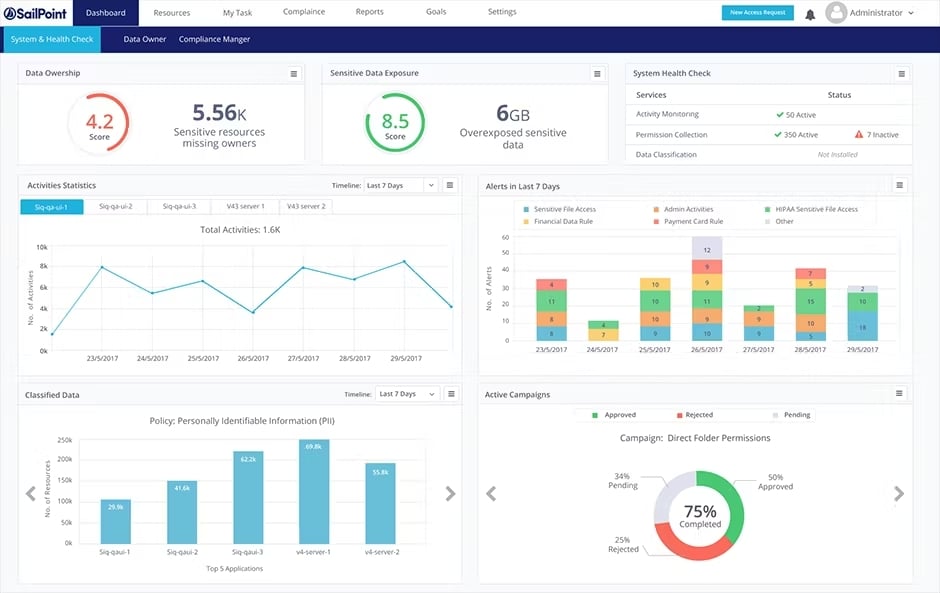
This is a comprehensive platform that can facilitate user access to authorized products and services without having negative impacts on security. It also uses advanced technologies like Machine learning and Artificial Intelligence (AI) to gain informed insights and improve employee productivity.
Key Features:
- Supports User Identity Lifecycle Management: Running a company comes with various processes. For instance, while some people are employed, others are changing roles in the company or leaving. These situations are bound to happen at some point in every organization. As a result, there is a need for a platform that can effortlessly manage user identity across its lifecycle. SailPoint is the right platform to resort to. With this tool, you can easily stay on top of these situations while offering your employees the required access that is important for different applications and services in the organization.
- Allows Compliance: Operations in all organizations require compliance with the standards in the industry. After all, this is good for the reputation of the organization. When you adopt SailPoint, you can access its advanced reporting templates. What this does is it helps in meeting all compliance requirements of the standards. Specifically, it facilitates protecting sensitive employees’ information as the standards require.
- Makes Use of Advanced Technologies: Technological advancements have ensured that business processes are streamlined and more efficient. As a result, SailPoint uses advanced technologies, including Machine Language and Artificial Intelligence. These technologies are used to offer users informed insights in terms of access and user provisioning. Through these insights, users can maintain the balance between employee productivity and security. Besides this, the platform can also help identify and tackle insider attacks.
- Extensible: This tool is versatile, meaning its use can be extended across an entire organization. This platform can be integrated with various platforms, infrastructures, and devices. As a result, it is easy to extend the SailPoint Identity Platform to your network, irrespective of whether the network is hybrid, cloud-based, or on-prem.
Since it is based on Machine Learning and Artificial Intelligence, the SailPoint Identity Security Platform can offer the right level of access to the right resources and identities at the right time. It matches today’s cloud-oriented, modern enterprise’s velocity, scale, and changing needs.
Furthermore, it is worth stressing that users can enhance the efficiency of their employees, simplify their compliance process, and reduce their exposure to insider threats using SailPoint Identity Manager. You can also integrate the tool with reputed platforms, including Microsoft, AWS, Salesforce, ServiceNow, and SAP.
6. Oracle Identity Manager
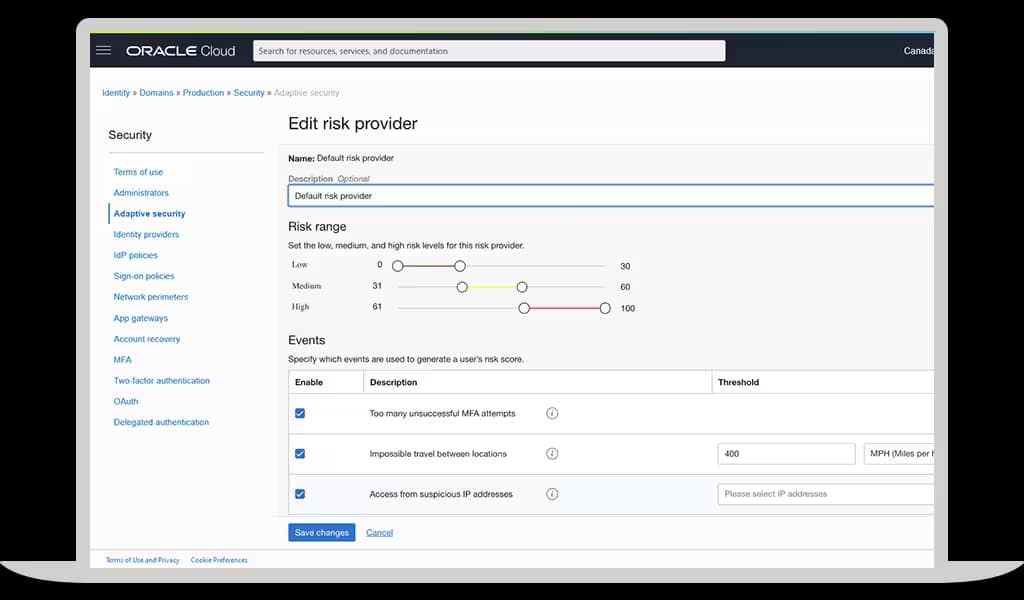
This automated user provisioning tool is designed to manage the lifecycle of user identities, from their creation to the point of deletion. As a result, it is possible to figure out who accessed what. This high level of visibility and control minimizes the risk of insider attacks. Besides this, users can also use this tool to enjoy absolute control of the assets and resources of their enterprises.
Key Features:
- Intuitive and Friendly User Interface: This is an important feature of Oracle Identity Manager. The tool has a user-friendly, intuitive interface. It is similar to a pattern adopted by a shopping cart, which allows users to choose from a long list of available applications and services within an organization. Depending on the department and role, this request can either be denied or approved. Also, users can use this tool to monitor their requests while checking their status at any time they choose.
- Workflow Management: Oracle Identity Manager ensures that it is easy for users to develop workflows that depend on existing identity provisioning practices and security policies. It facilitates the tracking of user identities in multiple applications and systems. With these workflows, admins can verify the access rights of users when required.
- Reporting: This versatile tool can help in compliance, auditing, and reporting. Oracle Identity Manager is designed with reporting templates, which can be used to achieve internal and external auditing. Users can also choose these reports to ensure they meet the required compliance and standards, including PCI DSS and GDPR.
- Password Handling: With Oracle Identity Manager, users are exposed to a streamlined password management system, which can help them minimize the costs that are associated with creating and managing help desk calls. Besides this, the tool can also synchronize passwords for managed accounts. As a result, it becomes easier to control them.
Besides this, Oracle Identity Manager is a product that ensures that enterprises can handle and automate user identity end-to-end lifecycle. It also provides users with secure, refined access to assets and resources within an enterprise.
Oracle Identity Manager is a great tool designed with an easy-to-use User Interface. Password Management is also simplified to ensure the workflows are simple and easy to control.
Conclusion
Company information is used by customers and employees differently. While some resort to performing their routine tasks on software applications, others could use the data stored for many purposes. For this reason, regulating and monitoring access permissions on information assets is crucial. This ensures that security is maintained. An enterprise can allocate permissions and privileges to users through the various user provisioning tools. The tools outlined here vary immensely in features. Luckily, this means you have plenty of options to find the ideal tool for your company.