

Managing businesses and providing adequate support can be difficult. Explaining over voice can be extremely frustrating when explaining cerebral concepts to someone who might not particularly understand them. This can create lots of frustration, therefore it would simply be easier to have full control of their system and explain the process as you go.
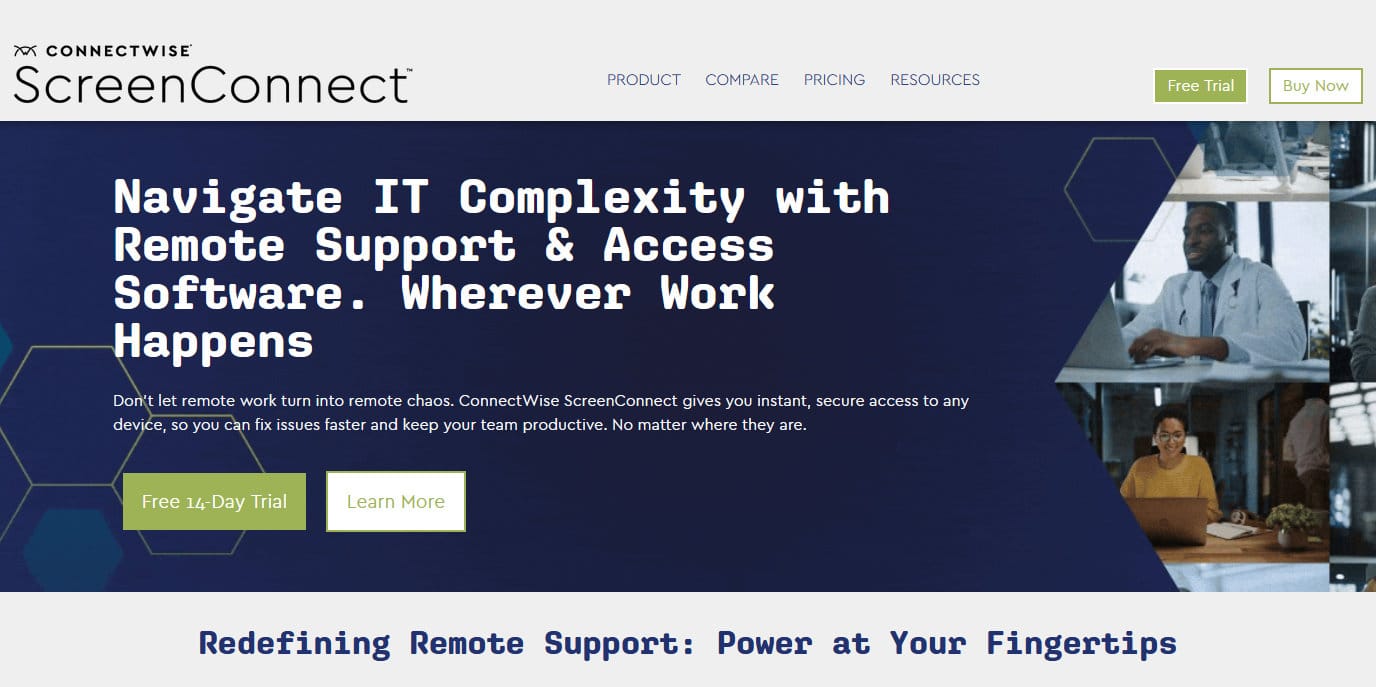
ConnectWise Control, which has been rebranded as ConnectWise ScreenConnect, allows you to always have a solution for any problem that may happen. Simply connect to a customer’s end-point in a secure and intuitive way, and initiate remediation steps on their machine while also documenting and logging everything for transparency and accountability. ConnectWise provides you with the tools to make your business far more efficient and practical, while also promoting cost-efficiency and quality support. When using a tool such as this, there are many variables to consider. You have to consider a lot of aspects from crucial features such as how secure it is, all the way down to how comfortable are your customers with using it. Luckily, ConnectWise has considered all of these issues and created the perfect blend of features and integrations for you.
On-Premise vs Cloud
There are a lot of variables to consider when choosing between running ConnectWise on-premises or on the cloud. Generally, smaller businesses benefit more from running in on the cloud since it is more cost-efficient and flexible. You don’t have to manage any infrastructure or dedicate any extra resources towards using it. However, if you are operating a larger business, it would be prudent to run it on-premises. This would allow for a higher degree of customization, advanced security compliance requirements, and complex integrations. You will need to dedicate more resources to manage every aspect, but in turn, it will make it much more rewarding and will streamline your business with higher levels of efficiency. You also have the option of running it in a hybrid manner, both on-premises and on the cloud. This would effectively provide you with the best of both worlds, giving you flexibility and scalability of the cloud, while also allowing you to maintain control over all the critical aspects that you need for your infrastructure to function properly. While it is the most complex model to use, it does provide you with the highest degree of efficiency, cost-efficiency, and control.
Remote Support vs Remote Access
Both products provide you with remote access and support capabilities but in different ways. For starters, Connectwise Remote Support is accessed through a web-based interface. It offers real-time control, management, multi-monitor support, file transfers, and more. It is more tailored towards technical support and providing remote support to end-users. ConnectWise Remote Access, however, is more tailored toward IT administrators. It is software that is installed directly on the end-user device. The administrator can then manage those devices remotely with ease. It comes with features such as real-time remote control, file transfer, and remote access to servers or other resources. If you’re looking for more of a support approach to deal with issues, then Remote Support would fit you better, if you’re looking for a more on-hand approach, then Remote Access would likely suit you best.
Remote Support
ConnectWise is a remote access and support tool that you can run either on-premises or on the cloud. It offers a multitude of support for remotely connecting to various devices. These include Windows, Mac, Linux, Samsung devices, Apple iOS, Google Chrome OS, and Android-based devices. You can reliably trust in the security features that ConnectWise offers to keep your end-to-end connections safe and secure. The security features include role-based security, session management functionality, logging, auditing, SSL, AES-256 encryption, and two-factor authentication. Your customers do not even need to install a client app for you to connect to them. You simply provide your customers with a numeric code that allows them to connect to your remote session. Finally, ConnectWise has numerous integrations with top vendors such as Solarwinds and Zendesk. This way you can easily expand your business capabilities and leverage over 100 add-ons to your benefit. You can also request your own extensions or even develop them yourself.
Remote Meeting
ConnectWise simplifies any type of connection you might be looking to create between you and a customer. It allows for streamlined 1-on-1 meetings or group meetings, training sessions, webinars, and more. The participants can communicate via voice or chat and take screenshots and record videos. The amount of maximum attendees on group chats is unlimited as well. ConnectWise is fully customizable both functionally and aesthetically. You can change its appearance to be fully tailored to your business’s image without needing any coding knowledge. The files are transferred instantly via multiple intuitive methods, making sure that you can explain the subject at hand and have the customers’ attention while you’re uploading relevant files. The sessions can also be finely managed with role-based security. This way your administrators can decide if only specific people will be able to join a specific session for the current and future dates. With many integrations, you can also add extra functionality to ConnectWise, for example, third-party vendors such as Acronis can provide remote backups, Solarwinds can provide additional password protection, and Zendesk allows for service ticketing. All of these features and more are available on cross-platform devices. From Windows, Mac OS, and Linux to iOS and Android, as well as different browsers such as Firefox, Safari, Google Chrome, and Microsoft Edge.
Security
When your job is to access your customers’ endpoints, one of the most critical aspects of that is maintaining a secure connection between you and them. ConnectWise is aware of this and provides you with multiple layers of protection to achieve maximum security. It features role-based security, effectively eliminating unwanted invites, and makes sure that your administrators determine user permissions for every relevant parameter, down to a granular level. Furthermore, the end user can choose to either allow or deny access. This allows the customer to be more relaxed with the procedure of having someone remotely connect, as well as giving the technician who will be working with the end user the green light.
You also have the feature of logging session activity. Providing audit logs will ensure full accountability and transparency when dealing with data misuse or security breaches with your customers. This way you can track almost every important metric that you can think of and log it. This also covers video as well, allowing for full transparency with video session recordings of every remote engagement. These videos can be saved either privately, or on a public cloud location. Since hackers keep evolving new ways of cyberattacking, it is important to stay ahead of that curve to protect yourself proactively.
ConnectWise comes with additional features such as two-factor authentication which allow you to create another layer of separation between you and the potential cybercriminal. You can also protect yourself from brute force attacks that try to repeatedly gain access and fail. This attack is still surprisingly effective since computing power allows for many failed attempts per second, meaning it would only be a matter of time before your security is cracked. Luckily you can resolve this issue by limiting the number of failed attempts before being locked out of the network temporarily. Furthermore, ConnectWise has LDAP (Lightweight Directory Access Protocol) and AD (Active Directory) integrations which means you don’t have to manage users in multiple systems, you can instead use external sources to authenticate users such as MS Active Directory, OpenLDAP, or OpenDJ.
Finally, we can talk about encryption. ConnectWise features AES-256 encryption. What this means is that AES (Advanced Encryption Standard) uses a key size that is 256 bits. What this means, in theory, is that every single key has over 10^77 (100 quattuorvigintillion) variations, meaning that with all of the combined processing power of every piece of technology on the planet, you would still need roughly 500,000 years to crack that encryption to unlock the files under a single key. ConnectWise protects your data transmissions using this method alongside automatic SSL encryption for all cloud instances.
Extensions and Integrations
Having extensions to your tool can prove vital to interlinking different pieces of software and creating a more streamlined, unified network. This is why ConnectWise has many various integrations for you to pick and choose from to further increase your business potential. Firstly you have third-party integrations with Acronis, Zendesk, Microsoft Outlook, and Freshdesk. For productivity, you are looking into Remote system diagnostics, Desktop notifications, Report manager, Command toolbox, Guest session starter, and more. There are also similar integrations in different departments such as Communication, Administration, Configuration, and ConnectWise labs. Furthermore, you may also choose a localization between French, Spanish, and Dutch.
Customization Options
ConnectWise offers a lot of variables and extensions to fully customize the service you provide to your customers. You can add your brand mark easily without needing HTML; simply insert your logo and save it. This philosophy extends to over 1,200 settings which you can toggle and edit in the appearance tab. You can stylize and edit every aspect, from the portal, themes, logo, whatever comes to mind, you can likely change it to represent your business however you like. This way you can rest assured that your customers will be always custom-tailored to the experience you want to provide. Furthermore, you can also localize the language for every menu item and dialog with an extension.
Cross-Platform Support
Managing all of your devices is essential. This can be difficult however considering the many variations between those devices in their operating systems and what type of machine they run on. Luckily, ConnectWise covers nearly all of them. For OS support, ConnectWise works on Microsoft Windows, Mac OS, Mac OS X, and Linux. For Microsoft Windows, ConnectWise has the capacity to connect to systems running the following: Windows 7, 8.1, 10, and Windows Server 2008, 2012, 2016, and 2019. For Mac OS and Mac OS X, ConnectWise works on iMac, MacBook Pro, MacBook Air, iPad, and iPhone. For Linux, all ConnectWise needs are x86_64 architecture and glibc 2.17 or higher to run on the machine. Regarding mobile support, it covers Android and iOS. The Android Google Play store has a free mobile client that allows you to connect to Windows, Mac, or Linux from your Android device, allowing you full remote access. The Apple iOS store also features a free mobile client app that allows you to connect to a Windows, Mac, or Linux machine. Lastly, Connectwise has browser support whereas ConnectWise ScreenConnect 6.8+ requires browsers with CSS Grid support, including Chrome, Firefox, Safari, and Edge along with their mobile versions.
Pricing
ConnectWise is billed either annually or monthly, furthermore, both Remote Support and Remote Access come in four different packages. They are as follows: Remote Support One, Remote Support Standard, Remote Support Premium, and Unattended Access. Remote Support One has a single license restriction. Remote Support Standard and Remote Support Premium are per concurrent tech. Unattended Access has unlimited sessions per tech. They vary in features and you can explore them more in-depth further. The 14-day free trial is fully functional and available without a credit card. All you need to do to access it is follow the instructions on the site. If you wish to host it yourself, you can contact ConnectWise to explore the self-hosted options in further depth. Finally, there is a free version for very small businesses that provide you with a single-user license, perfect for starting.
Summary
ConnectWise is highly flexible, allowing for full coverage of many different areas that you might consider. Remote Support offers a fantastic platform to help your customers on a more IT support-type dynamic, guiding and explaining processes from a web-based approach, while Remote Access is far more precise and tailored towards IT administrators. With it, you will always have full access and control and feel safe knowing that your skilled technicians will always be able to do their job with ease. This is especially true considering the cross-platform and cross-device features that ConnectWise offers, allowing you to effectively connect to any device. Pair that with top-notch security, full customization, and lots of integrations, and you have a well-rounded tool that is applicable to many different scenarios.