


With security breaches reaching worldwide news on an almost monthly basis, FIM or file integrity monitoring tools have become crucial for businesses to run securely. These tools are used to prevent data leaks to competitors and malicious agents.
Here is our list of the top File Integrity Monitoring Tools:
- ManageEngine Log360 – EDITOR’S CHOICE This collection of security services includes tracking of user activity on the network and endpoints, including network shares. Available for Windows Server. Start a 30-day free trial.
- ManageEngine ADAudit Plus – FREE TRIAL This is an activity tracking system that includes file integrity monitoring on Windows Server. Available for Windows Server, AWS, and Azure. Start a 30-day free trial.
- Site24x7 – FREE TRIAL File integrity monitoring is included in this full-stack observability platform and works alongside its server and application monitoring services. Get a 30-day free trial.
- Endpoint DLP Plus – FREE TRIAL An exceptional tool for file integrity monitoring, tailored to enhance the security of business data against unauthorized changes. It provides businesses with real-time monitoring and detailed visibility into file activities, crucial for detecting and responding to security breaches effectively. Start a 30-day free trial.
- CrowdStrike Falcon FileVantage This file monitor is delivered from the cloud and can centralize the monitoring of multiple locations.
- OSSEC A HIDS that scours log files for security threats and tracks changes to important files. Available in free and paid versions that run on Unix and Linux.
- SolarWinds Security Event Manager This tool operates as a SIEM and also tracks changes to files, folders, and registry keys to observe file movements and shares. Runs on Windows Server.
- Trustwave Endpoint Protection A package of security tools that includes file integrity monitoring. Delivered from the cloud.
- Tripwire A FIM that can be tailored to specific data security standards and is part of a cloud platform of security tools that slot together.
- QualysGuard FIM This tool eases FIM by automatically detecting specific files that need to be protected in order to meet specific data security standards. This is a cloud-based system.
What Is File Integrity Monitoring?
FIM is a type of security measure which deals exclusively with files that have been tampered with. This type of software will generally capture an image of your entire system, and then at regular intervals compare that image to what is on it currently.
If there is an unauthorized change detected(for example, a user that doesn’t have access permissions opening a file.) It can immediately alert you, or even act against it itself.
In this article, we’ve assembled the best pieces of file integrity monitoring software to come out this year, so take a look at our in-depth guide below.
Here’s the Best File Integrity Monitoring Tools & Software
1. ManageEngine Log360 – FREE TRIAL
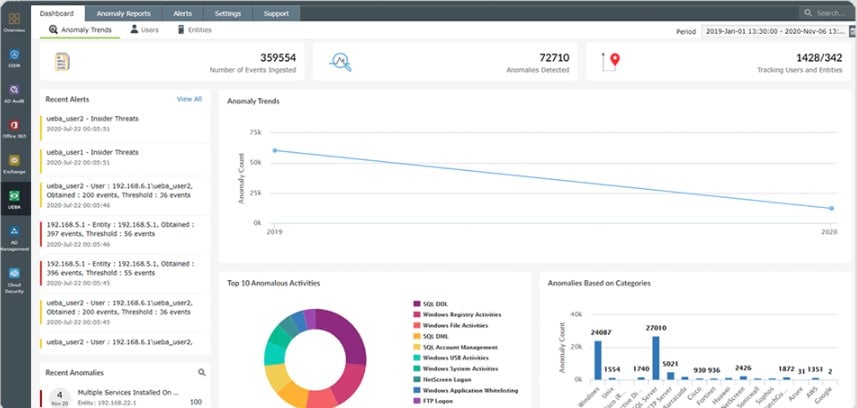
ManageEngine Log360 is a bundle of security systems. Each of the six components included in the package is also available for purchase individually. Two of the system included in the Log360 collection perform file integrity monitoring.
Key distinctions
ManageEngine Log360 offers both a free trial and a free version of its software, allowing users to explore its features and functionality. Additionally, they provide training and support in various forms, including documentation, webinars, live online sessions, and in-person training. This comprehensive approach ensures that users have the resources and guidance they need to make the most of the Log360 solution.
Why do we recommend it?
ManageEngine Log360 proved instrumental in addressing our security and compliance needs by providing comprehensive file integrity monitoring and user activity tracking on our network. Its user behavior analytics and real-time alerts ensured that we could quickly identify and respond to suspicious activities, helping us maintain the integrity of our critical data.
The first of the two FIM systems in Log360 is provided by EventLog Analyzer. This is a log server and manager that provides a data viewer with analytical tools in it. The EventLog Analyzer FIM includes a configuration planner in which the user specifies the types of objects that need to protect. Once operating, the FIM records every action on protected files and notes which user account was involved. The system includes user behavior analytics (UBA), which defines a pattern of regular activity n files per user account. Divergence from this standard provokes an alert for a possible insider threat.
The second unit that delivers FIM is ADAudit Plus. This service also includes UBA as a detection mechanism. This tool focuses on the protection of Active Directory instances and logs access and changes to domain controllers.
Who is it recommended for?
Small to large enterprises can benefit from the security and compliance features provided by ManageEngine Log360.
This tool is suitable for a wide range of industries, including finance, healthcare, and any sector that handles sensitive data and requires strict adherence to regulatory standards.
For a financial institution, ManageEngine Log360 is useful in detecting and mitigating insider threats. Its user behavior analytics can flag an unusual pattern of file access by an employee, leading to the discovery of unauthorized data exfiltration. This timely intervention prevents a potential data breach and safeguards sensitive financial information.
There is a Free edition for log360, which offers the same services as the paid version, which is called Premium, but with volume restrictions. The software for Log360 runs on Windows Server and you can try the Premium edition with a 30-day free trial.
EDITOR'S CHOICE
ManageEngine Log360 is our leading choice for file integrity monitoring, delivering a centralized way to track, monitor, and report on changes to critical files across an organization’s IT environment. File integrity monitoring plays a key role in maintaining security, helping to detect unauthorized changes, malicious activity, or potential breaches before they escalate. The platform provides real-time monitoring and alerting, enabling teams to identify and respond to file changes as they occur. It logs detailed information about each event, including who made the change, what was modified, and when it happened, giving clear visibility into file and directory activity. This level of tracking helps surface suspicious or unauthorized actions, such as tampering with sensitive data or the introduction of harmful files. Customisable alerts can be configured to focus on specific types of changes, helping teams respond quickly to potential incidents. Log360 also integrates with other security tools, supporting a broader security and compliance strategy. It generates detailed audit trails and reports aligned with standards such as PCI-DSS, HIPAA, and GDPR, helping organizations meet regulatory requirements.
Download: Get a 30-day free trial
Official Site: https://www.manageengine.com/log-management/download.html?log360-index
OS: Windows Server or SaaS
2. ManageEngine ADAudit Plus – FREE TRIAL
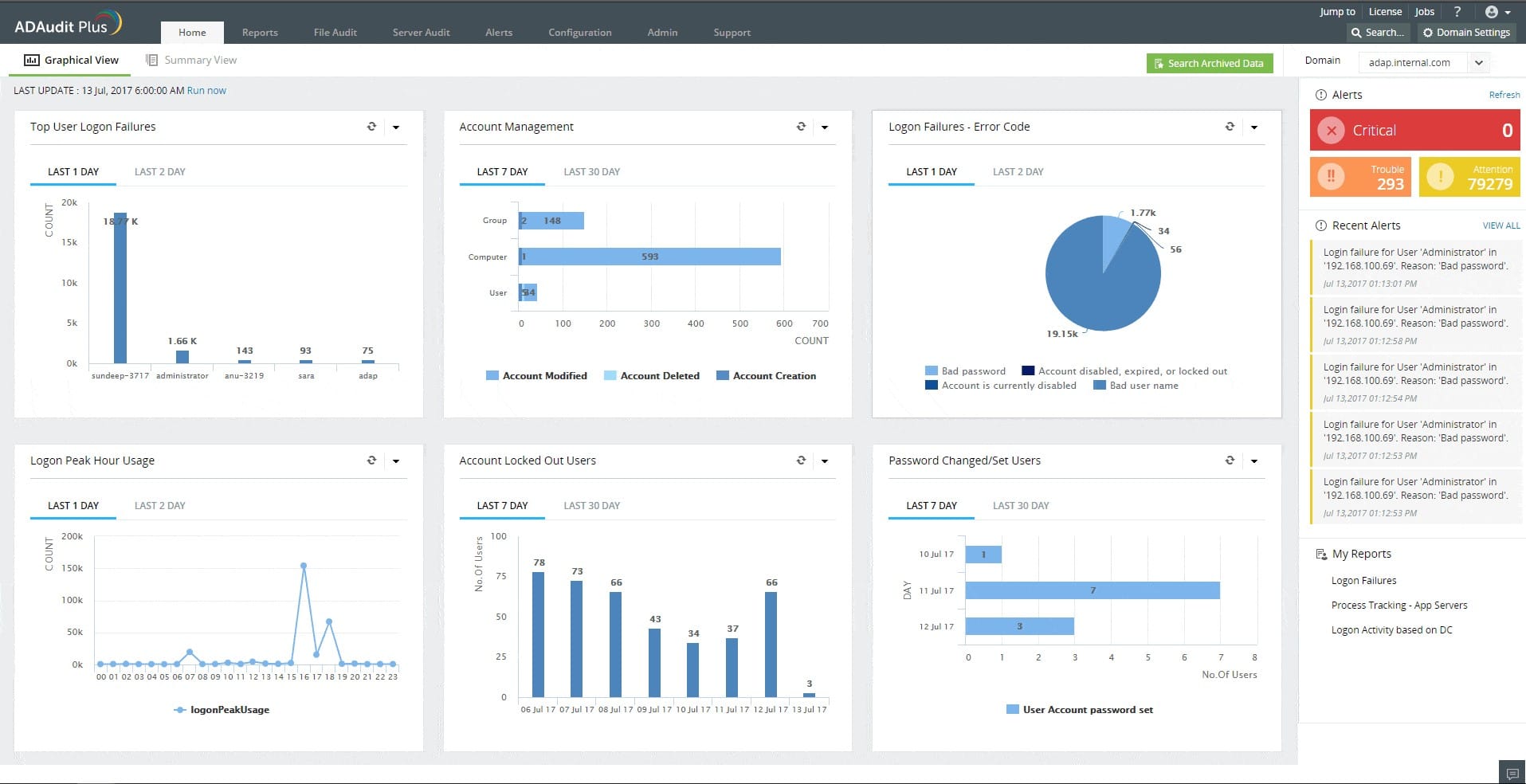
ManageEngine ADAudit Plus tracks user activities on servers and also protects Active Directory values from unauthorized changes. The package protects servers running Windows and that means an AD instance running on Windows Server, reaching across the network to control permissions for files and directories on Windows devices. This system implements logging of all file access by users.
Main Features:
- Continuous file integrity monitoring that covers operating system, database, and software data files plus logs and reports
- User file access activity logging
- System file protection
- Report searches and analysis
- Compliance reporting for GLBA, HIPAA, SOX, GDPR, and PCI DSS
Why do we recommend it?
We were testing out ManageEngine ADAudit Plus when it suddenly revealed unauthorized access attempts to our sensitive financial data. Its real-time alerts and comprehensive activity tracking exposed a security threat we weren’t aware of, allowing us to swiftly address the issue and fortify our data protection measures.
The file change tracking can be set to raise an alert for specific types of actions, such as a sudden surge in file encryption activity, which would indicate a ransomware attack. Each action on the system has to be implemented through a user account and so the system logs the account that is associated with each file access and change. Records of activities can be sorted and filtered by user account, which will immediately show if a single account has suddenly gone rogue. This report will identify account takeover actions.
Who is it recommended for?
ManageEngine ADAudit Plus is great for safeguarding the accuracy, reliability, and authenticity of important data and files, making sure they are not tampered with or compromised in any way. This is essential in sectors like telecommunications and government, where sensitive and vital information must be protected from unauthorized access or modifications.
To use ManageEngine ADAudit Plus effectively, users should have a relatively good understanding of IT and network management, as well as experience with system administration. It’s important to be comfortable with navigating and configuring software in a networked environment to make the most of its features.
Price:
- Free edition: $0
- Standard edition: From $595
- Professional edition: From $945
Get a 30-day free trial at https://www.manageengine.com/products/active-directory-audit/
3. Site24x7 – FREE TRIAL
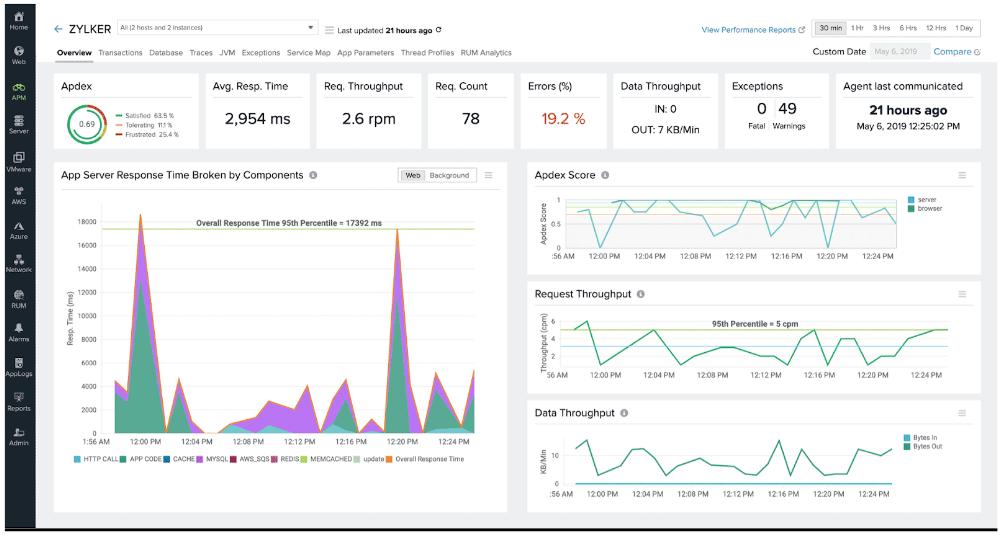
As part of its broader observability feature set, Site24x7 includes file integrity monitoring to help organizations protect system security and support compliance. The service keeps critical files and directories under continuous watch so unauthorized changes or tampering can be detected quickly. It records file modifications, additions, and deletions, then checks them against established baselines to expose discrepancies. When activity is detected, real-time alerts are sent to IT teams so they can react quickly to possible security incidents or data breaches.
Main Features:
- File change monitoring
- Audit trail
- Options to set up automated remediation
- An alerting system to warn of unauthorized file activity
- Part of a full-stack observability package
The platform also provides detailed reporting and historical analysis so administrators can examine file activity over time. That historical record is useful for both audits and compliance work because it preserves a clear trail of file changes and user actions. Because the feature is tied into the platform’s other monitoring capabilities, teams can take a broader security approach and manage multiple parts of the IT environment from one place.
Access a 30-day free trial.
4. ManageEngine Endpoint DLP Plus – FREE TRIAL
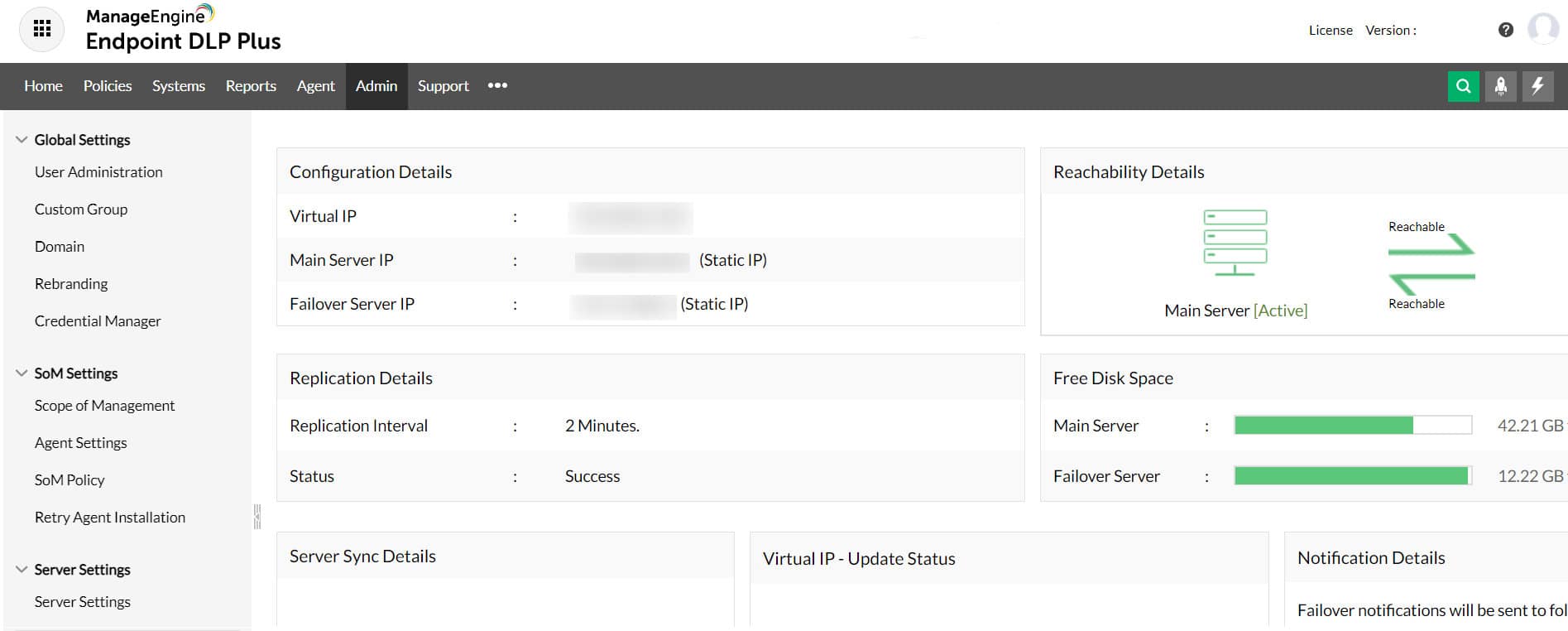
Endpoint DLP Plus stands out as a top-tier tool specifically designed for file integrity monitoring (FIM), crucial for safeguarding business data against unauthorized changes and breaches. This tool is tailored to meet the needs of businesses seeking robust and real-time monitoring of their file systems.
Main Features:
- Real-Time Monitoring: Continuously scans file systems to detect changes, ensuring immediate awareness of unauthorized modifications.
- Detailed Change Logs: Keeps comprehensive records of file changes, including who, what, and when, facilitating thorough security audits.
- Custom Alert System: Allows configuration of alerts to focus on significant incidents, minimizing alert fatigue.
- Advanced Compliance Tools: Includes built-in tools for compliance management, crucial for regulated industries.
- User-Friendly Interface: Features a clean, intuitive dashboard that simplifies navigation and operation.
Endpoint DLP Plus excels in providing detailed visibility into file activities within your network. It not only tracks who made changes to files but also captures when and how these modifications occurred. This enables you to customize alerts, focusing on actual threats rather than being inundated with notifications about routine activities.
Endpoint DLP Plus goes beyond traditional FIM tools by offering advanced functionalities that enhance its monitoring capabilities.
Its ability to provide detailed logs and real-time alerts helps businesses proactively respond to potential security threats, ensuring that file integrity is maintained. The system’s user interface is designed to be accessible, making it easy for administrators to manage and monitor file integrity without extensive training.
The comprehensive compliance tools embedded within Endpoint DLP Plus make it an invaluable asset for businesses operating under strict regulatory requirements. These tools help ensure that all file changes comply with relevant laws and regulations, aiding in the prevention of compliance-related issues.
In summary, Endpoint DLP Plus is a highly effective solution for businesses looking to protect their data through meticulous file integrity monitoring. Its combination of detailed monitoring, customizable alerts, and robust compliance features positions it as a preferred choice for organizations prioritizing data security and integrity.
5. CrowdStrike Falcon FileVantage
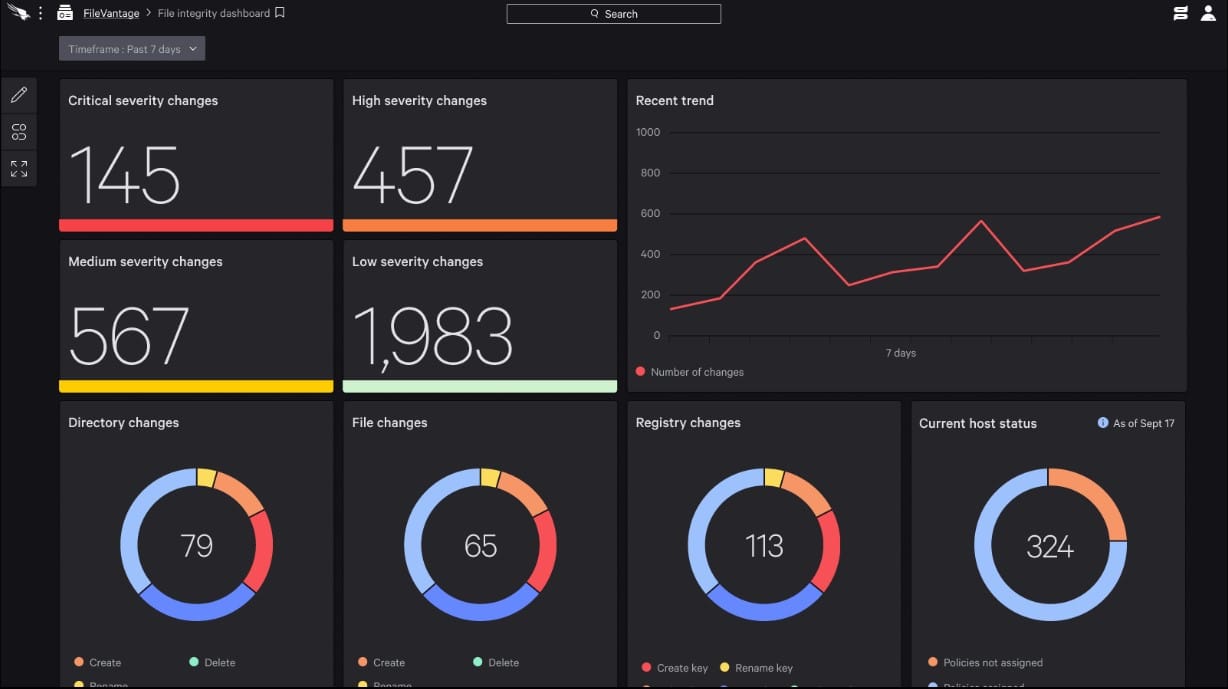
CrowdStrike Falcon FileVantage is a cloud-based system that forms part of a platform of cybersecurity services. The tool is able to supervise activity on files on multiple sites simultaneously, enabling you to centralize data security. The system logs all actions on files, recording the user account involved.
Main features:
- Easy to set up
- Activity summary page
- The ability to narrow the focus of monitoring on specific files
- A guided security policy creation system
- Optional threat intelligence feed
- Compliance with PCI DSS, CIS, and SOX
Why do we recommend it?
While we were putting CrowdStrike Falcon FileVantage through its paces, its advanced threat detection capabilities identified and mitigated a previously undetected malware infection on our network. It swiftly quarantined the threat, preventing potential data breaches and ensuring the security of our sensitive information. This proactive approach helped us address the issue before it escalated.
This tool is a useful system for tracking activities on files. However, it doesn’t include a sensitive data locator or categorizer. The system is delivered on the same platform as an entity detection and response system and also an XDR, so it would be very easy to assemble a comprehensive suite of cybersecurity tools in the same environment.
Who is it recommended for?
Falcon FileVantage provides detailed reporting and helps your business comply with industry regulations and standards. This can be especially beneficial for businesses in highly regulated sectors.
It’s built with a cloud-native architecture, which means it’s scalable and can adapt to your business’s needs. It’s easy to deploy and manage, ensuring that your IT team can focus on other critical tasks.
Companies like financial institutions are a prime target for cybercriminals aiming to steal sensitive customer financial data. Falcon FileVantage can detect suspicious activities on a teller’s computer, as it identifies keyloggers, a type of malware used to capture keystrokes. The system immediately quarantines the keylogger, preventing unauthorized access to the accounts of customers.
Access a 15-day free trial. CrowdStrike Falcon FileVantage does not require a download because it is a cloud service. Access more information at https://www.crowdstrike.com/products/security-it-operations/falcon-filevantage/
6. OSSEC
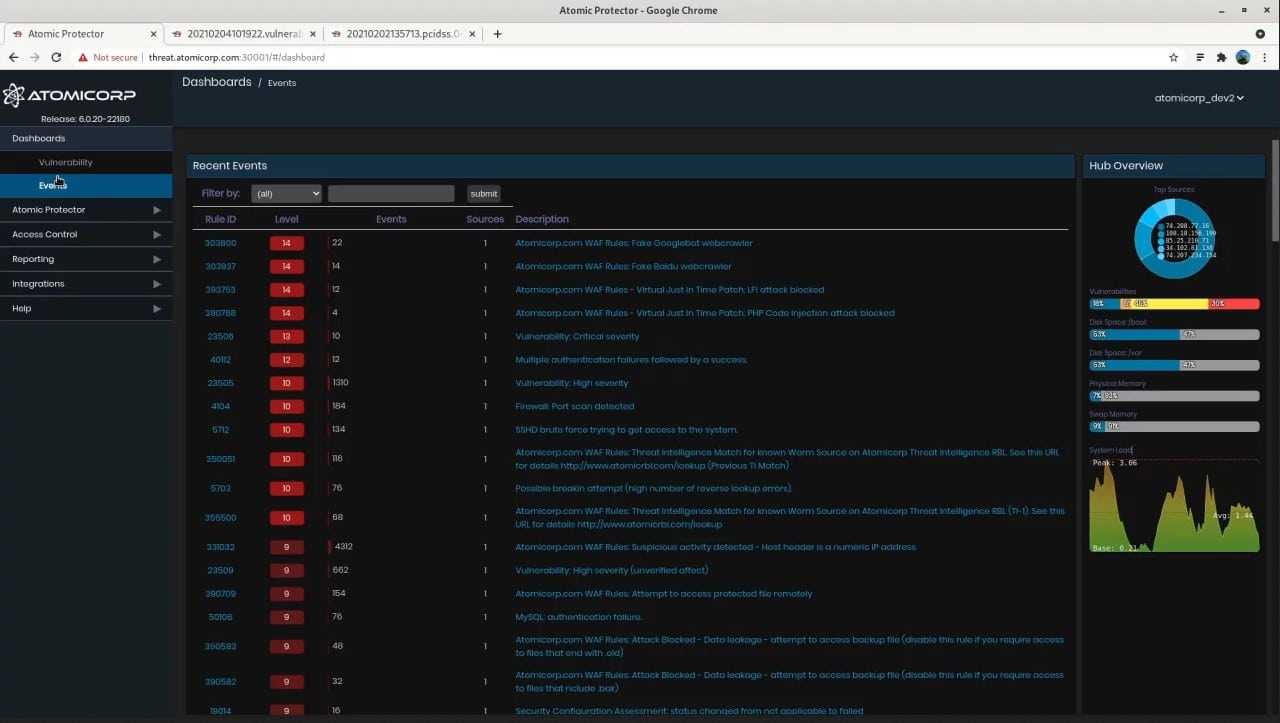
OSSEC is one of the most common starting points in the world of file integrity monitoring. This is an open-source tool marketed as an intrusion detection system on Linux and Mac. This tool has an in-built file-monitoring function which OSSEC titled Syscheck.
Main Features:
- It’s free and open-source, making it a great pick for smaller businesses or individual projects.
- Has two modes: serverless and server-agent, both of which are useful.
- While its Windows support isn’t ideal, it is miles better than most free Windows alternatives.
- It can respond to any intrusions in real-time, applying firewalls, integrating with 3rd party content, and taking self-healing actions.
Why do we recommend it?
As we were working with OSSEC’s intrusion detection system and file integrity monitoring, particularly its Syscheck feature, it helped us uncover and respond to unauthorized file changes in real-time. This feature alerted us to malicious activities and enabled us to take immediate action to secure our systems, ensuring data integrity and system security.
The default setting for this is for it to run every 6 hours and check if there have been any changes made to the files that you’ve selected. This is done this way in order to ensure that the tool doesn’t occupy too much CPU power. If you’re looking for an FIM tool that only takes a small toll on your CPU, this might be the one for you.
Who is it recommended for?
OSSEC is recommended for businesses and organizations that prioritize intrusion detection and file integrity monitoring, particularly those using Linux and Mac systems. It is suitable for a wide range of industries where security and data integrity are critical, including financial institutions, healthcare, and businesses handling sensitive data.
For financial institutions, OSSEC can help detect and respond to unauthorized access or changes to critical financial data, ensuring compliance with regulatory standards like PCI DSS. In the healthcare sector, it aids in safeguarding patient information by monitoring any alterations to medical records and other sensitive data, maintaining HIPAA compliance.
7. SolarWinds Security Event Manager
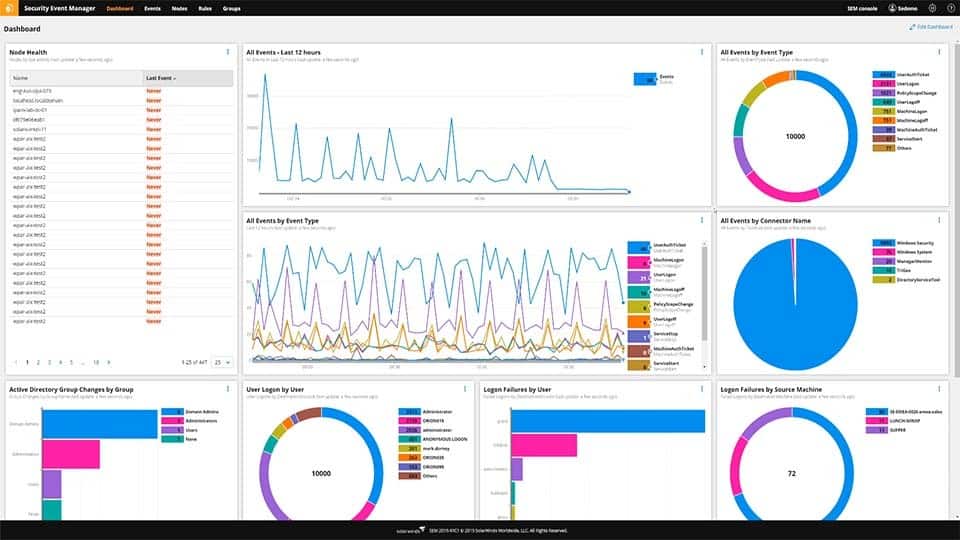
Coming in at number 1 we have SolarWinds Security Event Manager. It can be easily summarized as a business-oriented tool that helps centralize all of your information to have quality FIM. This tool features SIEM(Security information and event management) monitoring capabilities in real-time, and will quickly inform you of any suspicious activity within your files.
Main Features:
- It helps you centralize and normalize all of your log-collection into one tool.
- It will automatically detect and respond to almost all threats
- It has compliance-reporting tools built into it from the get-go
- The UI is sleek and easy to use
- Licensing it is a simple, and relatively inexpensive process
Why do we recommend it?
While we were using SolarWinds Security Event Manager, its powerful SIEM capabilities and real-time monitoring allowed us to detect and respond to suspicious activities within our files and networks promptly.
This tool’s ability to track user activities, changes to files, and folder access on Windows Servers helped us maintain data integrity and enhance our overall cybersecurity, ensuring that unauthorized changes were immediately identified.
The tool will show you who changed what within your files, as well as any other user activity, which will, in turn, allow you to customize your alert system so that it only notifies you if there’s something actually going on. Furthermore, this tool will go beyond what is usually expected of an FIM tool. This is our top pick for what tool you should entrust your business’ data and files to. This is in part due to its extremely streamlined and intuitive interface. For example, you’ll see that the sidebar on the homepage will show you the number of changes made under the “Change Management” section. You can also easily filter through different events by using keywords, making filtering out noise a breeze.
SolarWinds also features a variety of compliance within it which is excellent for regulated businesses, or those with an abundance of sensitive information.
Who is it recommended for?
SolarWinds Security Event Manager is recommended for businesses of all sizes that prioritize data security and need robust file integrity monitoring and real-time threat detection.
It’s particularly well-suited for enterprises and organizations in highly regulated industries such as finance and healthcare. Small and medium-sized businesses can also benefit from its features, especially if they are handling sensitive information or want to bolster their cybersecurity measures.
You can start with a 30-day free trial.
8. Trustwave Endpoint Protection
The Trustwave Endpoint Protection tool is a cloud-based tool that, while useful for FIM, is not primarily geared towards it. Because of this, it is significantly pricier than an FIM-exclusive tool. If you’re looking for one tool to handle FIM, log monitoring, incident management, etc. then you’ll find that kind of versatility here.
Main Features:
- It’s an extremely easy tool to set up and install
- You can easily access Trustwave SIEM information
- Trustwave customer support is responsive and helpful
- It has built-in PCI reporting and compliance
Why do we recommend it?
Trustwave Endpoint Protection helped us uncover a previously undetected advanced persistent threat (APT) that had infiltrated our network. Its advanced threat detection capabilities and behavioral analysis alerted us to this hidden threat, allowing us to take immediate action to mitigate the potential damage and data loss.
Who is it recommended for?
Trustwave Endpoint Protection is suitable for organizations of all sizes, especially those with a significant focus on cybersecurity and the need for advanced threat detection and response capabilities. It’s excellent for those handling sensitive data, like financial institutions and enterprises, aiming to maintain strong security.
Trustwave Endpoint Protection can also assist in the education sector, safeguarding student and faculty data. This is essential in an era of remote learning and increasing digitalization of educational resources.
With all of this being said, if you aren’t looking for advanced features outside of the scope of FIM, then this tool might just be too complex for you. While it is quite good in an enterprise setting due to the visibility across a variety of data sources, its pricey nature makes it a hard sell for any other business.
Download: https://www.trustwave.com/en-us/services/managed-security/threat-detection/
9. Tripwire
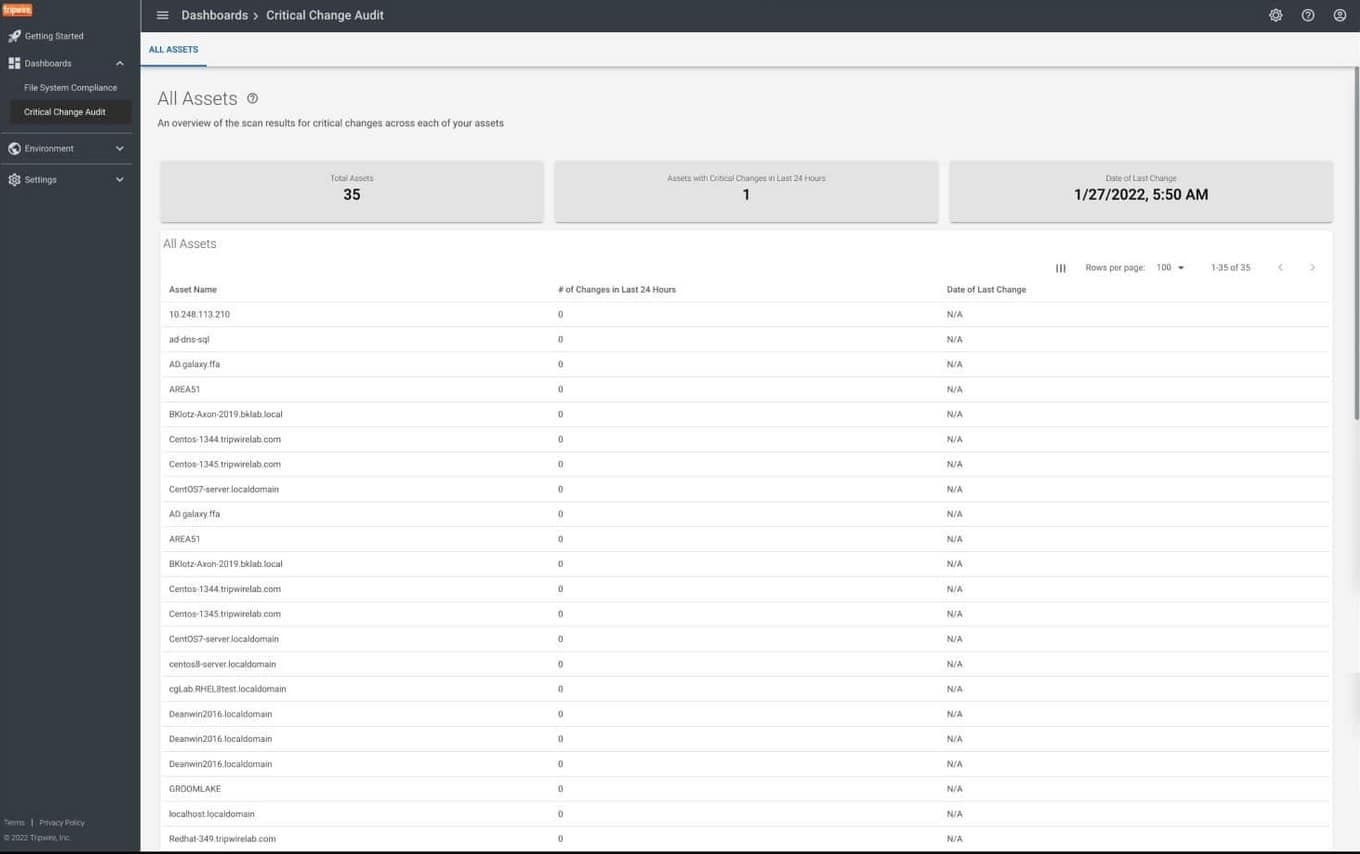
Tripwire is yet another example of an enterprise product. Its fame comes from its ability to detect intrusions, however, its FIM abilities are not to be underestimated. Its main appeal is its user-friendly UI as well as how well it works out of the box. It’ll provide you with a variety of easily readable graphs which show changes per platform, and will tell you if those changes were authorized or not. You can also filter through these based on a number of factors such as which user made them, what time it was, etc.
Main Features:
- It’ll show you all of the details about any changes made
- You’ll be able to set up a scoring system that reflects your risk margins
- It automatically reconciles the changes it detects through its process, differentiating good changes from awry ones.
- It comes fully functional out of the box
Why do we recommend it?
While using Tripwire, we discovered an unexpected configuration change in our critical server settings, which could have led to service disruptions. Tripwire’s continuous monitoring and alerting system promptly notified us, allowing our team to correct the configuration and prevent potential downtime, demonstrating its importance beyond just security.
This FIM tool comes together with compliance parameters, so if you’re hunting for ISO, CIS, NIST, or other guidelines, this might be the tool for you.
Who is it recommended for?
Tripwire is an ideal choice for IT professionals, security experts, and compliance officers working in industries that demand a proactive approach to security and regulatory compliance.
For example, one of Tripwire’s useful features is that it detects unauthorized changes to critical banking software source code. Its immediate alerting and file integrity monitoring prevent a potential breach, ensuring the security and integrity of customer transactions and safeguarding the institution’s reputation.
Download: https://www.tripwire.com/solutions/file-integrity-and-change-monitoring/
10. QualysGuard FIM
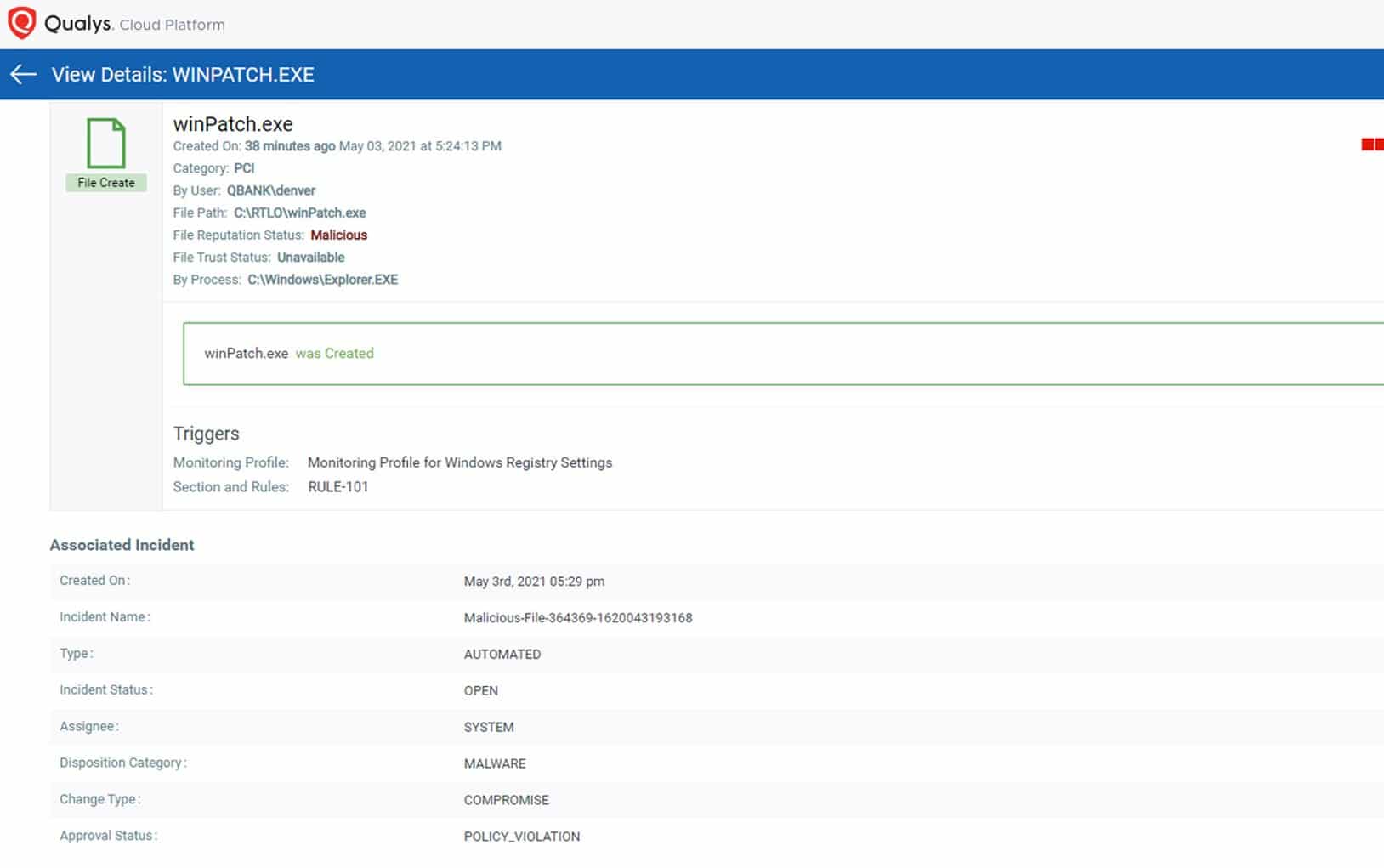
Qualys Cloud Agent is an efficient and robust FIM tool. It’ll swiftly take note of all file changes, and allow you to group up your files for notification purposes. This helps with finding simpler changes such as making files, renaming, or deleting them. One of its biggest perks is its cloud nature, as most businesses are no longer on the market for on-premise installations.
Main Features:
- Picking what to monitor can be a difficult task, Qualys automates this by having in-built out-of-the-box profiles based on your industry.
- It comes with best practices and a variety of vendor-suggested guidelines, compliances, and PCI mandates
- It is easily scalable to a larger business
Why do we recommend it?
QualysGuard FIM helped us identify an inadvertent configuration error that was causing performance degradation on our website. By monitoring file integrity, it pinpointed the exact file responsible for the issue, allowing us to quickly rectify the problem and ensure seamless operation of our services. This highlights the versatility of QualysGuard FIM in identifying not only security concerns but also performance-related issues.
Who is it recommended for?
QualysGuard FIM is a valuable asset for various sectors, including legal firms, research institutions, and manufacturing companies. In the legal field, it aids in safeguarding sensitive client data, while research institutions rely on it to protect valuable research findings. Meanwhile, manufacturers employ it to secure proprietary designs and production data.
QualysGuard FIM is truly designed with user-friendliness in mind, making it accessible to users with varying levels of technical expertise. Its intuitive interface and predefined profiles simplify the setup process, so even users with limited technical knowledge can effectively use it.
However, a basic understanding of file integrity monitoring concepts and an ability to configure monitoring profiles helps optimize its usage.
Download: https://www.qualys.com/apps/file-integrity-monitoring/
Who Can Benefit From FIM?
Pretty much all businesses should invest in FIM software. With that being said, certain industries make file integrity a top priority, and in these cases, FIM tools are almost mandatory:
- Highly Regulated Industries: Certain standards will require your business to have an FIM solution in order to pass them, such as HIPAA or Sarbanes-Oxley. The financial and medical industries are most affected by this, as are businesses that process credit cards.
- Industries Handling Sensitive Info: If your organization is handling sensitive information such as trade secrets, purchasing an FIM tool might be just what you need. While these cases don’t make it mandatory to do so, it can represent a large advantage over your competition, as well as help avoid scandals.
- All Businesses: It’s a common myth that only enterprises need FIM software. While it is true that they are in much direr of a need, small and medium businesses can benefit from it as well. With open-source options available on the market, there is hardly any reason not to have one.
Keep in mind that even if you’re only running a small or medium business, hacks are becoming more and more common, and preventing them might be all that stands between you and bankruptcy.
How To Choose The Best Tool
If you’re running a business with a vast array of crucial files, then you’ll want to go for the software with the highest integrity, regardless of cost. If you’re looking to centralize your data, and profit from quality FIM, then the Security Event Manager is your ideal choice. On the other hand, if you’re still skeptical about FIM, and do not find it mandatory, starting with a tool like OSSEC might be just what you need to change your mind.