

Password management is an often understated aspect of cybersecurity. Proper password management can help you avoid brute force attacks, as well as many softer, social engineering attack attempts.
In a small business, password management can feasibly be done manually, albeit it is still impractical. However, in an enterprise environment, this simply isn’t possible. Informing every employee and manager of proper password management techniques by itself takes a great amount of time.
Today, we’ve selected the best of the best among password managers for enterprises and large businesses.
Here is our list of the Enterprise Password Management Solutions:
- ManageEngine Password Manager Pro – EDITOR’S CHOICE A package that allows system administrators to centralize the storage of passwords and distribute them without any disclosure. Runs on Windows Server, Linux, AWS, and Azure. Get a 30-day free trial.
- ManageEngine ADSelfService Plus – FREE TRIAL A complete password management platform that streamlines password handling for employees and administrators. Start a 30-day free trial.
- Dashlane A tool that combines simplicity and functionality. It takes only a couple of minutes to get Dashlane up and running, but it still boasts a variety of advanced features which will leave few enterprises asking for more.
- Keeper A zero-trust password manager that prevents data breaches and secures the passwords of all your websites and applications. At the same time, it is easy to use and offers comprehensive visibility to administrators.
- 1Password A password vault-based solution with a huge amount of 3rd party integrations to make your life easier.
- N-able Passportal A MSP and IT department-focused tool with security auditing features.
- LastPass A versatile tool supporting over 1200 SSO apps.
- CyberArk An enterprise-first solution with cutting-edge features well above the needs of most businesses.
- RoboForm A competitively priced tool with top-end autofill capabilities.
- PassCamp The simplest tool on this list, PassCamp takes little to no technical knowledge to be useful.
- PasswordState A very granular tool with a variety of customization options.
What Do We Look For In A Password Management Solution?
An ideal password management solution needs to provide more than simply a place to index passwords, a simple Excel spreadsheet can do that. It should have a variety of other features such as:
- The ability to generate and save secure passwords.
- Possess high encryption capabilities and support multi-factor authentication.
- Be as intuitive and easy to use as possible.
- Have SSO options.
- Be able to connect to things like Active Directory.
- Provide value proportional to its cost.
While there is a myriad of other criteria, these are the ones we’ve selected and will be focusing on in this article.
The Best Enterprise Password Management Solutions
1. ManageEngine Password Manager Pro – FREE TRIAL
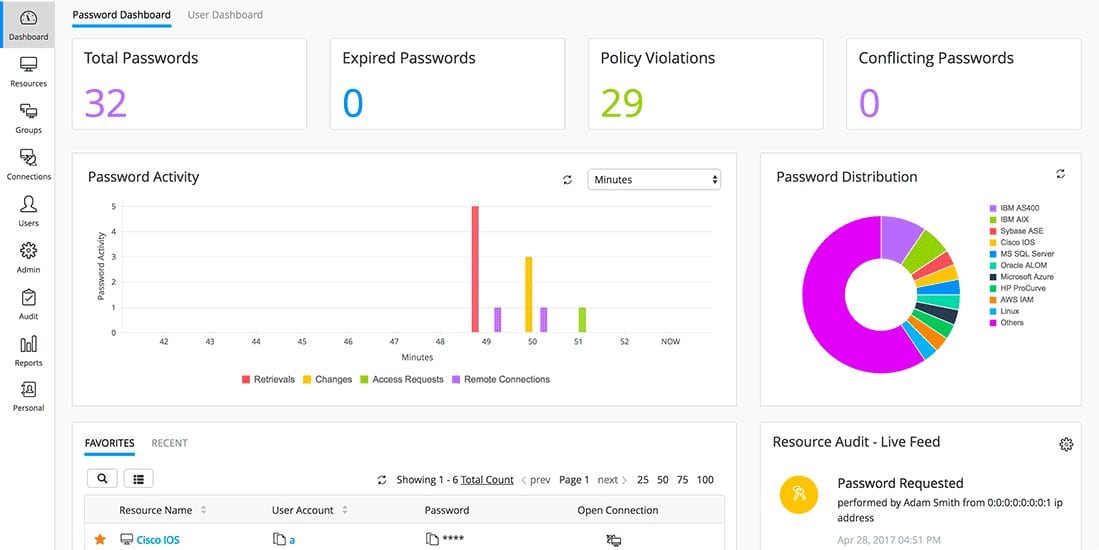
ManageEngine Password Manager Pro is a package that you host yourself and enables you to centralize the control of all passwords used by your system’s users. This tool removes the need for users to know the passwords for the applications and resources that they access and that is a good way to reduce the risk of insider threats and credentials theft.
Main Features:
- Graded administrator accounts for console access
- Integration with Active Directory and other LDAP-based access rights systems
- Auditing and reporting for SOX, PCI DSS, and HIPAA compliance
- Strong encryption for the password vault
- A free version that covers 10 devices
- Versions for managed service providers
- 30-day free trial on three paid editions
Why do we recommend it?
During our extensive testing, ManageEngine Password Manager Pro emerged as the top choice. It provided us with centralized control over all passwords, eliminating the need for users to know application passwords. This not only enhanced security but also prevented accidental disclosure of credentials. One key problem it solved for us was efficiently managing passwords across multiple sites from a single location, significantly reducing insider threats and enhancing overall cybersecurity.
Password Manager Pro is able to protect passwords for authorization systems on endpoints, VMWare virtualizations, and network devices. Higher plans are able to control passwords on many remote sites.
The password manager can operate on credentials needed on Windows, Linux, Unix, and macOS. The system is even able to scan endpoints running Windows and Linux to identify locally-stored passwords and move them to the central vault. The system is able to reach iOS and Android mobile devices through an app and plug-ins for Firefox and Chrome let Password Manager Pro control login activities on those browsers.
The password vault is protected by the Advanced Encryption Standard (AES), deploying a 256-bit key. This is the strongest encryption system available and it is used by banks and the US military. You can also store software license keys, security certificates, and important documents in the vault.
Who is it recommended for?
ManageEngine Password Manager Pro is recommended for enterprises and large businesses. Its graded administrator accounts, integration with Active Directory, and strong encryption make it suitable for managing passwords on various platforms, including Windows, Linux, Unix, macOS, and even mobile devices. It’s an ideal solution for organizations with a focus on compliance, such as SOX, PCI DSS, and HIPAA.
In particular, network administrators, IT departments, and managed service providers can benefit from its features. The ability to control passwords on endpoints, virtualizations, and network devices makes it valuable for ensuring security across diverse IT environments. The AES-256 encryption ensures the highest level of protection for the password vault, making it a robust choice for those prioritizing data security.
ManageEngine produces Password Manager Pro for Windows Server and Linux. It is also available as a service on AWS and Azure. You can try any of the paid editions of the tool with a 30-day free trial.
EDITOR'S CHOICE
ManageEngine Password Manager Pro is our top pick for an enterprise password management solution because it centralizes the storage of all passwords and can serve multiple sites from one location. The actions of this package remove the need for users to know passwords for the resources and applications that they access. This is a great way to prevent accidental disclosure of credentials to phishing scammers and it helps to block insider threats. Departing employees can also be shut out of the system at the press of a button. The password vault is protected by AES-256 encryption and can also store your security certificates, software license keys, and important documents.
Download: Get a 30-day FREE TRIAL!
Official Site: https://www.manageengine.com/products/passwordmanagerpro/download.html
OS: Windows Server, Linux, AWS, and Azure
2. ManageEngine ADSelfService Plus – FREE TRIAL
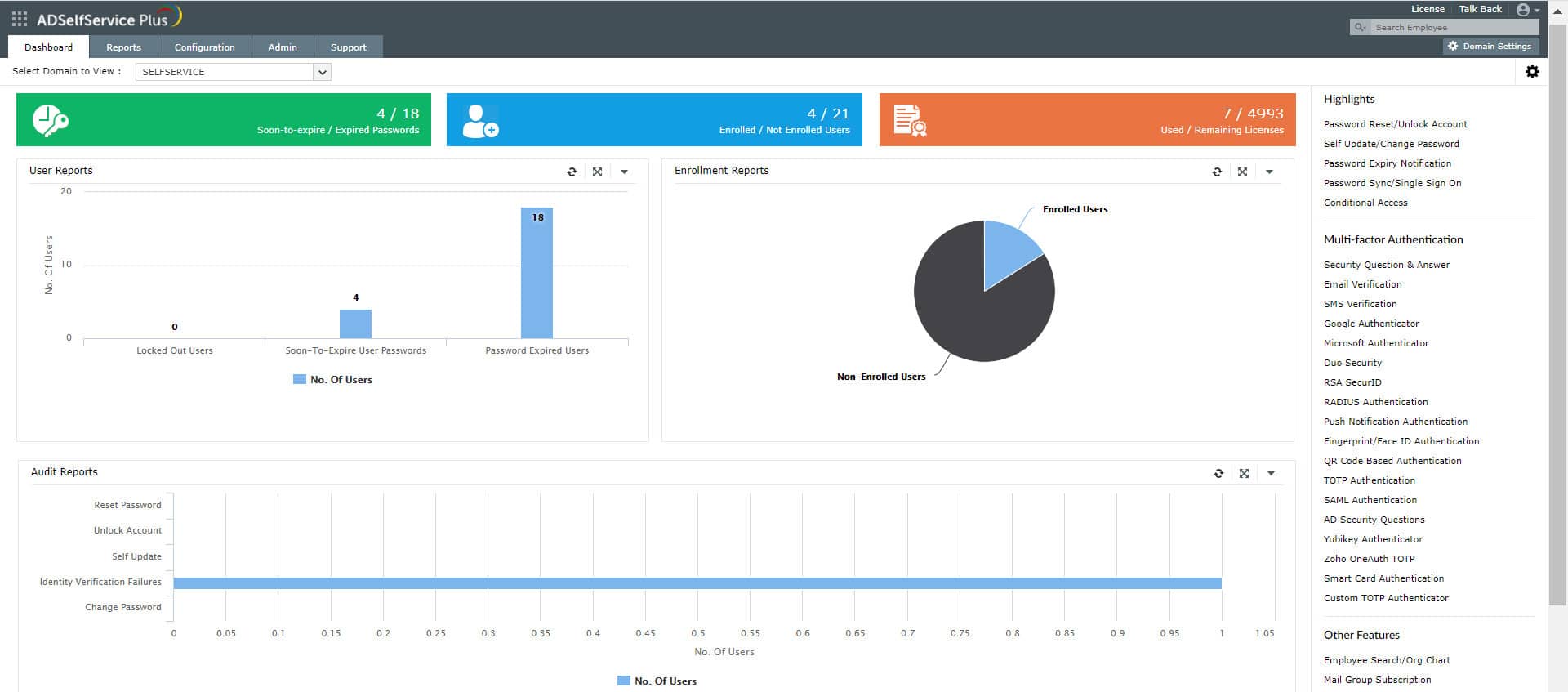
ManageEngine ADSelfService Plus, as the name suggests, is a self-service tool for managing passwords. It enables users to reset or change their passwords and unlock their Windows and Active Directory accounts without requiring the help of IT technicians. As a result, the number of tickets and workloads goes down for these technicians.
At the same time, administrators have complete visibility into the changed passwords, so they can detect anomalous behavior. Additionally, this tool makes it easy to implement password policies across the organization.
Main Features:
- Supports Multi-factor Authentication (MFA) through QR codes, OTPs, biometrics, and 18+ authenticator apps.
- Makes it easy to implement password policies, along with blocklisting specific words or phrases.
- Empowers users to take charge of their password management.
- Displays detailed reports of every password change transaction for complete visibility.
- Enables Single Sign-On (SSO) for multiple cloud applications.
- Prevents users from reusing breached passwords.
Why do we recommend it?
We recommend this tool because it balances user experience and convenience with security and visibility. For enterprise users, resetting their passwords and unlocking accounts is easy through an intuitive console. Similarly, administrators have control over password policy implementation and can track changes easily.
We also love the fact that it sends real-time alerts to administrators when there is any anomalous behavior. Also, it sends notifications to users when their passwords are about to expire. Such convenient features make it a good choice for both user groups.
It even comes with a mobile app, so users can access it from anywhere.
Who is it recommended for?
It is recommended for organizations that follow a stringent security and password policy. It is also a good choice for organizations that have compliance requirements, and those that operate in regulated industries. It can help mSSPs to stay on top of their client environments.
To learn more about this tool, download a 30-day free trial.
3. Dashlane
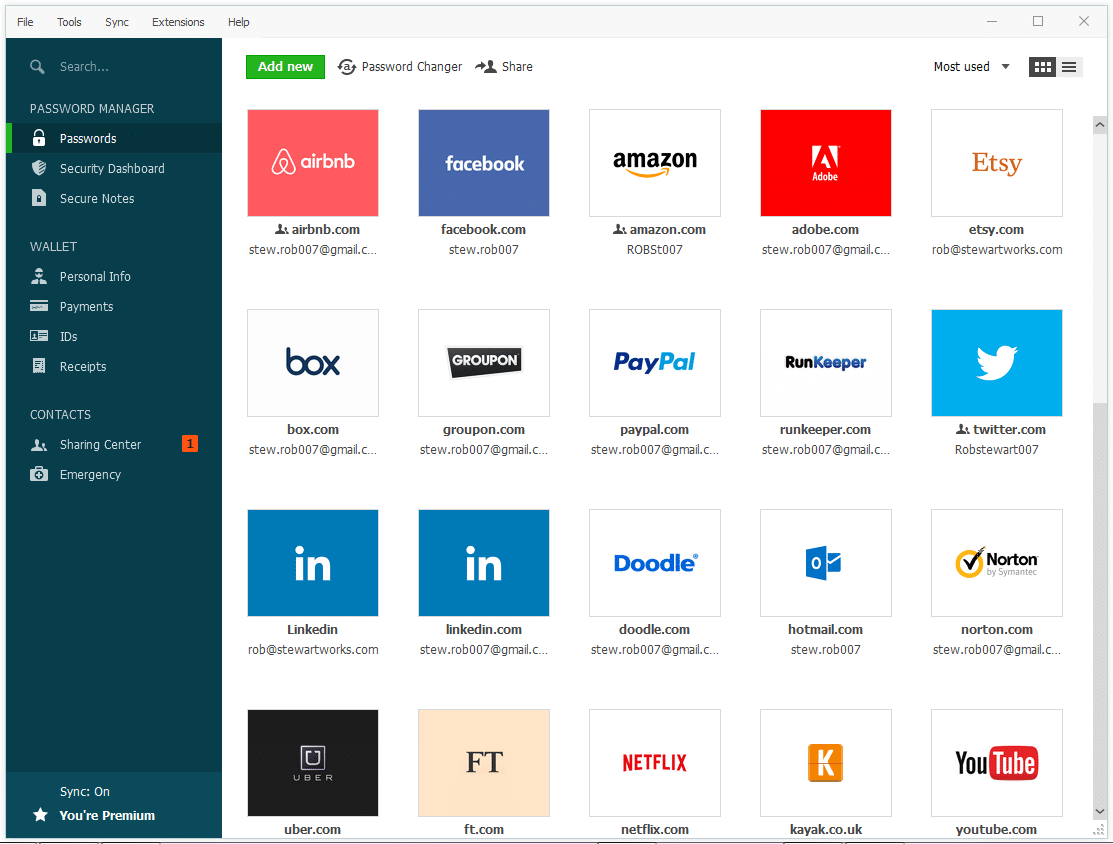
Dashlane is one of the best enterprise-grade solutions for password management. It’s simple to use, and more importantly, uses 256-bit AES encryption. Its dashboard and admin console are excellent examples of how a clever user interface can save businesses hours dealing with the software.
Main Features:
- Extremely simple to set up and use.
- Dark web monitoring capabilities.
- SAML-based SSO options.
- Integrates easily with Active Directory.
- A variety of pricing options, lets you choose the one that fits your business best.
- Generous free trial.
- Supports macOS, Windows, Apple, and Android OSs.
Why do we recommend it?
Dashlane stood out in our testing due to its seamless combination of simplicity and advanced functionality. Setting it up took only a few minutes, yet it offered a range of features that exceeded our expectations. One area it helped us with was streamlining password management across teams and employee accounts. The dashboard and admin console were particularly effective, saving valuable time and reducing the likelihood of insecure password practices.
Dashlane is quick and easy to install, with its admin console making it extremely simple to manage permissions between teams and employee accounts. This makes it far less likely for an employee to be out of the loop and use an insecure password.
On the user side, Dashlane excels at providing simple and effective measures. This is important, as the more complex a tool is to use, the more time it’ll take for employees to acclimate to it, losing valuable time.
The tool also monitors the web (as well as the dark web) for cases where a password could’ve been leaked during a breach. It will also provide you with a variety of different steps you can take to remove or mitigate the damage caused by the breach.
Who is it recommended for?
Dashlane is an excellent choice for enterprises seeking a user-friendly yet feature-rich password management solution. Its compatibility with various operating systems, dark web monitoring, and integration with Active Directory make it versatile for different business setups. The simplicity of the interface makes it suitable for organizations of varying technical expertise.
Security-conscious businesses looking for a solution with SAML-based SSO options and robust encryption capabilities will find Dashlane valuable. Whether you’re a small team or a large enterprise, Dashlane’s variety of pricing options allows you to choose a plan that fits your specific business needs.
If you’re interested in Dashlane, you can take advantage of the 30-day free trial to see if it’s all it’s cracked up to be.
4. Keeper Enterprise Password Manager
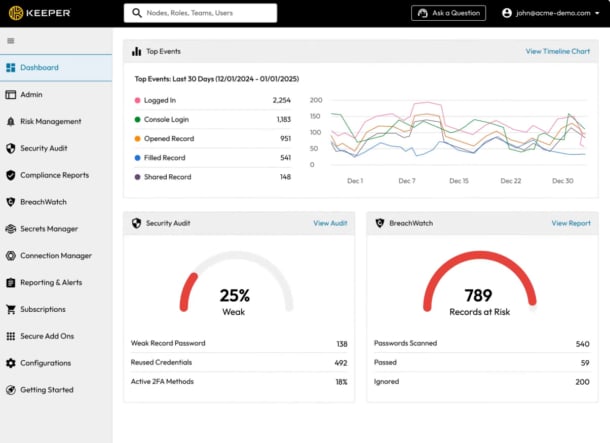
Keeper is one of the leading password managers for enterprises because it comes with comprehensive features, from password creation to storing and sharing. Its admin console is also well-designed to give administrators the control they need to implement security policies and manage password usage.
Main Features:
- Cloud-based, so easy to set up and use.
- Creates high-security passwords.
- Enables secure password sharing for improved collaboration.
- Generates user activity reports.
- Supports the uniform implementation of security policies.
Why do we recommend it?
Keeper is a comprehensive password manager for enterprises, as it covers all aspects of password management. It can create highly secure passwords that are difficult to breach and store them in a secure vault. Users who are authorized by the administrators can access these passwords and even share them with colleagues for teamwork and collaboration.
What we like about the tool is its focus on usability. Its autofill capabilities can automatically enter passwords in websites and apps, reducing work for users. Also, administrators can provide or revoke access to specific passwords at any time through an intuitive UI.
Who is it recommended for?
Keeper works well for enterprises of all sizes, especially those that have to meet the requirements of compliance standards like HIPAA. It can also be ideal for enterprises with a multi-cloud and hybrid work environment.
To see these benefits of Keeper first-hand, start a 30-day free trial today.
5. 1Password
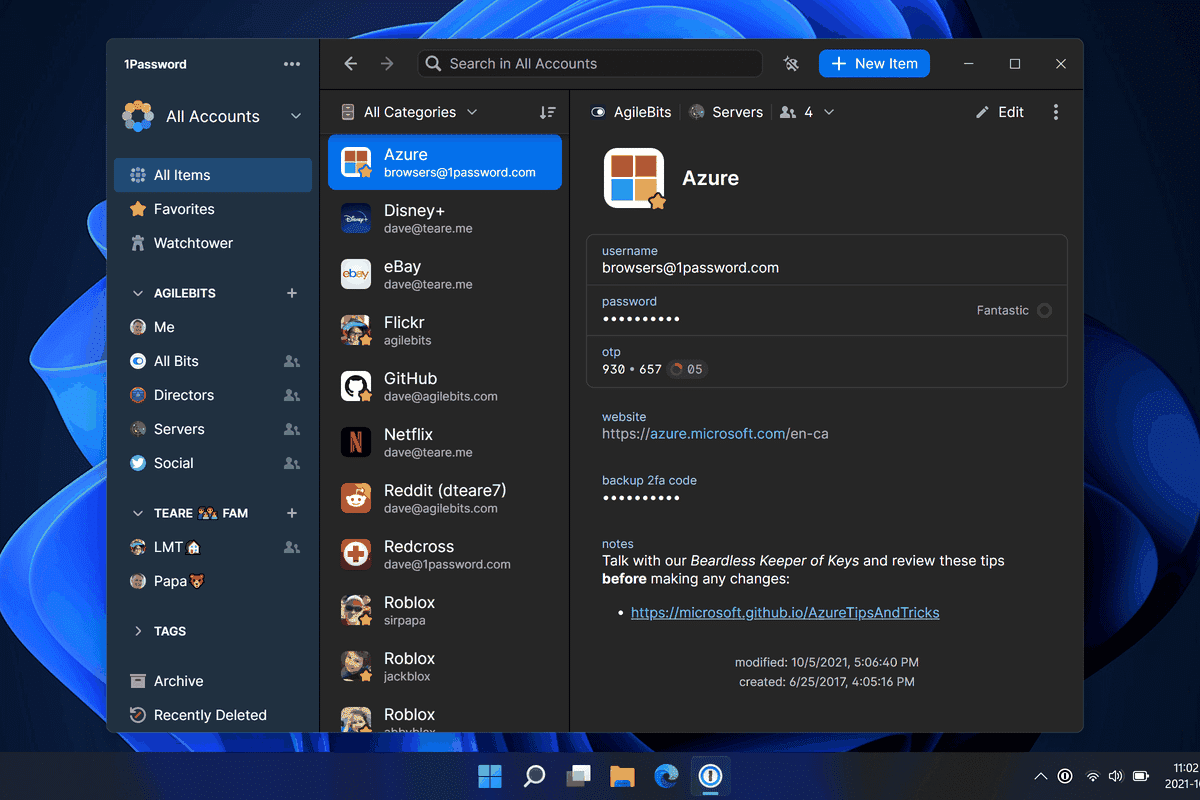
1Password provides a vast breadth of useful features. This tool lets you organize all of your passwords into different “vaults.” From there, you can pick and choose who has access to which vault. You can take advantage of this by making vaults for each team, letting only the members access the password within.
Main Features:
- Great admin control panel.
- Password vaults make categorizing passwords easier.
- A variety of two-factor authentication options.
- Integrates with a variety of third-party apps.
- SSO options.
- Quite customizable.
Why do we recommend it?
In our testing, 1Password impressed us with its password vault-based solution and extensive third-party integrations. The ability to organize passwords into different vaults and control access for specific teams added a layer of customization that solved a key challenge. It addressed our need for organized and secure password management, allowing us to tailor access based on team requirements.
One thing 1Password sets itself apart from its competition is its swath of third-party app integrations. The tool will integrate with common apps like Slack to make using it easier, as well as provide additional security. You’ll also get alerts through the 3rd party app of your choice whenever a password needs to be recovered.
Who is it recommended for?
1Password is recommended for businesses seeking a comprehensive password management solution with a focus on customization. Its integration with third-party apps, various two-factor authentication options, and support for single sign-on (SSO) make it suitable for organizations looking to streamline access control. Businesses with diverse teams can benefit from creating vaults for specific departments and setting access permissions accordingly.
Security-conscious enterprises requiring advanced authentication and customization features will find 1Password valuable. Its versatility extends to different industries, making it a recommended choice for those with varying business needs. However, some features like its dark web monitoring and onboarding experience lack a tiny bit of polish, which is what keeps it down under Dashlane. The tool offers a 14-day free trial during which you can try any of its three plans.
6. N-able Passportal
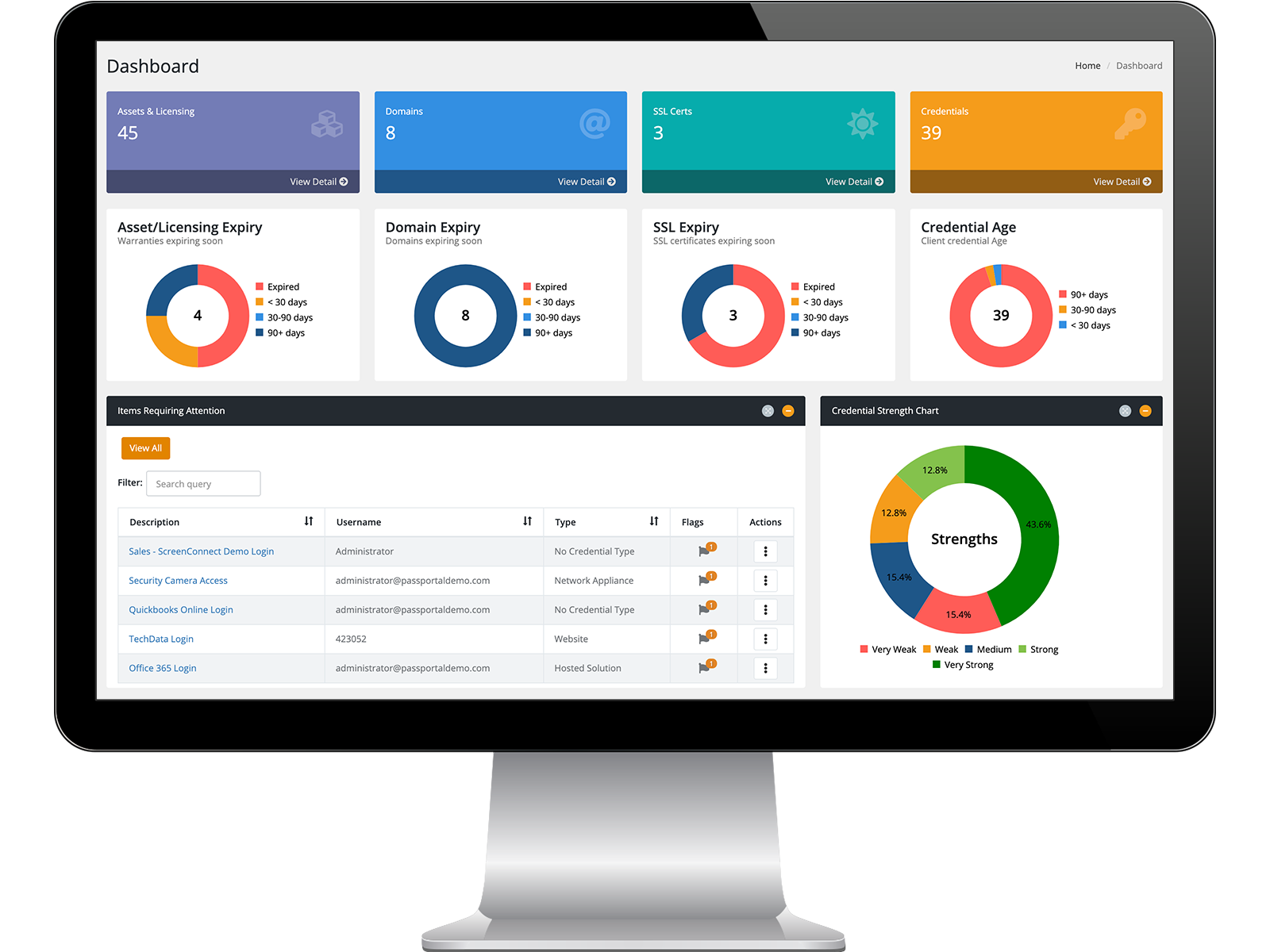
N-able Passportal is ideal when used by MSPs and IT departments. N-able lets you track changes to passwords, as well as gives you the capability to audit trails. Passportal generates strong passwords adjusted for the latest developments in password cracking.
Main Features:
- On-site installation isn’t mandatory.
- Automatic password generation and updating.
- Security audits.
- Auto-discovery features.
- AD, Azure, and LDAP implementations.
Why do we recommend it?
During our testing, N-able Passportal emerged as a valuable tool, especially for Managed Service Providers (MSPs) and IT departments. The automatic password generation and updating, coupled with security audits, addressed our need for efficient password tracking and compliance. Passportal’s focus on security features, such as encrypted storage and auto-discovery, solved key challenges in managing credentials securely.
The tool also gets rid of all unsafe password storage, saving all of your credentials in a hidden folder, encrypted using AES-256 encryption. There are also a variety of premade templates that help make sharing passwords easier while maintaining security.
The tool also has Active Directory, Azure, and LDAP implementations. This makes it fairly versatile, and easy to use in businesses that use a lot of different technologies.
Passportal will not only automatically generate and update passwords, but also provide you with automated password audits, to ensure that you’re always at peak protection. You can also create enforced password rotations at intervals that you deem reasonable.
Who is it recommended for?
N-able Passportal is recommended for MSPs and IT departments seeking a tool with a strong emphasis on security auditing and password management. Its ability to generate and update passwords automatically, along with features like auto-discovery, makes it well-suited for organizations managing a diverse range of client environments.
Businesses in need of AD, Azure, and LDAP implementations will find Passportal versatile. Its capability to track changes to passwords and provide security audits aligns well with organizations prioritizing compliance and secure credential management. You can book a demo of the tool for free.
7. LastPass
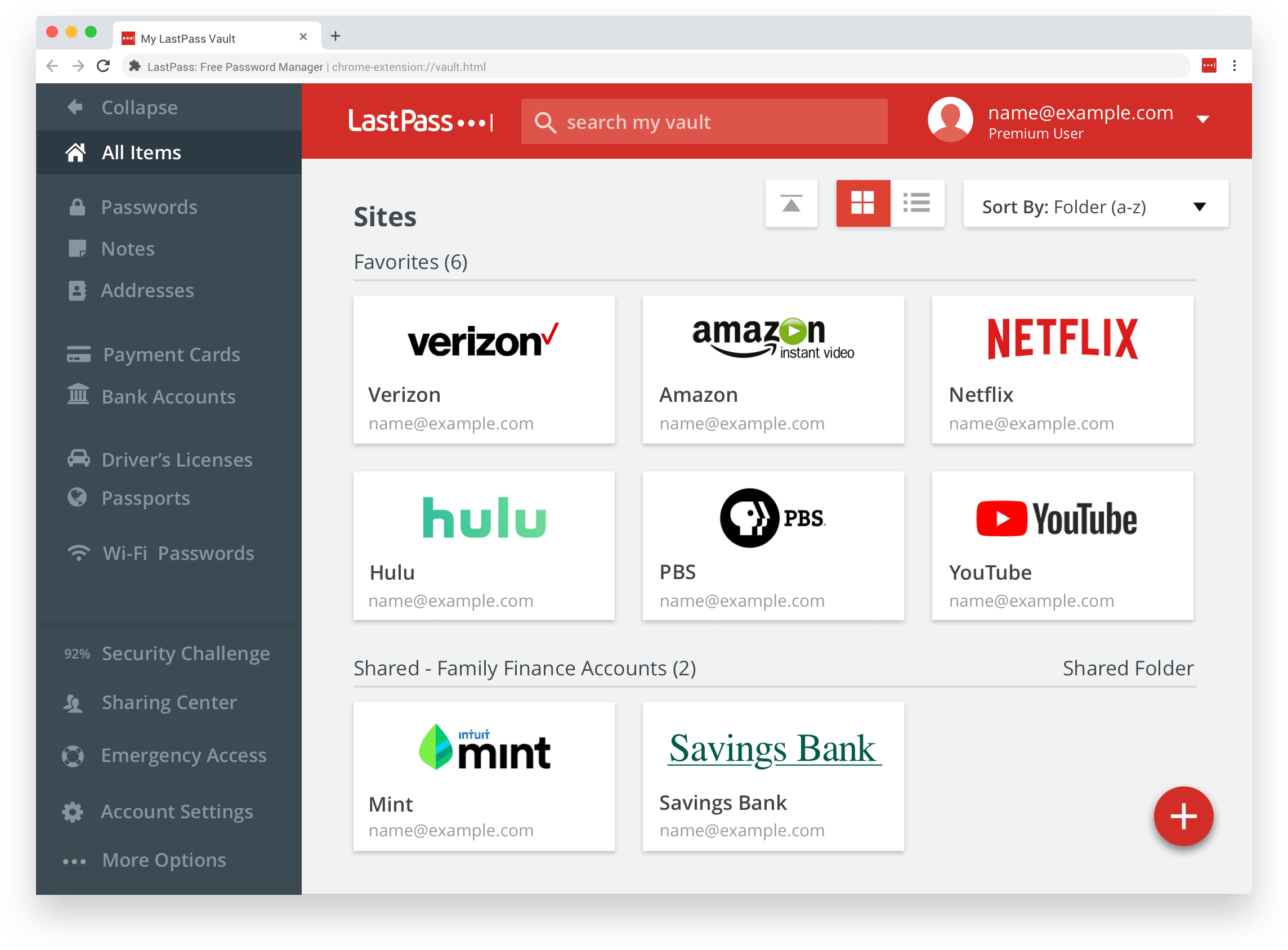
LastPass is a versatile solution, providing a free, Team, and Enterprise plan. However, its Enterprise plan is polished to the point where it can easily rival most enterprise-focused solutions.
Main Features:
- Supports over 1200 SSO applications.
- Consumer password management capabilities.
- SOC 2 compliance assistance.
- Device synchronization.
- Excellent reporting features.
- Supports geofencing login policies.
Why do we recommend it?
In our evaluation, LastPass stood out as a versatile solution, supporting over 1200 Single Sign-On (SSO) applications. The seamless integration and support for geofencing login policies simplified access management. LastPass addressed our need for a user-friendly yet powerful tool, offering device synchronization and robust reporting features.
LastPass supports over 1200 SSO applications, meaning it’ll easily fit into the technologies you’re currently using. The integration is extremely simple, usually involving just a couple of clicks. It’s also extremely simple to use, with a centralized administration dashboard showing you everything you need to know at a glance.
Sharing passwords with your team, as well as deciding who gets access to which passwords are made extremely simple. You can also store software licenses, as well as all of your employees’ IDs on the tool.
Where LastPass stands out, however, is in its sublime reporting features. It lets you create a report choosing from a variety of different templates and formats. This makes team management easier and can be extremely useful in case an attack does succeed.
Who is it recommended for?
LastPass is recommended for organizations requiring broad SSO support and consumer password management capabilities. Its flexibility in accommodating various applications and devices makes it suitable for businesses with diverse technological ecosystems.
Businesses looking for a password management solution with SOC 2 compliance assistance and efficient device synchronization will find LastPass beneficial. The tool’s reporting features enhance visibility, making it valuable for teams managing security and access across multiple platforms. However, LastPass is priced on a per-user basis, so that should be kept in mind. The tool offers a generous, 30-day free trial.
8. CyberArk
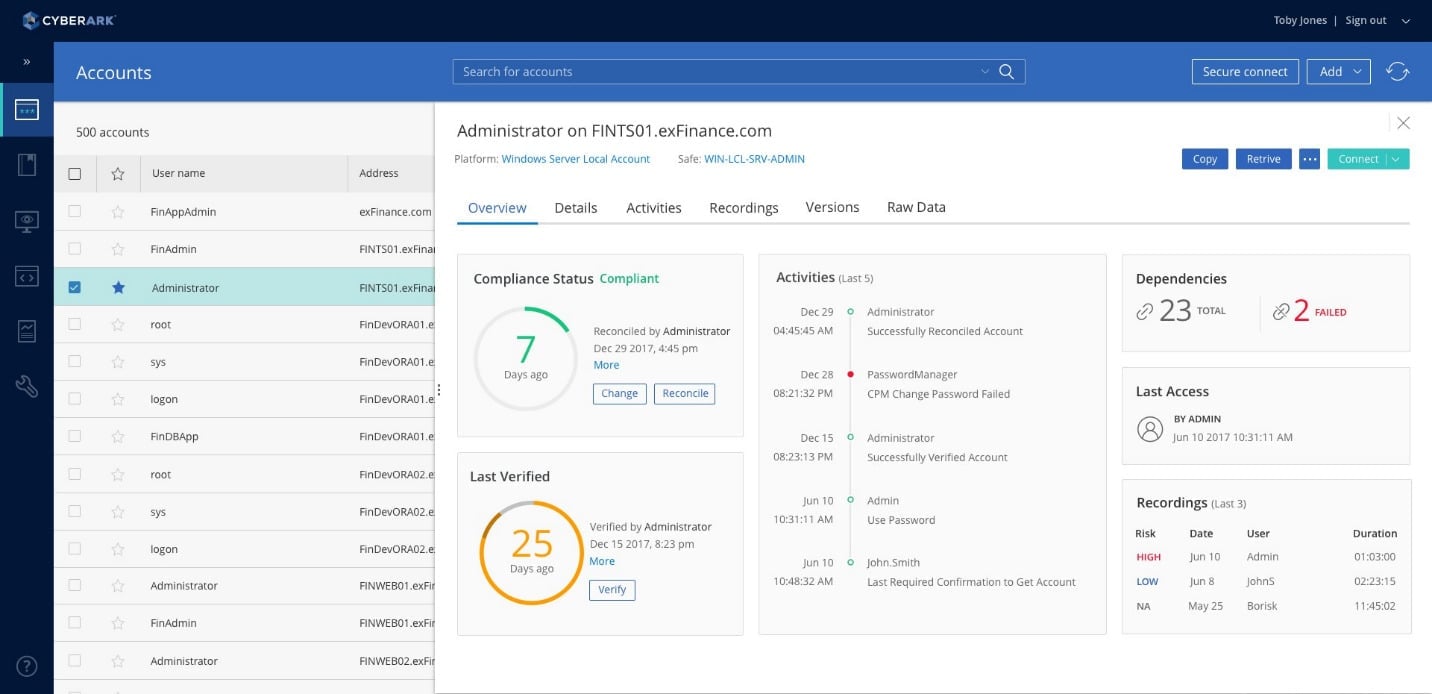
CyberArk is the tool on this list with the most potential in our minds. It’s made specifically for enterprises and focuses on securing all of your systems. While the tool requires a lot of technical skills to take advantage of, it boasts the most advanced features on this list. If you’ve got employees that can take full advantage of CyberArk and need its advanced features then it should be one of your top contenders.
Main Features:
- Automates credential changing.
- You can monitor accounts in real-time.
- Password vaults.
- Advanced compliance reporting.
- Generous free trial.
Why do we recommend it?
In our rigorous testing, CyberArk emerged as an enterprise-first solution, surpassing the needs of most businesses with its cutting-edge features. The tool’s automation of credential changing and real-time account monitoring showcased its advanced capabilities. CyberArk addressed the challenge of maintaining compliance with data security laws, providing detailed and granular compliance reports.
CyberArk lets you keep compliant with all data security laws, and has advanced compliance reports, showing all of your data with great granularity. It also provides real-time account monitoring, letting your administrators quickly spot any questionable activity.
CyberArk also includes an advanced password vault, with a lot of room for customization and extremely safe encryption.
Who is it recommended for?
CyberArk is recommended for large enterprises with a focus on advanced security features. Its automation capabilities and compliance reporting make it suitable for businesses dealing with sensitive data and stringent regulatory requirements. However, its technical complexity implies that it’s best suited for organizations with skilled IT personnel. The tool is available for a 30-day trial.
9. RoboForm
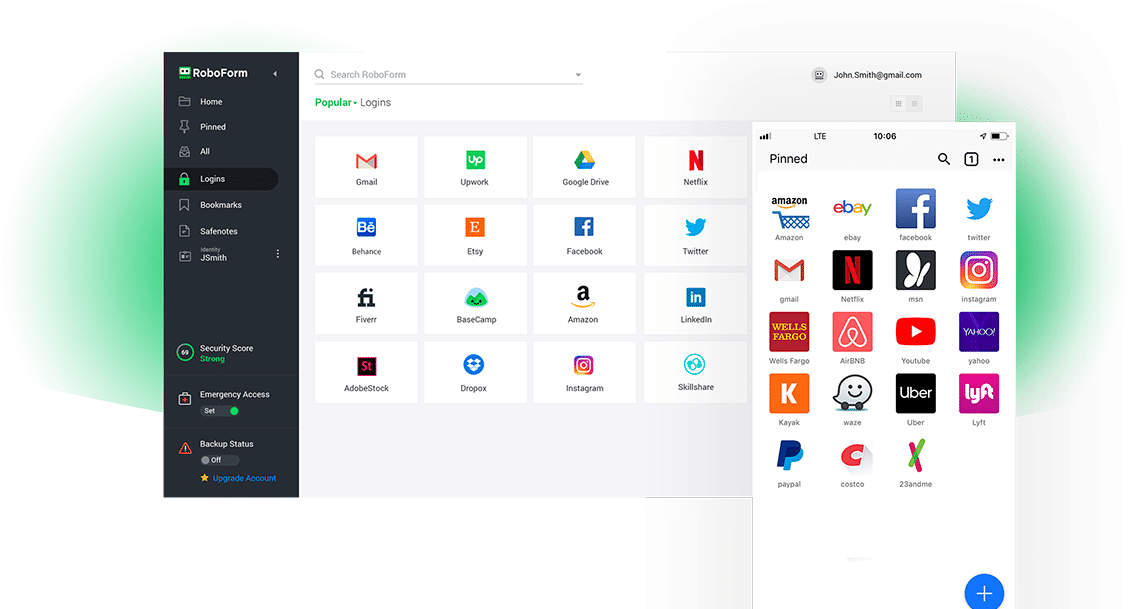
RoboForm is the best tool on this list when it comes to its auto-fill capabilities. Whether it be a legal form, registration for a service or a social media log in, RoboForm will auto-fill each of them without a hitch. While even the more expensive tools on this list might struggle with complicated legal forms, RoboForm usually auto-fills them with no issue.
Main Features:
- Extremely competitive pricing.
- Best auto-filling on the market.
- Vault-based customization.
- Active Directory integration and SSO options.
- Multiple 2FA options.
Why do we recommend it?
During our assessment of RoboForm, its standout feature was its exceptional auto-fill capabilities. Whether dealing with legal forms, service registrations, or social media logins, RoboForm excelled in auto-filling without issues. The tool’s shared access groups and competitive pricing addressed the need for efficient password management without breaking the bank.
Another interesting feature of RoboForm is its shared access groups. This lets you create a password vault for each department, similar to 1Password. It also offers quite a bit of customization when it comes to who can access these vaults. For example, you can set it so that a vault can only be connected to your office’s IP address.
Another benefit of RoboForm is that since it’s a new name in the industry, it’s very competitively priced. It also offers discounts for enterprises with more users, as well as those that commit to it long-term. RoboForm also features a variety of integration options and secure ways to share passwords.
Who is it recommended for?
RoboForm is recommended for businesses seeking a competitively priced solution with top-notch auto-fill capabilities. Its vault-based customization, Active Directory integration, and multiple 2FA options make it suitable for enterprises of various sizes. RoboForm’s pricing model, offering discounts for more users and long-term commitments, enhances its appeal for budget-conscious businesses.
However, RoboForm lacks some quality of life features its more experienced competitors have. For example, the admin dashboard and desktop app don’t have a way for you to manually add passwords, and it’s not possible to import passwords without the browser extension yet. RoboForm has a 14-day free trial so you can take it for a test run to see if it will work for you.
10. PassCamp
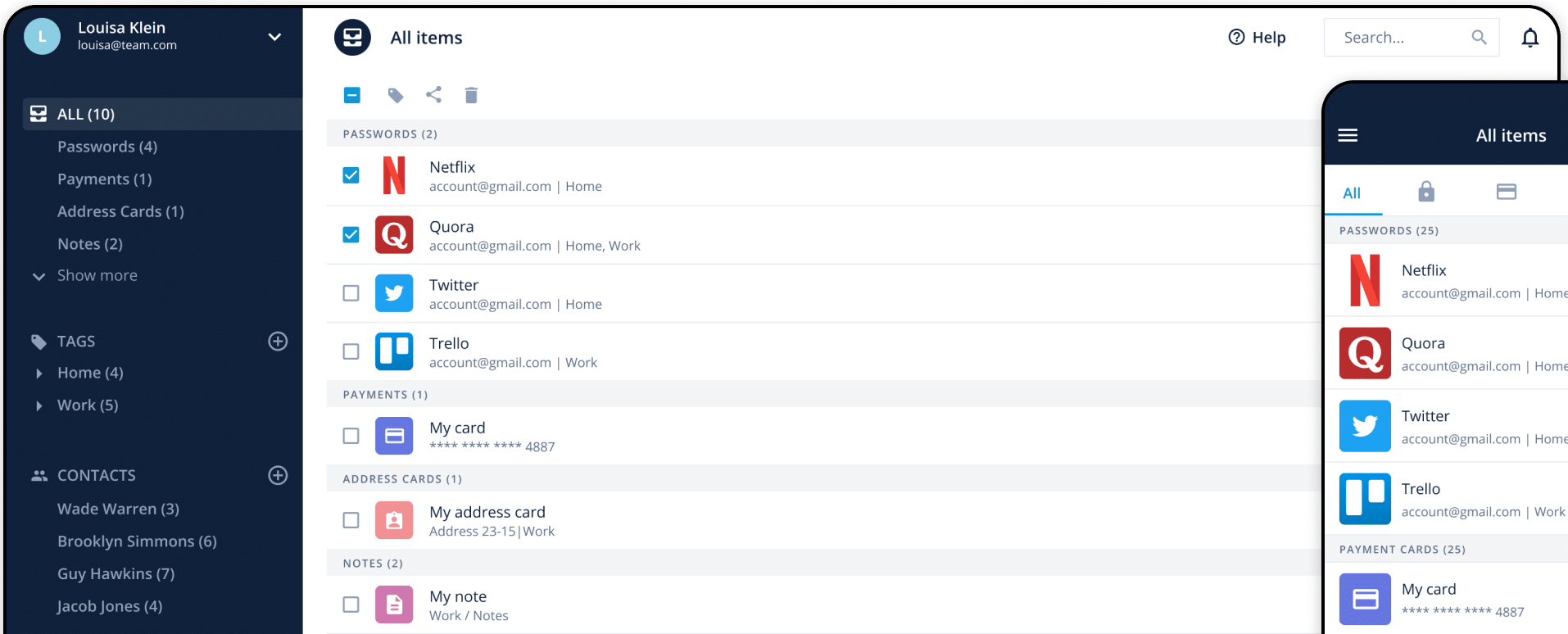
While many password managers on this list are fairly user-friendly, none are quite as easy and simple to use as PassCamp is. Its interface is extremely simple, you can be set up and learn to use the tool in just a couple of minutes, with most of its features not needing any training to use.
Main Features:
- The simplest tool on this list.
- The dashboard is pretty much perfect, letting you handle all routine parts of password management within a couple of clicks.
- SSO options.
- Non-permanent employees can easily get by with a guest account.
Why do we recommend it?
PassCamp, identified as the simplest tool on the list, proved its usability during our evaluation. Its user-friendly interface and minimal technical knowledge requirements make it accessible to a wide range of users. PassCamp’s focus on simplicity addressed the need for a straightforward password management solution, providing essential features without unnecessary complexity.
This cloud-based tool has narrowed its focus down to simplicity to its very core. Everything from sharing passwords to choosing who gets access to what passwords is made extremely simple. The main dashboard shows you all team member accounts, making sharing passwords as simple as sending an email.
Who is it recommended for?
PassCamp is recommended for businesses prioritizing simplicity and ease of use in password management. Its cloud-based nature and intuitive dashboard make it suitable for teams with non-permanent employees, such as freelancers or interns. While lacking some advanced features, PassCamp is an excellent choice for those who value simplicity in their password management solution.
It features a 14-day long free trial.
11. PasswordState
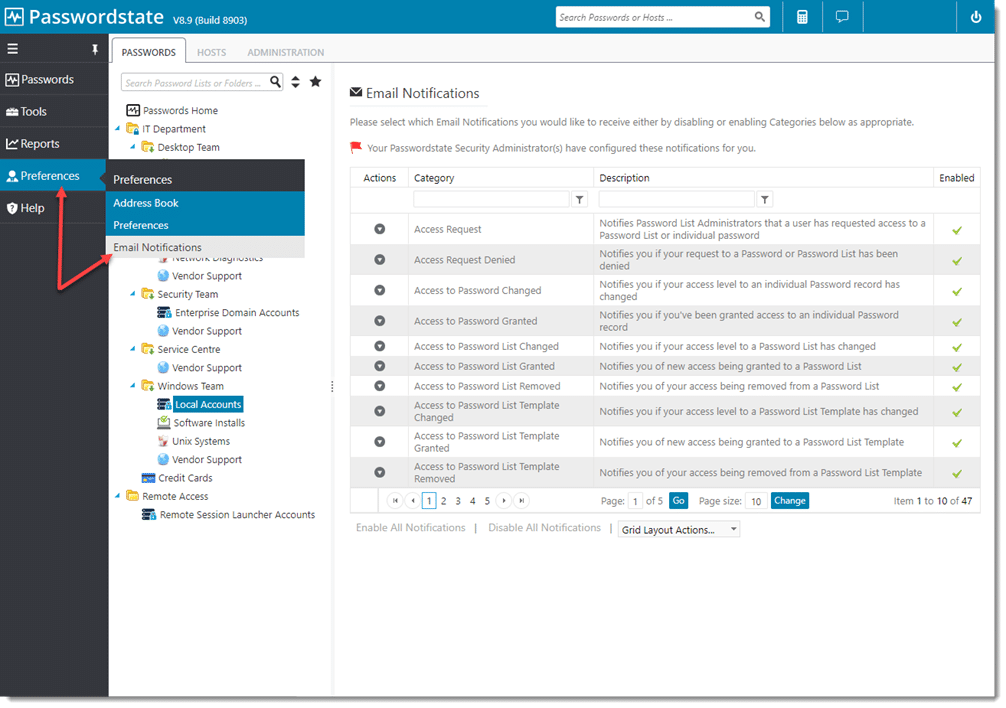
PasswordState excels at giving you control over your password management experience. Its granular permission options allow you to customize user permissions and access levels to a great extent. This is extremely useful in enterprises where the sensitivity of data handled varies greatly from user to user.
Main Features:
- Granular access customization.
- Made primarily for larger businesses.
- Customizable pricing.
- Advanced multi-factor authentication features.
Why do we recommend it?
In our examination of PasswordState, its standout feature was its granular access customization, providing extensive control over password management. The tool’s focus on larger businesses and customizable pricing options addressed the needs of enterprises requiring tailored solutions. PasswordState’s advanced multi-factor authentication features contributed to enhancing security.
Passwordstate is very flexible when it comes to pricing. You can pay for it once and use it forever, with annual fees being implemented for support, upgrades, and some additional features. The tool was made primarily with businesses in mind, which shows when you look at the granularity of its options.
You can easily create activity reports, which help you keep all teams on the same page. Its SSO options are quite solid, providing support for the most common applications.
Who is it recommended for?
PasswordState is recommended for larger businesses seeking granular control over password management. Its customizable pricing model, annual fees for support and upgrades, and focus on detailed reporting make it suitable for enterprises with diverse data sensitivity requirements. While its UI may pose a learning curve for non-technical users, PasswordState is a robust choice for businesses prioritizing control and customization.
You can try the tool for free with up to five users.
Closing Words
As always, the best password management solution for your business is the one that best fits your needs. Your number 1 pick might be our number 10, depending on if you need the features that set it apart. With that being said, we’ve tried to ensure that our first three entries are ones that you can’t go wrong with. Tools like Dashlane offer simplicity, while still keeping a variety of advanced features in case you need a little more power.
What is your favorite password management solution?
What feature do you wish more password managers had?
Let us know in the comments below!