

With the growing trend towards digitalization and cloud computing, more and more companies are looking for ways to efficiently and safely transfer their files. Being able to share files with ease lets businesses function more efficiently and keep teams informed regardless of where they are. Citrix ShareFile is one of the most popular solutions for this, as it is an EFSS (Enterprise file synchronization and sharing service) letting large businesses mobilize their data.
If your business is looking for a Citrix ShareFile alternative due to its flaws or price point, today we’ll be looking through some of the best on the market. Alternatively, maybe you’re an SMB that doesn’t need the extensive enterprise-oriented features of Citrix ShareFile and want a simpler solution.
In our testing, the best Citrix ShareFile alternatives are:
- Files.com – EDITOR’S CHOICE A sleek, cloud-native Citrix ShareFile alternative that easily integrates with pretty much all 3rd party software commonly found in larger business environments. Start with a 7-day free trial.
- Egnyte A comprehensive content governance tool with machine learning features.
- Microsoft OneDrive Business An excellent Citrix ShareFile alternative for businesses that already rely on Microsoft tools.
- Google Workspace for Business A package of a variety of tools, one of which is Google Drive which can let you store an unlimited amount of files alongside quality security measures.
- Hightail An extremely easy-to-use Citrix ShareFile alternative excellent for SMBs.
- SolarWinds Serv-U MFT Made by the reputable SolarWinds company, Serv-U MFT brings you all of Citrix ShareFile’s most important features and more. Its automation features alongside its sleek UI help you streamline the file sharing process.
Why Use A File Sharing Software?
Any file-sharing tool aims to help you quickly and securely transfer files from one device or user to another without losing data or facing complications. Naturally, since this is a relatively narrow niche, most file-sharing tools will provide additional features like data protection, remote file access, or similar.
The main reason businesses use file-sharing software is that they help you avoid unintended consequences of sending files through other means. Sending large files directly via USB or HDD takes time and physical resources, while media like email can be limited by file size. Alternatively, large file transfers can cause latency issues, and your data might even change in transit or get attacked by malicious users.
To avoid these issues, businesses rely on file-sharing tools to bear their file’s load and ensure they’re safely transmitted.
The Kinds of File Sharing Software
There’s a variety of file-sharing software, each of which can fall into one or more of these three categories.
- Cloud Storage Tools Tools like Dropbox and Google Drive fall completely in this category. These tools will let you upload your files to a cloud storage space. Sometimes, these tools will be specialized SaaS applications that allow remote access. With that being said, these are often expensive when sending large files over a couple of GB. These tools also often have limited storage and you might face access issues. These tools usually find their place in smaller businesses or medium-to-large businesses as an additional method of file transfer.
- File Compression Tools These tools like WinRAR or 7ZIP help you compress a file so that you can send it through email or store it easier in a cloud solution. These tools also usually provide some file encryption and password locking features to boot. With that being said, although you might be able to compress a file down to a size that can be sent by email, this comes at the cost of family quality.
FTP (File Transfer Protocol) Tools
FTP or the File Transfer Protocol is the best way to share files for enterprise applications. The FTP is designed to make sharing files extremely quick while not compromising file quality. While FTP doesn’t provide any additional security by itself, using an FTP client lets you use HTTP/S, SSL/TLS, or another method to ensure your files are secure. Because of its power, and because there has recently been an upswing in more affordable tools like Files.com using FTP, most tools on this list will have at least some FTP sharing capabilities.
1. Files.com – FREE TRIAL
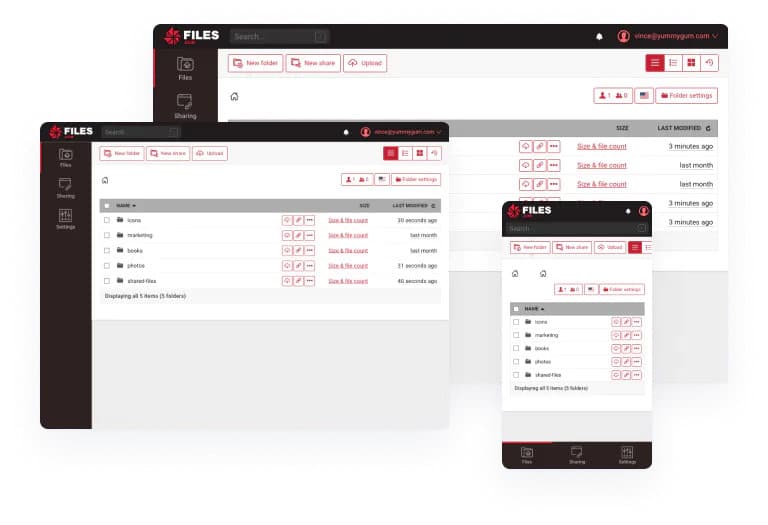
As per their LinkedIn page: “Files.com is a cloud-native, secure, SaaS file-based automation and integration platform“. Files.com is an extremely versatile, security-oriented, and management-focused tool.
Main Features:
- Extremely flexible and user-friendly
- Industry-first security features
- Very high-speed servers
- Supports large files up to 5TB
- Amazing automation features with support for a variety of languages
- A wide variety of integrations with 3rd party software
- Flexible pricing
Why do we recommend it?
In our testing, Files.com proved to be an extremely versatile and security-oriented Citrix ShareFile alternative. Its flexibility and user-friendly interface facilitated quick and secure file transfers. Noteworthy features include high-speed servers supporting large files up to 5TB, advanced automation capabilities, and seamless integration with third-party software. The tool’s secure link generation for file sharing and extensive SDK support for different languages contributed to a positive testing experience.
While Files.com functions best in conjunction with another tool, for many businesses it’ll be more than enough by itself to facilitate quick and secure file transfers. It’s incredibly user-friendly, and even inexperienced users won’t take too long to get to grips with Files.com.
The tool enables you to easily share files, folders, or groups of files through a secure link it generates. This is done by simply clicking “New Share” after selecting the folders or files you want to share. Then, Files.com creates a secure link working as a bearer key. Only users with the exact link can gain access to the files. To enhance security, you can set it up so that the keys expire after a set amount of time, or delete them manually. Once the link is created, you can share it anywhere, whether that be SMS, email, Slack, or your platform of choice.
Files.com uses extremely high-speed servers(100 Gbit) spread out across seven different regions. It also provides mobile, on-prem, and desktop applications to ensure the smoothest experience.
One of the main advantages of using Files.com is that it has the best automation features on this list. It has a bevy of automation features allowing you to set up complex scripts and templates to create extremely sophisticated workflows. With that being said, if you’re an SMB with little to no need for automation, they aren’t hard to go around.
The tool has deep integration through different SDKs for JavaScript, Python, .NET, Java, PHP, and Go. Furthermore, it integrates with a wide variety of common SaaS software used today like Google Drive or Dropbox. It also works seamlessly with transfer protocols like SFTP, FTP< or WebDAV. Files.com also seamlessly integrates with Azure, Amazon S3, and pretty much any 3rd party on-prem file server.
Files.com supports extremely large files up to 5TB in size. It combines this with its industry-leading security features like 2FA, encryption, and extremely customizable security and permission settings. The tool also provides site administrators with a great deal of sharing permission settings for site-wide and individual levels. You can also restrict which users and groups can get access to your shared files at all. Your site admin can also set up a site-wide limit for the maximum duration of a share link.
For troubleshooting, Files.com keeps track of all activity around your links and saves it in the activity and user history sections.
Who is it recommended for?
Files.com is recommended for businesses looking for a cloud-native and flexible file-sharing solution. Its industry-first security features, automation capabilities, and support for various integrations make it suitable for diverse business environments. While it functions well independently, Files.com is enhanced when used in conjunction with other tools, offering a wide range of possibilities for users with varying levels of automation needs. You can get started with a 7-day free trial.
EDITOR'S CHOICE
Files.com is our top choice in Citrix ShareFile alternative tools because this cloud-native platform integrates well with all popular third-party tools, making it a convenient choice for any environment. Moreover, it has many security features, including military-grade encryption protect the safety of your data during transfers. Its comprehensive audit trails help with compliance as well. With this tool, you can create automated workflows that can securely transfer data for improved productivity. Due to these capabilities, Files.com features at the top of our list.
Download: 7-day FREE Trial
Official Site: https://www.files.com/signup
OS: SaaS, Cloud-based
2. Egnyte
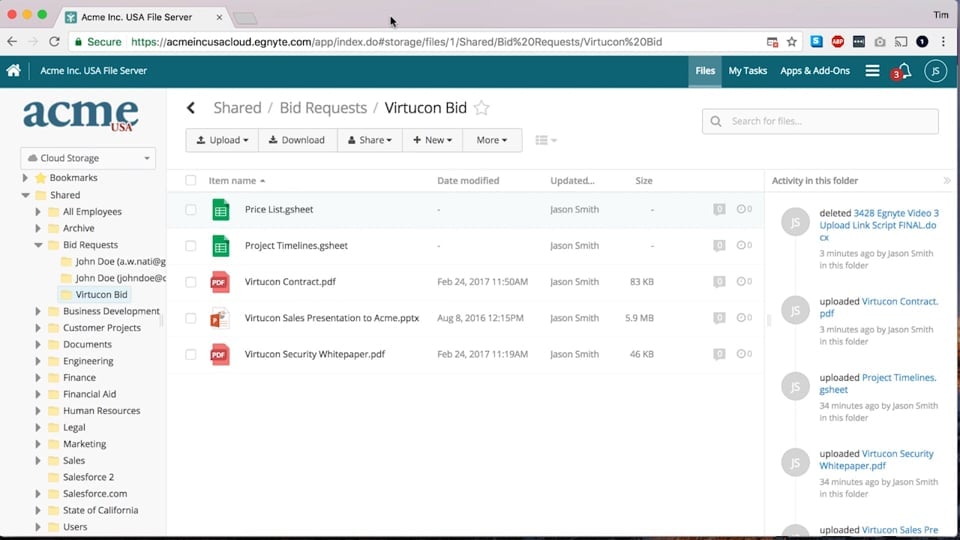
Egnyte is a comprehensive content governance tool letting you share and collaborate on different files. This file-sharing software is designed with remote work environments in mind, letting you access all of the files on Egnyte from anywhere, even from within 3rd party apps. Egnyte allows you to sync large files quickly without wasting a bit of bandwidth or slowing down productivity. Egnyte allows you to only synchronize certain parts of files to the cloud, letting you save up even more bandwidth resources.
Main Features:
- You can merge large folders or files to reduce complexity
- Machine learning capabilities
- Capable of creating comprehensive audit reports
- Integrates with Slack, Google Workspace, Office 365, and a variety of other apps.
- Comprehensive content governance tool
Why do we recommend it?
Egnyte, in our testing, stood out as a comprehensive content governance tool designed for efficient file sharing and collaboration. Its focus on remote work environments allowed us to access and sync large files quickly without compromising bandwidth. The tool’s machine learning capabilities, audit reports, and integration with popular apps like Slack and Google Workspace provided a robust solution for content management.
Egnyte is set up so that you can easily share large files and download links through email by using password protection. If you’re looking to upload files for others to access, then you can use its upload folder that permits password protection. The tool comes with a centralized control panel allowing you to visualize and manage all of your content regardless of where it is stored.
The tool has a content intelligence engine powered by machine learning. This lets you automate a significant amount of repetitive tasks and garner deeper insights into your entire content infrastructure. The tool can also find malware on your devices, and will automatically detect strange behavior.
Who is it recommended for?
Egnyte is recommended for businesses in need of a content governance tool with remote access capabilities. Its ability to merge large folders or files, coupled with machine learning features, caters to those seeking efficient and secure file-sharing solutions. The 15-day free trial offers an opportunity to explore Egnyte’s versatility and determine its suitability for specific business requirements.
The tool comes with a 15-day free trial.
3. Microsoft OneDrive Business
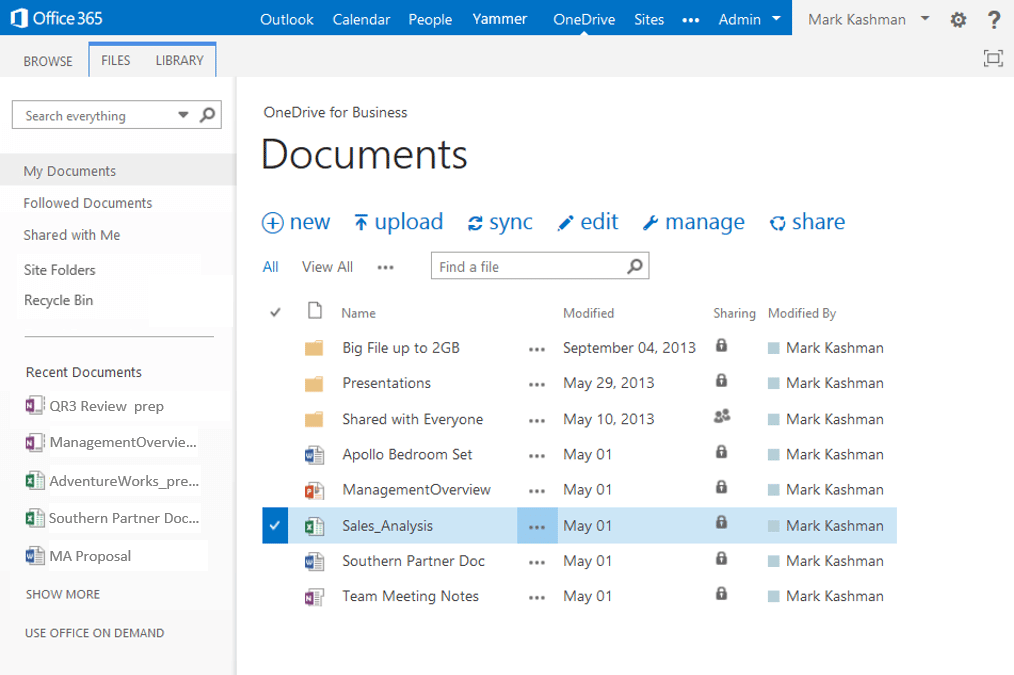
Microsoft OneDrive is a cloud-based SaaS software that allows you to access, store, and secure your files from any location or device. Microsoft OneDrive Business is used by businesses due to being a simple, secure file-sharing solution with cross-platform and security features.
Main Features:
- Flexible pricing plans
- Cloud storage, synchronization, and file backup features
- Integrates with pretty much all other Microsoft software
- Machine Learning-based functionalities using Microsoft Graph and Delve
- Helps with meeting compliance regulations
Why do we recommend it?
In our testing, Microsoft OneDrive Business emerged as an excellent Citrix ShareFile alternative, especially for businesses already leveraging Microsoft tools. The tool’s seamless integration with Microsoft products, including Teams, Office 365, and Exchange, provided a straightforward file-sharing solution. Notable features such as flexible pricing plans, cloud storage, synchronization, and file backup contributed to a positive experience. The encryption of data in transit and at rest, along with compliance features, ensured the security of our files.
One of the tool’s biggest advantages is how easily it works with other Microsoft products. It’ll allow you to integrate seamlessly with Microsoft Teams, Office 465, Exchange, or any other Microsoft software. Even if you’re not a Microsoft-centered business, the OneDrive business has its place.
Whenever your data is in transit, it’ll be encrypted with SSL, and all of your data at rest will have AES 256-bit encryption keys. These keys are then stored and managed through the SharePoint Content Database.
Who is it recommended for?
Microsoft OneDrive Business is recommended for businesses, especially those already embedded in the Microsoft ecosystem. Its compatibility with Microsoft software makes it a practical choice for seamless collaboration.
The tool’s security features and flexible pricing plans cater to businesses of varying sizes. Whether you’re a Microsoft-centered business or looking for a reliable file-sharing solution, Microsoft OneDrive Business offers a user-friendly experience.
You can get a month-long free trial of the tool’s Basic version for free.
4. Google Workspace for Business

Google Workspace, formerly known as G Suite is a set of storage, productivity, communication, and collaboration software designed for business applications. While tools like Gmail, Chat Meet, Google Docs, Sheets, Slides, and Drive are all available for free, the Workspace Business edition gives you a variety of premium features.
Main Features:
- Provides a wide range of tools
- Google Drive provides from 30GB to 5TB or even unlimited storage
- 150+ participant video meetings are possible
- Excellent administration dashboard
- Flexible payment structure
- Excellent for SMBs moving on from Google’s free tools
Why do we recommend it?
During our testing, Google Workspace for Business, formerly G Suite, proved to be a versatile set of tools designed for business applications. Google Drive, with the ability to store up to unlimited files, and other premium features, presented a compelling alternative to Citrix ShareFile.
With Google Workspace, we no longer struggled with multiple versions of files, as the real-time editing and version history features ensured that everyone was on the same page. This eliminated confusion, streamlined our document management process, and ultimately increased our overall productivity.
One such feature is that free users can only store up to 15GB on Google Drive, while Google Workspace for Business users can get up to unlimited storage. Besides this, you gain access to a Google Workspace administration panel that lets you manage all of your Google Workspace settings, accounts, and services. You can also configure specific access policies at will.
Who is it recommended for?
Google Workspace for Business is recommended for businesses, especially small and medium-sized enterprises (SMBs), transitioning from free Google tools. The extensive suite of tools, including Gmail, Chat Meet, and Google Drive, provides a comprehensive solution. Businesses seeking increased storage capacity, advanced administration features, and collaborative tools will find Google Workspace beneficial. The 14-day free trial allows businesses to explore its features before making a commitment.
5. Hightail
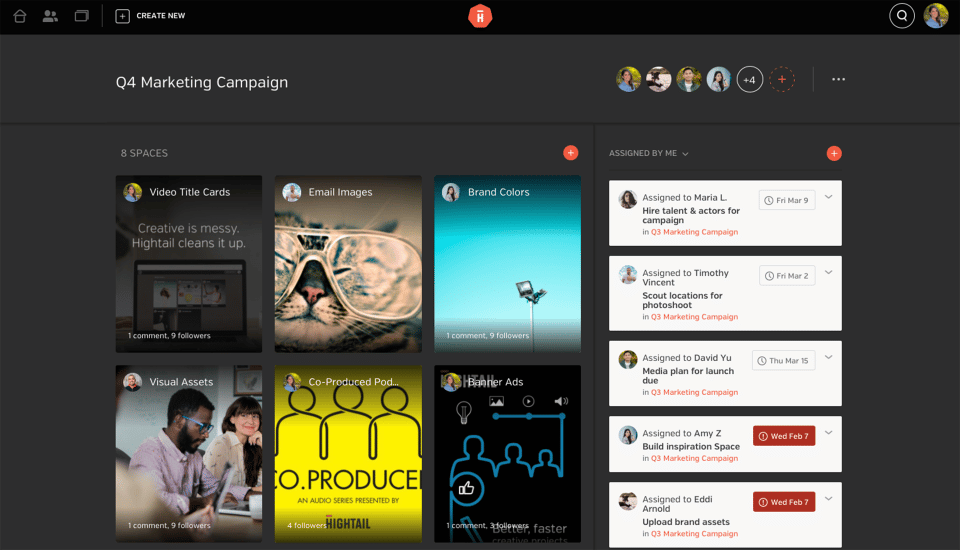
Hightail is a cloud-based Citrix ShareFile alternative that allows you to receive, store, and send files through the cloud in a secure way. The software lets you easily upload files from your device or cloud services like Dropbox or Google Drive. In case you want to collect files from sources outside of your network, Hightail lets you make an Uplink URL that anyone can have access to even if they don’t have a Hightail account.
Main Features:
- Hightail’s ease of use is a cut above the rest
- Spaces are a very innovative idea to bring to the table
- A variety of security features
- Uplink URLs are very useful when quickly sharing files
Why do we recommend it?
In our testing, Hightail emerged as an extremely easy-to-use Citrix ShareFile alternative, particularly well-suited for SMBs.
We were consistently facing challenges with sharing large multimedia files efficiently. Hightail’s platform resolved this issue by offering a simple yet powerful solution for sharing large files, ensuring our creative projects could be collaboratively executed without the limitations of traditional file-sharing methods.
The innovative concept of “Spaces” allowed for easy organization and sharing of various file types.
Hightail has the simplest interface on this list, being composed of “Spaces” each one of which is a visual folder where you can store files including rarer file types like PDFs and CAD files. Hightail spaces provide you with an easy way to look at high-res previews and streams of files. Hightail also allows you to link to your Space so that someone can see multiple files at once.
Hightail secures all of the files on it by using encryption, and you can also set up security measures like access codes, link expiration dates, and link protection.
Who is it recommended for?
Hightail is recommended for SMBs seeking a user-friendly file-sharing solution with innovative features. The simplicity of the interface, coupled with security measures, makes it an attractive option for quick and secure file transfers.
Hightail’s security features, including encryption and access code protection, ensures the secure transfer of files. While lacking some enterprise-focused features, Hightail’s 14-day free trial provides an opportunity for SMBs to assess its suitability for their specific needs.
Hightail is lacking some more in-depth, enterprise-focused features. The tool offers a 14-day free trial.
6. SolarWinds Serv-U MFT
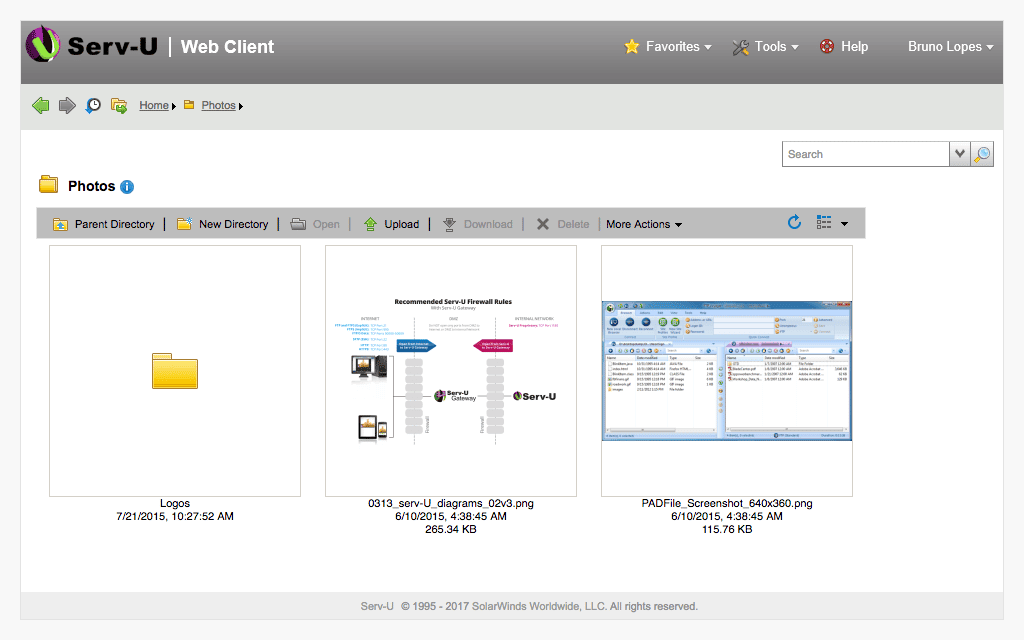
SolarWinds Serv-U MFT is a file-sharing tool designed to ensure quick file sharing, transfers, and folder synchronization remotely. The tool can easily encrypt files larger than 3GB and transfer them through a variety of protocols including FTP. Using the Serv-U MFT you can also take advantage of its permission denial features. By using certificates and defining access file-sharing permissions you can ensure only the correct people at your company receive the files you want them to receive.
Main Features:
- As a self-hosted solution, you can deploy it either on-prem or on the cloud
- Peer-to-peer sharing capabilities
- Excellent UI
- Enables file transfers and folder synchronization from anywhere to anywhere.
- Helps you meet regulatory compliances
- Excellent automation features that let you automate tedious tasks
- Geared towards enterprises.
- Integrates seamlessly with the rest of the SolarWinds suite
Why do we recommend it?
During extensive testing, SolarWinds Serv-U MFT emerged as a standout Citrix ShareFile alternative. Its automation features and sleek user interface streamlined our file-sharing processes. Notably, the tool excelled in encrypting and transferring files larger than 3GB through various protocols, including FTP. The intuitive web-based console, coupled with excellent automation capabilities, allowed us to customize our experience and automate tedious tasks, ensuring efficient file transfer management.
The tool has an extremely intuitive web-based console that lets you drag and drop widgets onto the dashboard to let you customize your experience. The tool is designed to help you instantly send and receive files on the web or a mobile device.
The SolarWinds Serv-U MFT is also incredibly scalable. It can easily be integrated with external database servers and file storage options. It also fits right into security policies and controls, meaning you’ll need to make minimal adjustments to get the most out of the tool in your business. It’s also simple to enable peer-to-peer sharing using the tool to simplify ad-hoc file sending and requests.
One of the most attractive parts of the Serv-U MFT is that it’s home to a bevy of automation features that make file transfer management a breeze. The tool allows you to automatically perform certain tedious tasks like leftover file deletion, email sending, and the like. This lets you focus your personnel on the tasks that matter. The tool also writes Windows event log messages, which makes troubleshooting a lot easier. It’ll also track all activity connected to important files and generate reports to help inter-team communications.
Alongside creating troubleshooting reports, the Serv-U MFT can set up automatic compliance reporting. This means it can create reports to help you meet compliance standards which you can then forward to teammates or import to other tools to better collaborate. Although the Serv-U MFT is primarily a file-sharing tool, it’s also an excellent tool to ensure reliable communication within an enterprise.
Who is it recommended for?
SolarWinds Serv-U MFT is geared towards enterprises seeking a self-hosted file-sharing solution with peer-to-peer sharing capabilities. Its scalability, integration with external databases and file storage options, and alignment with security policies make it an ideal choice for businesses with diverse needs. While its breadth of features may be overwhelming for SMBs, the 14-day free trial offers an opportunity for exploration.
Closing Words
As always, the best Citrix ShareFile alternative for you depends on your exact needs. Depending on your needs, any of the tools on this list might be your best fit, however, we’ve tried to ensure that at least the top 3 entries are ones you can’t go wrong with.
In our testing, most businesses will want to go for either Files.com for its extensive versatility and the sheer amount of integrations available or Egnyte thanks to its machine learning features.
Is there any feature of Citrix ShareFile you haven’t found in other tools?
What is your favorite file-sharing tool?
Let us know in the comments below!