


One of the biggest cyber threats of our time is ransomware. Over time, the sophistication of these ransomware attacks has become increasingly alarming. For this reason, the costs of tackling these attacks have been increasing. As an integral part of policies related to cybersecurity, cloud backup is an essential consideration for many organizations. However, can backups be protected from ransomware?
As organizations try to tackle the rising threat environment, they must apply data security strategies to ensure that all forms of risk are mitigated. Even though the ultimate goal of organizations is to prevent ransomware attacks, it is equally imperative to have a plan for recovery from the attack if it happens. The high rate of cyberattacks has made people start thinking about when the data breach will happen rather than if.
However, businesses nowadays have equipped themselves with adequate knowledge and tools to strengthen their cybersecurity. To explain more, this guide will provide a deep insight into how organizations can protect backups from ransomware. So, keep on reading!
What Is a Ransomware Attack?
A ransomware attack is a type of malicious attack that can threaten to block or public access to your computer system or data. This is usually done by encrypting it once it attaches itself to the system.
The attacker, or anyone controlling the malware, then sends a message stating that they have hijacked the files while demanding a ransom to decrypt them. This will remain so until the victim is forced to pay a ransom fee to the attacker.
For most companies, paying the ransom justifies the devastating effects of downtime on their organizations’ progress. According to data, there has been a 171% increase in ransomware since 2019. These ransoms can range from a few hundred to thousands or even millions of dollars.
Why Is Ransomware Considered to Be So Dangerous?
Even though mid-sized and small organizations might erroneously think they are not attractive targets for ransomware. However, the truth is much more threatening. In reality, almost one-third of cybercrime victims were mid-sized and small businesses in 2019. Since then, this number has been on the rise.
It is not uncommon for cyber attackers to target small companies since they know that such companies will likely have weaker security. For this reason, it is safe not to assume you are not a target. After all, ransomware is a critical risk to various types and sizes of companies. There is no exception.
To infect an organization’s systems with ransomware can take multiple weeks. During this period, the party with the malicious threat can enjoy full access to folders, crucial data, and sensitive files, which could be readily sold on the dark web, especially when the terms of the ransom are not met. Furthermore, ransomware can come with additional risks beyond restricting users’ access to crucial business data.
Furthermore, there can never be any form of guarantee that can assure you that these criminals will not renege on their word. Even if you meet their demands, however lofty they are, there is always a chance that they will leak the data anyway. For a company whose data includes personally identifiable information (PII), payment data, and intellectual property owned by a client, it might be hard to recover from litigation and fines that come with data leakages.
For this reason and more, companies must protect backups from ransomware. After all, the amount that can be lost when data security is compromised is significantly more than the cost of installing proper security tools and measures.
Valuable Tips to Protect Backups From Ransomware
For those who wish to protect backups from ransomware, certain tips can be helpful to consider. Some of these are discussed in the following section.
Versioning and Rollbacks
It is no stretch to affirm that the right backup strategy for your business is a function of your business’s size and pace of activity. Usually, it is a good practice among system managers to carry out routine backups every week and a differential backup every day. However, it must be noted that this schedule might prove infrequent for fast-paced businesses that rely on every moment of data processing. An example of this is trading platforms.
To protect backups from ransomware, one of the best practices includes versioning. Instead of carrying out incremental backups, which can wipe out earlier backup copies of certain files, the system is capable of preserving the initial state while saving new versions differently. However, as these versions are held on the same drive, an infection in the new version might knock out all versions.
In addition, versioning can be implemented to ensure that users can roll back to a clean copy. This represents a good way to recover from a backup, in which a ransomware executable file has already been infected.
Continuous Monitoring
The effects of ransomware are first felt on the downloaded device. If the little changes can be identified in real time, it becomes easier to isolate the device before the ransomware can spread across the network. If only intermittent monitoring is carried out, there is an increased risk. After all, the impacts of the malware might be irreversible by the time it is discovered.
Employees Should Be Trained on How to Identify Malicious Attacks
Organizations must train their employees on how to recognize and prevent any form of malicious attacks. When there is a malicious link in an email or a downloaded file, it becomes easy for ransomware to find its way into your system. While it might look so easy to simply not open an email link, the email might look legitimate.
However, once there is an established security policy that is employed well, the staff must be trained to detect these common threats and know what to do once they come across one. Then, you can turn in phishing alerts and any spam that an email provider might provide. These security policies must be updated routinely and frequently. With this, staff might become alert to any emerging threat. When there is training, the latest techniques in ransomware can be explained to staff members.
Consider Endpoint Security
The chosen security solutions should depend on your risk level and infrastructure. If you are unsure how or where to start, it is never a bad idea to contact a cybersecurity expert to conduct an audit of your environment. Some penetration testing should also be done while getting the right advice on the best solutions you need.
Besides this, you can also get good virus and firewall protection. However, it is imperative to remember that these cannot guarantee protection. For instance, if a staff member received a malicious email that resembles mail from a friend. If this malicious link is opened, all the firewalls present might not be sufficient to prevent these threats.
If the system is basically in the cloud, various benefits come with the latest cybersecurity encryption and protection. Yet, users can always do more to protect themselves. Various recommendations are available that users can get from their cybersecurity vendors.
Avoid Long Backup Cycles
If a user wishes to recover from a ransomware attack, then there is a need for constant full backups. Frequent changes and updates can also be carried out to ensure a full daily backup. However, if full backups were done less frequently, then a lot of time might be spent rebuilding lost data during recovery. There is a need for a complete backup that can be restored, starting from a point in time when you know your systems are clean.
Top Tools for Protecting Backups From Ransomware
To protect backups from ransomware, there are many tools you can rely on. However, the pick of the bunch is discussed as follows:
1. ManageEngine Ransomware Protection Plus – FREE TRIAL
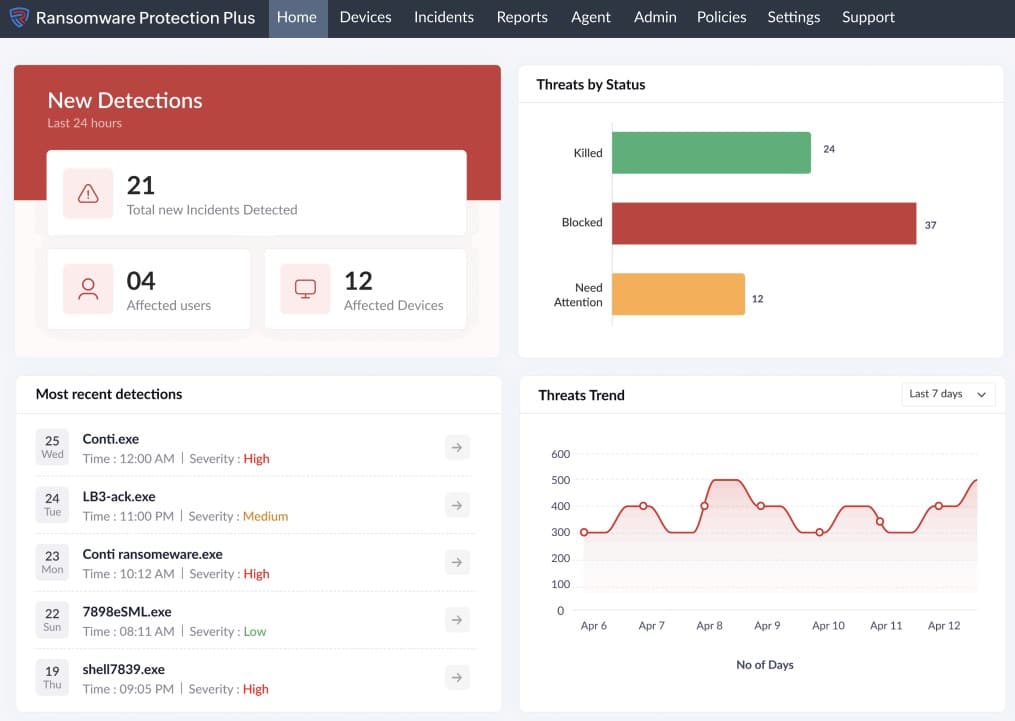
ManageEngine Ransomware Protection Plus is an advanced platform that offers end-to-end protection from ransomware threats and their impact. Using this tool, you can detect, neutralize, and even restore devices to their pre-attack state. Its automated processes and responses ease a lot of the burden for security engineers and network administrators.
It uses advanced technologies like machine learning and behavioral analysis to detect ransomware that are new and evolving, and do not match the known patterns. Its continuous scanning of memory and processes helps identify ransomware in real time. In addition to detection, it also identifies the root cause of the attack, so your team can fix the vulnerabilities.
Besides detecting, ManageEngine Ransomware Protection Plus also neutralizes threats by isolating infected devices and killing suspicious processes when configured appropriately. It also restores data from backup devices to avoid disruptions.
Below is a look at its pros and cons.
Pros:
- Continuous protection: Detects devices continuously to check if they have been infected by any ransomware
- MITRE ATT&CK: Maps into this framework to identify known malware and to enrich it with new information about unknown threats
- Leverages technologies: Uses AI, ML, and behavioral analysis to detect ransomware
- Detailed insights: Generates information about the root cause for further actions
- Quick recovery: Restores data from backup systems.
Cons:
- Complex configuration: The initial setup and configuration can be complex
Start a 30-day free trial.
2. ManageEngine RecoveryManager Plus – FREE TRIAL
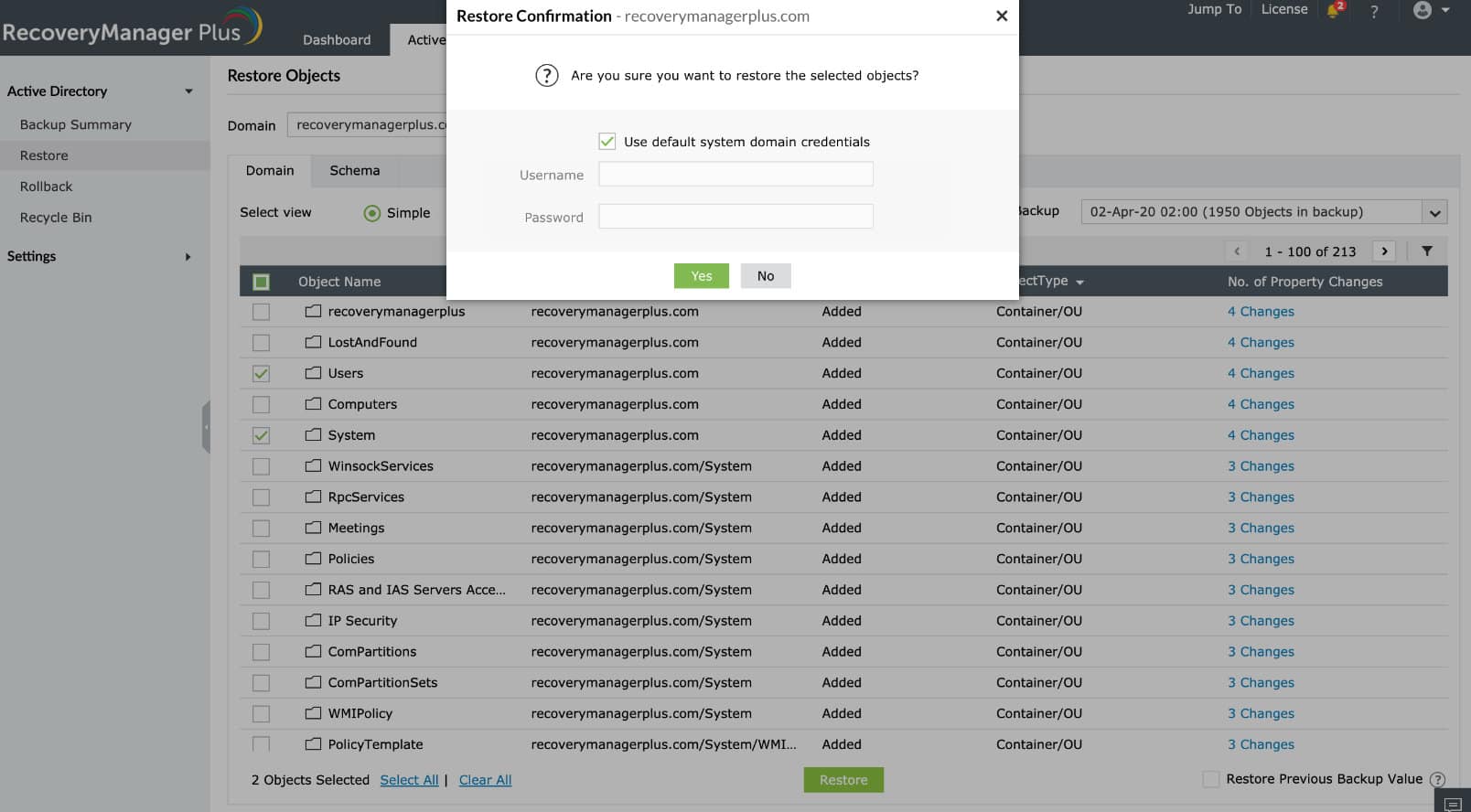
ManageEngine RecoveryManager Plus is an enterprise data backup and restoration tool that can back up data from different sources, like Active Directory, Microsoft 365, Azure, Google Workspace, and Exchange environments. It encrypts these backups to prevent any ransomware from accessing or modifying them. It even offers a feature called immutable backups, where the data is stored on immutable cloud storage like AWS S3, Wasabi, and Azure Blob.
One of the aspects that we love is its flexibility. Using this tool, you can back up data to cloud repositories or local storage files and folders. Even when it comes to restoration, you can view the objects before restoring them. Such granular restoration is a notable feature of this tool.
Other features like flexible retention policies and SIEM integration make it a valuable addition for organizations.
Pros:
- Smooth Processes: Streamlines backup and restoration processes.
- Automation: Enables you to automate backups at scheduled intervals.
- Quick Restoration: Expedites data restoration to minimize downtime and disruptions.
- Reports: Generates reports for in-depth visibility.
Cons:
- Initial Setup: Some users may require technical expertise for the initial setup.
Download a 30-day free trial.
3. Bitdefender Antivirus Plus
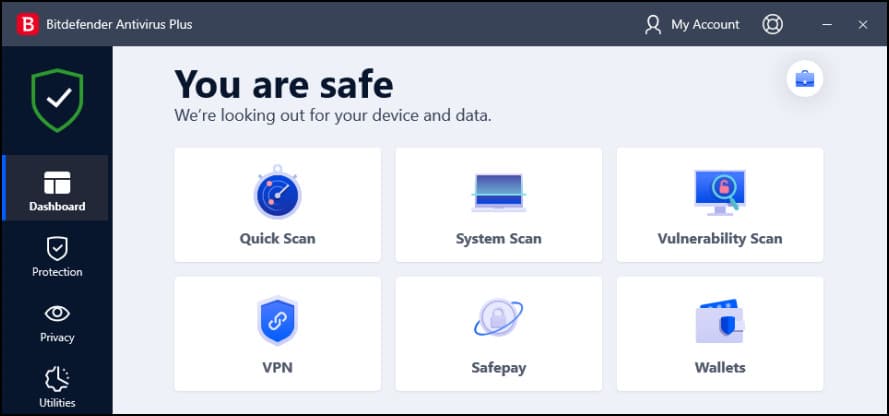
Bitdefender Antivirus Plus offers users multiple layers of ransomware protection and various security features. With this antivirus, users can remove any known ransomware, look out for behaviors that might indicate ransomware activity, and also work to ensure that damaged files are recovered before implementing protection measures.
This antivirus has become a top choice for malware protection, which makes it popular among users.
There were good reviews and scores when this antivirus was tested in various independent testing labs. The multi-layered ransomware detection and remediation system is a security benefit that most users cannot ignore. If the detection system – which is based on behavior – receives any hint of an issue, the remediation system offers secure backups for crucial files.
To capture the benefits of this antivirus, as well as the reason for its popularity, it is imperative to go through some of the advantages of the antivirus.
Pros:
- Implemented for banking protection
- Remarkable scores in independent lab tests and our web protection tests
- Offers enhanced ransomware protection
- Provides a VPN
- It offers many security-centered bonus features.
Cons:
- There is a need for a different subscription plan for unlimited VPN access.
3. Webroot SecureAnywhere Antivirus
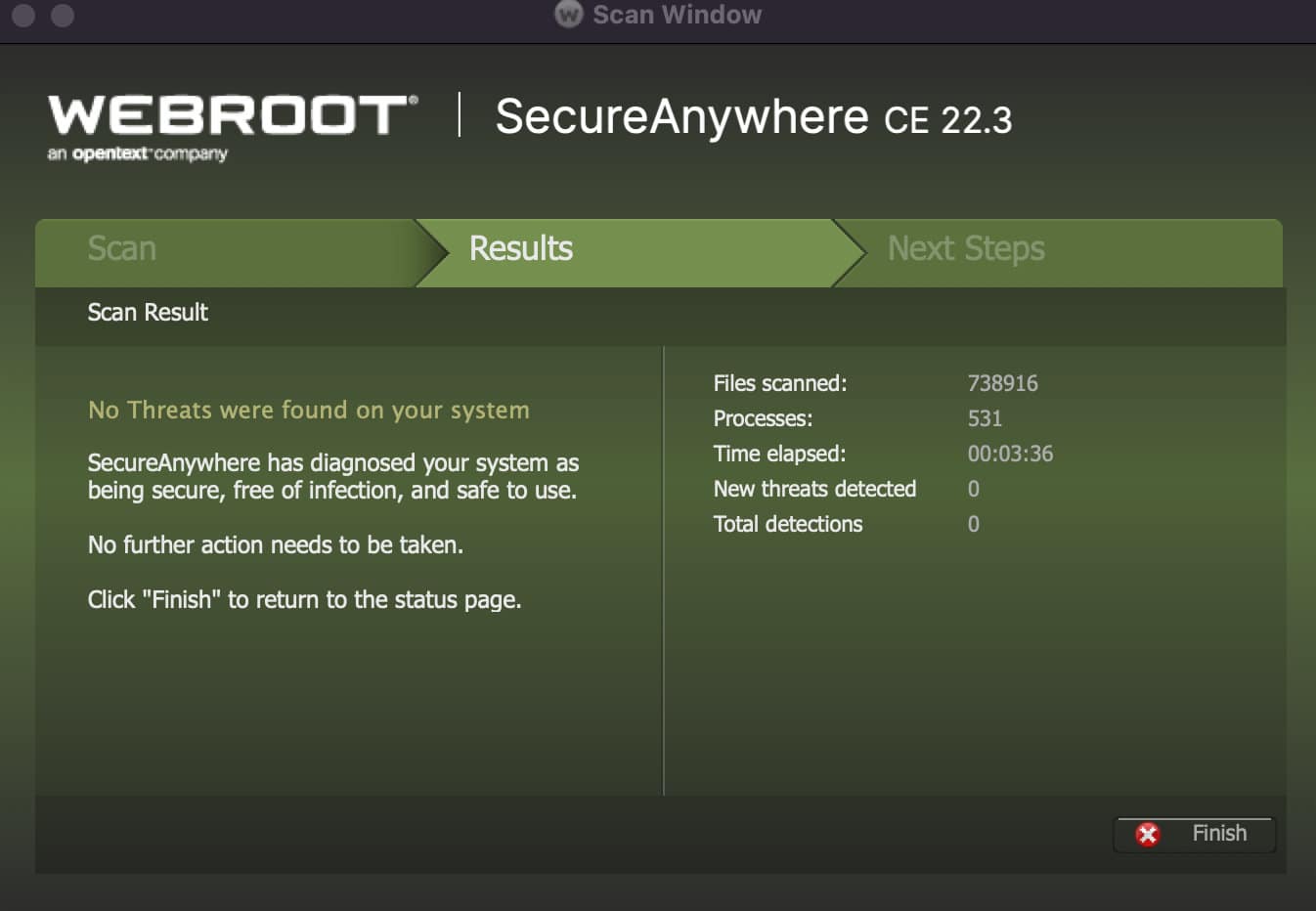
Webroot SecureAnywhere Antivirus gathers any kind of activity or program it doesn’t recognize. This information is then sent to a cloud-based engine. If the engine identifies the program as malicious, then Webroot is responsible for wiping it out while rolling back all the gathered actions. Besides this, it can also undo ransomware file encryption.
Unlike many other antivirus tools, Webroot SecureAnywhere Antivirus will eliminate malicious programs it recognizes while sending known valid programs to the right destination. However, when it comes in contact with an unknown program, what it does is it gathers any changes caused by the program while preventing any form of irreversible action. Then, it sends telemetry to Webroot in the cloud. Once the cloud returns a malicious activity, the program is eliminated by Webroot.
To understand more, it is important to talk more about the advantages and drawbacks of this tool. However, the amount required to make the right judgment implies that it might not be the best tool for most third-party tests. Yet, it should be stressed that Webroot is an antivirus with ransomware protection built in. This implies that users do not need to layer on separate ransomware protection. Webroot supports efficiency and quick scans.
Pros:
- Capable of carrying out protection and phishing protection tests
- Near-perfect score in our malware Light on system resources
- Supports fast scan
- Capable of remediating ransomware damage
- Designed with advanced features
Cons:
- The firewall component is not working at present.
- Mixed results in testing with hand-modified ransomware
Conclusion
As more companies rely on data – regardless of their size – the rise in cyberattacks has become more alarming. For this reason, more organizations need the best protection tools to protect their data from unauthorized access. After all, data is needed for the progress of any organization. There are many tips and policies that organizations can make the most of to protect backups from malware. Also, as discussed above, many tools are available that can help implement many security policies.