


Storage monitoring tools are used to optimize the data being stored and protect data storage. Whenever an error arises in storage, it can always be a multitude of things from LUNs, RAIDs, and storage arrays, and pinpointing the issue is seldom easy. This is why rather than reacting to an issue after it has already happened, it is imperative to take proactive measures and ensure that you nip them in the bud before they even come to happen.
Here is our list of the best storage monitoring tools:
- ManageEngine OpManager – EDITOR’S CHOICE A monitoring system that watches all network-connected equipment, including storage hardware, through SNMP and WMI. Available for Windows Server, Linux, AWS, and Azure. Get a 30-day free trial.
- Site24x7 – FREE TRIAL A hosted monitoring platform that tracks resource use across storage arrays and individual storage devices. Get a 30-day free trial.
- ManageEngine OpManager Nexus – FREE TRIAL A unified IT operations platform that optimizes enterprise storage performance and availability. Download a 30-day free trial.
- Paessler PRTG Storage Monitoring – FREE TRIAL A flexible monitoring package with storage-focused coverage. Get a 30-day free trial.
- IntelliMagic Vision For SAN A storage analytics tool that provides live performance visibility, capacity forecasting, and proactive health alerts for arrays. Runs on Windows and Linux.
- Nagios An on-premises package, available in free and paid versions, that reports on storage systems through metrics such as disk usage, file counts, and RAID status. Runs on Linux or Docker.
- AppDynamics A monitoring package that reports on storage performance, capacity, and health. Offered as SaaS or for deployment on VMware, Hyper-V, Azure, or AWS.
- SolarWinds Storage Resource Monitor A multi-vendor storage monitoring tool with live visibility, capacity planning, and customizable reporting. Runs on Windows Server.
- eG Innovations Storage Performance Monitor A SAN performance tracker inside a broader full-stack observability platform, available as SaaS or installed software for Windows, Windows Server, and Linux.
- PA Storage Monitor A storage performance and capacity monitoring tool for Windows and Linux.
In the current world, data is the lifeline of every business and enterprise, it is crucial to keep everything running smoothly and as fast as possible. Every single problem with storage can cause massive slowdown, bottleneck, or even devastating crashing. This is why optimizing your network is important for your business, and this is something you can accomplish using storage monitoring tools. They can identify information that is accessed less often and put them in cheaper low-priority storage areas, provide detailed logs regarding activity, and offer a lot of visualization, and data security with backups. There are two types of storage NAS (Network Assisted Storage) and SAN (Storage Area Network).
What Is the Difference Between NAS and SAN?
NAS is a dedicated storage device connected to a LAN network. It is far less expensive and allows users to store and retrieve data. On the other hand, SAN is a high-speed network that segregates traffic on the LAN. It is more expensive but offers far better storage capacity, network performance, and availability. NAS devices are more optimal for smaller or medium-sized businesses while SAN devices are ideal for large enterprises.
The Best Storage Monitoring Tools
1. ManageEngine OpManager – FREE TRIAL
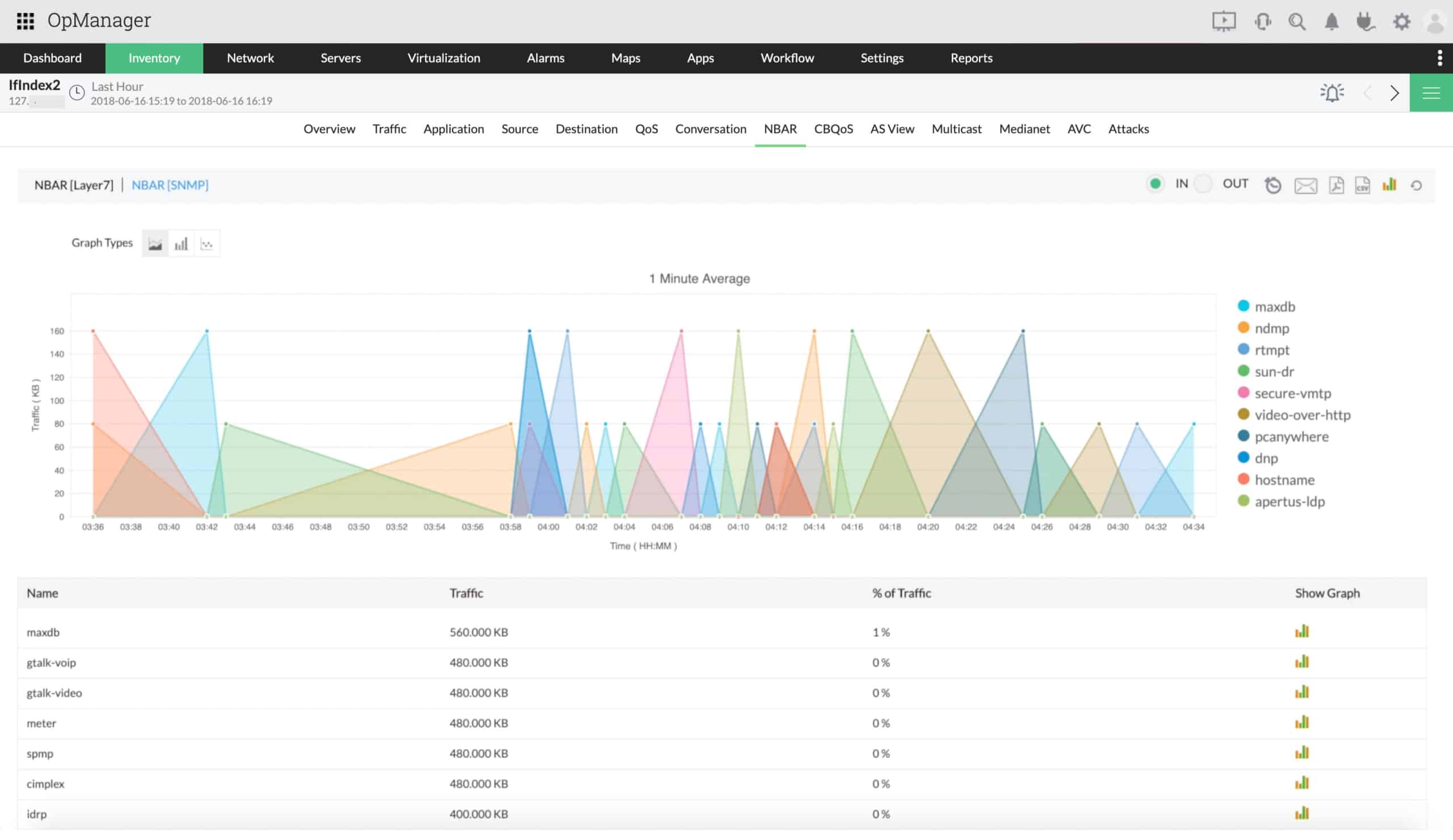
ManageEngine OpManager’s storage monitoring solution allows you to oversee all of your network storage devices from a single screen. It is highly customizable and also allows you to configure the severity of each potential alarm and manage the events that cause them. It allows you to see the availability, health, and utilization storage of RAIDs (Redundant Array of Independent Disks) and gives real-time alerts on software and hardware issues. It also allows for storage forecasting which allows you to predict your future storage requirements.
Key Features:
- Unified Single-screen Metrics
- Real-time Alerts
- Storage Capacity Forecasting
- IT Workflow Automation
ManageEngine offers a 30-day free trial and pricing varies depending on the number of devices you want to cover and if you want to opt for the perpetual or the subscription-based purchase.
EDITOR'S CHOICE
ManageEngine OpManager is our top pick for a storage monitoring tool because this package is able to discover, document, and monitor all equipment connected to the network. The capabilities of this system extend to storage server configurations such as SAN and NAS. The core of OpManager is the Simple Network Management Protocol (SNMP). So, you can use the tool to watch the performance of your network devices and endpoints. This provides a way to check that the delivery system of data from storage, over the network, to a server or workstation runs smoothly. The package includes an alerting system that will warn you if any device on your network is faulty. This gives your technician team an opportunity to attend to other tasks because they can be assured that your storage, network devices, and endpoints are all working fine unless they are notified of a problem.
Download: Access a 30-day FREE Trial
Official Site: https://www.manageengine.com/network-monitoring/download.html
OS: Windows Server, Linux, AWS, and Azure
2. Site24x7 – FREE TRIAL
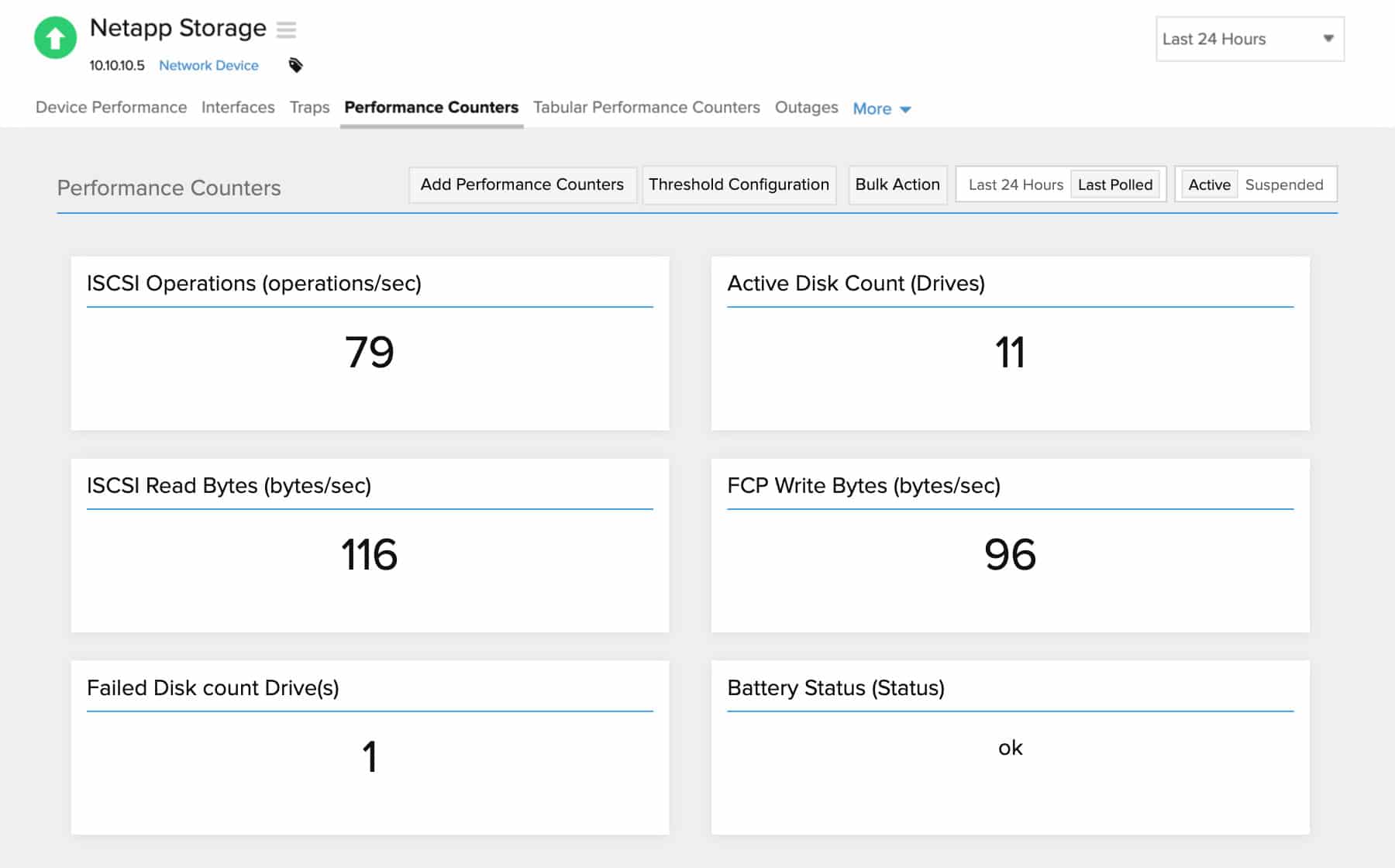
Site24x7 provides storage monitoring with live visibility into health, performance, and capacity across mixed environments. It can follow on-premises storage, NAS, SAN, and hosted storage services such as AWS and Azure, while tracking measurements such as disk usage, read and write activity, and I/O throughput. Alerting and automated notifications help teams intervene before storage issues spread into wider operational problems.
Key Features:
- Supports storage hardware from multiple vendors
- Provides health and performance insight at the device level
- Includes capacity planning functions
- Tracks activity across storage arrays
You can test the full Site24x7 platform through a 30-day free trial.
3. ManageEngine OpManager Nexus – FREE TRIAL
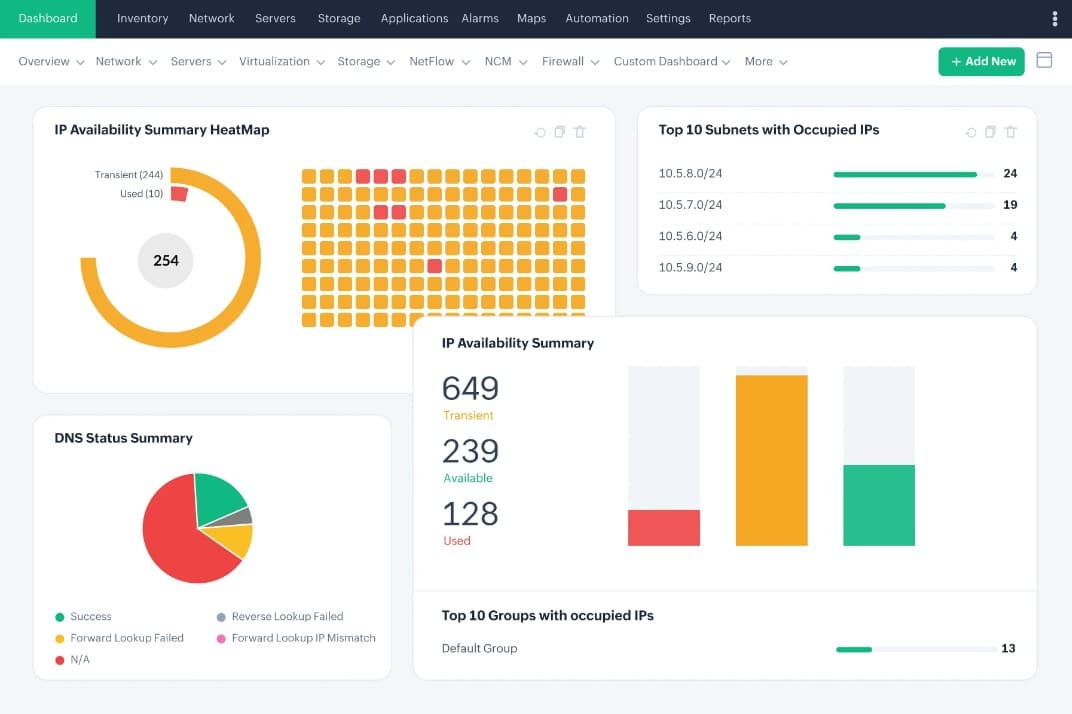
ManageEngine OpManager Nexus, formerly OpManager Plus, is an infrastructure monitoring framework that can monitor all the storage devices from multiple vendors. Some of the metrics it can monitor include disk usage rates, storage capacity, RAID health, and device performance. More importantly, these metrics are combined with information from your servers, networks, and applications to get comprehensive views of your infrastructure.
Key Features
- Monitors multiple vendors
- Tracks critical storage metrics
- Detects hardware issues
- Generates instant alerts across multiple channels
- Supports capacity planning
- Generates audit-ready reports
Register for a 30-day free trial.
4. Paessler PRTG Storage Monitoring – FREE TRIAL
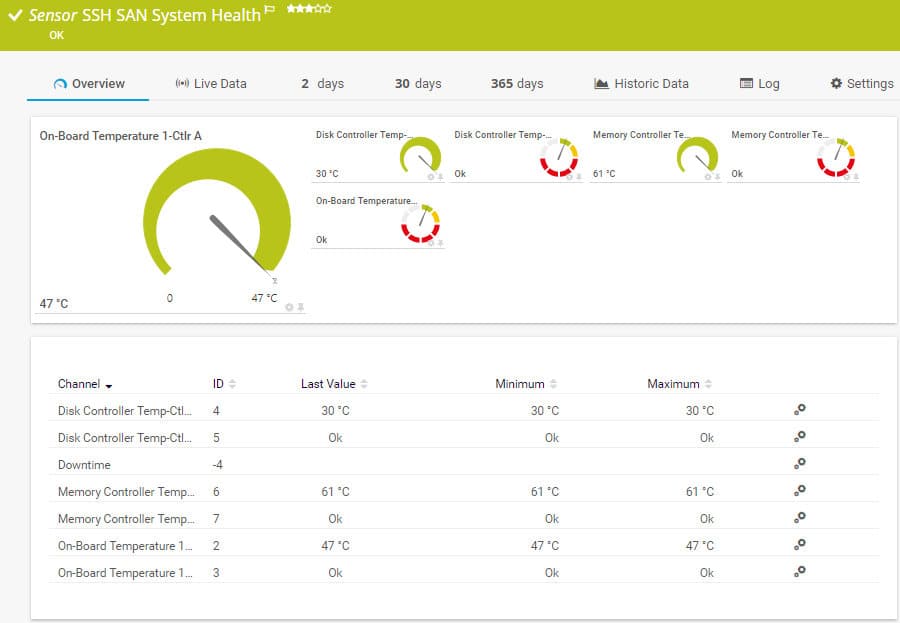
Paessler PRTG is equipped with all the necessary tools to monitor and secure your storage area networks. It allows you to proactively bypass errors by redistributing resources. It also employs all of its network values on an intuitive and simple-to-use dashboard. If there ever occurs an error such as a SAN reaching capacity limit or becoming unreachable, it will notify you using your preferred method of choice. This can be SMS, email, or push notifications.
Key Features:
- Unified simple-to-use dashboard
- Customizable Alerts
- High performance with low system requirements
- High-Security Standards
Paessler offers a 30-day free trial with pricing starting at 1,449€.
5. IntelliMagic Vision For SAN
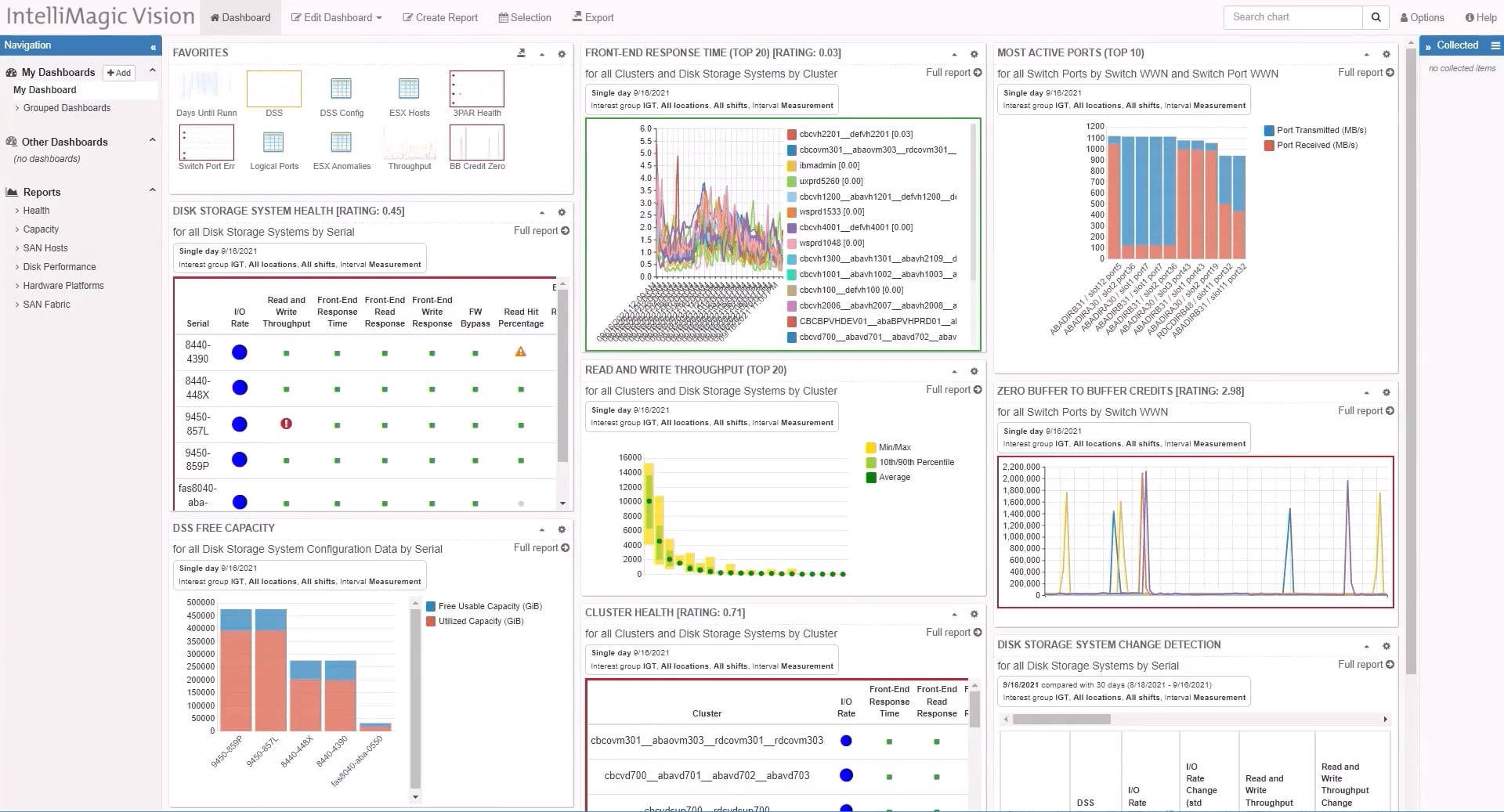
IntelliMagic lets you monitor all the vital metrics of your SAN infrastructure on a single screen. With its built-in artificial intelligence, it proactively detects any potential bottlenecks or other issues that may arise in your storage arrays. If left unchecked, these issues can either cause data loss, slowdown, or complete failure. The advanced statistical analysis feature provides very deep insight into potential anomaly detection, furthermore, with every change it monitors, it will also inform you of the expected significance of that change. This feature doesn’t monitor only the SAN disks but also covers a lot more infrastructure. Paired with accurate capacity forecasting, it will understand future storage capacity requirements and use its AIOps to prevent capacity constraints. IntelliMagic logs key metrics over time and calculates the consumption rates over time, creating a precise and comprehensive view of the free space expiration on your storage systems.
Key Features:
- Monitor all your vital metrics on a single screen
- Built-in AI allows detailed anomaly detection
- Accurate Capacity Forecasting
- Proactive Health Insights
IntelliMagic offers a free 30-day trial and requires the user to request the pricing so they can purchase the full license.
6. Nagios
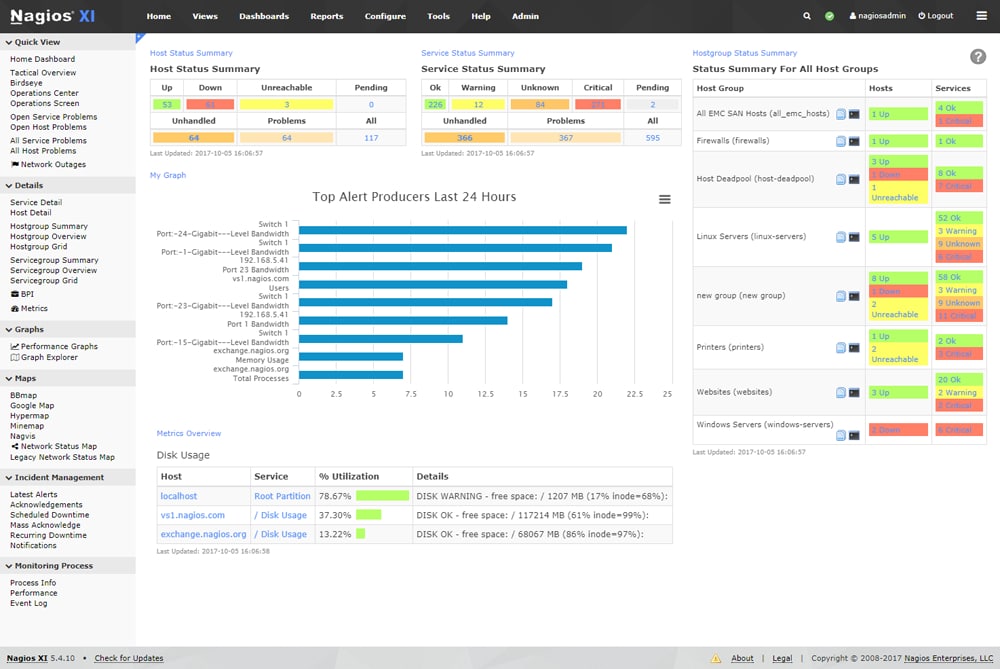
Nagios offers a complete and thorough monitoring solution for your entire system. It displays vital metrics such as directory size, file size, disk usage, and more. It utilizes the Nagios Core 4 monitoring engine which allows for highly efficient processing with seemingly infinite scalability and monitoring effectiveness. It also comes in with the caveat of not only monitoring your storage but thanks to its hundreds of third-party add-ons, it has the potential to monitor virtually all of your systems as well. On top of all of that, it comes with a customizable GUI where you can edit the layout, design, and preferences on a per-user basis. The only issue however is that it doesn’t offer its service for Windows users.
Key Features:
- Powerful Monitoring Engine
- Advanced Graphs
- Capacity Planning
- Infrastructure Management
- Configuration Snapshots
- Advanced User Management
Nagios offers a 30-day trial and pricing starts from $1,995.
7. AppDynamics
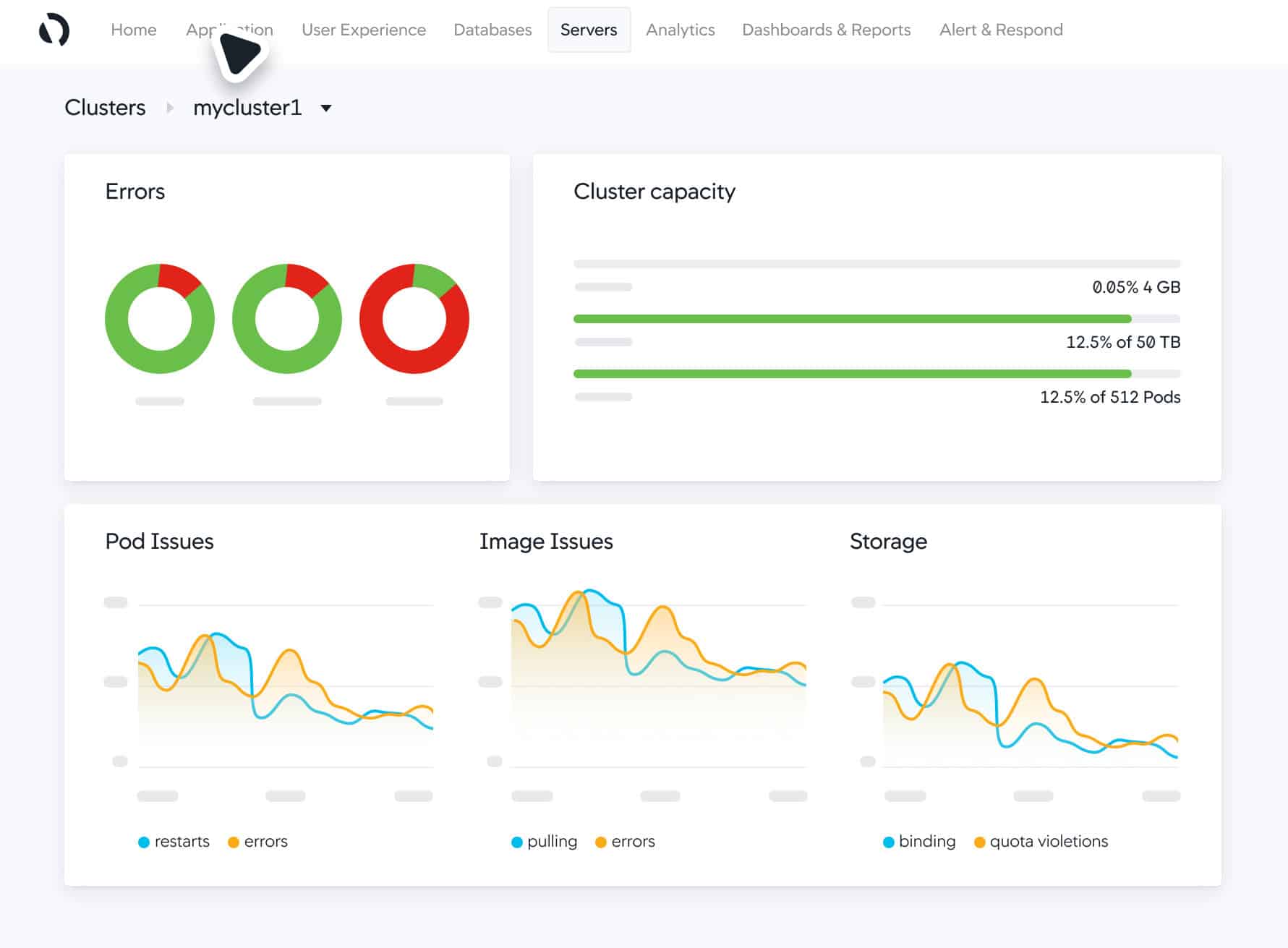
AppDynamics allows you to monitor your network very efficiently with unmatched clarity in complicated environments. It employs features such as connecting the IT teams to business results and creating a clear correlational picture of how the IT teams affect business performance. Other than that, it allows for real-time anomaly tracking and repair.
Key Features:
- Complete Visibility
- Automated Actions
- Fix anomalies in real-time
- Allows integration for immediate alerts
- Deep diagnostic capabilities
AppDynamics offers a 15-day trial and the user needs to contact the support for pricing.
8. SolarWinds Storage Resource Monitor
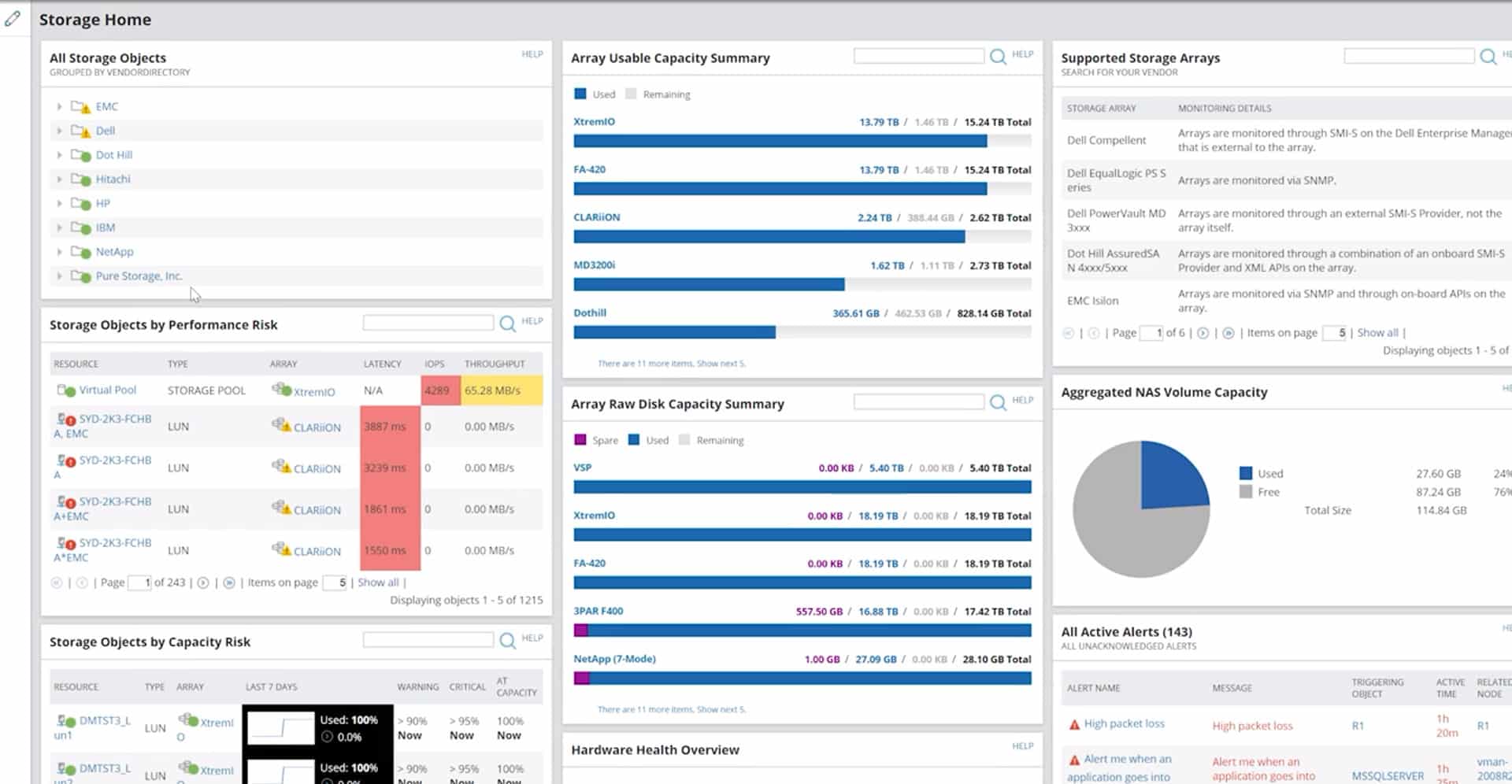
SolarWinds Storage Resource Monitor (SRM) offers both SAN and NAS monitoring capabilities. It is easy to use and has a highly customizable dashboard that displays the entire storage infrastructure. Because you have RAID groups, LUNs, and storage arrays to worry about, it is important to have simple, easy, and precise problem identification. Luckily, SolarWinds offers deep insight into these issues, practically trivializing them. It also tracks and monitors your storage data to build prediction models to forecast your future storage needs. Other than that, it also provides insights into performance metrics and key capacity trends.
Key Features:
- Easy and Fast to Install
- Monitors both SAN and NAS
- Highly Customizable Dashboard
- Builds Forecast Prediction Models
- Provides Deep Insight
- Centralizes Management
SolarWinds offers a 30-day trial and you will need to contact support for further pricing options.
9. eG Innovations Storage Performance Monitor
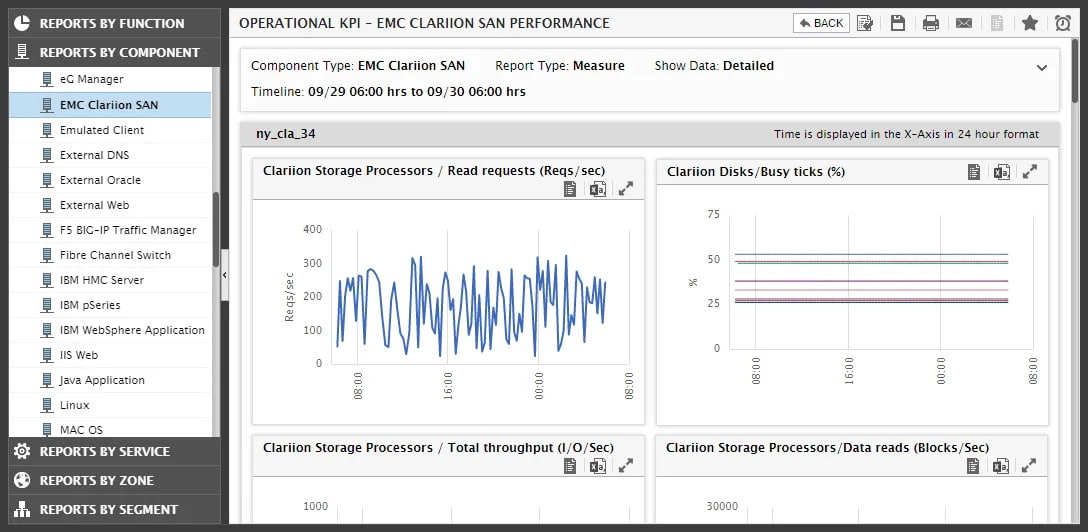
eG Enterprise Storage Monitor oversees your vital resources while also providing incredible depth in analyzing and reporting problems in your infrastructure. Whenever a problem is storage related, it is always challenging to diagnose the root of the issue. Many different variables and components might be the cause and all of those can cause significant bottlenecks, slowdown, or worse. The best solution for these issues is proactive, making sure that your infrastructure analysis is accurate in its predictions and preventing any issues before they even arise. With the eG Enterprise Storage Monitor Unified Storage Monitoring, diagnostics, and reporting have never been easier. It provides deep visibility into sub-storage systems, simplifies problem diagnosis by correlating performance with that of other infrastructure tiers, and more.
Key Features:
- Complete Oversight
- Proactive Approach
- Deep Monitoring
- Easy Diagnostics
- Unified Storage Monitoring
Users must contact support for pricing.
10. PA Storage Monitor
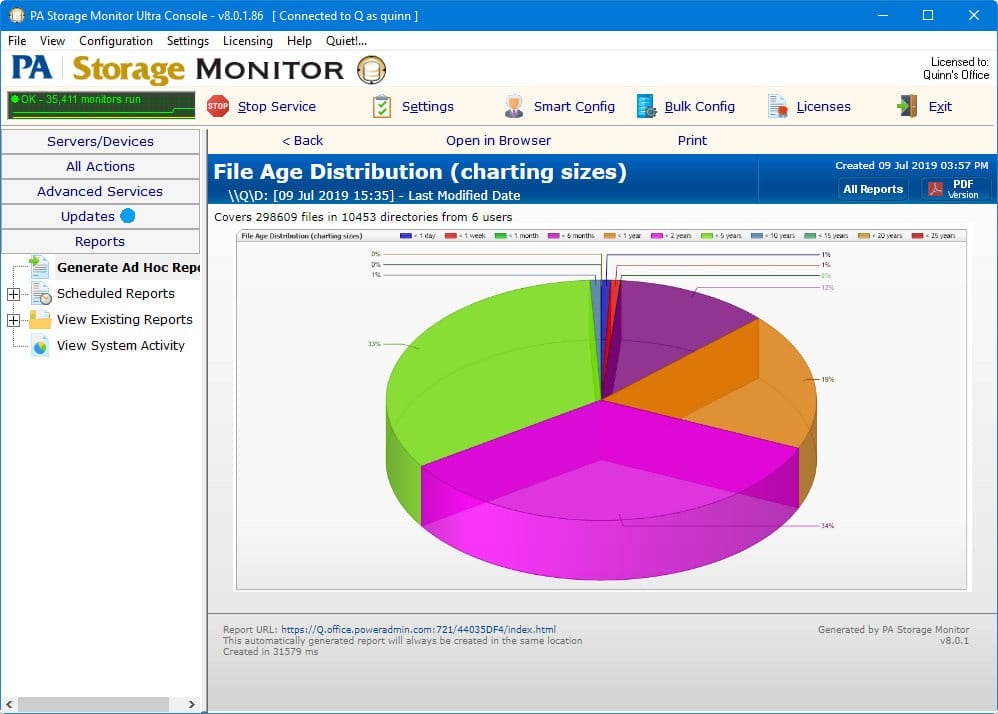
PowerAdmin Storage Monitor is a budget option that is a standalone tool that unlike many of our other entries, focuses only on storage management. It has many of the necessary features such as detailed disk space monitoring with prediction reports. With customizable alert types and scheduled reports, you won’t be missing anything. The reports are also HTTP based so you can view them either from the manager software console or a browser. It can also monitor the size of each storage array, keeping track of its growth rate and alerting you once it grows over a certain size.
Key Features:
- Predictive Disk Space Monitoring
- Specific File Size Monitoring
- Rich Schedulable Reports
- Configurable Alerts
- HTTP Based Reports
Pricing starts at 49$ USD for a single license.
Summary
We have covered a wide array of options in this list, it is important to understand that there is no such thing as the absolute best software for every scenario. Every single business has different needs and requirements, not to mention your IT experts have their preferences as well. Considering everything that we’ve talked about in this guide, hopefully, you can come to a conclusion and find the perfect solution for you and your business.