


Having an efficient Query Builder can be essential for your business. From making sure that it’s user-friendly for your inexperienced technicians, to making sure that it has all the right features for a seasoned developer. Getting the right tool for the job is important, and in this article, we will be covering 8 different Query Builders that can help you boost your business further.
The Best SQL Query Builders
1. SolarWinds SQL Sentry
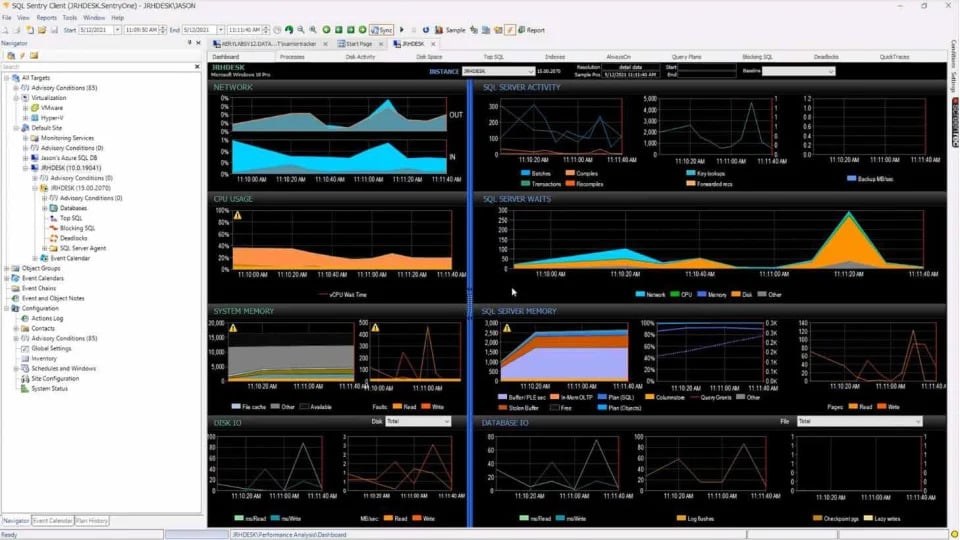
SolarWinds SQL Sentry is a great tool to optimize and streamline your performance, at many levels. First of all, it utilizes DataOps to help you detect issues and get precise reports on them, and how to optimize them. This way you can stop worrying about slowdowns and start working on optimization instead, making sure that your databases are running as close to optimal capacity as possible. It also helps with identifying SQL server queries that cause bottlenecks. You have access to execution plan diagrams, query history, and many more features, far more advanced than SQL Server Management Studio (SSMS). This way you can rest assured that all of your high-impact SQL queries will be optimized much more easily.
Furthermore, you can proactively manage your performance by automating responses to specific conditions. This way your IT technicians can focus on more important tasks while the menial, repetitive issues are dealt with automatically in a pre-programmed way. It also offers Deadlock analysis to help find the root of the issue. SQL Server Blocking Analysis which allows you to quickly, and efficiently analyze all of the blocking details in an effort to resolve it. TempDB analysis which is intuitive to use, with integrated visualizations that help you stay on top of tempdb health at all times. Many of these features, visualizations, and more are also available to use from the browser if you ever need to check on your database from a remote location. And to top it all off, it scales really well. It has demonstrated proof of monitoring over 800 SQL Server instances with just a single monitoring database.
It works on Windows, AWS, Azure, and Linux. SentryOne also comes with a 14-day free trial which includes full features. If you wish to purchase the full version, you need to contact SolarWinds and request a quote.
2. Data Xtractor
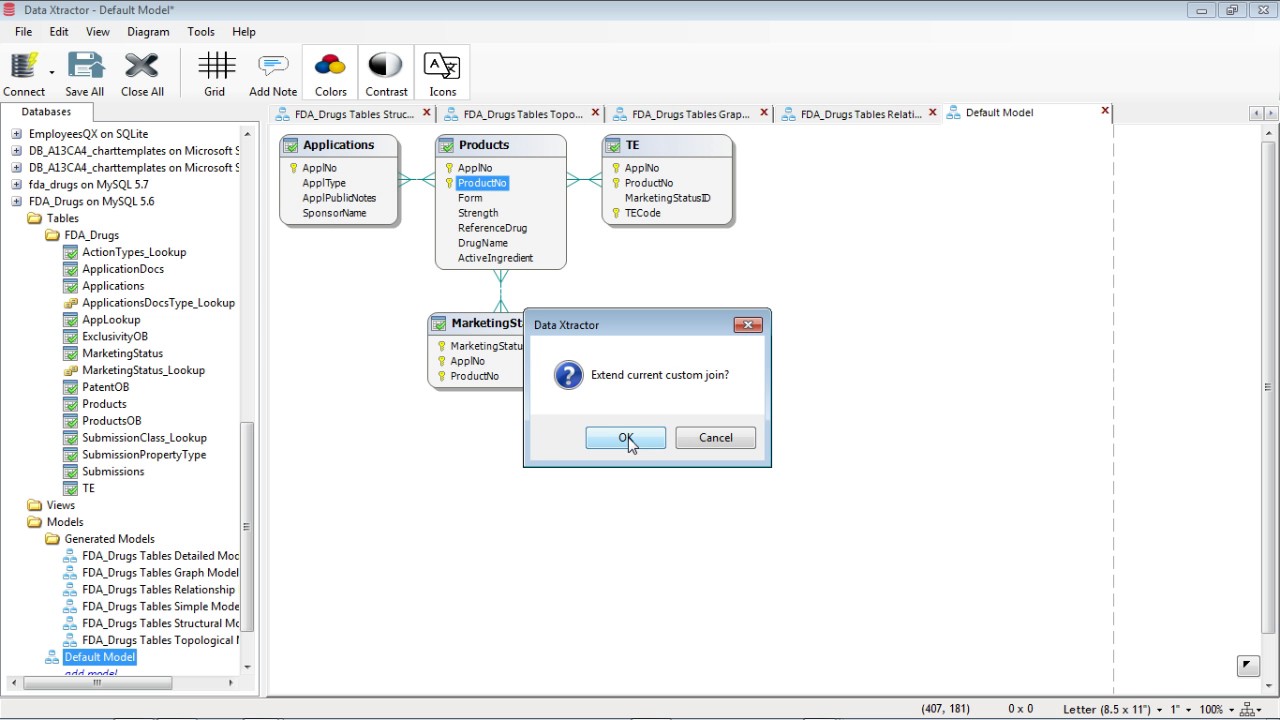
Data Xtractor incorporates multiple tools under one roof. It is comprised of the Visual Xtractor, Query Xtractor, Model Xtractor, and Security Xtractor. The main benefit of the Data Xtractor is the fact that you can input queries with little to no knowledge of SQL. The reason why this is possible is because of the Visual Xtractor tool. It allows you to visually build SQL queries, allowing it to sort all of the code for you automatically. This way you can rest assured that if you’re experienced or new at working with SQL queries, your process will be made comprehensible and streamlined. It is free for Microsoft Access, Firebird, Microsoft SQL Server databases, and SQLite. Furthermore, all individual components of the Data Xtractor are available to download for free. There is also a yearly paid subscription for 132$ which allows you to build SQL Queries unrestricted on all of their supported databases.
3. IDERA Rapid SQL
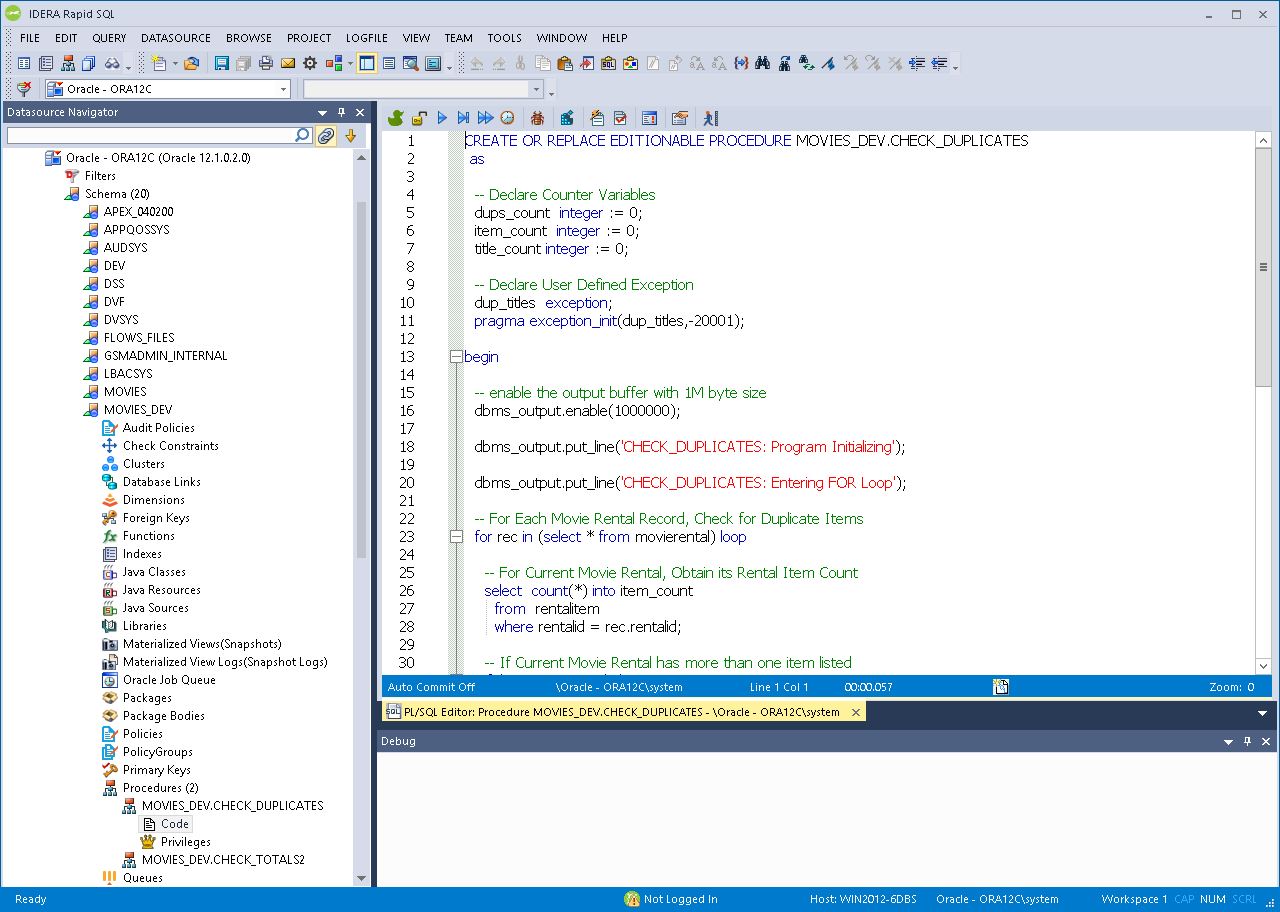
IDERA Rapid SQL helps you create code using a visual query builder. You simply point and click to implement the new code. You also have code templates that help speed up the process since you won’t need to memorize and type out code, as well as help beginners learn from the templates. Beyond this, it has many other code optimizations which you can use. It helps you optimize code in real time, and gives suggestions on how to improve it further. It automatically helps you format code so you can navigate easily in larger SQL files, gives you context-sensitive suggestions as you type, and many more features. It is compatible with SQL Server, Db2, Oracle, and SAP Sybase. IDERA Rapid SQL comes with a free 14-day trial, with the option to request a demo. To purchase the full product, you will have to contact the provider and request a quote.
4. RazorSQL
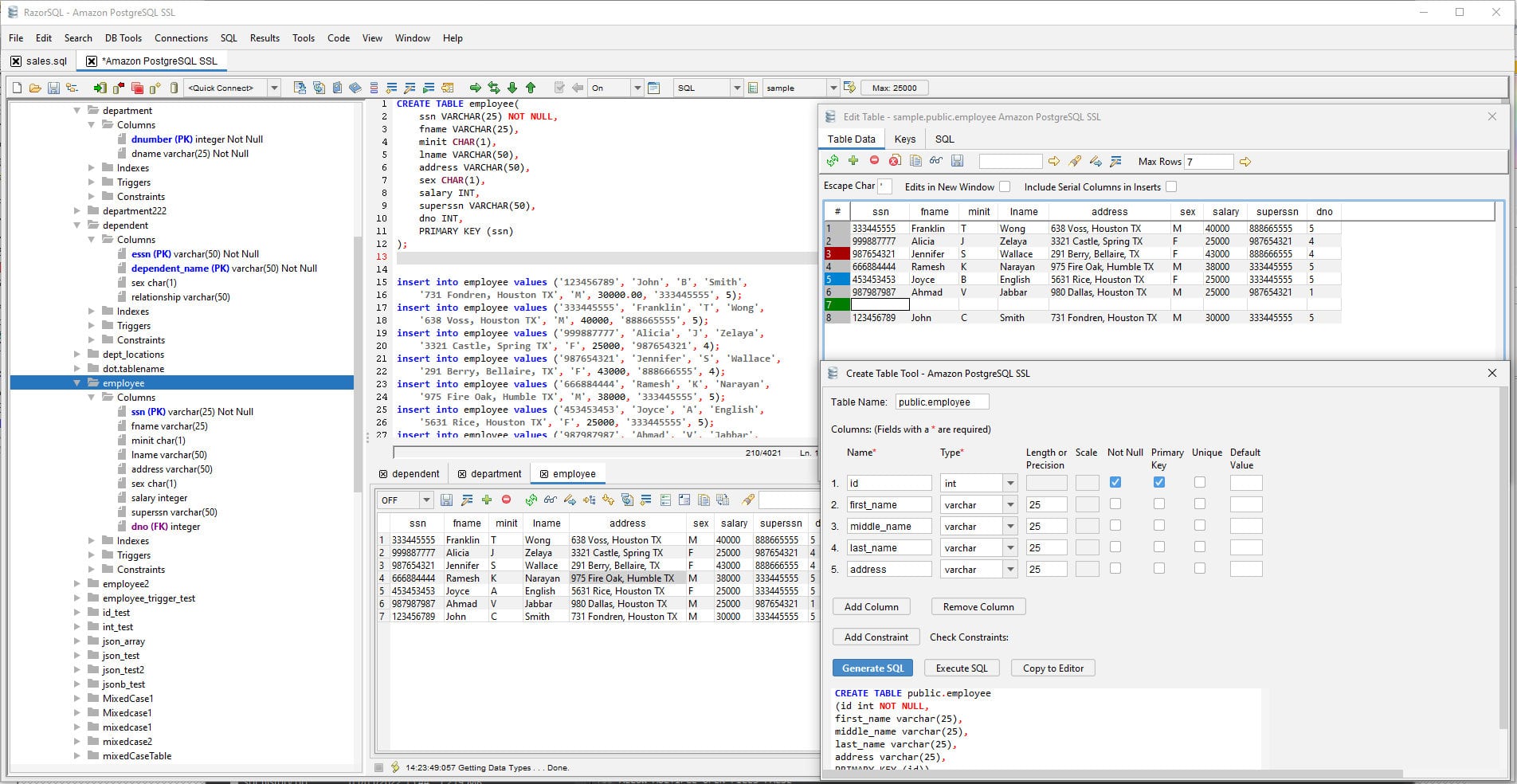
RazorSQL allows you to visually construct queries using its SQL Query Builder Tool. Paired with its autocomplete function for code, you can speed up your work regardless if you are a rookie or a professional. Furthermore, it is compatible with a multitude of databases such as MySQL, Oracle, PostgreSQL, DB2, MS SQL Server, Salesforce, Sybase, SQLite, SQL Azure, Snowflake, and many more. It also comes cross-platform, allowing you to use it across Windows, MacOS, and Linux.
5. Toad
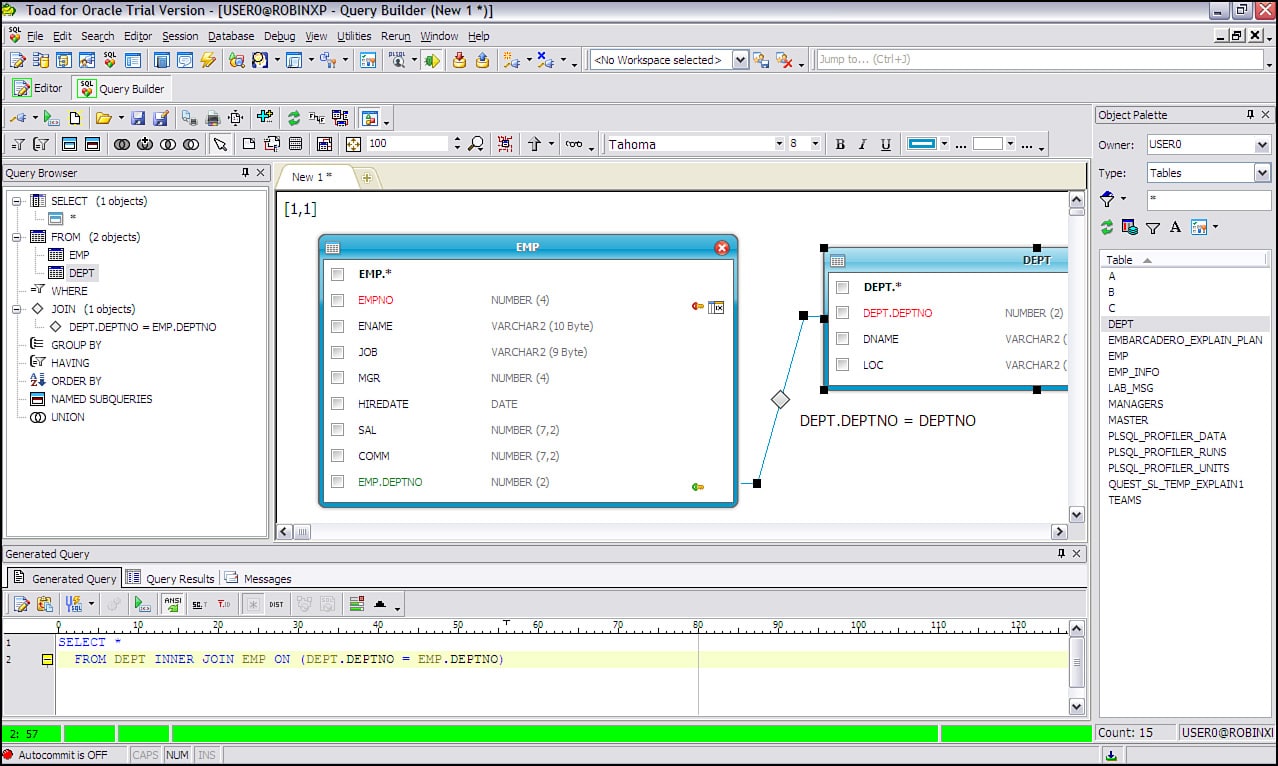
Toad offers useful features for both experienced users and newcomers alike. Even if you have nearly no knowledge of how to build SQL code, you can use Toads’ graphical user interface to visualize and build the query in an easy and comprehensive manner. Toad offers the ability to create queries on MongoDB, Google Analytics, Salesforce SOQL, and many other data sources. It offers a free 30-day trial with full features enabled. The pricing starts at $469.99 for a one-year license of the professional edition.
6. Skyvia Query Builder
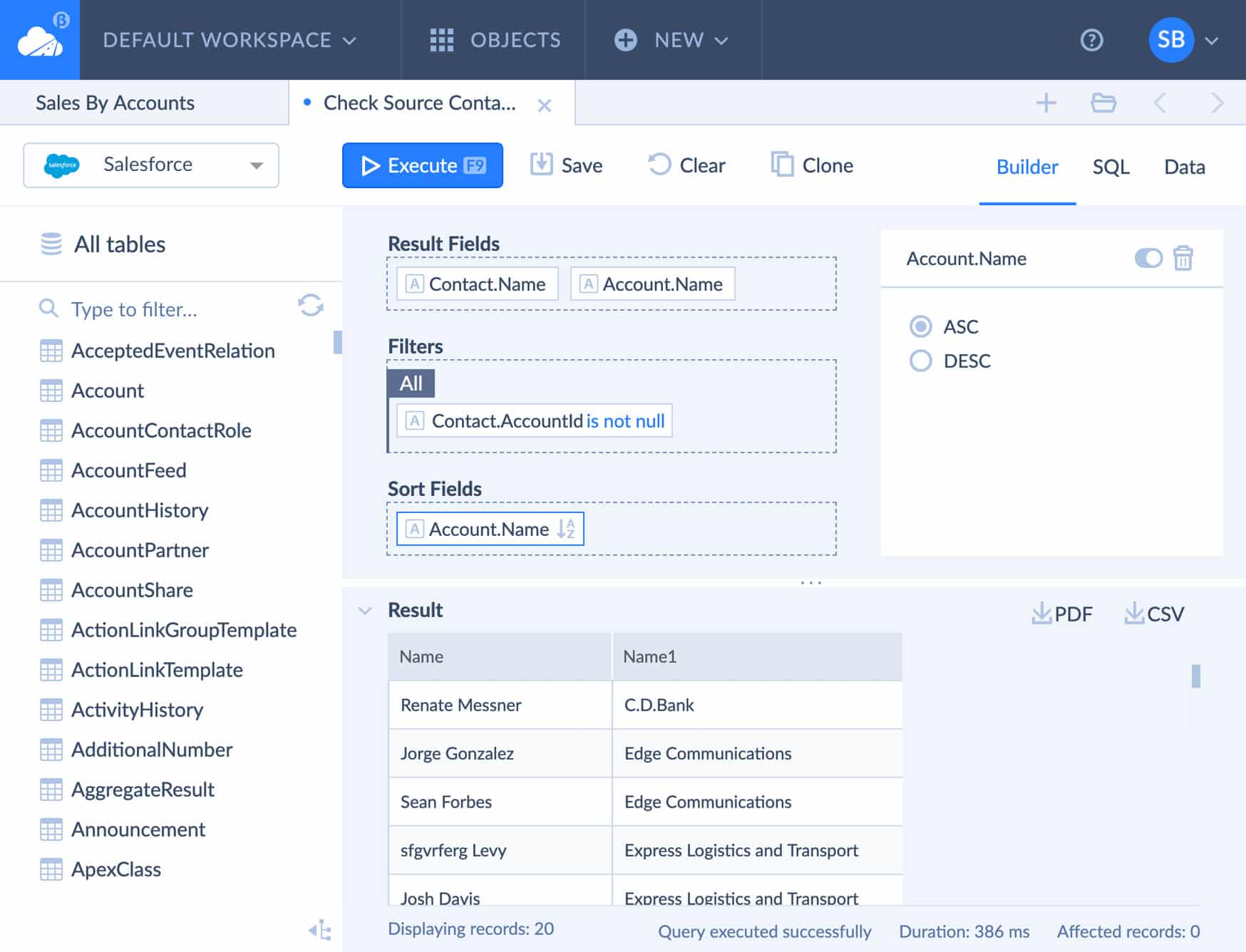
Unlike the previous tools, Skyvia Query Builder is browser-based, allowing for many unique benefits. It allows you to drag and drop complex queries visually, meaning that you don’t even have to write a single piece of code. This in turn makes it both very user-friendly and compatible with long-time users. Do note that if you ever want to change the code that was generated visually, there is an option for that by swapping to the SQL code editor. Furthermore, some of the features that are available for you in the Skyvia Query Builder are Filter Groups, Easy Sorting, Type-Specific functions, Aggregations, and more.
Skyvia Query Builder is a web-based visual query creation tool ideal for both experts and non-technical users who, without knowing anything about SQL, could extract the required data from supported cloud databases and applications. While not fully SQL-centric, it lets you produce just the exact data that you need by simply indicating the data in question, applying functions and aggregations, and configuring sorting and filtering. You can manage the data in local Oracle, MySQL, SQL Server, PostgreSQL, and MariaDB databases. You connect to any of these using a secure Skyvia Agent which is securely encrypted with TLS. This tool is perfect if you have to do a lot of work on the cloud, considering the fact that it allows you to access data from different cloud databases and cloud data warehouse services with just one, unified screen. It comes with a fully free version for smaller volumes of data, and the pricing splits by monthly and annual pricing. The most basic package starts at $15 a month and has flexible features to make sure that you are fully covered for your needs.
7. SQL Diagnostic Manager
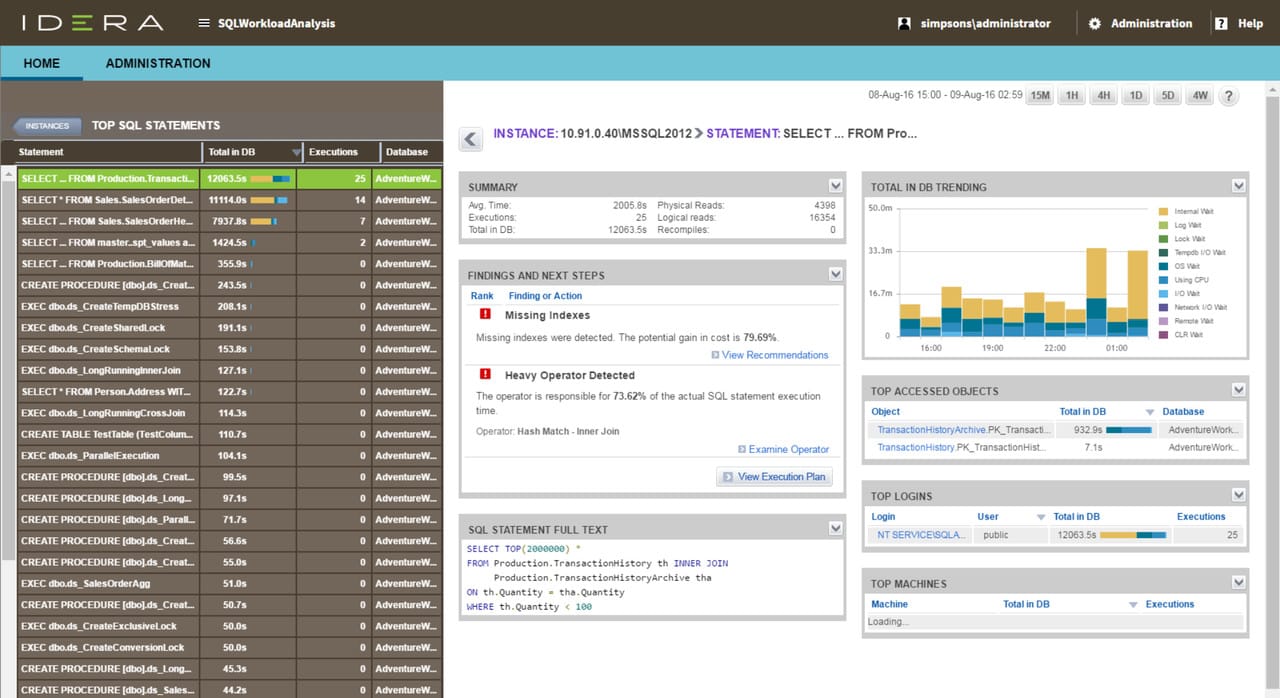
This is another IDERA product here on this list, we will be specifically focusing on a plugin for the SQL Diagnostic Manager called SQL Query Tuner. SQL Query Tuner is an extension of the SQL Diagnostic Manager. It helps detect any slowdown or unoptimized SQL queries. It does this by analyzing and graphically profiling critical metrics within the database. This way you can rest assured that instead of just barely managing a crisis during times of a slowdown or when your queries are unoptimized, you can instead resolve them near immediately, and focus on keeping them running at optimal capacity instead. Not only does it practically eradicate the problem of running diagnostics, but it also frees up time for your IT technicians to focus on other issues. It works out of the box with many different alert types that will be running immediately. This tool is ideal for smaller businesses that don’t have the resources for an experienced developer.
This tool is a good tool for the DBA of a small business that doesn’t have the resources to call on an experienced developer to fix query issues that the database monitor has revealed. Developers would be better off with Idera Rapid SQL, which is explained further down on this list. IDERA offers a 14-day free trial period. If you wish to purchase the full product or get a demo, you will have to contact IDERA directly.
8. FlySpeed SQL Query
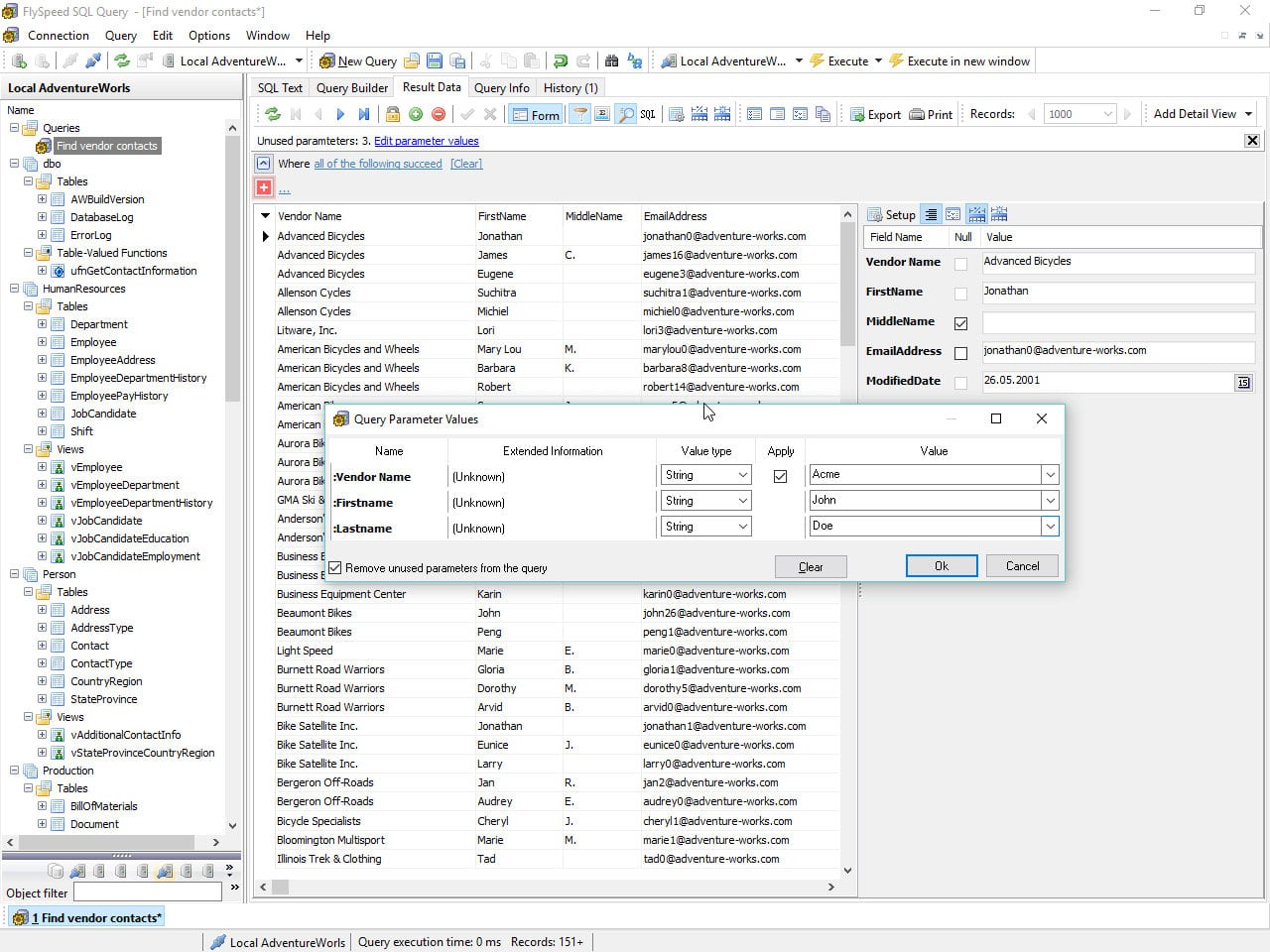
FlySpeed SQL Query has drag-and-drop features for visual query building. This way you can easily and comprehensively build complex structures with no previous experience necessary. All of your queries will be saved as you work, so you’ll always be able to continue the work from wherever you left off. This also extends to all of your settings that you have set up as well. Furthermore, you can add Flyspeed SQL Query to your cloud folder, network, or portable drive as well. You may use a fully functional free-use non-commercially, while the commercial version starts at $49.
Conclusion
Many of these tools offer a variety of features that could be beneficial for your business. Picking the right tool for the job is not an easy task, which is why special consideration is needed since it is so important for the future of your business as well. Hopefully, you’ve gained some new insights here which helped you figure out the right tool for you.