

Optimizing your SQL queries can be a difficult and time-consuming task. To improve these queries, database administrators usually manually edit the code, tweaking it bit by bit to get it working as perfectly as possible. This, however, doesn’t scale up well with large networks. The more complex your database operations, the more subject it is to human error, introducing inefficiencies and costing you precious resources. This is where automated optimization becomes a benefit.
Here is our list of the best SQL Query Optimizer tools:
- ManageEngine Applications Manager – EDITOR’S CHOICE This large package is able to scan a system and discover all of its applications, including relational databases. The database monitoring services of the bundle include an SQL query optimizer and also a database tuning tool. Available for Windows Server, Linux, AWS, and Azure. Get a 30-day free trial.
- Site24x7 SQL Server Monitoring – FREE TRIAL This service is one of the units on a cloud platform of system management and monitoring modules. It will track database responses to queries and suggest more appropriate query ordering, given the structure of objects within it. Access a 30-day free trial.
- ManageEngine OpManager Nexus – FREE TRIAL A full-stack monitoring platform that analyzes the cause of slow SQL queries and provides insights for troubleshooting them. Download a 30-day free trial.
- SolarWinds Database Performance Analyzer Get advanced SQL optimization with real-time analytics and wait-time analysis from this specialized tool that is suitable for complex environments.
- Redgate SQL Monitor This live monitoring tool provides alerting and diagnostics, for proactive performance insights and strong historical reporting.
- Idera DB Optimizer A focused tool for performance tuning and query analysis with detailed execution plans. This is primarily a utility for DBAs.
- EverSQL Query Optimizer An AI-driven query optimization tool that analyzes and restructures queries for speed, offering real-time recommendations. Great for developers.
- Paessler PRTG Network Monitor This network monitoring tool with SQL capabilities offers database performance insights alongside network metrics.
Making sure that your queries are as optimal as possible, ensures that your hardware consumption will stay as low as it can and that everything will proceed to run smoothly. Not only that, but you can get intelligent alerts and use machine learning to automate immediate remediation steps to clear the error.
The Best SQL Query Optimizer Tools
1. ManageEngine Applications Manager – FREE TRIAL
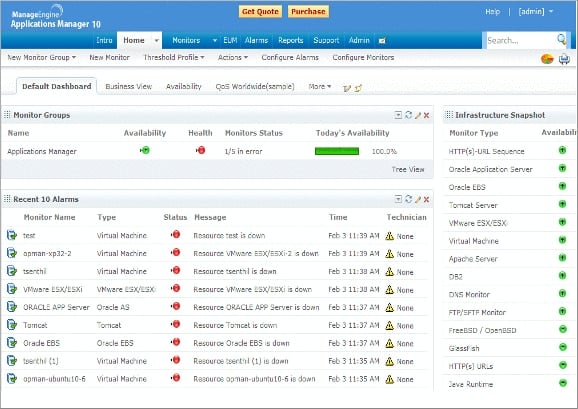
ManageEngine Application Manager is a flexible tool offering a lot of utility for many things besides simply optimizing SQL queries. It is however quite proficient at doing this specific job. It is capable of monitoring on-premises, remote, and cloud databases. It has autodiscovery features, which means that it will discover and categorize all of your databases autonomously. It will then proceed to start monitoring those databases, where you can tweak and customize the parameters to your specific desires.
It helps you monitor a multitude of critical metrics to make sure your infrastructure is operating smoothly, these metrics include CPU, memory, buffer cache, connection statistics, user sessions, and resource pools. It also features machine learning capabilities which allow you to allocate resources for database instances as efficiently as possible. Furthermore, machine learning allows you to record a baseline for how your database operates, for which it then proceeds to detect anomalies in real-time, alerting you when an unexpected issue occurs.
It also allows you to monitor a plethora of databases from a single, unified console. These range from relational, NoSQL, In-memory, Key-value, and Cloud databases. ManageEngine offers a 30-day free trial, as well as a demo if you request it. If you wish to purchase the full product, you will need to contact ManageEngine for a quote.
EDITOR'S CHOICE
ManageEngine Applications Manager is our top pick for an SQL query optimizer tool because it offers extensive monitoring and performance tuning tools that streamline SQL database management across various environments, including MySQL, Microsoft SQL Server, Oracle, PostgreSQL, and more. The tool’s real-time query monitoring detects slow-running queries and provides in-depth metrics on execution time, query wait states, CPU, and memory usage. This empowers database administrators to quickly identify and resolve performance bottlenecks that could slow down applications. One of the key advantages is Applications Manager’s intuitive dashboard, where users can view execution plans and analyze SQL statements for inefficiencies. By tracking metrics like cache hit ratios and deadlock occurrences, the tool helps optimize resource utilization and improves overall database responsiveness. Applications Manager’s alerting system notifies teams of high-impact issues, allowing them to take proactive steps to maintain database efficiency. This system enables historical trend analysis, helping administrators forecast future usage patterns and make informed decisions about indexing and query structuring. ManageEngine Applications Manager stands out for its deep visibility, automation, and proactive performance tuning capabilities.
Download: Get a 30-day FREE Trial
Official Site: https://www.manageengine.com/products/applications_manager/download.html
OS: Windows Server, Linux, AWS, and Azure
2. Site24x7 SQL Server Monitoring – FREE TRIAL
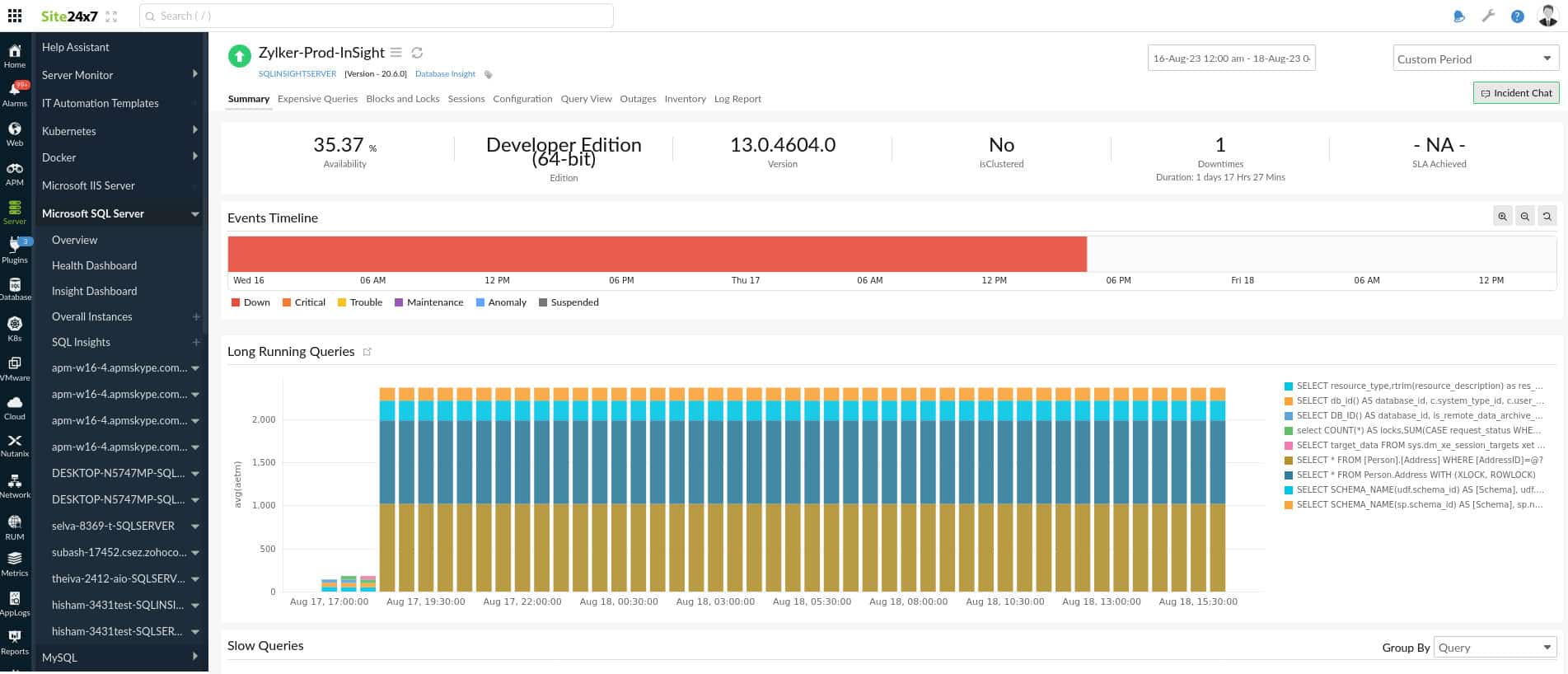
Site24x7 SQL Server Monitoring comes fully functional out-of-the-box. It provides a single dashboard that unifies all the important metrics you need to consider. It helps you detect and optimize any performance issues with ease. The metrics that it displays offer keen insight into the availability of your SQL servers or clusters, such as the number of downtimes, cache hit ratio, and the performance of all the active and passive nodes.
Site24x7 SQL Server Monitoring is available on both Windows and Linux. It offers a free 30-day free trial, as well as a demo if you request it on their website. If you wish to purchase the full product, you will have to request a quote from ManageEngine.
3. ManageEngine OpManager Nexus – FREE TRIAL
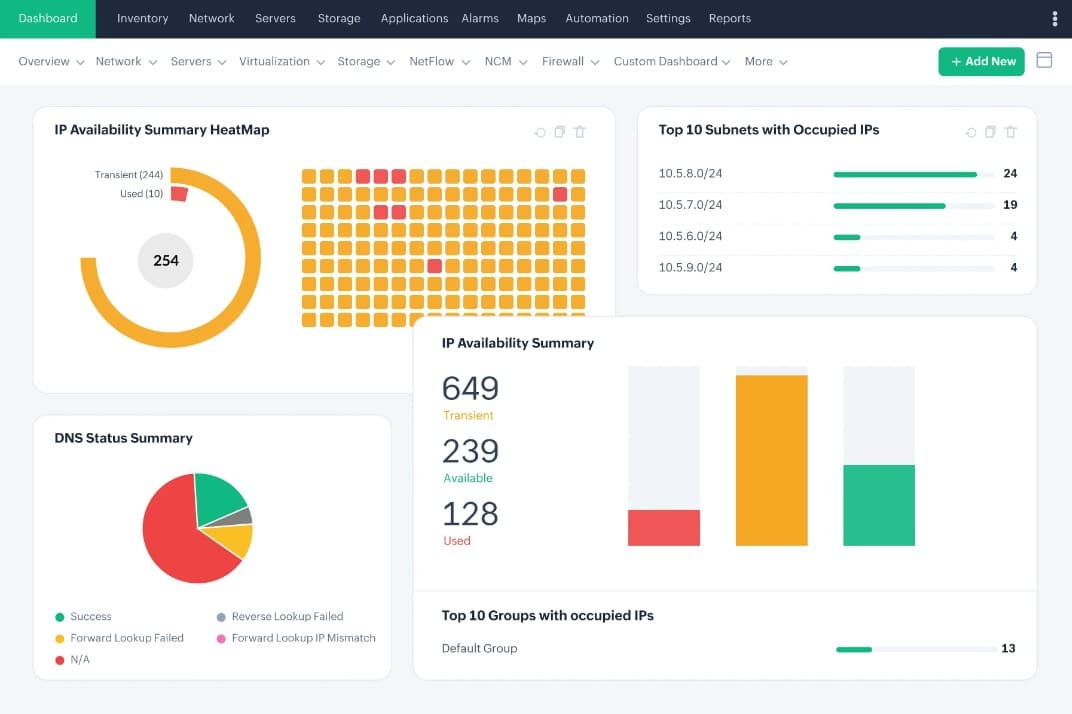
ManageEngine OpManager Nexus, formerly OpManager Plus, offers comprehensive tracking of all metrics in your database to pinpoint the root cause of issues. It is specifically designed for identifying slow SQL queries, as it offers execution time insights and the accessed database objects to help understand and fix the underlying cause.
It displays all the relevant data on intuitive dashboards for easy understanding. Moreover, you can drill down into the specific metrics to get the required information.
OpManager Nexus also monitors background queries that consume resources. This metric can help identify concurrent workloads that conflict with each other. All this information will be highly useful for optimizing your queries.
This platform has two pricing editions – Professional ($1,233 for 50 devices) and Enterprise ($19,995 for 1,000 devices). Both prices are per year. Start a 30-day free trial.
4. SolarWinds Database Performance Analyzer
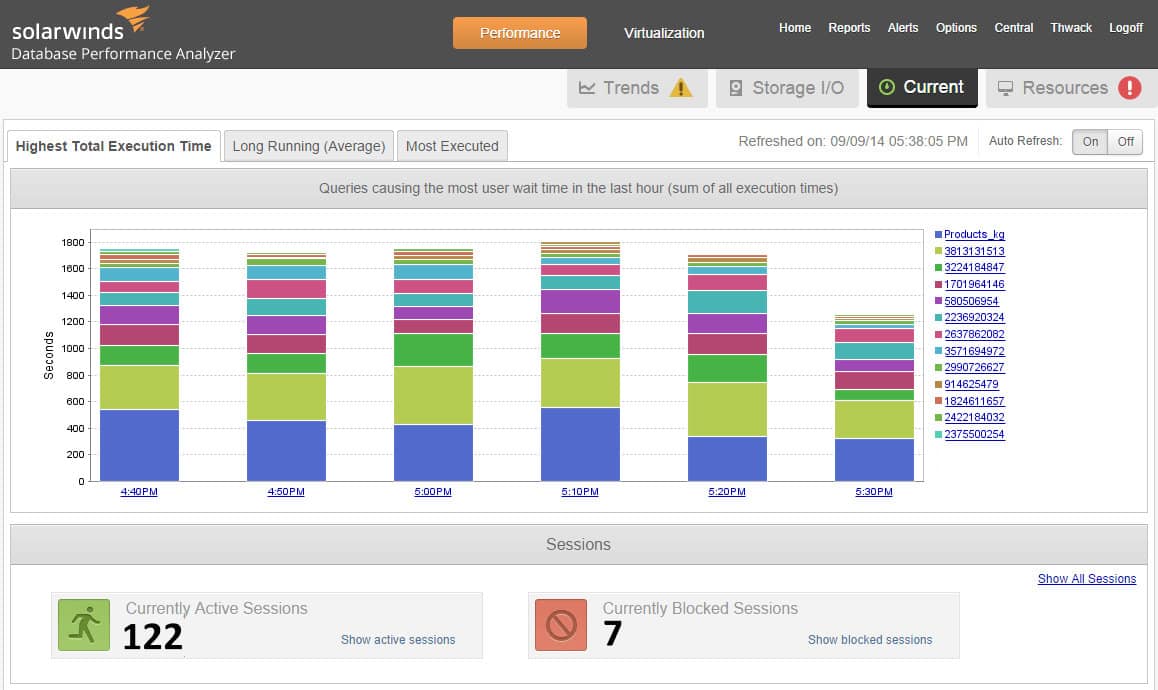
The SolarWinds Database Performance Analyzer (DPA) is great for detecting anomalies and analyzing performance issues. It also features machine learning capabilities that allow you to proactively protect your infrastructure before problems escalate. DPA has response time monitoring capabilities for rapid analysis of SQL statements, which in turn help you find the core of the performance issues.
This way you can receive precise advice on how to fine-tune your SQL database to optimize it even further. It even helps you provision resources while optimizing your performance. This way you can try and avoid unnecessary new hardware purchases, and instead use the resources you have in a more intelligent manner instead. It also features an automated database monitor with DPA REST API. It is fully agentless and automates the database optimization process through each step, which includes the monitoring, troubleshooting, and resolution process.
The DPA REST API allows for licenses and registration on SQL Server, MySQL, Azure SQL, and more. You also have the option of speeding up your root cause analysis by searching for specific SQL queries using various factors such as application name, user, and host, as well as specific SQL statements such as table and column names. You then view the key performance metrics related to that search in an attempt to figure out the root cause of the issue, resulting in an overall faster diagnostic process.
SolarWinds offers a fully functional 14-day free trial, as well as an interactive demo. To purchase the full software, you will need to go to SolarWinds and request a quote.
5. Redgate SQL Monitor
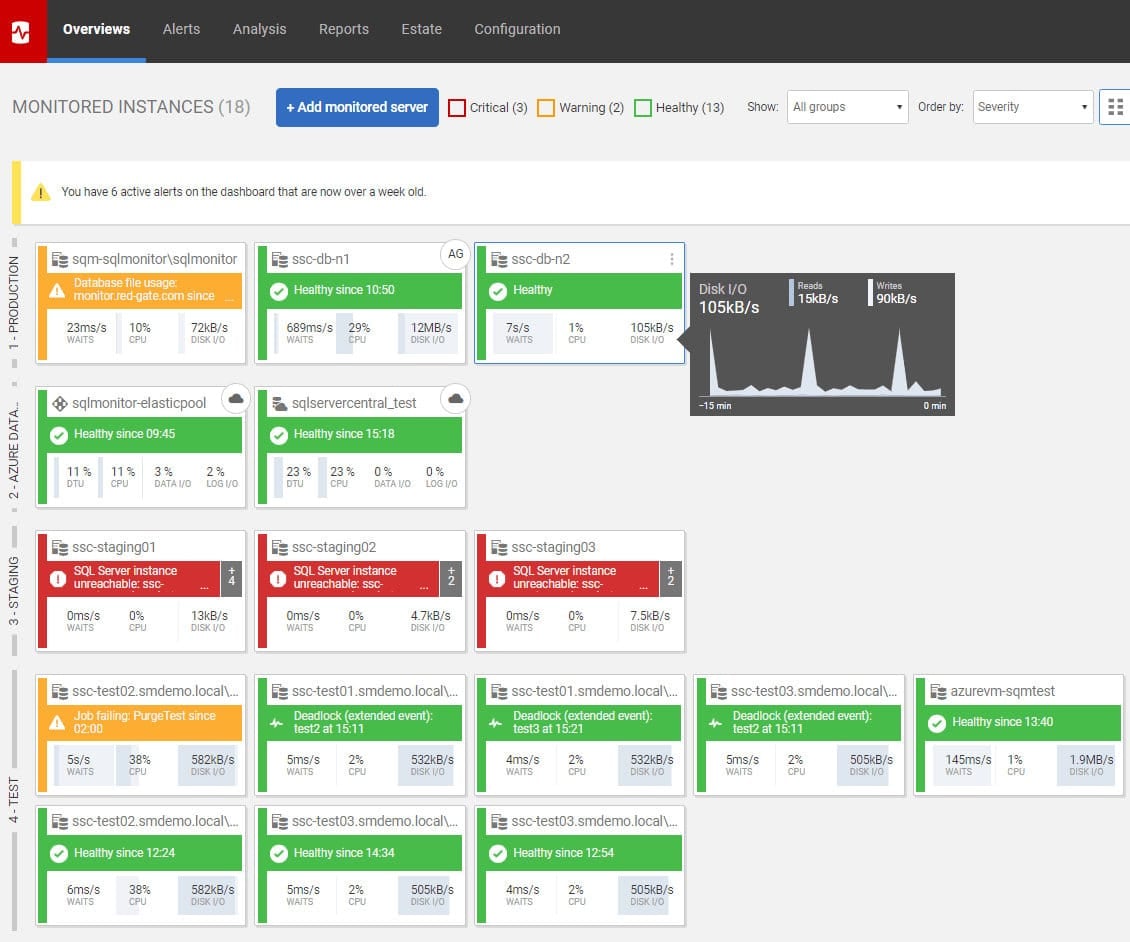
Redgate SQL Monitor covers databases that are hosted on the cloud, on-premises, or both. It offers lightning-fast problem diagnosis, with smart, customizable alerts that allow you to cut a problem in the bud. It offers a unified view of all of your databases, regardless of where they are hosted. This way you can minimize the wear on your technicians, and have them be able to oversee the entire infrastructure at once, rather than be forced to cross-reference data. This alone minimizes the potential for error and keeps the job streamlined and focused.
Redgate also offers dedicated support via email and phone, allowing you to get answers to any questions as quickly as possible. Redgate SQL Monitor comes preconfigured with over 65 alerts which are fully operational immediately. Naturally, you can also customize these alerts, and also create your own fully custom ones as well. It also helps you track deployments, this way whenever you make a change, SQL Monitor will detect it and display it on a timeline, this way you can always know on which timeframe to focus your attention. If you are deploying using Redgate’s deployment tools, you will be able to see details of that deployment directly from within the monitor.
6. Idera DB Optimizer
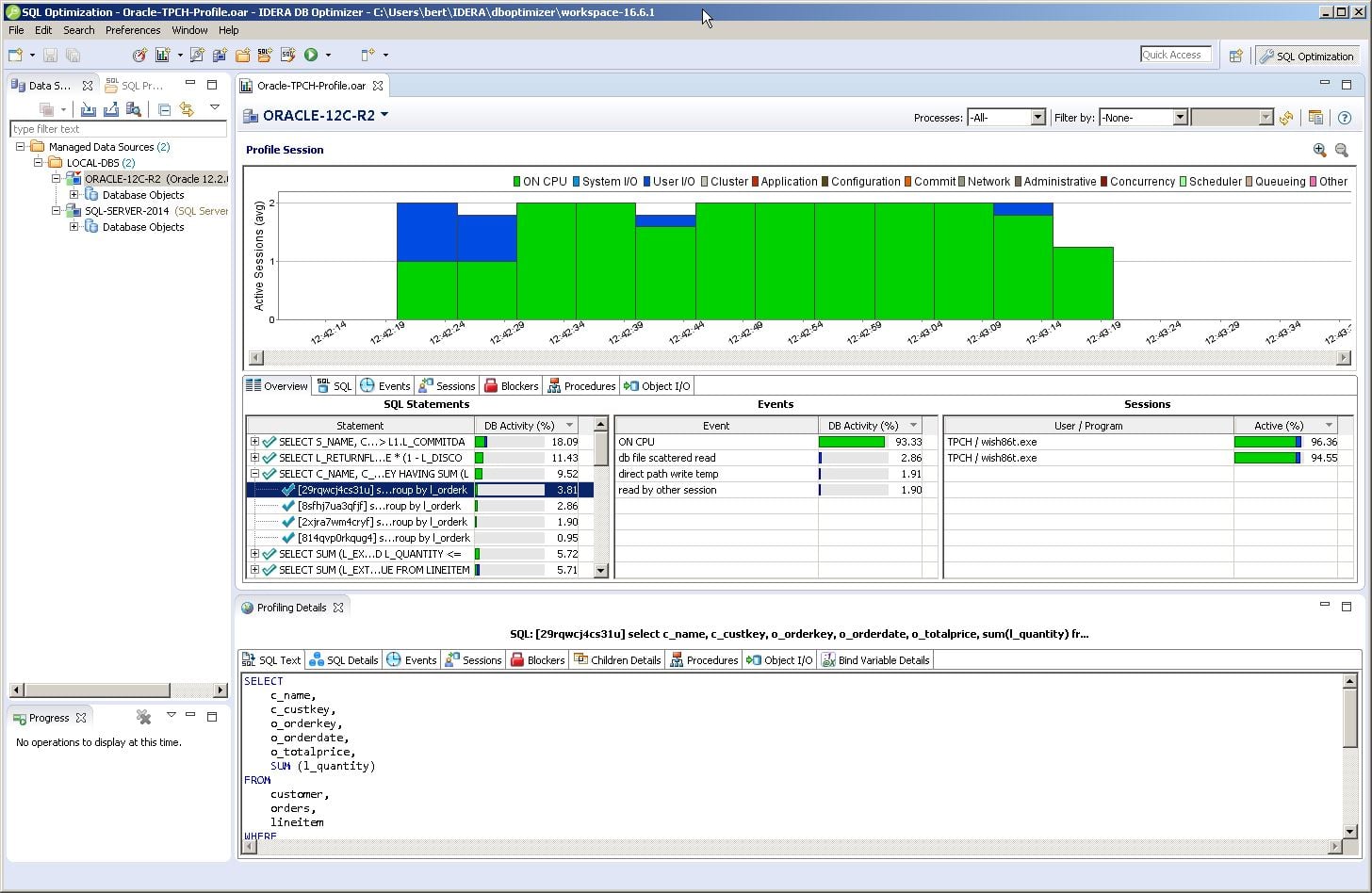
Idera DB Optimizer offers its services for all the major relational database platforms such as Microsoft SQL Server, IBM Db2 LUW, Oracle Database, Amazon Redshift, and more. It has a single pane of glass graphical user interface which allows you to tune poorly performing SQL code. It has automatic suggestion features which provide you with intelligent insight into optimizing and tuning your SQL code with ease. This way you can lower the training requirements and provide an excellent environment for less experienced developers, as well as provide the right tools for the more seasoned ones.
It also offers bottleneck analysis in a visual and comprehensive way by providing a graphical visualization of the wait-time analysis which is causing the poor performance. Idera offers a free fully functional 14–day trial, and you can also request a demo. If you wish to purchase the full product, the pricing starts at $572 per user workstation.
7. EverSQL Query Optimizer
EverSQL Query Optimizer is an AI-powered DBA. It allows for lightning-fast automatic SQL query optimization using its features. You can get started with it in mere seconds, you simply pick a database type, platform, and you submit your query for optimization. Then the AI-based algorithms will optimize your query by re-writing it and indexing it. In the end, you will get a report on what changed and how it works.
It also features ongoing AI-based performance insights which track your database performance, and offer you suggestions that are easy to comprehend and easy to implement. It also reliably brings down the cost, since it optimizes your code, and cuts down on redundant indexes and schema optimizations. This way your overall performance will go up since these resources will be cleared of use.
EverSQL offers one free optimization and three different plans. The Basic, Plus, And Enterprise plans. The pricing for the Basic and Plus plan starts at $79 a month, and $390 a month, billed annually. The enterprise edition requires you to get in contact with EverSQL.
8. Paessler PRTG Network Monitor
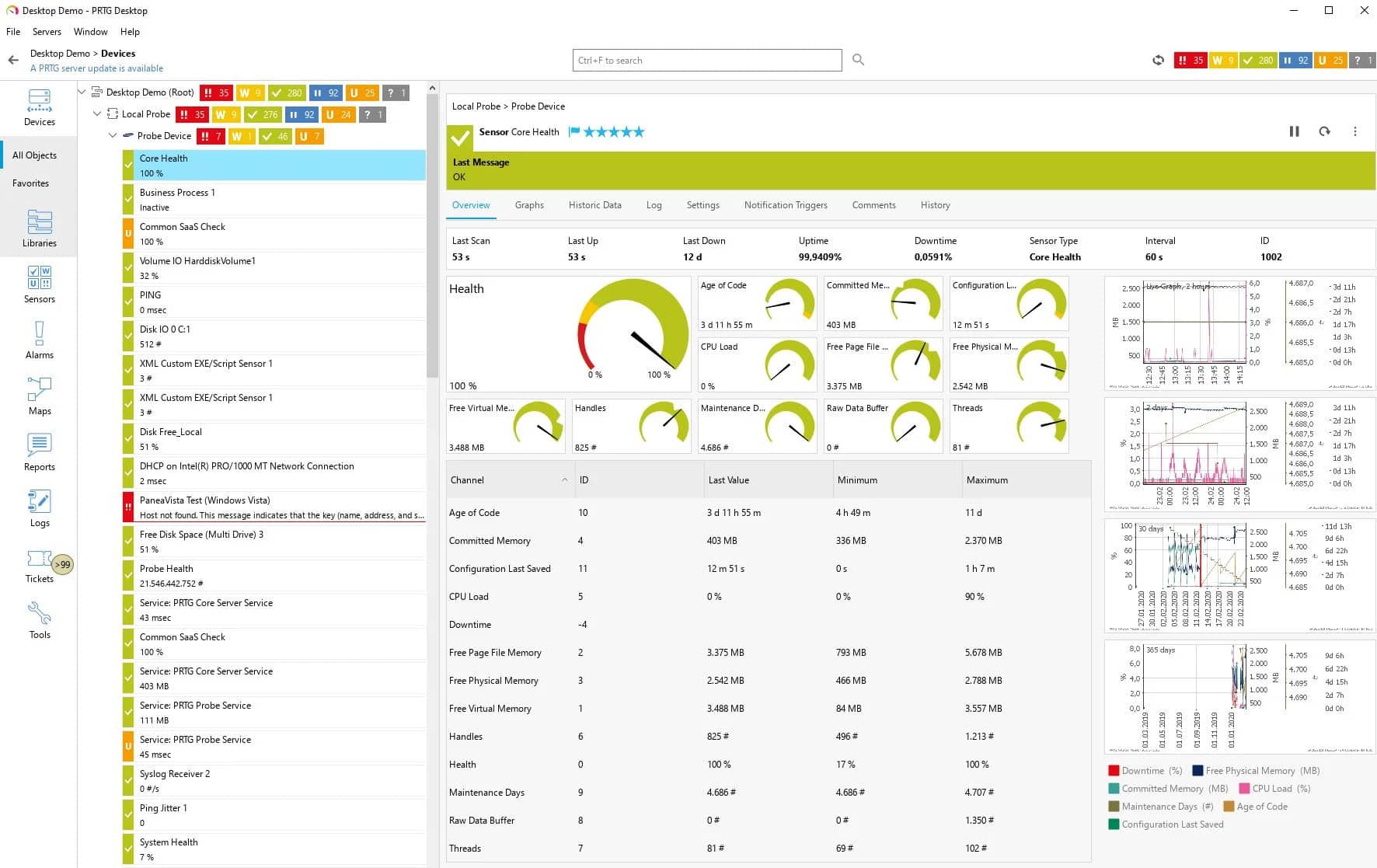
Paessler PRTG Network Monitor comes with preconfigured sensors for many of the major databases such as Microsoft SQL, MySQL, Oracle SQL, and PostgreSQL. It provides you with one centralized tool for all of your needs where it monitors your entire network. It measures the time an SQL query needs to go through its request. This includes the initial connection establishment, the execution of the said query, the handling of the transaction, and the termination of the connection.
The Network Monitor is also available on mobile devices, so if you ever need to monitor your databases on the go, you now have that option. PRTG uses a system called sensors to monitor metrics. When you purchase a plan, you purchase a set amount of sensors that you can distribute, among other features. It comes with a fully functional 30-day free trial, which at the end converts into the freeware version. This freeware version can be perfect for small businesses since you get to use it with full features for up to 100 sensors. If you wish to upgrade, the prices vary based on sensor numbers and the plan which you wish to purchase.
Conclusion
Finding the right tool for the job can be tricky, especially finding something that works best for your business. Here we highlighted seven different tools to choose from, all with their unique strengths. Hopefully, you have found the one that will work best for you, and help your business to thrive.