


Throughout the last decade, Network Diagram tools have gone from an accessory to a crucial part of any modern administrative toolkit. As IT infrastructure gets more and more complicated, being able to properly map and make diagrams of a network becomes more and more important.
In an organization functioning without fully understanding all of its networks will find that its systems fail much easier, and malfunctions become more common. Getting a clear representation for every device in your network, as well as all of their relationships with each other is crucial for getting to grips with all of your equipment monitoring jobs.
Here’s our list of the best network diagram tools:
- Auvik – EDITOR’S CHOICE This SaaS package is delivered from the cloud and it provides automated mapping as a result of frequent network scans. The service also implements continuous performance and security scanning. Get a 14-day free trial.
- AdRem NetCrunch – FREE TRIAL A modular and flexible network monitoring platform that generates a wide range of network maps and diagrams to help understand the state of your network. Start a 30-day free trial.
- ManageEngine OpManager – FREE TRIAL An all-around network performance monitor that comes with an excellent automatic discovery and mapping system. Start a 30-day free trial.
- Site24x7 – FREE TRIAL Creates a visual representation of computer networks. These diagrams help in planning, designing, documenting, and managing network configurations. Start a 30-day free trial.
- ManageEngine OpManager Nexus – FREE TRIAL A unified IT operations platform that automatically discovers devices in your networks and generates a diagram to show their relationships and dependencies. Download a 30-day free trial.
- Paessler PRTG Network Mapping Tools – FREE TRIAL A variety of network monitoring tools in one. The mapping function is part of a wider network of systems, and it’ll run on Windows Servers. Get a 30-day free trial.
- SolarWinds Network Topology Mapper By far the best network diagram tool. Made by a reputed company in the network security industry, SolarWinds boasts not only extremely efficient performance and excellent network overview, but it also does all this through a clever and slick UI.
- ConceptDraw Pro An excellent network diagram solution for small and medium businesses.
- LucidChart Graphical design package that comes with some network topology maps.
- CADE A basic and free chart editor software with an IT icon library
- Network Notepad A free graphic design editor especially made in order to support creating network diagrams.
Tools that provide you with a stellar diagram of all of your network can provide you with lots of valuable information about its technical infrastructure. Later on, this helps your processes become more efficient, and streamlines troubleshooting. Reacting to issues that might pop up regarding integrity well can be a Herculean task unless you’ve got an in-depth overview of your network map.
Having an understanding of where every piece of hardware fits in within your network helps you address issues when they happen. Furthermore, it helps maintain a targeted and efficient cybersecurity approach, making sure that all of the systems on your network are systematically protected. Usually, this is done by finding malfunctioning hardware or working on your network optimization.
What Is Network Mapping?
Network mapping, like its name implies, is the process of representing your network in a visual manner within its local IT environment. It’ll include sections like the location of all of your routers, VLANs, firewalls, hosts, access points, switches, laptops, computers, and more. You can use the resulting map as essentially a schematic that guides you throughout your network.
Now, can you draw a network map by hand? Sure, but you could do it much in the same vein that a programmer could write in binary by hand. It’s far more complicated and time-consuming than it is to automate it. Not only does this minimize the chances of having a faulty map, it works faster, and can be easily scaled to accommodate the businesses’ needs. It’s worth noting that most network monitoring toolkit worth their salt feature a network mapping tool within them.
How will having a Network Diagram tool help me?
The biggest perk of using a network diagram tool as a network admin is to become more efficient. Making a diagram of a network without using a tool for it is a complex and time-consuming job. In a growing business, by the time you’ve done mapping by hand, the network has already changed and you’ve got to do it again.
Since the infrastructure of most large companies is changing constantly, a network diagram tool helps you keep up with every change in the network’s infrastructure and lets you have a bird’s eye view of all of its components.
Let’s take, for example, the number 1 entry on this list- SolarWinds Network Topology Mapper. The tool is cram-packed with a variety of features to make network diagrams absolutely flawless. It’ll automatically discover all of your network’s devices, charting them on a map immediately. You can then use this map as your guide, or even use it for FIPS-142 and PCI compliance.
Since topology has such a huge impact on your network’s performance, it’s no wonder many of the leading tech giants of today have been investing in it. Let’s take, for example, a single data packet. The longer it takes for it to get from A to B on your network, the more time it’ll take for devices to communicate, and the slower your network will be.
Below you can see some essential features that any network diagram tool needs to have in order to get on top of this list:
- Automatic Discovery If you need to manually enter your network’s devices into a network mapping tool, then it is already performing sub-optimally. This takes a lot of time which would be better spent actually improving your network.
- Troubleshooting Capabilities You’ll need to have a comprehensive view of every single device in order to be able to effectively troubleshoot the whole network.
- Scalability You want a single network diagram tool to be able to not only identify which parts of your network need to be upgraded but also to grow with your company.
- Live Monitoring You don’t want to see a map of your network from a week ago. Live monitoring lets you stay up to date with your whole network at all times.
The Best Network Diagram Tools
1. Auvik – FREE TRIAL
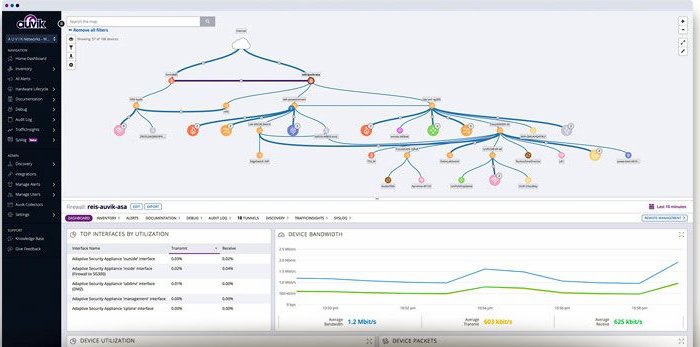
Auvik scans networks and compiles a network inventory. The tool provides a generated network map that is compiled from the information in the inventory. The discovery scan repeats periodically and updates the inventory if any changes occurred. The action automatically updates the network map.
Key Features
- An autodiscovery service that scans the network, compiles a network inventory, and provides the source data for an automatically generated network map
- Device status monitoring that is implemented with the Simple Network Monitoring Protocol and includes a mechanism for alerts if device components report problems
- Network traffic analysis that extracts capacity information and throughput statistics from switches and routers by using the NetFlow, IPFIX, sFlow, and J-Flow protocols
- A network configuration management function that backups up device configurations and then scans each device on the network every 60 minutes to detect settings changes, storing versions that enable rollback
- Live activity tracking that includes records of the external nodes involved in connections with the endpoints within the network
- A cloud-based system that will monitor multiple networks within a single account
The Auvik system can monitor WANs. Each site in the WAN needs an agent installed on it. With this work completed, the package will cycle through its scanning processes on each site, uploading discovery data to the Auvik platform.
The system’s functions present security services as well as performance monitoring. It will detect rogue devices connected to the network and it will also spot any changes that an intruder might make to device settings in order to weaken network security.
The dashboard for the Auvik service is hosted in the cloud and administrators can get access to it from anywhere through any standard Web browser on any operating system. Auvik is available for a 14-day free trial.
EDITOR'S CHOICE
Auvik is our top pick for a network diagram tool because it automatically generates network diagrams as part of its extensive automated network monitoring and management functions. The package provides performance and security monitoring services through a series of regular network scans. This audits all of the devices on the network, listing them in an inventory and scanning them for faults. The package also records traffic activity, identifying overloaded links and under-utilizing resources. The package is useful for capacity planning purposes and can help to formulate traffic shaping measures.
Download: Start a 14-day FREE Trial
Official Site: https://www.auvik.com/features/#trial
OS: Cloud-based
2. AdRem NetCrunch – FREE TRIAL
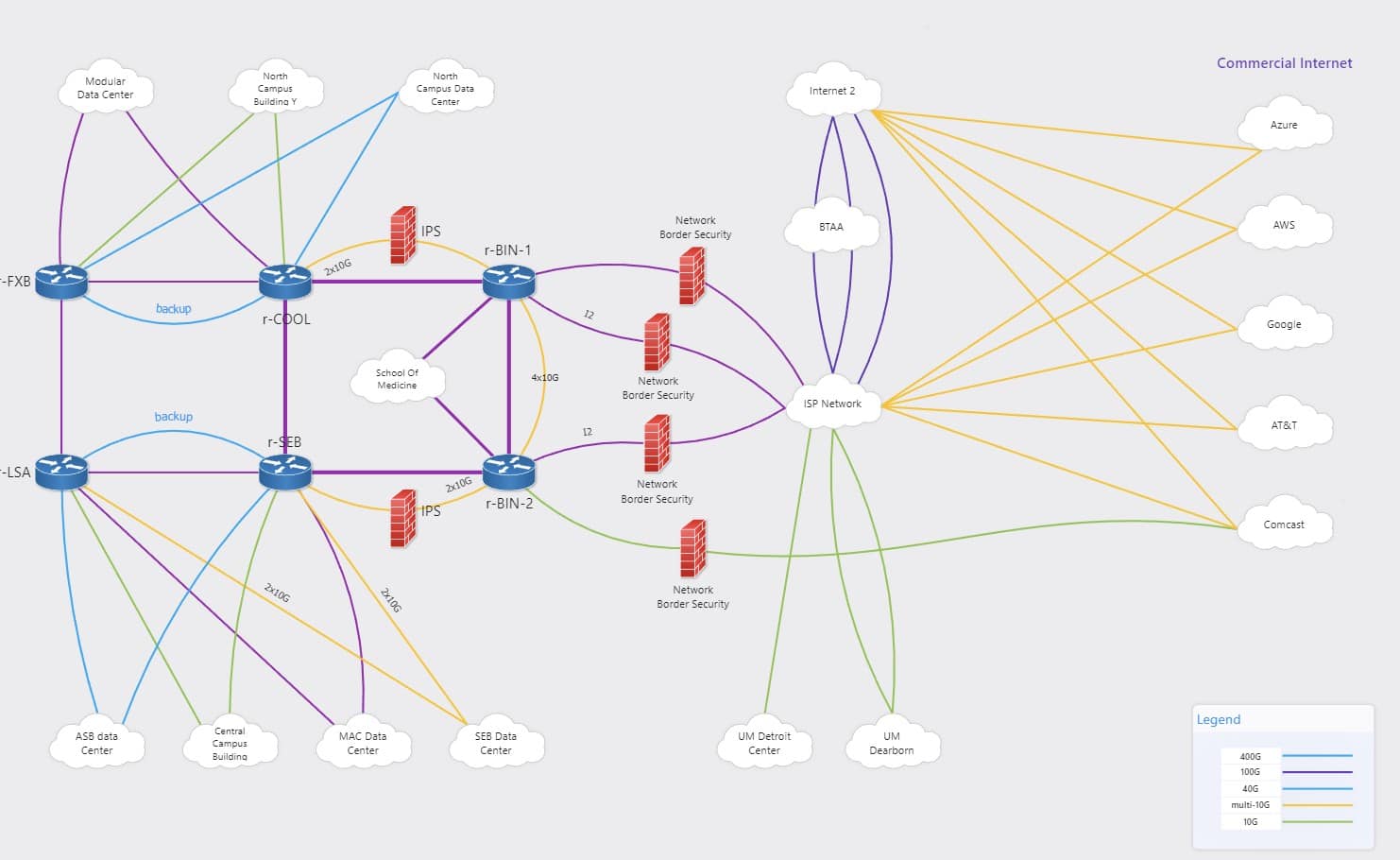
AdRem NetCrunch uses an agentless architecture to automatically discover devices and create a map of their location and dependencies. It also supports extensive customization to ensure that the maps meet your specific needs.
Key Features:
- Presents the physical connections between switches and nodes.
- Automatically updates the map when new devices are added.
- Uses SNMP to gather data from switches for automatic updates.
- Makes it easy to spot network problems.
- Enables you to drill down into specific nodes for detailed insights.
- Helps understand the relationship between parent and dependent devices.
- Generates a real-time graph of a port and the traffic it generates.
Why do we recommend it?
NetCrunch is recommended because it automatically generates and updates a wide range of network diagrams. Its layer-2 topology maps are simple and, at the same time, provide the insights you need about dependencies among switches and nodes. Similarly, its traffic graphs show the level of traffic that’s generated at each port, so you can catch volume spikes quickly.
Moreover, you can restrict access to these maps based on roles and teams, ensuring comprehensive security. Plus, everything is handled automatically with little manual intervention.
Who is it recommended for?
It is recommended for organizations that are growing or have a distributed environment, and NetCrunch can provide visibility into all the components. It is also highly useful for network engineers who are responsible for ensuring that there are fewer downtimes, as NetCrunch enables you to take a proactive approach to monitoring them.
Due to all these factors, NetCrunch is a good choice. You can watch a demo to better understand its capabilities. You can also register for a 30-day free trial.
3. ManageEngine OpManager Maps – FREE TRIAL
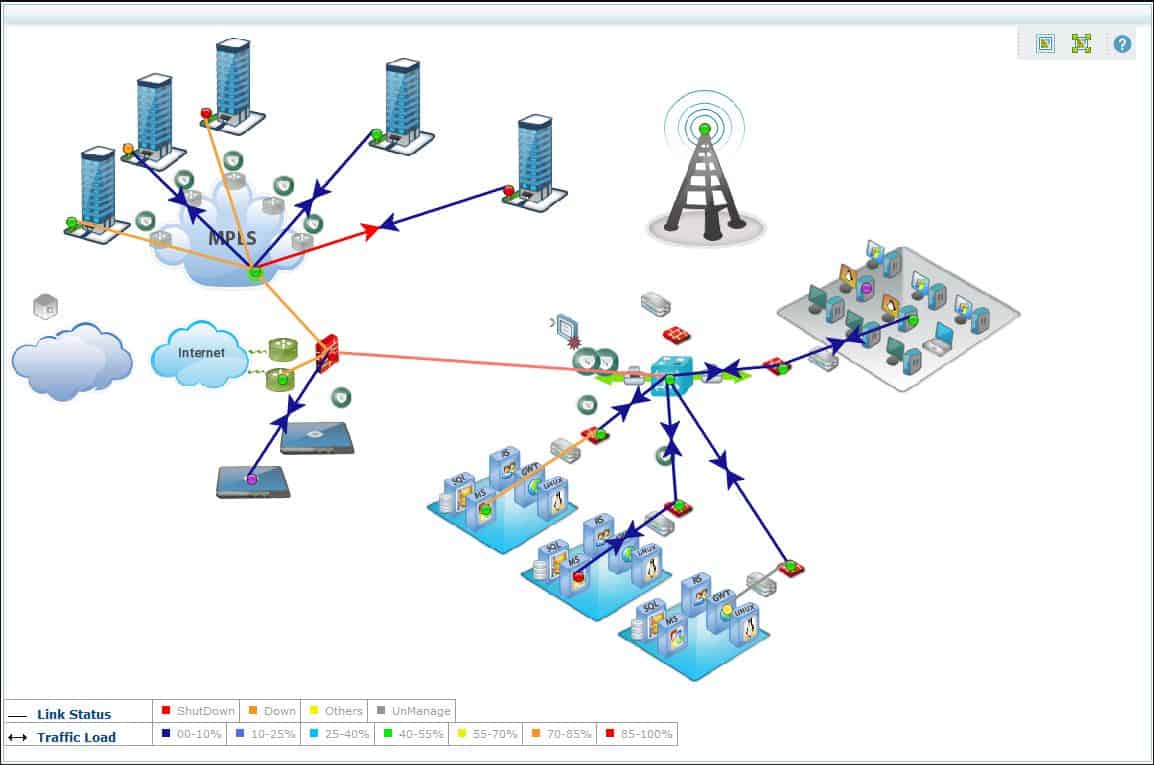
The OpManager network mapping tool will monitor your network by using its SNMP (Simple Network Management Protocol.) The best thing about SNMP is the speed at which it can give you a detailed outlook of all of your network devices. Whenever the OpManager sends out a status request, every device in the network responds with its full status, including all of its identifying features and settings.
Key Features
- Devices respond to status calls with full information.
- Easily scalable due to its SNMP approach to network mapping, making it ideal for businesses of all sizes.
- Complies a list of all of your equipment, and instantly generates a topological map from the available list of devices.
- A variety of available map layouts makes choosing how to view your maps a breeze
- New devices being added or existing devices being retired from the network will be noticed in a matter of minutes
- The OpManager doesn’t feature any partial packages, so when you buy the system, you’ll get the tool.
- Installs on both Windows and Linux
Why do we recommend it?
During our exploration, ManageEngine OpManager Maps proved to be a robust network monitoring solution. Its SNMP approach, though slightly less intuitive, showcased efficiency in compiling detailed device information, providing a comprehensive network outlook. The automatic generation of topological maps based on SNMP responses addressed our need for swift and detailed mapping. OpManager’s scalability, despite a less intuitive UI, positions it as a complete network monitoring solution.
Who is it recommended for?
Ideal for businesses seeking comprehensive network monitoring, ManageEngine OpManager Maps utilizes SNMP for scalability and versatility. Recommended for sectors requiring quick and detailed network insights, it suits industries where SNMP-based responses are crucial. While not the most beginner-friendly, OpManager is perfect for advanced users in medium to large enterprises. For those prioritizing functionality and scalability in their network monitoring toolkit, OpManager stands out. You can start with a 30-day free trial.
4. Site24x7 Network Mapping – FREE TRIAL
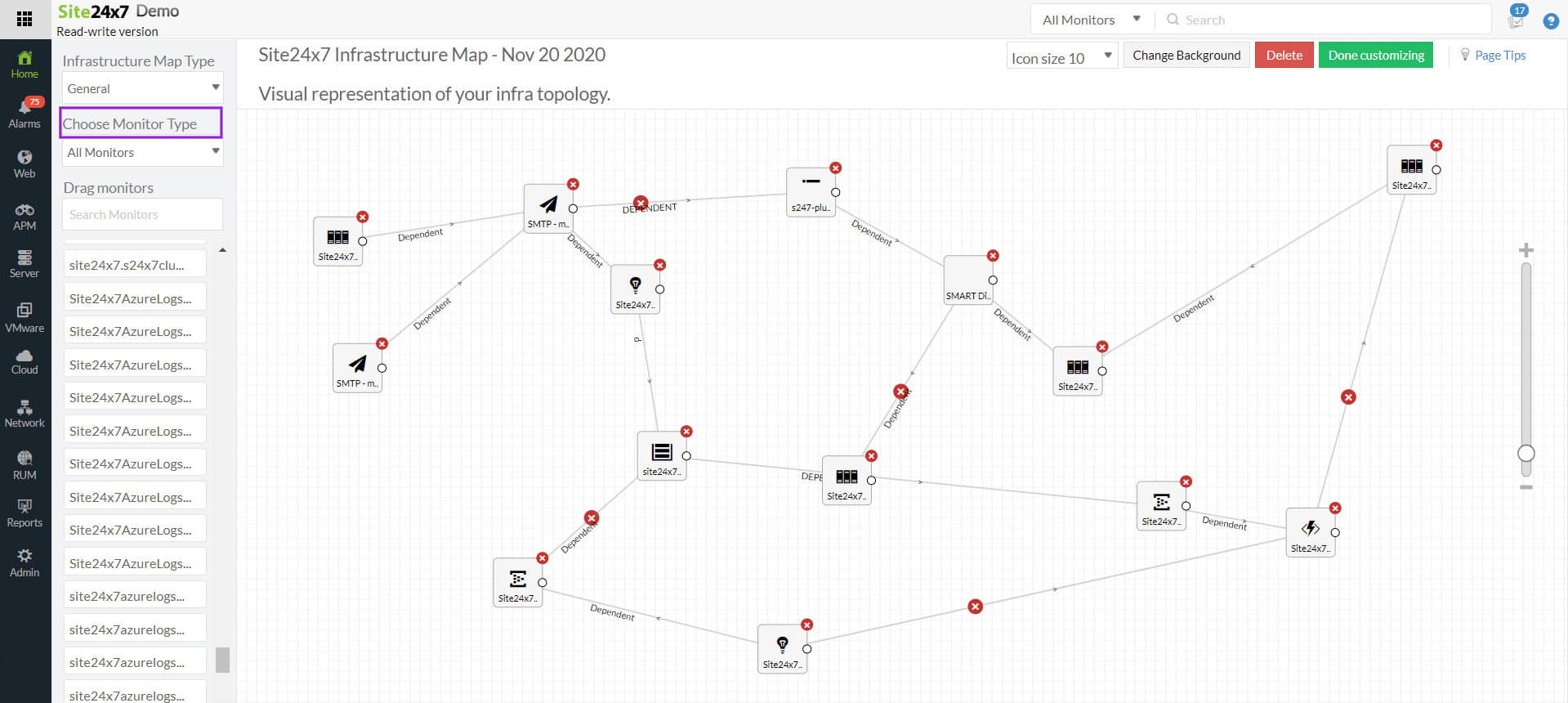
Businesses with complex networks can benefit greatly from the Site24x7 network mapping tool, which allows them to visualize all the devices from a single dashboard. The program enables network administrators to monitor every device and its connection from a single location, regardless of whether you are connected to the network locally or remotely. Selecting the Site24x7 tool also offers businesses the advantage of real-time network problem tracking and troubleshooting.
Key Features
- Network Outage Detection
- Real-time mapping of networks
- Discover Device Automatically
Why do we recommend it?
Businesses may decrease downtime and detect network problems and performance bottlenecks in real time with the aid of this robust and stable tool. Additionally, it helps administrators to instantly find devices and see the relationships between devices thanks to the network topology.
Additionally, the network mapping tool supports a number of protocols, such as FDB, IP route, CDP, and others, which streamlines the process of determining the actual physical connections within networks. Get real-time status updates on all of your linked devices with the Site24x7 Network Mapping Tool.
Who is it recommended for?
Many businesses use public and private cloud networks to run operations that might require proper monitoring. Similarly, there are a few organizations that have complicated networks and hybrid workplaces that can make the most of this tool. As a result, it is an excellent option for both workspaces.
Pros:
- Tracking all devices in a network along with their connections is possible from a single console
- Provides visibility that helps businesses gain clarity into the device relationship
- Based on the severity level, users can prioritize issues and take corrective measures
- Periodic scans and automated device discovery help figure out changes faster
Cons:
- It takes some time to get things ready for observation
You can start with a 30-day free trial.
5. ManageEngine OpManager Nexus – FREE TRIAL
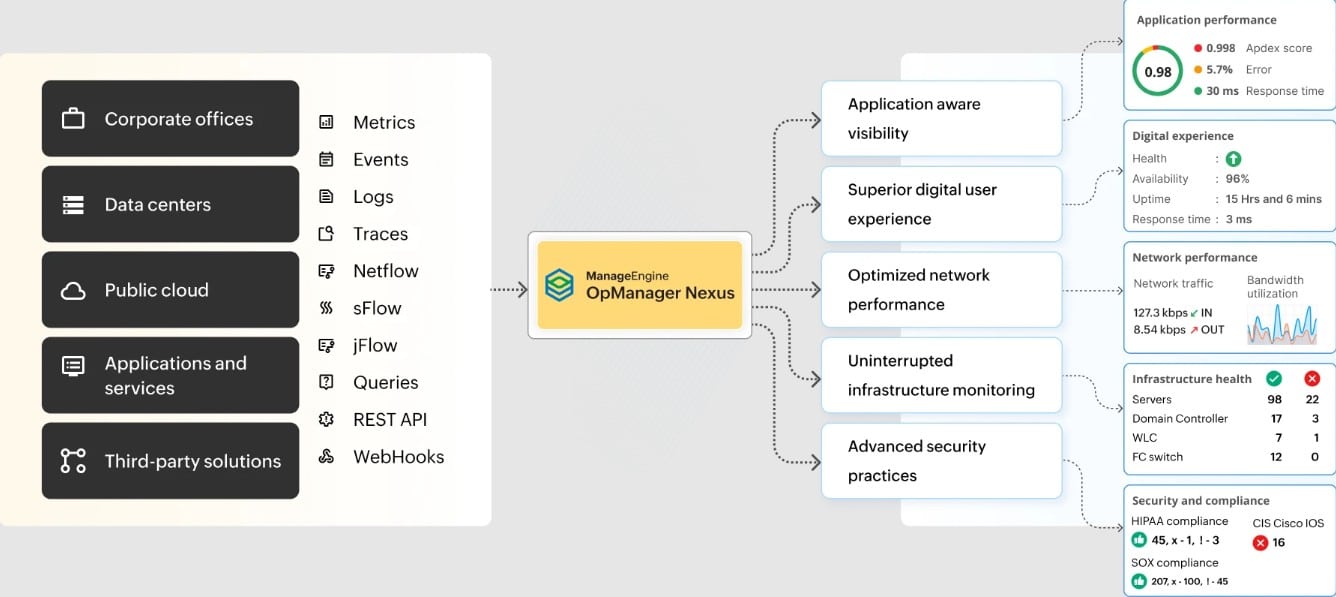
ManageEngine OpManager Nexus, formerly OpManager Plus, is a network monitoring tool that creates network diagrams automatically to help you better understand dependencies and relationships. It creates Layer 2 maps, network maps, and 3D floor and rack views for improved correlation and decision-making.
Key Features
- Its simple user interface makes it easy for anyone to understand the dependencies.
- Highly scalable to meet your growing networks.
- It can be customized to meet your needs.
- Automatically updates the map when new devices are added or removed.
- Indicates device availability and dependencies.
Why do we recommend it?
OpManager Nexus is a monitoring tool that can create network maps of all devices in your environment for deeper visibility into their dependencies. Its drag-and-drop builder makes it easy to customize the network diagrams to suit your requirements.
A standout feature for us is its layer 2 maps, which depict the layer 2 network topology. It also supports effective device and inventory management and minimizes disruptions during change management.
Who is it recommended for?
It is recommended for large organizations with distributed devices and networks. It can also work well for MSPs who must know the dependencies that exist between devices.
The pricing of OpManager Nexus starts at $1,233 for 50 devices and $19,995 for 1000 devices. Start a 30-day free trial.
6. Paessler PRTG Network Mapping Tools – FREE TRIAL
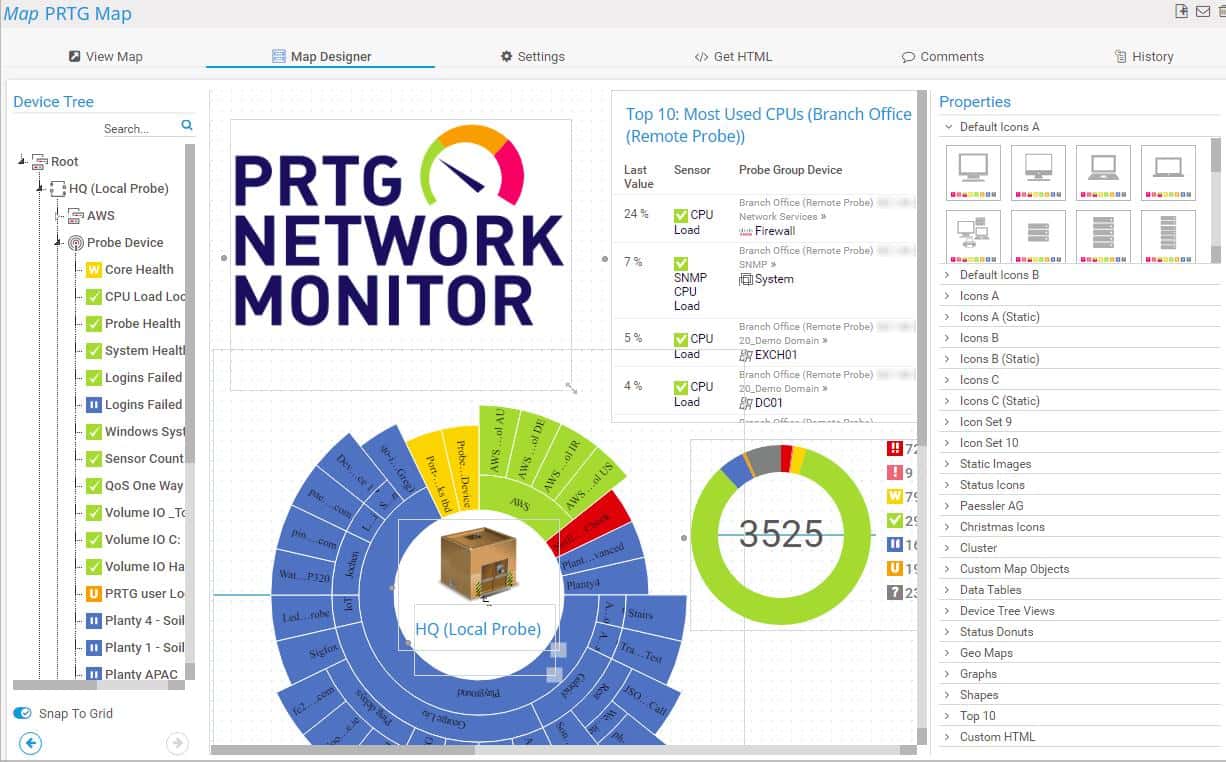
The Paessler PRTG Infrastructure Monitoring Suite contains a network mapping tool within it, giving you a variety of formats to look at your network from. For example, its sunburst view will show you circles of apps tied together with the services and hardware supporting them. There are also other mapping options such as a simple plot of every device in the network, with its connections being depicted in straight lines.
Key Features
- Color-coded device statuses that let you know if any device isn’t functioning correctly
- Templates that you can adapt towards your needs
- Quite good automatic discovery service
- It has a cloud-based version in addition to its on-premise installation
- It allows customization in the view you get over your network
Why do we recommend it?
In our testing, Paessler PRTG Network Mapping Tools within the broader PRTG Infrastructure Monitoring Suite showcased versatility and rich features. The color-coded device statuses and customizable templates provided a quick visual check on network health without compromising customization. The automatic discovery service efficiently addressed our need for mapping, making it a valuable asset.
Who is it recommended for?
Tailored for businesses of various sizes, Paessler PRTG Network Mapping Tools caters to sectors requiring diverse network monitoring capabilities. With a free option for smaller setups, it’s excellent for startups and small businesses.
The cloud-based version extends accessibility, making it suitable for industries with remote network management needs. Maintaining a user-friendly interface, PRTG appeals to both beginners and advanced users in small to medium-sized enterprises, offering advanced features while ensuring ease of use.
PRTG is free if you’re monitoring up to 100 sensors (units in the network). If you need more, there’s a 30-day free trial, after which the software will revert to its free version unless you opt to buy the full one.
7. SolarWinds Network Topology Mapper
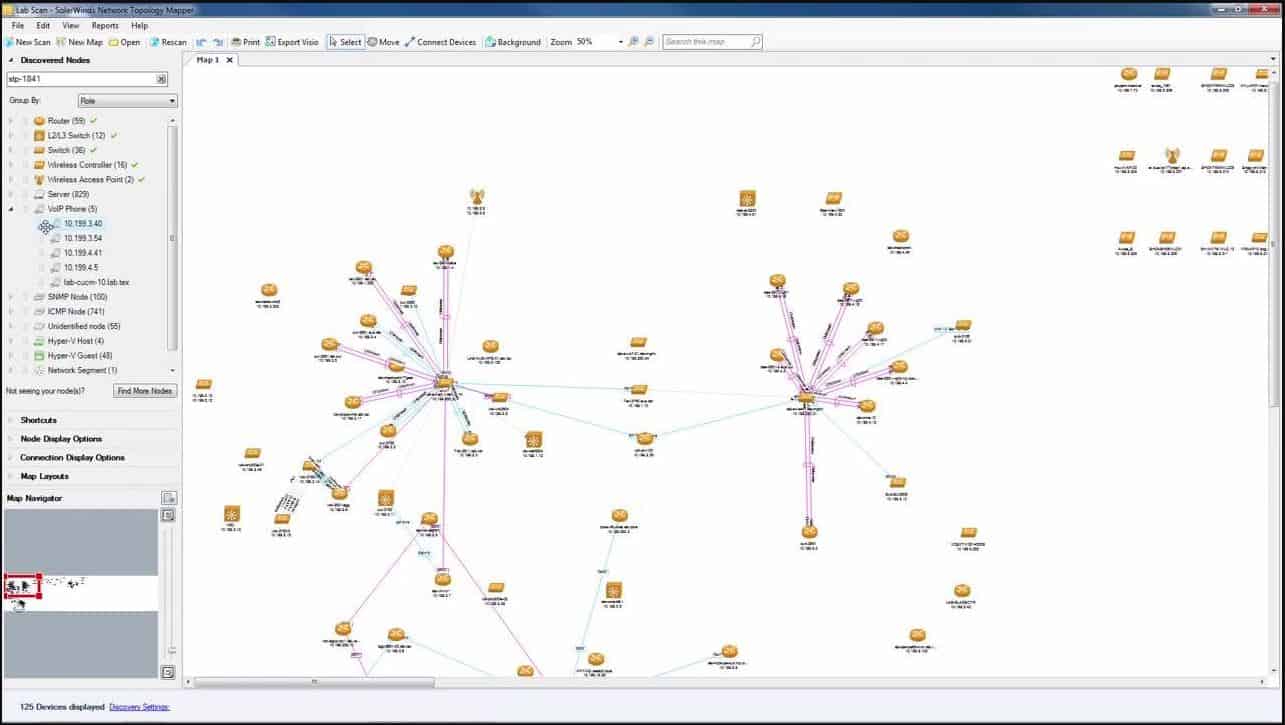
The SolarWinds Network Topology Mapper is not one of the most popular network diagramming tools out there without a reason. It has everything you would expect from a top-notch network mapping tool while maintaining a cheaper price than most. At just $1,537, SolarWinds is a lot cheaper than most other premium solutions.
Key Features
- Automatic discovery feature which instantly detects new devices and scales according to your IT infrastructure, no matter how simple or complex
- It can create in-depth reports for switch port VLAN as well as subnet scans. You can export these in order to get a deeper look at them by turning them into either a PNG or PDF file.
- Filter according to what you want to see by device type or any other distinguishing characteristic, this is akin to taking a magnifying glass to your network.
- Immensely scalable, from a small business to an enterprise-sized network, SolarWinds can easily map it.
- It features a 14-day free trial, meaning you can try it out to see if it fits your needs.
- A sleek and clever UI that blows the rest of the network diagramming tools out of the water.
Why do we recommend it?
Our extensive testing of SolarWinds Network Topology Mapper left us thoroughly impressed. The automatic discovery feature swiftly identified new devices, eliminating the tedious manual entry process. This, coupled with its ability to generate detailed reports for switch port VLANs and subnet scans, addressed what was previously a challenge in maintaining an accurate network diagram.
Sure, SolarWinds Network Topology Mapper doesn’t include any other network monitoring tools alongside it natively, but the SolarWinds network mapping tool is what you get when you need something that really gets the job done properly. Furthermore, it’s a lot cheaper than making a custom in-house solution, in addition to being made by the leader of the network monitoring field.
Who is it recommended for?
SolarWinds Network Topology Mapper is recommended for businesses of all sizes, showcasing scalability that adapts to the complexity of IT infrastructures. Its user-friendly interface caters to beginners, while the robust features meet the demands of advanced users.
It’s ideal for sectors emphasizing network efficiency, such as IT and telecommunications, the tool ensures systematic protection and streamlined operations. Whether you’re a first-time network mapper or managing a complex enterprise network, SolarWinds is the go-to choice for efficiency and reliability.
8. ConceptDraw Pro
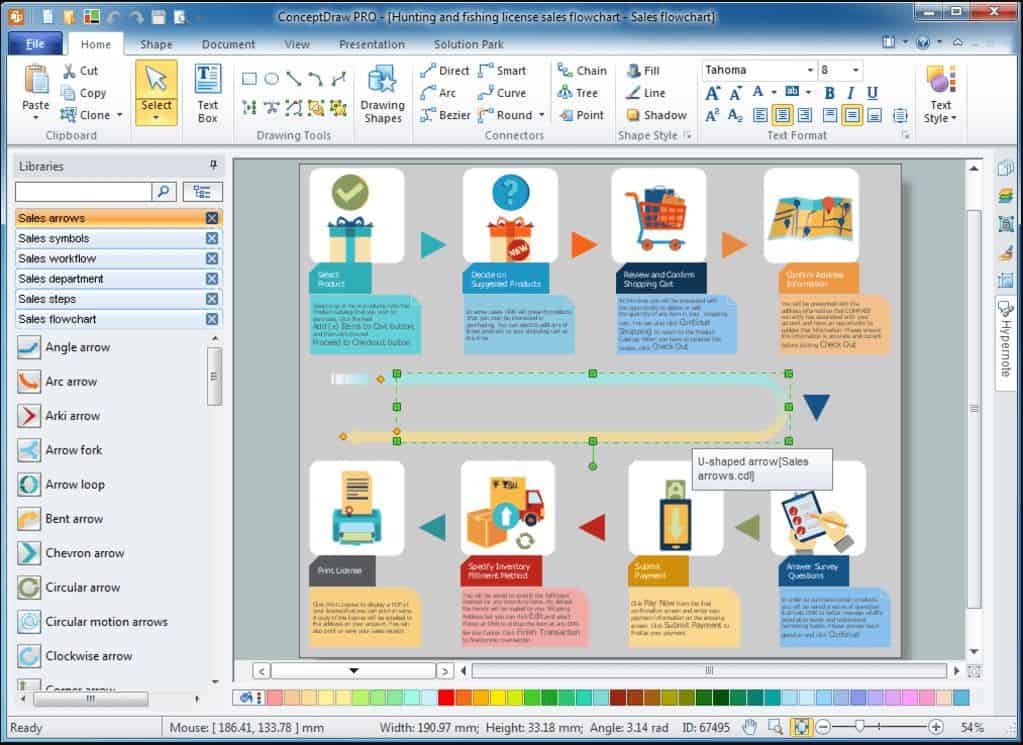
ConceptDraw Pro is the ideal network mapping solution for any medium-sized business or any small business with some disposable funds. The UI is quite similar to the Microsoft Visio(another tool that didn’t make the list.) Although the ConceptDraw UI is even easier to use.
Key Features
- Easy-to-use interface
- MUCH lower price than most other solutions at $199
- Allows you to make a variety of different visual displays for your network, as well as export into a Visio file.
- It’s possible to automate the process by using features like Smart Connector and Building Plan Designer in tandem.
Why do we recommend it?
ConceptDraw Pro was included in our lineup for assessing network mapping solution because of its easy-to-use interface, reminiscent of Microsoft Visio, which makes the tool accessible even for users with basic skills.
The tool’s capability to create various visual displays and export into Visio files, coupled with automation features like Smart Connector and Building Plan Designer, showcased its versatility.
Who is it recommended for?
ConceptDraw Pro is recommended for small and medium-sized businesses seeking a cost-effective network mapping tool. Its user-friendly interface makes it accessible to users with basic skills, making it ideal for beginners, without the need for extensive technical knowledge.
While lacking some advanced features compared to competitors, its simplicity suits businesses looking for a straightforward network mapper.
9. Lucidchart
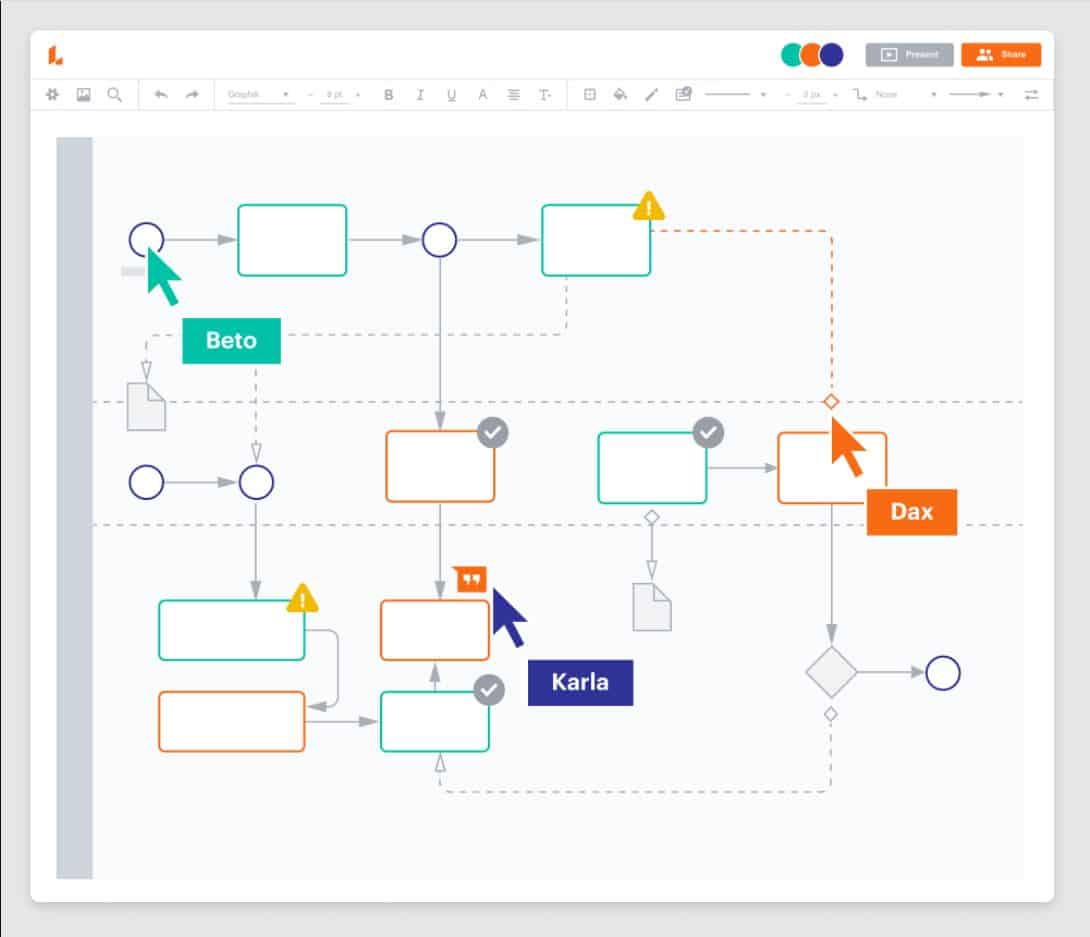
Lucidchart is not a well-known network diagram tool, however, that does not mean it isn’t a great one. If you’re a small business looking to get to grips with network mapping right out of the box, and immediately jump into building your own IT environment diagram, then this is the tool for you. It helps you and your business hit the ground running in terms of network mapping.
Key Features
- Very cheap, coming in at $4.95 for a single user, or $20 for a whole team of admins
- You can import existing diagrams into this software through a Visio file, which makes it great to use if you’ve already got hand-inputted network maps.
- Features an automatic discovery plugin called UVexplorer
- Simple UI that makes using it a breeze
Why do we recommend it?
Our testing revealed that Lucidchart is a stellar solution as it offers an affordable entry into network graphing. While lacking in advanced functionalities and auto-discovery features, it excels in simplicity and ease of use. The automatic discovery plugin called UVexplorer adds value, making it a recommendable tool for small businesses seeking an immediate and budget-friendly solution for network mapping.
Who is it recommended for?
Lucidchart is recommended for small businesses aiming to delve into network mapping with a budget-friendly solution. Its simple UI and affordability make it accessible for users looking to start network graphing without extensive technical knowledge.
The ability to import existing diagrams and the UVexplorer plugin cater to businesses with existing network maps. While not ideal for larger enterprises, Lucidchart is a practical choice for small teams with a limited budget and straightforward network mapping needs.
10. CADE
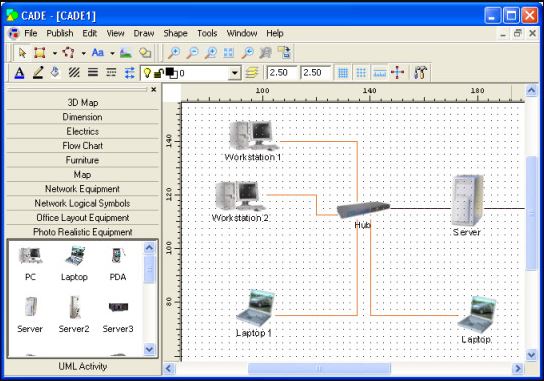
The CADE network diagramming solution is the first entry on this list to be completely free of charge. It strips away the fancy UI elements found in more premium solutions and provides a complex 2D vector editor.
Key Features
- The tool can be downloaded online, making it an excellent choice in case you’re looking for something more remote.
- Remote users can provide their contributions at any point
- It’s entirely free
- It can export to EMF, XAML, PDF, and JPG
- You can make unique cables that help you mark differences between similar devices
Why do we recommend it?
CADE, being a free-of-charge network diagramming solution, earned our recommendation for its simplicity and accessibility. While lacking an auto-discovery feature, its 2D vector editor and unique cable customization provide flexibility. Its ability to be downloaded online makes it an excellent choice for remote users contributing to network mapping.
Who is it recommended for?
CADE is recommended for smaller teams with budget constraints seeking a straightforward and free network diagramming tool. Its flexibility and unique cable customization make it suitable for stable networks that don’t undergo frequent changes. While lacking advanced features such as auto-discovery, it serves the purpose for those not requiring constant updates. Ideal for remote users, CADE is accessible online, providing a practical solution for smaller teams with specific network diagramming needs.
11. Network Notepad
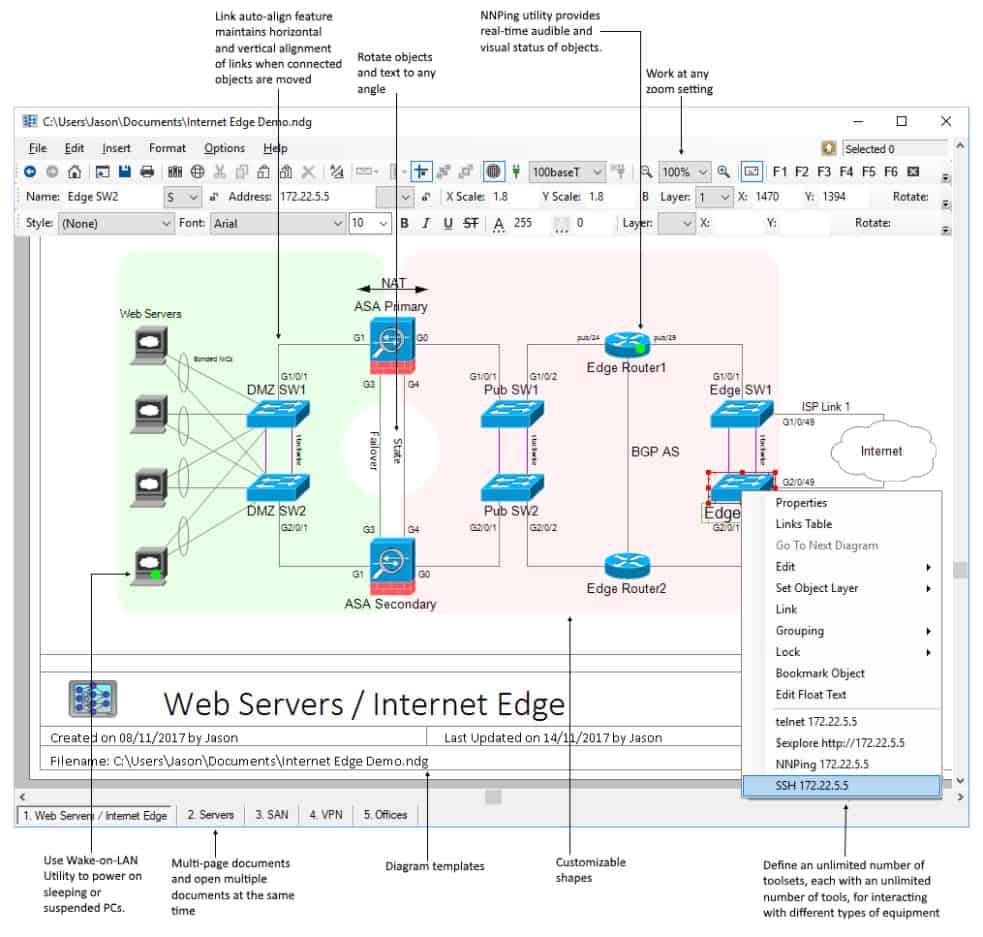
Network Notepad is a free app for Windows made with the idea of network mapping in mind.
Key Features
- The Cisco Discovery Protocol Neighbor Tool or CPD is Network Notepad’s alternative to an auto-discovery system. It allows you to look through your devices, and pull info from their elements through CDP information.
- Easily supports creating multi-page diagrams, as well as vector-based graphics, flow charts, and much more.
- It’s free, with a professional version available that packs more features
Why do we recommend it?
Network Notepad, a free app for Windows, stood out as a great tool for small teams with budget constraints. Its alternative to auto-discovery, the Cisco Discovery Protocol Neighbor Tool, allows users to pull information efficiently. Supporting multi-page diagrams and vector-based graphics, it caters to various visual representation needs.
It does lack some advanced features (which the professional version offers), Network Notepad is nonetheless, a commendable choice for small teams with specific network diagramming requirements.
Who is it recommended for?
Network Notepad is recommended for small teams with budget constraints seeking a free and practical network diagramming tool for Windows. Its support for multi-page diagrams and vector-based graphics suits users with diverse visualization needs.
Although it’s not the most advanced tool on this list, the professional version provides additional features for those looking to expand functionality.
Choosing the right Network Diagram Tool
Although making your own network map might appear to be a Herculean task when you’re looking at everything that needs to be done, network mapping tools make the whole process far easier. They make sure that you won’t need to spend hours upon hours droning upon a file jotting down device after device just for you to understand your network.
If you’re ready to grasp a bit more complexity and invest a bit more money, then an auto-discovery feature makes this process an absolute breeze.
Keep in mind that today, network diagram mapping tools are quite underused, meaning that taking advantage of a well-made one is an important edge to have over your competitors. This is especially true today, in the age of complex network infrastructures.
By involving network diagramming tools in your network monitoring process, you make sure that you’ll have the minimum visibility that you’ll need in order to treat yourself to an impeccable view of your whole network. It’s worth keeping in mind that the better look you have at your network, the easier it is to adapt it and kick your performance up a notch.