

Cloud technologies are dominating every part of the modern business environment. Most business models will have at least some use of cloud services. As businesses turn more and more towards digital platforms, their operations become more efficient, however, the demand for online workloads grows in tow.
In a cloud environment, a workload is anything that runs on a cloud server and is tasked with delivering certain information to the user. This encompasses databases, VMs, as well as physical servers consuming cloud-based resources.
While utilizing cloud resources can be a big improvement for your business, it comes with its own set of challenges you need to keep in mind. Without a workload protection tool, your information will be vulnerable to a variety of workload security threats ranging from simple misconfigurations to malware and credential theft.
Today, we’ll be going over the best cloud workload security platforms out there.
Here is our list of the top cloud workload security platforms:
- ManageEngine Desktop Central – EDITOR’S CHOICE Our top choice for endpoint management because of its comprehensive features that simplify management across diverse IT environments. Its automated patch management system ensures that all devices are protected from vulnerabilities without needing manual updates, which I found particularly effective during testing. The tool’s ability to manage assets and configurations seamlessly, along with its powerful remote troubleshooting capabilities, makes it an indispensable resource for IT departments striving to optimize operational efficiency and maintain robust security protocols. Start a 30-day free trial.
- ManageEngine Log360 Cloud – FREE TRIAL Our second pick is ManageEngine Log360 Cloud, as it provides extensive visibility into your cloud platforms. It correlates data collected from your cloud resources and combines it with external threat intelligence feeds to provide real-time insights into emerging cyberattacks and vulnerabilities. Its cloud-native architecture increases flexibility. Start a 30-day free trial.
- Datadog Datadog’s Cloud Security Platform is the most customizable tool on this list. It provides extremely in-depth monitoring and visibility for all of your cloud deployments, supporting multi-cloud and hybrid deployments as well. It also integrates seamlessly with the rest of the Datadog suite, and sports over 500 different third-party integrations to provide the ultimate experience.
- Trend Micro Deep Security An in-depth, enterprise-focused tool with sandbox analysis and Behavioral analysis capabilities.
- Prisma Cloud A holistic cloud workload security platform that integrates well with Continuous integration/continuous delivery workflows
- Microsoft Azure Security Center A cloud workload security platform designed primarily for Microsoft and Azure environments that still does a good job outside of them.
- Illumio Core An easy-to-use micro-segmentation cloud workload security platform with vulnerability map generation capabilities.
- Kaspersky Hybrid Cloud Security An extremely versatile tool with Next-Gen threat protection and analysis.
- Lacework An extremely innovative tool with a variety of ML-based approaches to security and an intuitive interface.
What is a Cloud Workload Security Platform?
Cloud Workload Security Platforms are tools tasked with protecting cloud workloads from a wide berth of cybersecurity challenges. These solutions guarantee the complete protection of your VMs, containers, physical servers, and other pieces of your cloud infrastructure when moving their data from one environment to another.
Since cloud computing has grown so much in the last few years, cybercriminals are also looking for ways to attack them. Because of this, it’s crucial to implement proper cybersecurity measures and minimize your attack surface.
By using cloud workload security platforms, all of the data coming into your applications, as well as the data going out of them will remain secure. Furthermore, these tools allow your administrators to monitor the performance of your workloads.
It’s important to keep in mind that workloads or any other part breaking can lead to the application ceasing function completely. Because of this, if you want the full functionality of cloud services, having security software can help you ensure that your apps always stay running.
The Best Cloud Workload Security Platforms
1. ManageEngine Desktop Central – FREE TRIAL
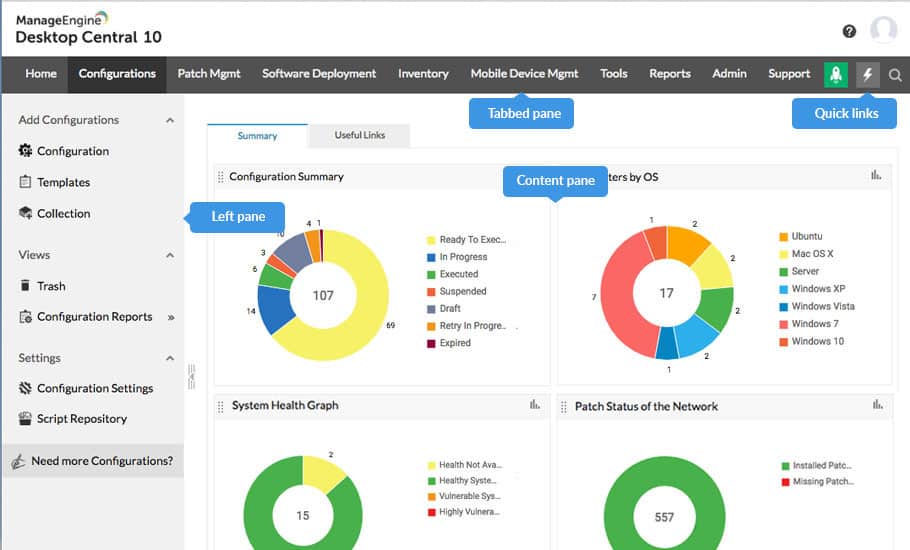
Desktop Central is a comprehensive endpoint management solution that excels in securing cloud workloads. It’s designed to streamline network operations and enhance security protocols without disrupting system performance. This tool effectively scans and protects sensitive data across various environments from potential security threats.
Key Features:
- Cloud Security Management: Offers robust tools for managing security protocols in cloud environments
- Automated Patch Management: Ensures systems are up-to-date with automated patching of vulnerabilities
- Endpoint Configuration: Provides flexible tools for configuring and managing endpoints with ease
- Inventory Management: Efficiently tracks and manages hardware and software assets across the network
- Remote Troubleshooting: Simplifies the process of diagnosing and resolving issues remotely
The software excels in providing detailed asset management, enabling organizations to keep track of hardware and software inventory efficiently. Its remote troubleshooting features are particularly valuable, allowing IT professionals to diagnose and resolve issues without the need for physical presence, which can be crucial for maintaining business continuity.
Overall, Desktop Central stands out as a powerful tool for IT management, capable of adapting to a variety of operational demands while ensuring high levels of security and compliance.
Pros:
- Comprehensive Coverage: Ensures thorough monitoring and management of devices across both on-premises and cloud platforms.
- User Experience Focus: Designed with a clean, intuitive interface that simplifies complex management tasks.
Cons:
- Resource Intensity: May require significant system resources to run optimally, potentially affecting older hardware.
- Complex Setup: The initial setup and configuration can be intricate, requiring a steep learning curve for new users.
EDITOR'S CHOICE
Desktop Central earns the “Editor’s Choice” accolade for its comprehensive suite of features tailored to simplify endpoint management and security across diverse IT environments. This tool stands out with its robust automated patch management, which ensures that all devices within the network are safeguarded against vulnerabilities without manual intervention. Its ability to seamlessly manage assets and configurations, coupled with powerful remote troubleshooting capabilities, makes it an indispensable resource for IT departments aiming to optimize operational efficiency and maintain strict security protocols. I found the intuitive interface further enhances its appeal, offering an accessible and streamlined experience for users of all skill levels. Desktop Central’s extensive capabilities and proactive support structures make it a top recommendation for organizations looking to bolster their IT infrastructure.
Download: Get a 30-day free trial
Official Site: https://www.manageengine.com/products/desktop-central/
OS: On-premises and Cloud-based
2. ManageEngine Log360 Cloud – FREE TRIAL
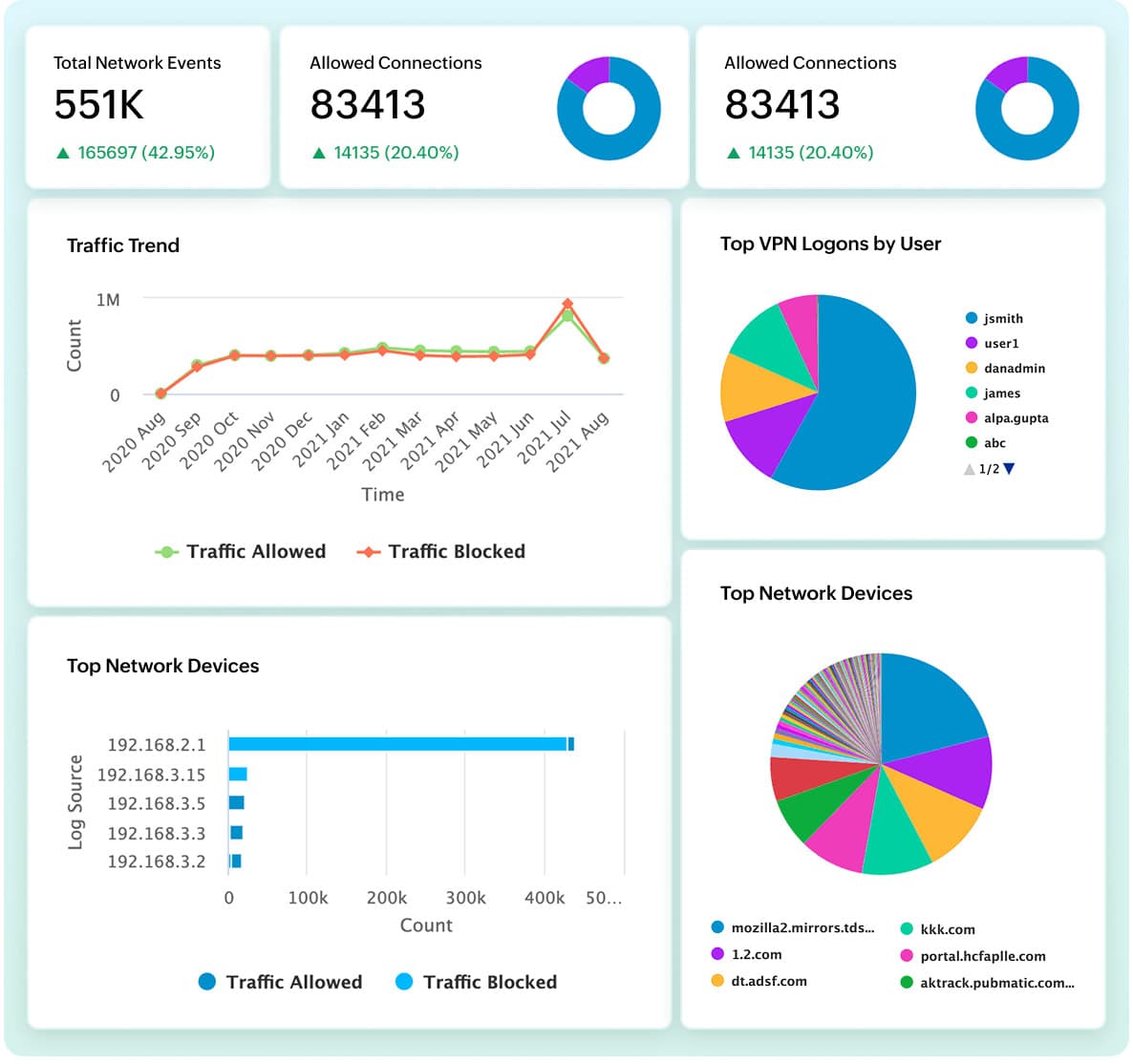
This is a cloud SIEM platform that automatically collects logs from cloud platforms, Windows servers, Syslog servers, and more. It correlates this data and combines it with data from external threat intelligence feeds and databases to identify known and emerging threats. It displays the findings on intuitive dashboards for easy understanding and generates reports to meet compliance.
Key Features:
- Provides extensive search capabilities on correlated log data to quickly find what you need.
- Ensure compliance with leading standards.
- Sends real-time alerts for known threats and Indicators of Compromise (IoC).
- Detects deviations using machine learning algorithms.
- Identifies high-risk users with integrated risk scoring.
- Maintains detailed logs of user activity for audit trails.
Why do we recommend it?
While testing this tool, we uncovered many useful features that can come in handy while securing cloud environments. To start with, its ability to detect threats is excellent because it takes not only the internal data of your organization’s environment, but also correlates it with external threat feeds. The results of this analysis are displayed on intuitive dashboards that support understanding and the resultant remediation and troubleshooting.
Another aspect that stood out to us is the reports. It comes with hundreds of preconfigured reporting templates that can be quickly customized to meet specific compliance requirements. Furthermore, all the data is saved for further analysis, forensic analysis, and auditing.
Who is it recommended for?
It is recommended for organizations that use cloud environments and need complete visibility into known and emerging threats. It is also well-suited for organizations that have to meet strict security and compliance requirements.
This tool offers a 30-day free trial. Get started today!
3. Datadog
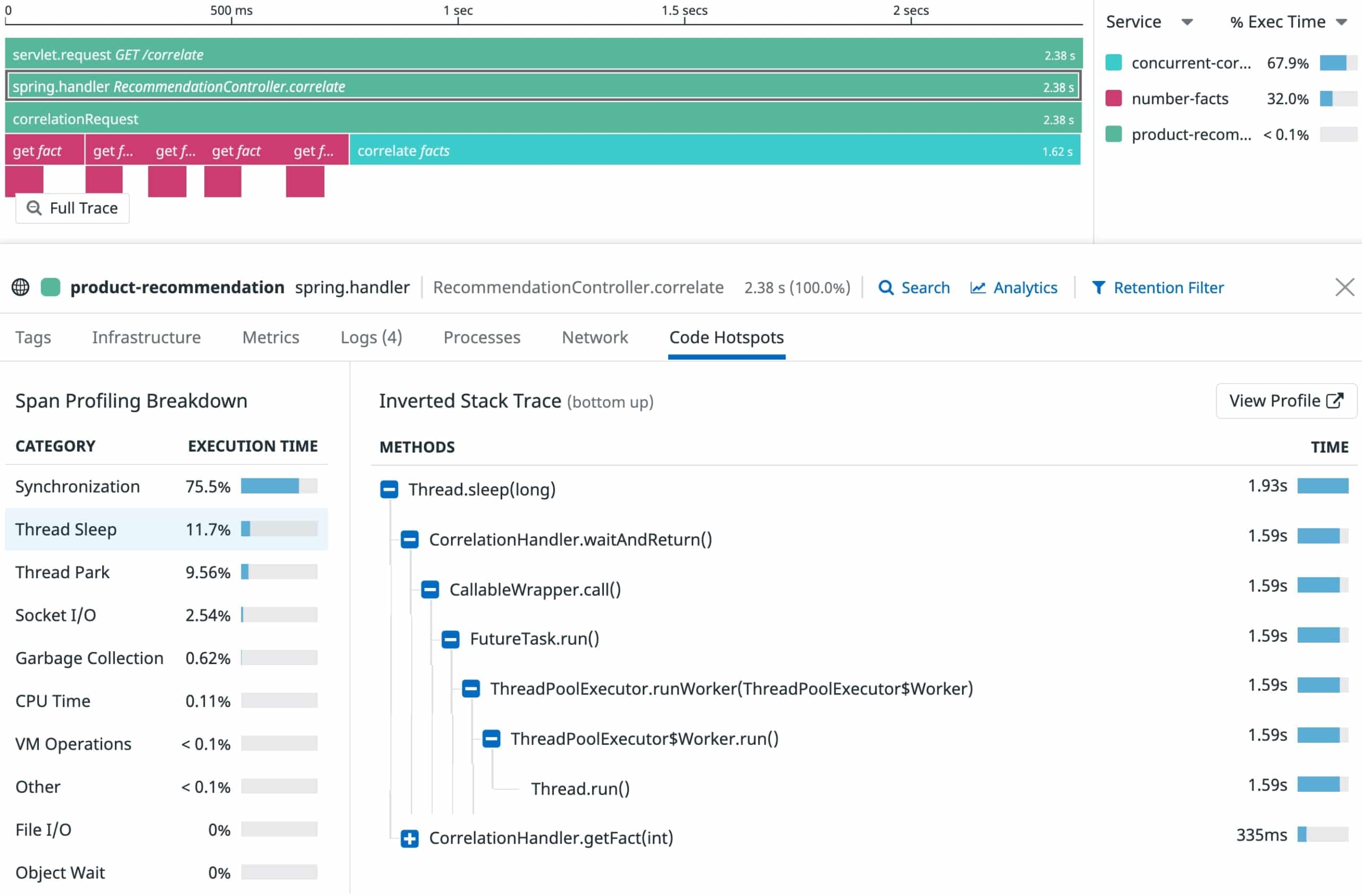
Datadog is one of the largest companies in the cybersecurity world as a whole. It provides a wide variety of monitoring, security, troubleshooting, and backup software. Datadog’s Cloud Security Platform is one of the best security platforms used in cloud apps across the world.
Key Features:
- Quality data aggregation features
- Extremely scalable
- Real-time monitoring features
- Over 500 different integrations
- FIM(File Integrity Monitoring) capabilities
- Quick setup and real-time threat detection
- Offers a variety of customization and alerting options
Why do we recommend it:
In our extensive testing of Datadog’s Cloud Security Platform, it emerged as the most customizable tool, offering in-depth monitoring and visibility for all cloud deployments, supporting multi-cloud and hybrid scenarios. With seamless integration into the Datadog suite and over 500 third-party integrations, it excelled in real-time threat detection and response. Notably, it swiftly identified potential threats, allowing for quick reaction and ensuring the security of our cloud workloads.
The tool will help you quickly detect, monitor, and react to any potential threats much more quickly than most other tools would let you. Datadog also supports a variety of community-made add-ons and over 500 different 3rd party integrations. The tool also allows developers to analyze all of their security and operational logs.
The Datadog Cloud Security Platform easily integrates with the rest of the Datadog suite, so if you’re already using Datadog’s tools for some parts of your infrastructure, this tool will fit snugly into your environment.
As we mentioned, one of the biggest benefits of Datadog is its customizability. You can customize the dashboard which allows you to monitor the end-to-end user experience as you see fit. Furthermore, the alerts system is robust and easily customizable through custom thresholds.
In terms of threat detection, Datadog Cloud Security Platform can detect security threats in real-time, in addition to constantly monitoring network performance. It will also help you react to threats once they’ve been detected. The tool easily allows you to manage workloads, and kernel activities, track threats, gain visibility into your infrastructure, as well as generate high-quality reports for inter-team communication.
Since the tool uses universal Datadog Agents, if you’re already using an agent-based Datadog tool, it won’t use any additional resources to set up agents.
Who is it recommended for:
Datadog is recommended for businesses of varying sizes seeking a highly customizable cloud workload security solution. Its scalability and support for multi-cloud environments make it suitable for enterprises, while its intuitive features cater to the needs of smaller businesses. IT professionals and security teams benefit from its real-time monitoring and threat detection capabilities, ensuring the security of VMs, containers, and other cloud resources.
The tool offers a 14-day free trial as well as a demo.
4. Trend Micro Deep Security
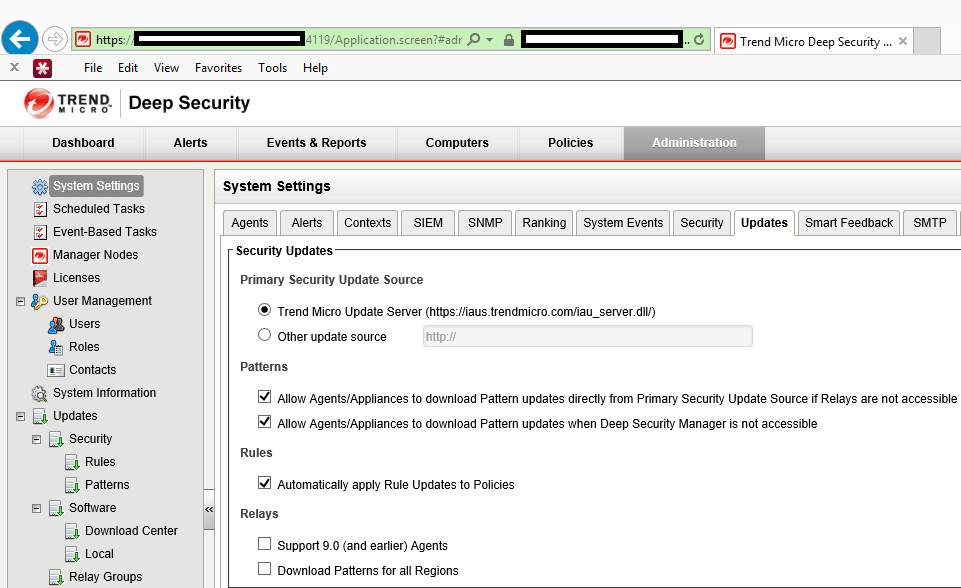
Trend Micro Deep Security is an in-depth, enterprise-focused cloud workload security platform. It focuses on providing powerful, high-quality solutions to your issues while not impeding performance. The tool will easily navigate your network as well as identify and protect critical data from malicious actors.
Key Features:
- Sandbox analysis and Behavioral analysis capabilities
- Machine-learning based features
- Routine health checks and integrity monitoring capabilities
- Centralized, web-based management window
- Easy-to-use auto-scaling features
- Extremely quick detection and protection of vulnerabilities
Why do we recommend it:
During our evaluation of Trend Micro Deep Security, an enterprise-focused cloud workload security platform, it proved its worth with sandbox analysis and behavioral analysis capabilities. The tool efficiently navigated our network, identifying and protecting critical data from potential threats. It quickly detected vulnerabilities, providing comprehensive security without compromising performance. Our testing highlighted its AI-based features, enhancing threat detection and protection.
The tool provides you with integrity monitoring, a firewall service, AI-based behavioral analysis, sandbox analysis, and web reputation service. All of these features are put together to make this an excellent tool that quickly integrates with DevOps processes. Trend Micro Deep Security provides an instance-based way to protect your cloud workloads by taking advantage of ML(machine learning) and Virtual Patching.
For such an in-depth tool, Deep Security provides an intuitive dashboard that lets you accelerate incident responses and helps you react to problems quickly and efficiently. The tool also provides consistent security across a variety of cloud environments.
The tool gives you access to a variety of automated and AI-based features. The tool will also inspect and protect all of your logs, and routinely perform health checks to ensure that your infrastructure is running smoothly.
It will also help you meet regulatory compliances and provide context-based proactive protection, deeply rooted in its ML-based analysis of your infrastructure. The tool also integrates seamlessly with most DevOps processes, in addition to auto-scaling features that make scaling the software up or down a breeze.
Who is it recommended for:
Trend Micro Deep Security is recommended for enterprises seeking a robust cloud workload security platform with advanced features. Its machine-learning capabilities and efficient threat detection make it suitable for businesses with complex cloud infrastructures. The tool’s ease of use and auto-scaling features further benefit IT professionals and security teams managing large-scale cloud workloads. Outside of an enterprise setting, the Trend Micro Deep Security’s breadth of features can be difficult to get the most out of.
The tool offers a 30-day free trial with all of its features unlocked.
5. Prisma Cloud
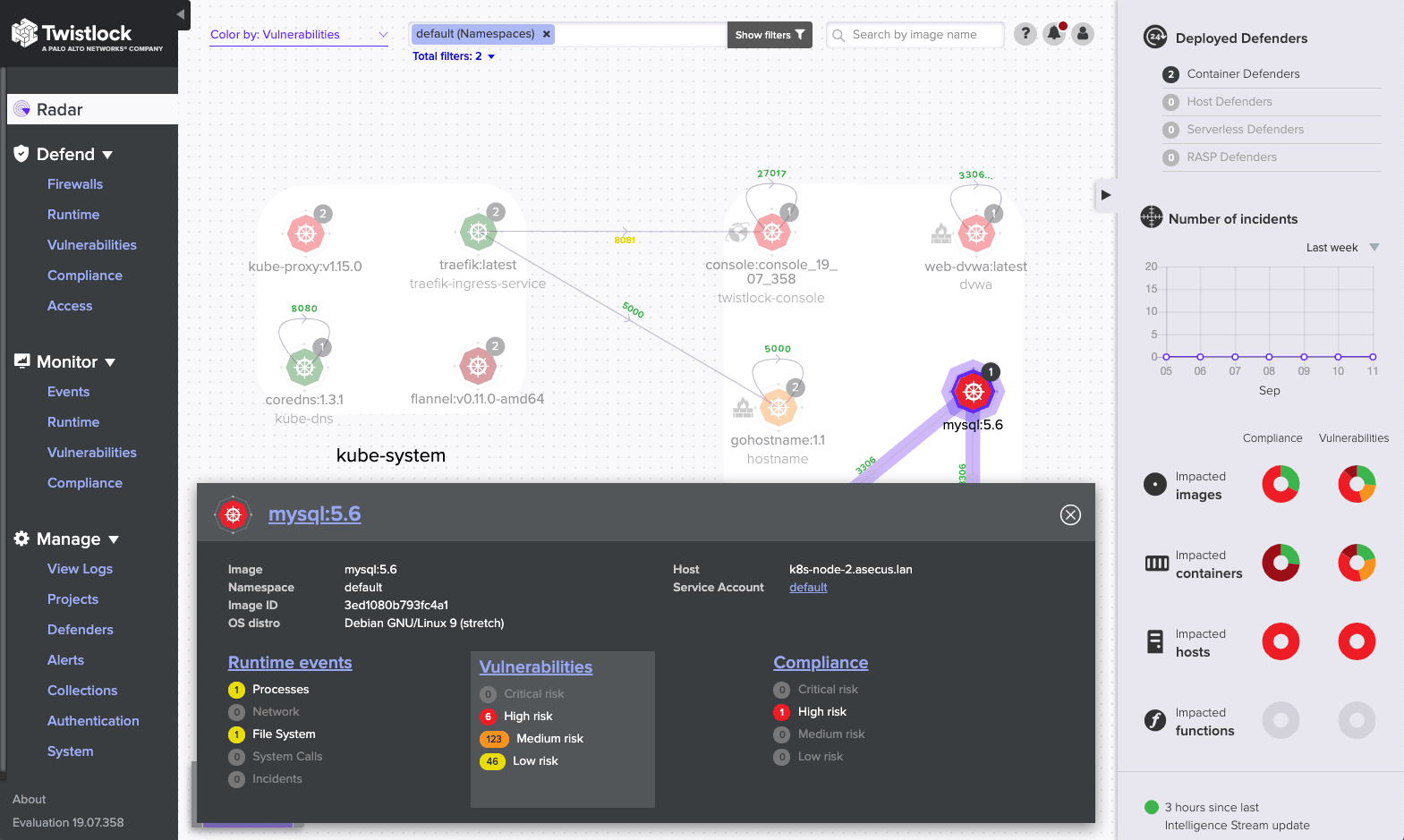
Prisma Cloud is a holistic cloud-native security platform that provides full security across the development lifecycle. It supports both Azure and Google Cloud, as well as a variety of other installations.
Key Features:
- API security and data exfiltration detection features
- Excellent network visibility
- Microsegmentation capabilities
- Integrates well with CI/CD(Continuous integration/continuous delivery) workflows
- Automates many tedious tasks or ones that are difficult to do by hand like risk prioritization
Why do we recommend it:
Prisma Cloud, a holistic cloud workload security platform, stood out in our testing with its integration into Continuous Integration/Continuous Delivery (CI/CD) workflows. The tool provided excellent API security, data exfiltration detection, and microsegmentation capabilities. It addressed the challenges of securing cloud-native environments, ensuring the protection of workloads throughout the development lifecycle. Our experience highlighted its automation features, streamlining security tasks and enhancing overall cloud security.
The tool will also allow developers to look at all of the files, processes, and pre-deployment within your infrastructure through the container image sandboxing feature. It’ll also allow you to remove blind spots that are ripe for cyberattack, and has a clever alerts system to help reduce alert fatigue.
With businesses turning heavily toward cloud technologies, it’s critical to invest in workload protection tools that provide you with API security and full network visibility. Thankfully, the Prisma Cloud offers both of those in spades. Its network visibility features are second to none, and coupled with its scanning of IaC templates and data exfiltration detection features it’s an excellent tool for threat mitigation as well.
Prisma cloud makes a lot of the tedious tasks that plague every business automated. This is great, as it allows you to allocate manpower where it’s needed. Its user and entity behavior monitoring capabilities help you keep better track of what exactly is happening on your network. It also helps you maintain regulatory compliance across your cloud environments, and gives full protection to your hosts, containers, and serverless functions.
Who is it recommended for:
Prisma Cloud is recommended for businesses adopting cloud-native architectures and leveraging CI/CD workflows. Its versatility makes it suitable for a range of industries, providing API security and network visibility. DevOps teams benefit from its automation features, ensuring seamless integration into development processes. The platform’s emphasis on security throughout the development lifecycle caters to businesses prioritizing secure and efficient cloud deployments.
The UI of the Prisma Cloud can take a bit of getting used to. You can request a free trial on the company site.
6. Microsoft Azure Security Center
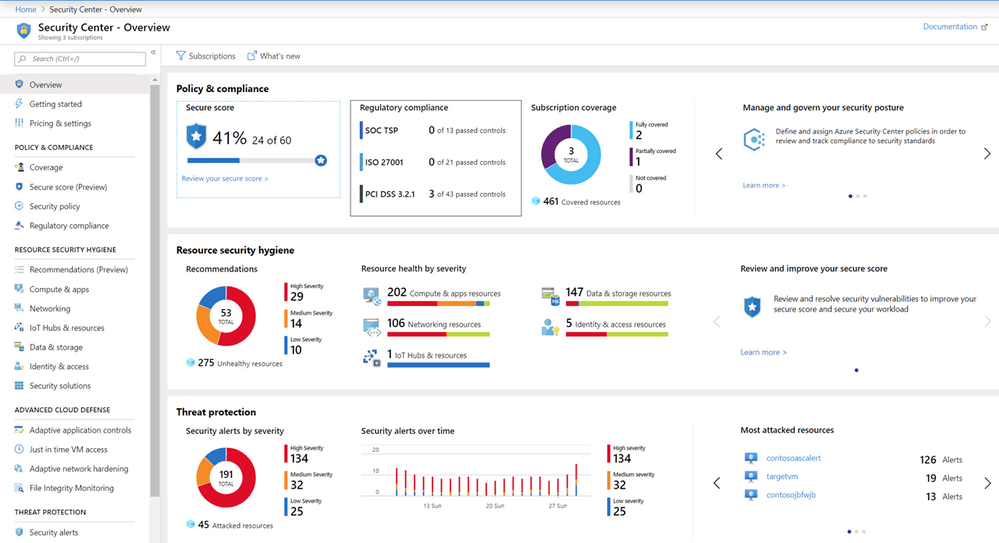
Microsoft Azure Security Center is an excellent cloud workload security tool to use in case you’re already using a lot of Microsoft tools, or if you’re relying on the Azure platform. The tool is trusted by enterprises to manage physical and cloud servers alike, in addition to VMs and cloud resources. One of the biggest perks of the tool is that it’s part of the Azure ecosystem, and supports AAC(Access and Application Controls).
Key Features:
- Highly advanced cloud defense systems
- Provides highly actionable insights
- Supports hybrid cloud infrastructures
- Integrates your log data into its alerts system and streamlines security assessment into a single console
- Integrates brilliantly with other Microsoft tools
Why do we recommend it:
Microsoft Azure Security Center, designed primarily for Microsoft and Azure environments, proved effective beyond its primary scope in our testing. It demonstrated advanced cloud defense systems and provided highly actionable insights. The tool seamlessly integrated log data into its alerts system, streamlining security assessment. Our experience highlighted its efficiency in threat protection and management of hybrid cloud infrastructures.
Primarily, the Microsoft Azure Security Center is there to protect your data centers from the multitude of threats in cloud environments. The tool is also compatible with hybrid clouds and helps you narrow all of your security admin operations down to a single console window.
The tool has a multitude of features that will allow your business to better spot weak spots and vulnerabilities in your system. It provides full threat protection to your workloads across a variety of different environments. Much like the tools above it, it’ll also give you a hand in maintaining compliance with regulatory standards.
One of the best things about the Azure Security Center is its efficiency. It provides high-quality, actionable insights into the state of your infrastructure, and helps you unify your security management efforts.
Who is it recommended for:
Microsoft Azure Security Center is recommended for businesses heavily reliant on Microsoft and Azure environments. Its deep integration with Microsoft tools and support for hybrid cloud infrastructures make it a valuable choice for Azure users. IT professionals benefit from its centralized security management and actionable insights, ensuring effective threat protection for cloud workloads.
If you’re not reliant on Microsoft or Azure systems, you might be better off with another entry on this list. The tool offers a 12-month free trial.
7. Illumio Core
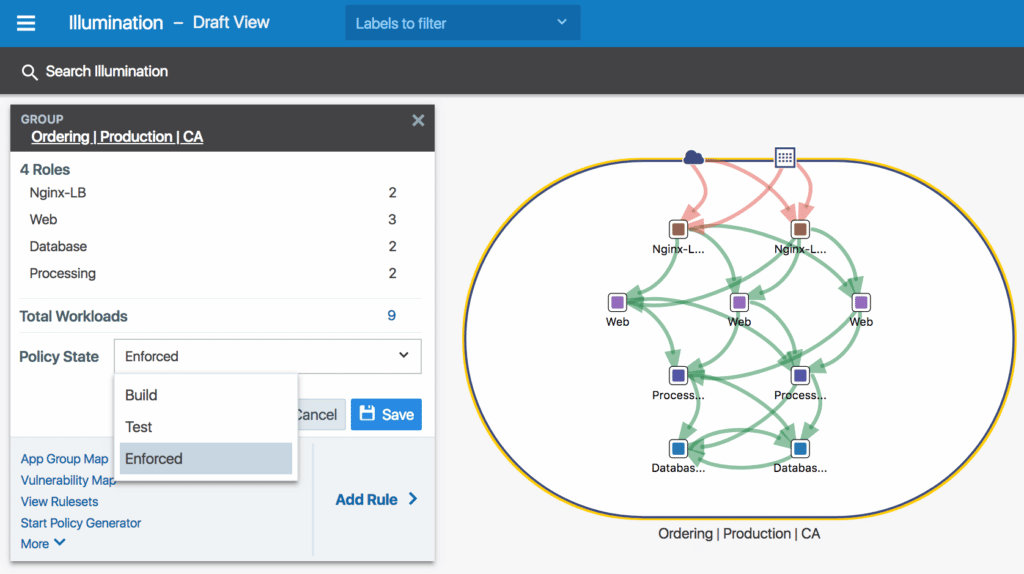
Illumio Core is an easy-to-use, quick, and efficient micro-segmentation workload security tool. With data centers moving more and more towards cloud and container-based infrastructures, taking advantage of a security framework like the Illumio Core has become almost necessary. This tool provides excellent coverage and protection to all of your assets stored within cloud-based infrastructures.
Key Features:
- Enterprise-focused with a plethora of interesting features
- Full infrastructure visibility
- Automated segmentation and quick micro-segmentation
- Encryption capabilities
- Vulnerability map creation
- Multi-cloud protection capabilities
Why do we recommend it:
Illumio Core, an easy-to-use micro-segmentation cloud workload security platform, impressed us with its enterprise-focused features. During our testing, it provided full infrastructure visibility, automated segmentation, and vulnerability map generation. The tool’s encryption capabilities and multi-cloud protection further enhanced our security measures. Illumio Core excelled in quick and efficient micro-segmentation, addressing the evolving needs of modern cloud-based infrastructures.
Illumio Core gives you access to full network visibility, and multi-cloud protection, and helps you streamline procedure management through the PCE (Policy Compute Engine.) The tool also provides API protection, which is extremely important in the age of API-heavy applications.
Illumio Core automates segmentation, saving you valuable man-hours and effort. It also provides real-time application insights helping your technicians stay on top of issues. It also lets you record and analyze historical traffic data, helping with capacity planning.
Illumio Core also generates vulnerability maps, showing you all of the places where your network is vulnerable to cyberattacks. This, together with its role-based access control and quick segmentation policy generation make it a great tool for securing your infrastructure against attacks.
Who is it recommended for:
Illumio Core is recommended for enterprises seeking a user-friendly yet powerful micro-segmentation solution for cloud workload security. Its capabilities make it suitable for businesses with diverse cloud environments, providing visibility and protection. IT professionals benefit from its automation features, ensuring efficient policy management and vulnerability assessment.
Outside of an enterprise or large business setting, Illumio Core might be a bit too difficult to use or offer too many unnecessary advanced features. You can register for a free trial at the company site.
8. Kaspersky Hybrid Cloud Security
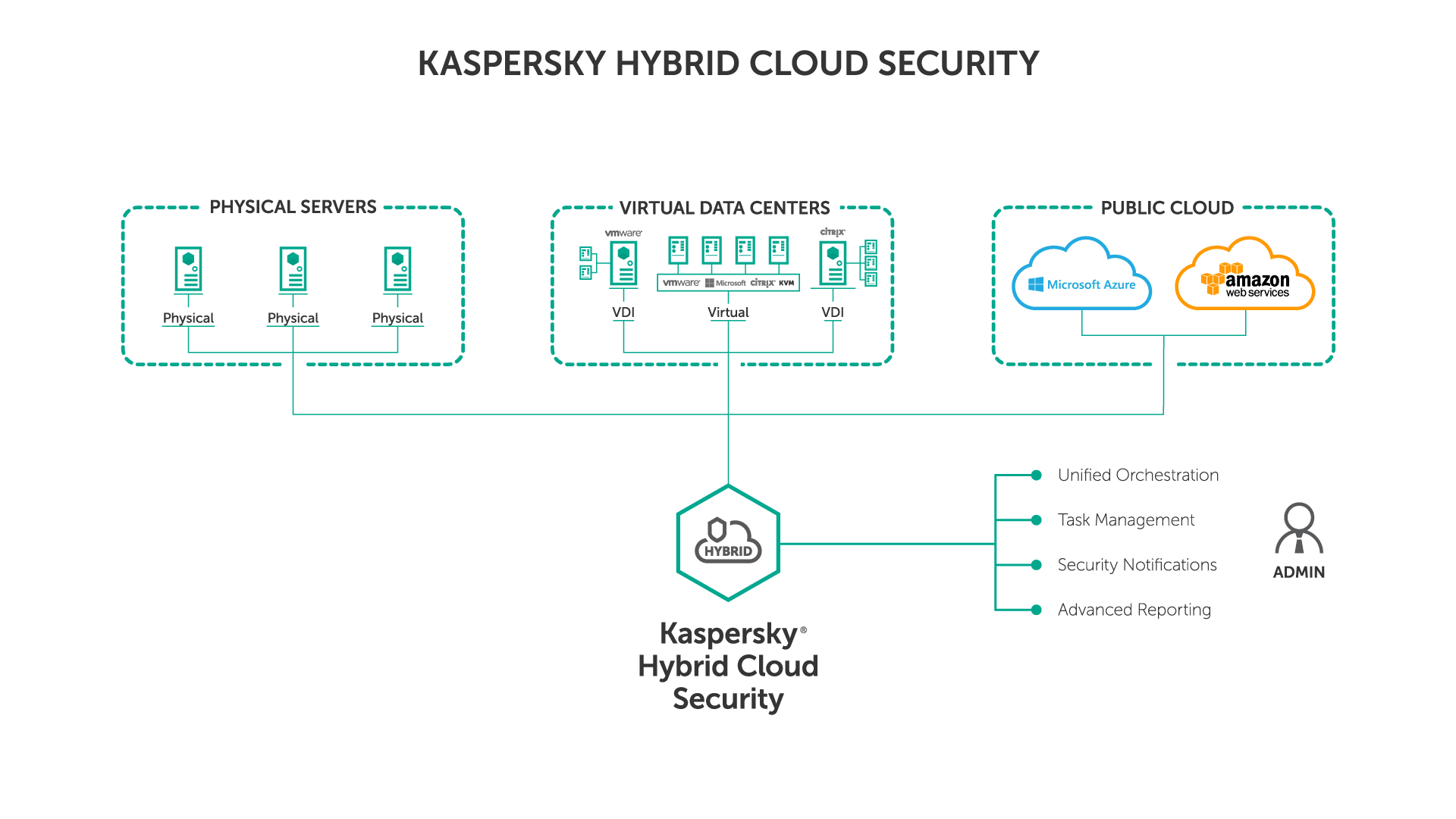
Kaspersky Hybrid Cloud Security is a tool made primarily for virtual desktops in addition to Windows and Linux servers. The tool gives comprehensive, Next Gen protection to all of your virtualized workloads, on-prem workloads, physical machines, cloud workloads, or operations in a data center.
Key Features:
- VDI machine provisioning
- Next-Gen threat protection and analysis
- Extremely versatile, protecting physical machines just as well as virtualized workloads
- Anti-phishing and anti-spam capabilities
- Advanced protection services for Azure and AWS
- Helps you meet SLOs to minimize risk
Why do we recommend it:
Kaspersky Hybrid Cloud Security, with its Next-Gen threat protection and analysis, demonstrated versatility in protecting both virtualized and physical workloads. Our testing highlighted its anti-phishing and anti-spam capabilities, making it a comprehensive solution for various environments. The tool’s ability to meet Service Level Objectives (SLOs) and support for Azure and AWS further solidified its position. Kaspersky Hybrid Cloud Security efficiently safeguarded our virtualized workloads, providing advanced threat protection.
Kaspersky Hybrid Cloud Security gives continuous and multi-layered security to all of your environments. Regardless of whether you’re running an IaaS or on-prem infrastructure, Kaspersky will cover your needs.
The tool is extremely flexible, offering a lot of customization and agility. It will also give you log inspection capabilities, which can be a massive help when it comes to troubleshooting. Its FMI capabilities also ensure that you keep tabs on all of your crucial files.
Kaspersky will also help you meet SLOs(Service Level Objectives) in addition to its threat detection and response features to ensure it’s providing you with the finest risk-minimizing features in the industry.
Who is it recommended for:
Kaspersky Hybrid Cloud Security is recommended for businesses utilizing virtual desktops, Windows and Linux servers, and operating in diverse environments. Its flexibility and support for different platforms make it suitable for businesses with varied infrastructure needs. IT professionals benefit from its advanced threat protection features and capabilities to meet SLOs, ensuring a secure and resilient cloud environment.
If you’ve got a streamlined infrastructure and don’t use multiple platforms, some of Kaspersky’s features might go to waste. The tool offers a 30-day free trial.
9. Lacework
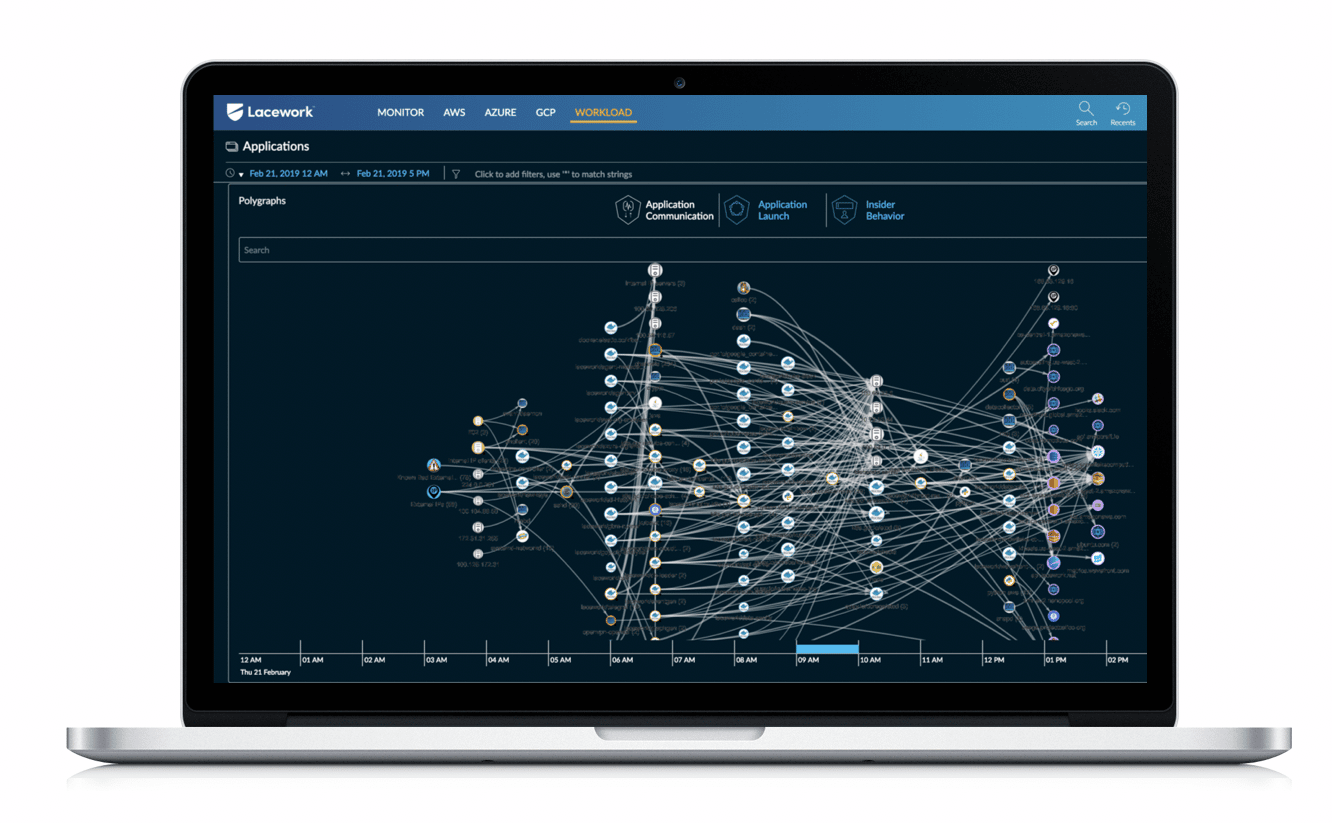
The Lacework Cloud Security Platform provides both security and compliance features to all of your cloud deployments. It has an extremely quick deployment time and is reliable when it comes to automating workload scaling. Lacework brings machine learning features wrapped in an easy-to-understand and intuitive package. You can use its ML features to find and monitor incoming threats or vulnerabilities within your systems.
Key Features:
- Easy to use UI
- Deep end-to-end visibility
- Supports multi-cloud and hybrid cloud environments
- Excellent machine learning features
- Threat and intrusion detection capabilities
Why do we recommend it:
In our assessment, Lacework Cloud Security Platform showcased innovation with its machine learning-based security approaches and an intuitive interface. The tool provided deep end-to-end visibility, supporting multi-cloud and hybrid cloud environments. Our testing highlighted its threat and intrusion detection capabilities, ensuring comprehensive security. Lacework’s automation features and easy-to-use UI contributed to efficient cloud workload protection.
Lacework is one of the most used cloud workload protection tools with extremely simple operations and maintenance rules. This tool provides in-depth visibility and gives you contextual data covering the latest updates, issues, and changes within your infrastructure’s configurations.
This is a very versatile tool, addressing multi and hybrid cloud workloads with ease. It covers all of your workloads and supports everything from physical devices to complex multi-cloud infrastructures.
The UI of Laceworks is fairly easy to get around, especially given the depth of features it provides. It automates AWS security monitoring and provides graphical investigation tools for all of your environments. The alerts system is also quite smart, making it unlikely that you’ll be alerted in situations where it’s unnecessary.
Some customers report Lacework as being slow on occasion. You can get a 30-day free trial on the company site.
Who is it recommended for:
Lacework Cloud Security Platform is recommended for businesses seeking an innovative and user-friendly cloud workload security solution. Its machine-learning features make it suitable for organizations prioritizing advanced threat detection. The platform’s versatility caters to multi-cloud and hybrid cloud environments, benefiting IT professionals looking for an intuitive security tool.
Closing Words
As always, picking the best cloud workload security platform for you will depend on your needs. If you’re looking to pick up a tool that will be as customizable as you need it to and works great out of the box for a variety of cloud environments, Datadog might be just the tool for you. On the other hand, if you’re looking for an innovative and ML-based approach to cloud security, take a look at Lacework.
We suggest outlining your business’ needs and then going over the tools in this list to see what matches them closest. With that being said, we’ve done our best to ensure the top 3 are ones you can’t go wrong with.
What is your favorite cloud workload security platform?
What feature do you feel a lot of the tools out there today are missing?
Let us know in the comments below!