

Snowflake Data Cloud is one of the best database analytics tools out there. With businesses growing in their digital presence, and cloud technologies growing in importance, Snowflake and similar tools have become staples of the business environment. Using a virtual warehouse system helps keep costs flexible.
Flexible systems like Snowflake are great since all of your costs are rooted in your usage period. However, this can also lead to businesses growing lax on optimization and incurring unintentional costs. Monitoring your usage to prevent this is not something Snowflake has an in-built solution for.
While you can monitor this manually, many businesses elect to go with a third-party product purely for the convenience that this brings. Furthermore, many of these tools provide peripheral features such as security checks and performance metrics. These features help you get the most out of your Snowflake experience. Today, we’ll be looking at the best tool to use for snowflake usage monitoring.
Here is our list of the best tools for Snowflake usage monitoring:
- Datadog Integrates with Snowflake and over 500 other tools seamlessly. It offers a great degree of customization, and a flexible pricing structure, in addition to a variety of security-focused features. It can also be expanded to a network monitoring solution, letting you view a variety of factors from a single tool. This enterprise-focused solution has it all.
- Microsoft Power BI The best solution for businesses on a budget. It has an excellent free version and scales quite easily.
- Tableau An extremely versatile Snowflake usage monitoring tool that’s very quick to set up and install.
- Talend An enterprise-focused tool with a heavy emphasis on security, the only tool on this list to provide geoanalytics features.
- Qlik A tool that combines a simple installation with a high degree of customization and great reporting features.
- New Relic A Snowflake usage monitoring solution with extremely flexible pricing that provides the essential features for free.
- Looker An open-source addon is available for Looker that makes it serve as a good Snowflake usage monitoring solution.
- DataSunrise Security Suite This is a security-first tool that works best paired with another solution, however, it can function as the only usage monitoring solution in a pinch.
- Using Snowflake Itself While not ideal, Snowflake’s data can be looked at manually through a third-party application like Access or Excel.
The Βest Snowflake Usage Monitoring Tools
1. Datadog
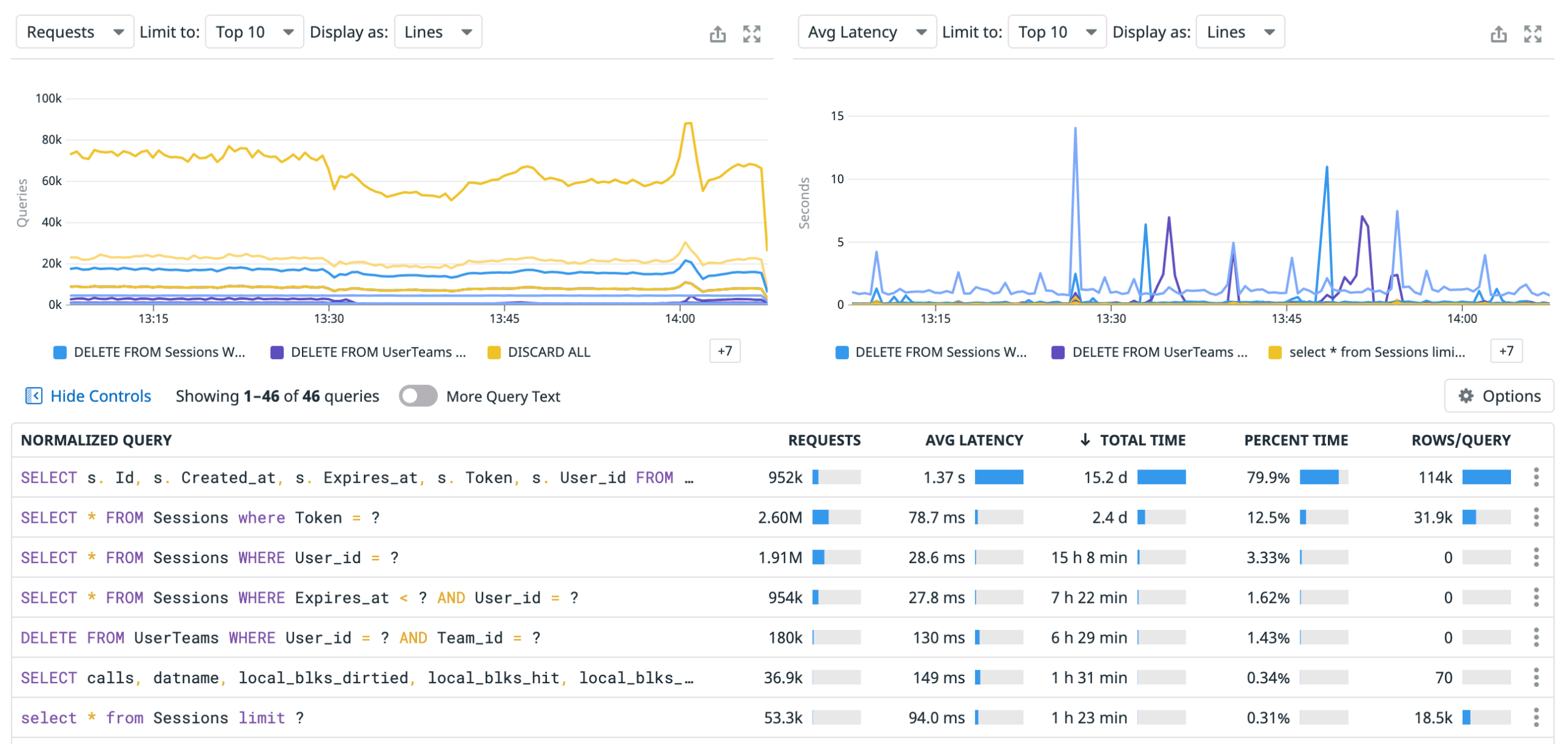
Datadog is one of the giants of the network monitoring space, so it’s no surprise that it works flawlessly with Snowflake. You can fully integrate Snowflake’s architecture with Datadog, giving you access to an expanse of features including usage monitoring.
Main Features:
- Excellent cost analysis projections
- Datadog is capable of finding misconfigurations in the cloud services layer
- Sleek and modern user interface
- Over 500 third party integrations
- Keeps on top of all login attempts, preventing brute force attacks
- Customizable dashboard
Why do we recommend it?
During our extensive testing of Datadog for Snowflake usage monitoring, the tool proved to be invaluable in identifying and rectifying potential cost inefficiencies. One key problem it solved for us was efficiently analyzing and projecting our anticipated usage and costs. Datadog’s customizable dashboard, forecasting tools, and integration with Snowflake’s architecture allowed us to optimize our resource utilization and make informed decisions about infrastructure upgrades.
Datadog accesses the integrated data in Snowflake and computes the costs you’re incurring based on the current active usage tag. Furthermore, Datadog’s analysis systems can help you break down your usage by warehouse, team, user, or role. This can be a great help in optimizing how efficiently you’re using Snowflake.
Datadog features forecasting tools that show you projections of your anticipated usage and costs. Datadog provides an excellent solution for enterprises, with their excellent data monitoring system.
Datadog seamlessly integrates with over 500 other tools in other to provide you with a holistic view of how Snowflake is impacting your infrastructure. Furthermore, you can configure Datadog to detect fluctuations in Snowflake and storage use compared to your usage history. This lets you find large spikes before they cause any trouble.
The tool is also capable of making AI-fueled predictions about how and when you might need to upgrade your Snowflake infrastructure. Another especially useful feature is its ability to find misconfigurations in the cloud services layer.
Who is it recommended for?
Datadog is recommended for enterprises and advanced users in need of robust network monitoring. Network engineers benefit from its ability to detect misconfigurations, analyze cloud services, and provide a holistic view of infrastructure impact. Security teams find value in its security-focused features, including login attempt monitoring and AI-fueled predictions for infrastructure upgrades. Small business owners concerned about costs and performance can also leverage Datadog for effective Snowflake usage monitoring.
Pricing: Datadog’s free version will give you the essential functionalities for five hosts. The Enterprise version is ideal for Snowflake monitoring, as you get all of these features for $23/month per host.
There is also a free 14-day trial.
2. Microsoft Power BI
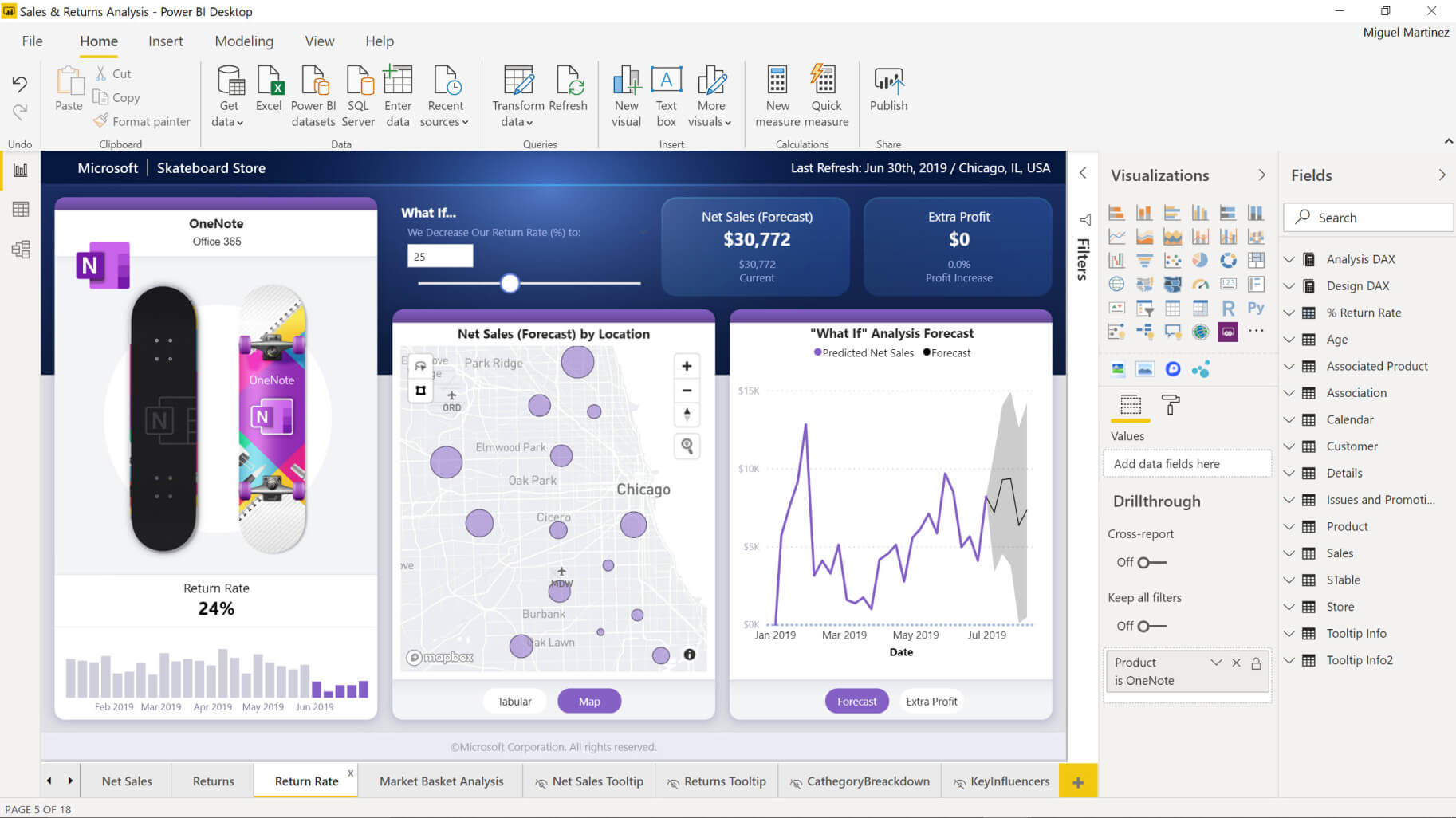
Microsoft Power BI is a tool that excels at providing a simple, but effective experience with native Snowflake integration. This lets you use Snowflake data with any other data sources through the Power BI dashboard. Furthermore, the tool has a plugin that shortcuts most of the work you need to do, however, there’s still a substantial amount of setup involved.
Main Features:
- Comes together with the Power BI Service and the Power BI Desktop, lessening installation requirements
- Easy to use bookmarks system
- Customizable dashboard
- Entirely free of charge with a paid version
- Excellent reporting features.
- Easily scalable
Why do we recommend it?
While testing Microsoft Power BI for Snowflake usage monitoring, it provided a simple yet effective experience with native Snowflake integration. This tool was particularly beneficial for businesses on a budget. The free version, coupled with its scalability, allowed us to seamlessly integrate Power BI and Snowflake, providing an excellent reporting feature that helped in gaining insights into our infrastructure’s performance and usage.
One of PowerBI’s biggest selling points is that its core version is free. You can completely integrate PowerBI and Snowflake with simple scripts available on GitHub for free. However, the paid version of the software also packs quite a punch.
PowerBI also provides Azure Active Directory support, with AAD single sign-on and authentication. The tool’s paid version also has excellent reporting features, which are extremely helpful for getting a birds-eye view of your infrastructure.
Who is it recommended for?
Microsoft Power BI is recommended for businesses on a budget, offering a free version with native Snowflake integration. Its ease of use and excellent reporting features make it suitable for small to medium-sized enterprises seeking cost-effective solutions for Snowflake usage monitoring.
Pricing: The Pro edition costs $9.99/month per user. However, Snowflake integration can work without any premium features.
3. Tableau
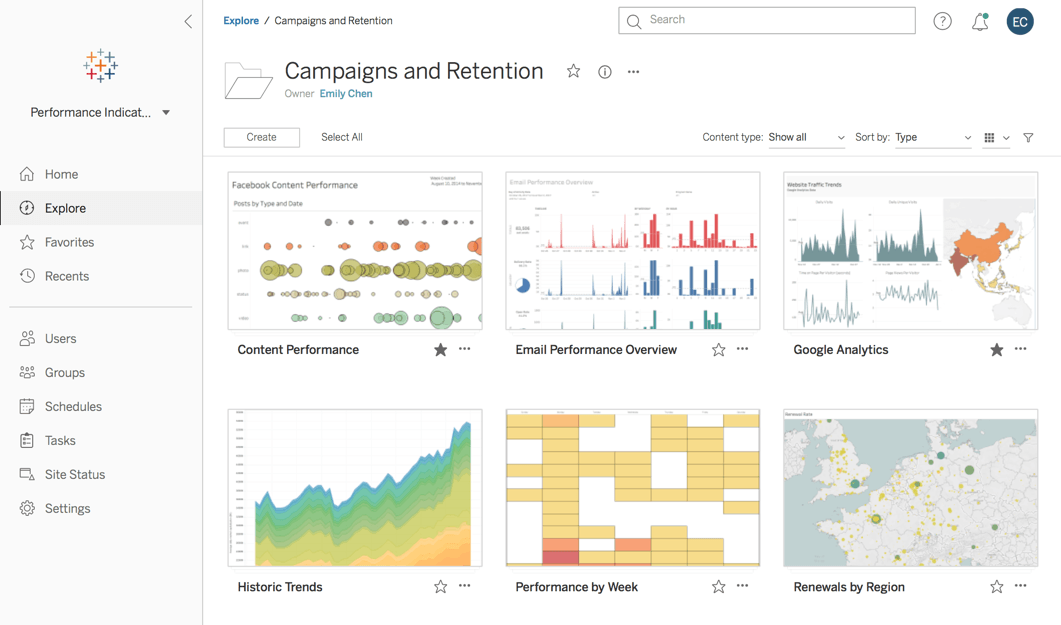
Tableau is an extremely versatile Snowflake usage monitoring tool. It provides you access to comprehensive dashboards, showing you your overall costs and whether you’re hitting your performance metrics. It also has a data-driven alerts system that helps you proactively monitor Snowflake usage and lets you know if you exceed a given value.
Main Features:
- Its Quick Start feature automatically connects to Snowflake, making setup extremely quick and easy.
- Easily scalable
- OAuth support
- Intuitive dashboards
- Tableau helps with accountability by providing user filters and alerts
- Great alerts system
Why do we recommend it?
In our testing of Tableau for Snowflake usage monitoring, its versatility stood out. The Quick Start feature facilitated a swift setup, and the intuitive dashboards provided comprehensive insights into overall costs and performance metrics. The tool’s user-based filters and alerts supported accountability, ensuring transparency across our Snowflake infrastructure.
Although this is a primarily dashboard-driven tool, it integrates with Snowflake seamlessly, with pre-built Snowflake usage monitoring dashboards. You can also set up user-based filters and alerts to help with accountability. The abundance of data the tool provides helps you leverage data patterns to make decisions.
The tool gives you user adoption rate statistics and shows the total number of available users for each database. This helps create a data-first company culture, with the tool helping ensure transparency across your Snowflake infrastructure.
Who is it recommended for?
Tableau is recommended for users seeking an extremely versatile Snowflake usage monitoring tool. Its three pricing models cater to different needs, making it suitable for various business sizes. With its quick setup and user-friendly features, Tableau is ideal for those looking to adopt a data-first company culture and optimize Snowflake usage efficiently.
Pricing:
- Creator: $70/user per month, provides end-to-end analytics workflow functionalities.
- Explorer: $35/user per month, gives you access to its self-service analytics features and lets you edit its preset dashboards
- Viewer: $12/user per month, provides all of the essential functionalities above
It features a 14-day free trial.
4. Talend
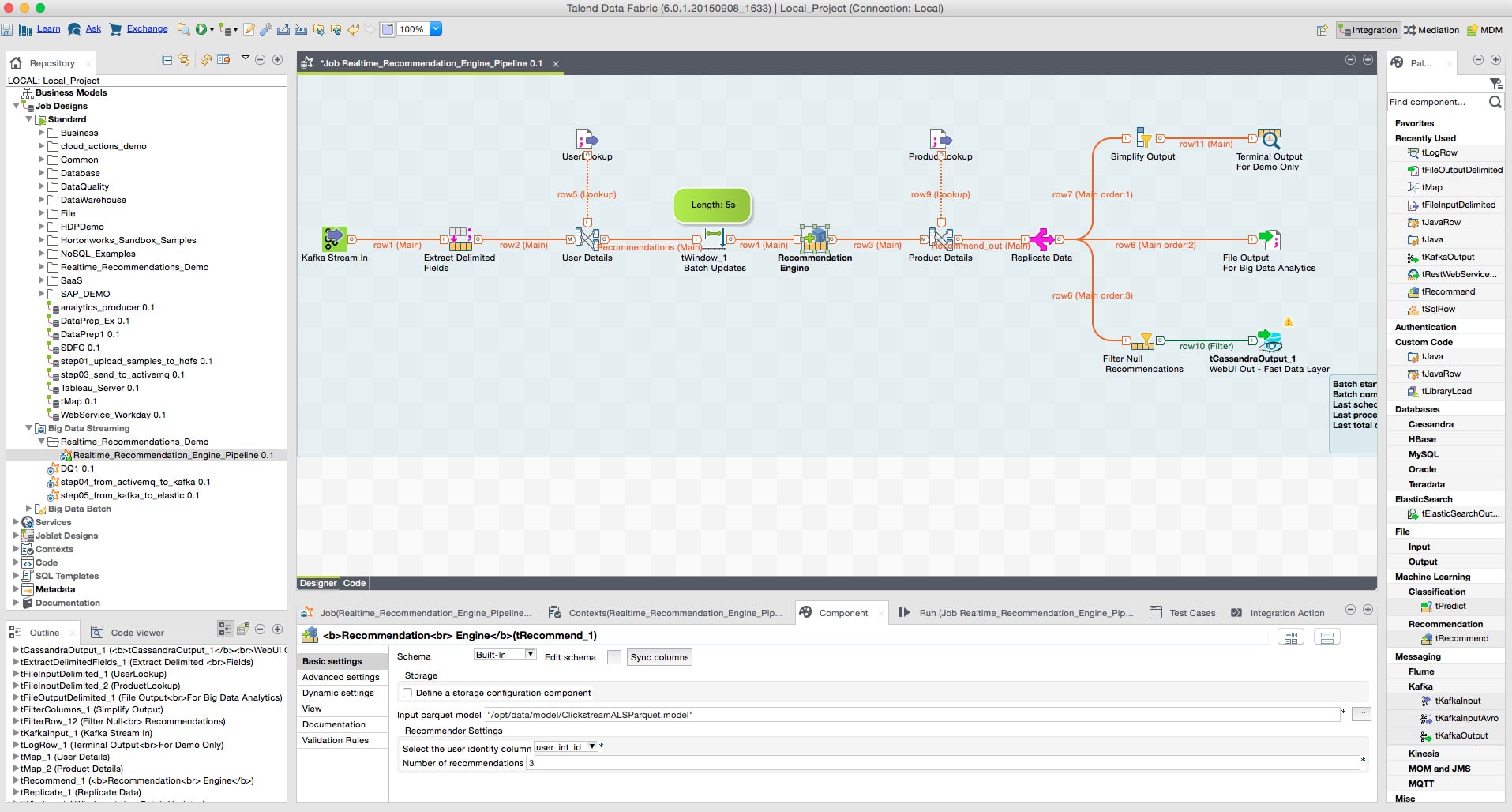
Talend is a data analysis tool specialized for enterprises. It comes with a built-in suite of tools made for Snowflake integration. Furthermore, Talend itself has partnered up with Snowflake to make creating a trial account extremely easy through its partner program.
Main Features:
- Ensures your data is correct, available, and secure
- Has extremely easy integration with Snowflake
- Error detection capabilities
- Automatic data cleaning and profiling
- Specifically made for enterprises with non-enterprise editions
Why do we recommend it?
During our evaluation of Talend for Snowflake usage monitoring, its enterprise-focused approach with a strong emphasis on security became evident. Talend’s seamless integration with Snowflake allowed us to quickly assess data reliability, perform error detection, and project costs. This tool proved valuable in enhancing data accuracy and ensuring quick access speeds throughout our cloud environments.
Because Talend and Snowflake are partnered, integrating the tools is seamless. The Talend platform lets you quickly assess the reliability of your data as well as error-checking to find issues. You can also project costs to see all of your usage considerations.
Talend provides in-depth data analytics throughout your cloud environments, all the while enhancing data accuracy and ensuring quick access speeds. The tool also detects security issues within your data.
Who is it recommended for?
Talend is recommended for enterprises with its specialized data analysis tools and emphasis on security. It suits those looking for a Snowflake usage monitoring solution that prioritizes data reliability, error detection, and overall security. The platform offers different editions, making it suitable for various business sizes, including small and medium-sized enterprises. Talend provides a 2-week free trial to help you make sure it’s the product for you.
5. Qlik
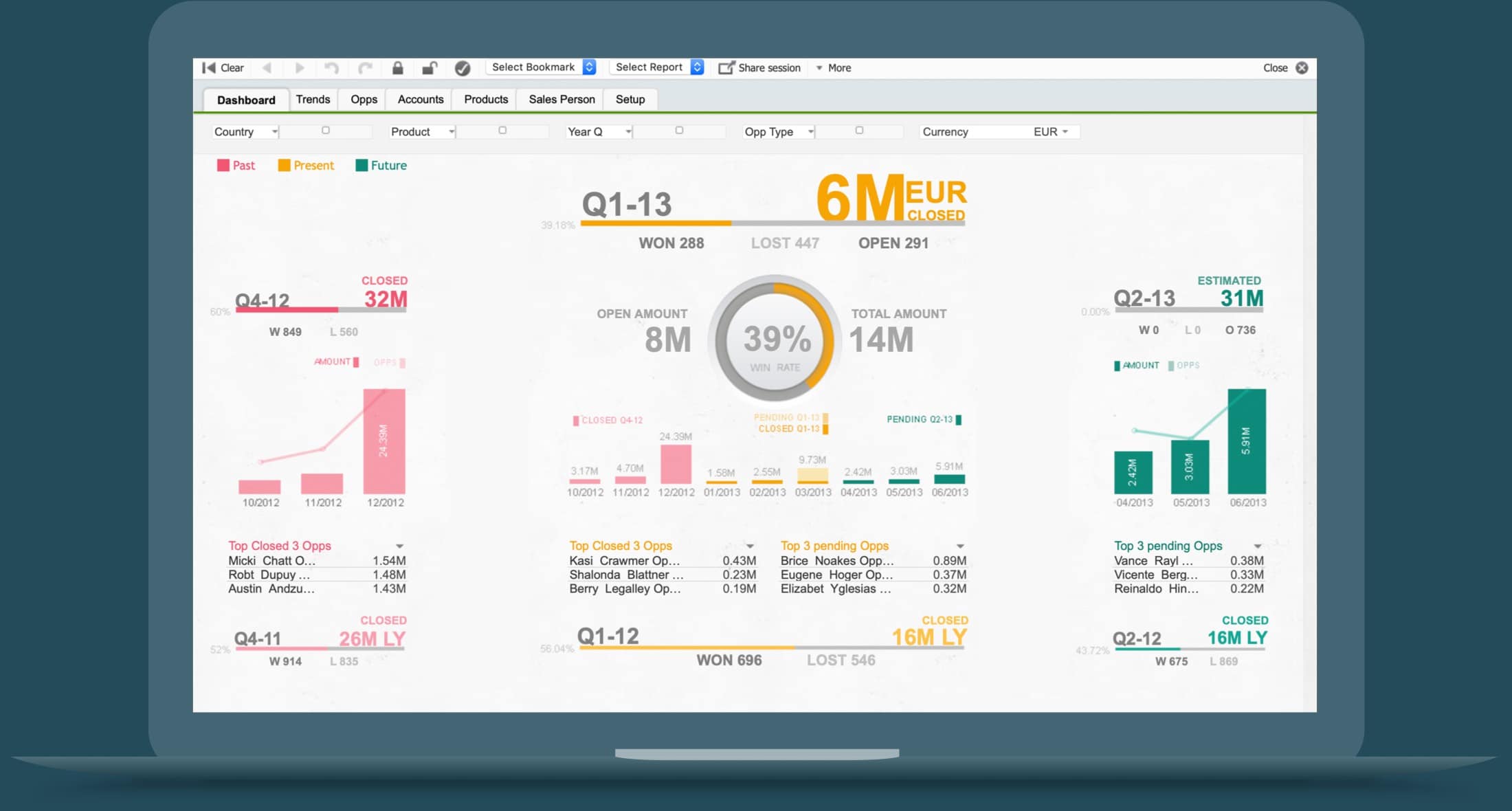
Qlik is another specialized data analytics platform for enterprises. It provides the highest degree of integration features on this list. Snowflake is one of the solutions with which it easily integrates seamlessly. The Qlik Sense feature lets you visualize its data integration process, which allows you to customize your installation process.
Main Features:
- Extremely intricate and customizable integrations system
- Usage and performance data statistics
- Helps with security through its geoanalytics section
- Qlik lets you create in-depth audits and reports
- Simple installation
Why do we recommend it?
In our testing of Qlik for Snowflake usage monitoring, we found its intricate and customizable integration system to be a standout feature. Qlik’s ability to provide in-depth audits, customizable dashboards, and security features made it effective in visualizing data integration processes and optimizing Snowflake usage.
Qlik has an abundance of customization features, ranging from its looks and alerts to fully customizable dashboards. On the dashboard, you can easily see all of your Snowflake usage and cost statistics, as well as projections to help with credit allocations. The tool also helps with security, with its geoanalytics page showing where all of your login attempts are made. You can also look at in-depth statistics on your query speed and errors with its performance and optimization view.
Who is it recommended for?
Qlik is recommended for enterprises seeking a highly customizable Snowflake usage monitoring platform. Its extensive integration features, performance data statistics, and security measures make it suitable for businesses looking to tailor their Snowflake monitoring to specific needs. With different pricing options, Qlik caters to various business sizes.
Pricing:
Qlik has a variety of pricing options. The most common one is the Business version, costing you $30/user per month. Its Enterprise version increases your data capacity, which helps global businesses. However, that version requires you to contact their sales team to get a quote.
Furthermore, to smoothly integrate Qlik with Snowflake you’ll need to get its Data Integration solution. This adds a bit to its cost, so you should keep this in mind. Both the Enterprise and Business versions have a free trial.
6. New Relic
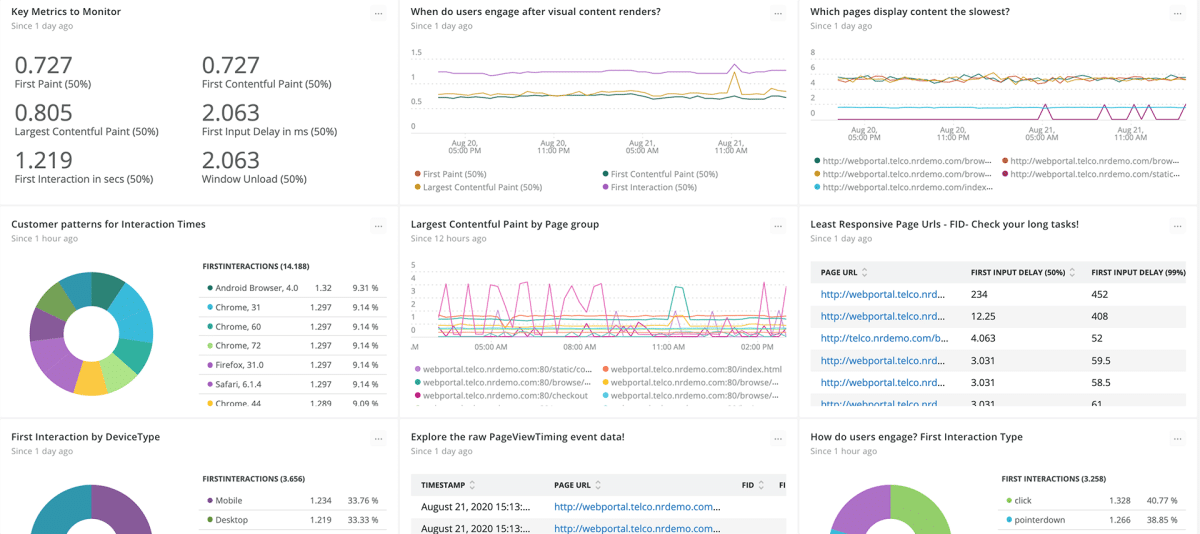
New Relic is a full-stack monitoring solution, and an excellent choice if you’re looking for a budget tool to help with Snowflake usage monitoring. The tool has a free version alongside its Pro and Enterprise editions, which are mainly geared towards medium to large businesses.
Main Features:
- Flexible pricing options including a free version
- Spots warehouse performance problems
- Creates security reports
- Customizable alerts
Why do we recommend it?
During our assessment of New Relic for Snowflake usage monitoring, its flexible pricing options and essential features became apparent. The tool effectively identified warehouse performance issues, provided security reports, and offered customizable alerts. New Relic’s free version, along with its Pro and Enterprise editions, proved beneficial for medium to large businesses.
New Relic also provides you with multiple alerting tools that can detect problems. These problems can range from wrongly assigned data to security problems like unauthorized logins and requests. You can also customize its alerts system based on a variety of metrics, helping you set it up towards your business’ needs.
Who is it recommended for?
New Relic is recommended for budget-conscious users and medium to large businesses in need of a reliable Snowflake usage monitoring solution. Its free version supports a single user, while the Pro and Enterprise editions offer expanded features. The tool’s ability to spot performance problems and provide security reports makes it suitable for businesses prioritizing cost-effective monitoring. You’ll need to contact their sales team to get a quote.
7. Looker
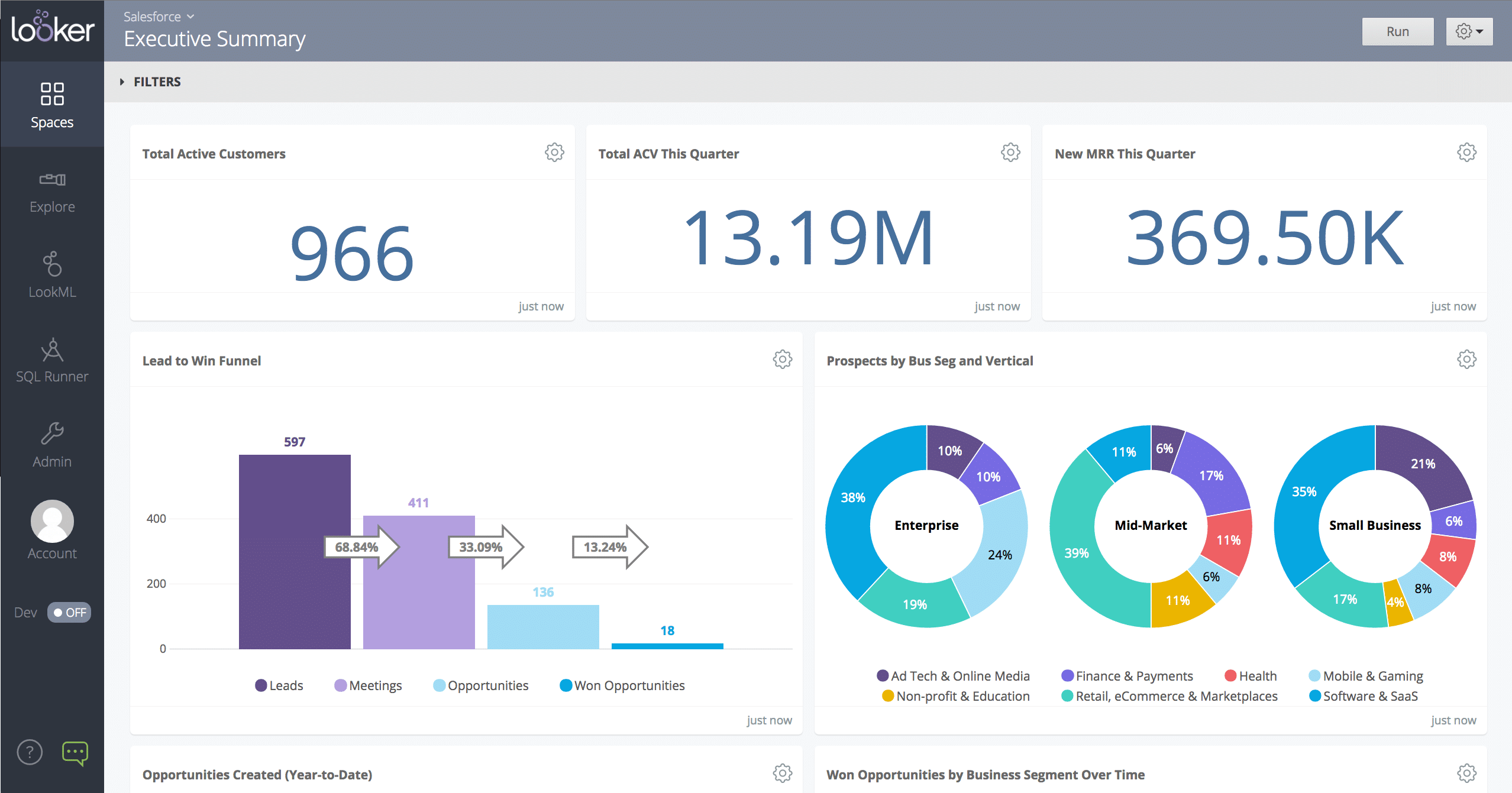
The Looker platform has an open-source add-on that allows you to integrate its analytics features with Snowflake. It gives you a comprehensive insight into how your Snowflake instances are deployed and help you manage them, in addition to showing your usage and cost breakdown.
Main Features:
- If you already use Looker this is an open-source add-on for it
- Customizable dashboard
- Allows you to restrict users if needed
- Cost analysis and breakdown
Why do we recommend it?
In our evaluation of Looker for Snowflake usage monitoring, its open-source add-on impressed us with its seamless integration and customizable dashboard. Looker allowed us to gain comprehensive insights into Snowflake instances, manage deployments efficiently, and analyze usage and cost breakdowns.
Looker lets you create a dashboard showing you the relevant information directly. It also allows you to look deep into the data and find out all of the performance, security, and identity metrics associated with it. It also allows you to prioritize queries and compare different warehouses in their performance.
Who is it recommended for?
Looker is recommended for users already utilizing the Looker platform, offering an open-source add-on for Snowflake usage monitoring. Its customizable dashboard and detailed analytics make it suitable for those seeking a comprehensive view of Snowflake instances. Looker is ideal for businesses that prioritize efficient deployment management and detailed usage analysis.
8. DataSunrise Security Suite
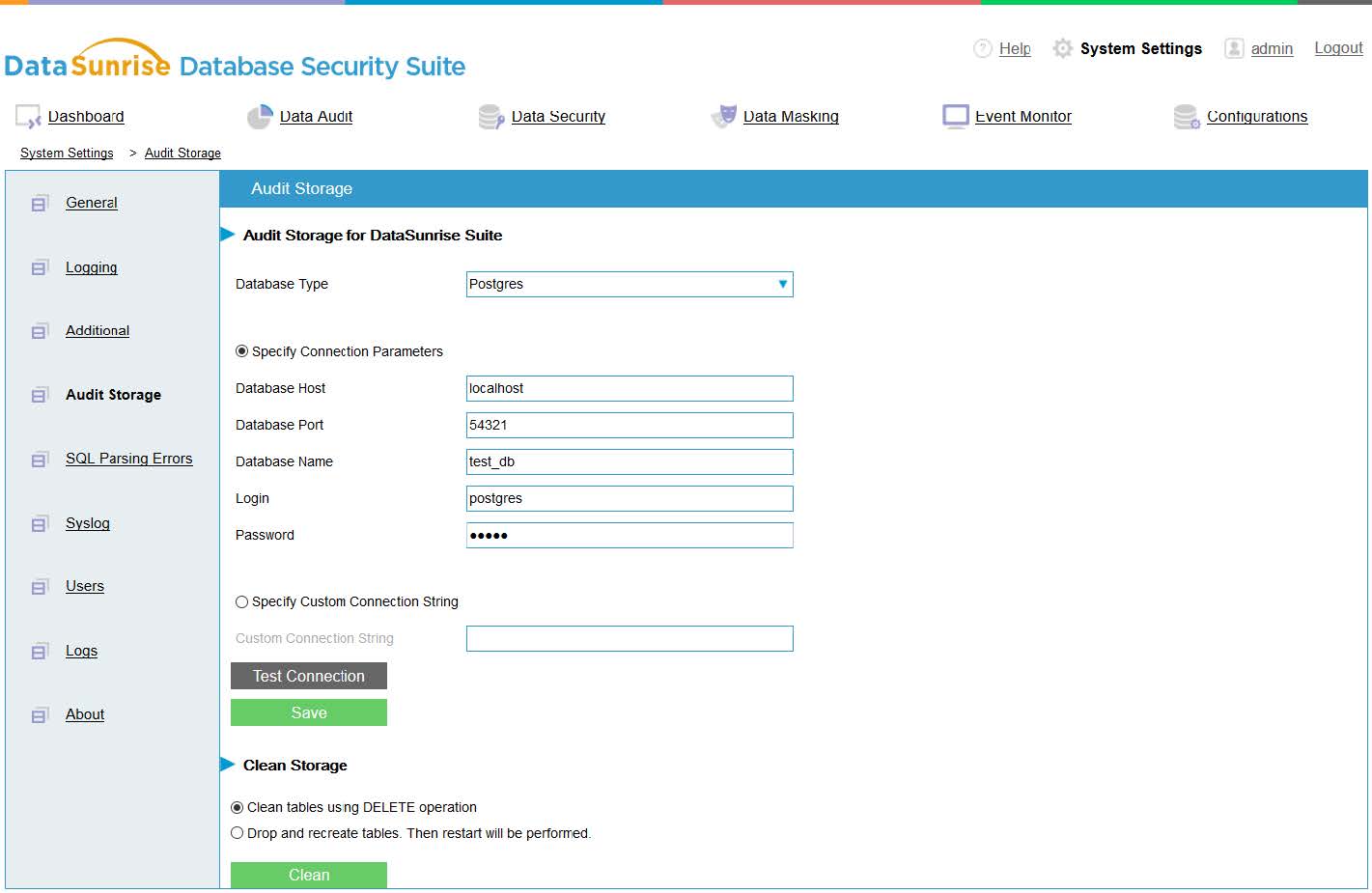
DataSunrise Security Suite is a security tool that lets you monitor database traffic and queries throughout your Snowflake infrastructure. Its Activity Monitoring tool provides you with security features to help you find SQL injection attempts and questionable access requests. It also lets you find IP addresses and hostnames of everyone that has access to a given database at will.
Main Features:
- A security-first solution
- Provides data query monitoring features
- Logs login attempts and stops SQL injections
- Provides some usage monitoring capabilities
Why do we recommend it?
While primarily a security tool, DataSunrise Security Suite proved to have some valuable Snowflake usage monitoring capabilities during our testing. The tool effectively monitored database traffic, queries, and provided security features to help identify SQL injection attempts and questionable access requests.
While the main focus of the DataSunrise is security, the tool still helps with usage assessment. It allows you to look at monitoring metrics, which let you calculate the total costs quickly, albeit you have to do it manually.
Who is it recommended for?
DataSunrise Security Suite is recommended for users primarily seeking a security-focused solution with additional Snowflake usage monitoring capabilities. It is best utilized when paired with another dedicated monitoring solution. The tool’s security features make it suitable for businesses prioritizing database security in their Snowflake infrastructure.
Pricing: The tool features a free trial, and averages to around $0.20 per hour after the trial period.
9. Using Snowflake Itself
Fundamentally, Snowflake is a tool for data analysis and processing. All of the information that the integrations in this list are available within Snowflake, they’re just a lot harder to get to. If you don’t have access to enough funds to allocate to Snowflake usage monitoring, you can still monitor it without a dedicated tool.
Main Features:
- No additional costs
Why do we recommend it?
In situations where dedicated tools may not be feasible, utilizing Snowflake itself for manual monitoring proved viable during our testing. While not ideal, Snowflake’s inherent data analysis and processing capabilities allowed us to manually assess usage through third-party applications like Access or Excel.
All of the information regarding your deployment is found within the SNOWFLAKE database. However, this info is a lot harder to parse, as it isn’t designed to be read by a human, and you’d have to conduct your monitoring manually. However, you can still export it into a visualization tool to help you get a good grasp of your usage.
As you’re already using Snowflake, this won’t cost you anything extra. Exporting the data as a CSV file and loading it up in Excel or Access will allow you to conduct usage monitoring.
Who is it recommended for?
Using Snowflake itself for manual monitoring is recommended for users with budget constraints or specific use cases where dedicated tools are not feasible. It is a viable option for those who are already familiar with Snowflake’s data analysis capabilities and can conduct manual monitoring through third-party applications. However, this approach may be more time-consuming and lacks the automated features of dedicated monitoring tools.
Closing Words
These 8 solutions are all excellent ways to conduct Snowflake usage monitoring. They allow you to pull Snowflake’s data and accurately visualize it. This helps with checking and accounting for costs. Some of these solutions will also help with security and reporting. They will also check for problems with your deployment by looking at query times and similar metrics.
Which one of these is the best, as always, will depend on your needs. While we’ve maintained an effort to ensure the first few entries are ones you can’t go wrong with, the best solution for you will be one that perfectly suits what your business needs. If you’re looking for a solution on the cheaper end, Microsoft PowerBI or New Relic might be the choice for you.
Alternatively, if you’re simply looking to get the most features you can that seamlessly integrate with some of the best network monitoring solutions on the market, Datadog might be the best tool for you.
What is your favorite Snowflake usage monitoring tool?
How do you feel using Snowflake by itself compares to the paid tools on the market?
Let us know in the comments below!